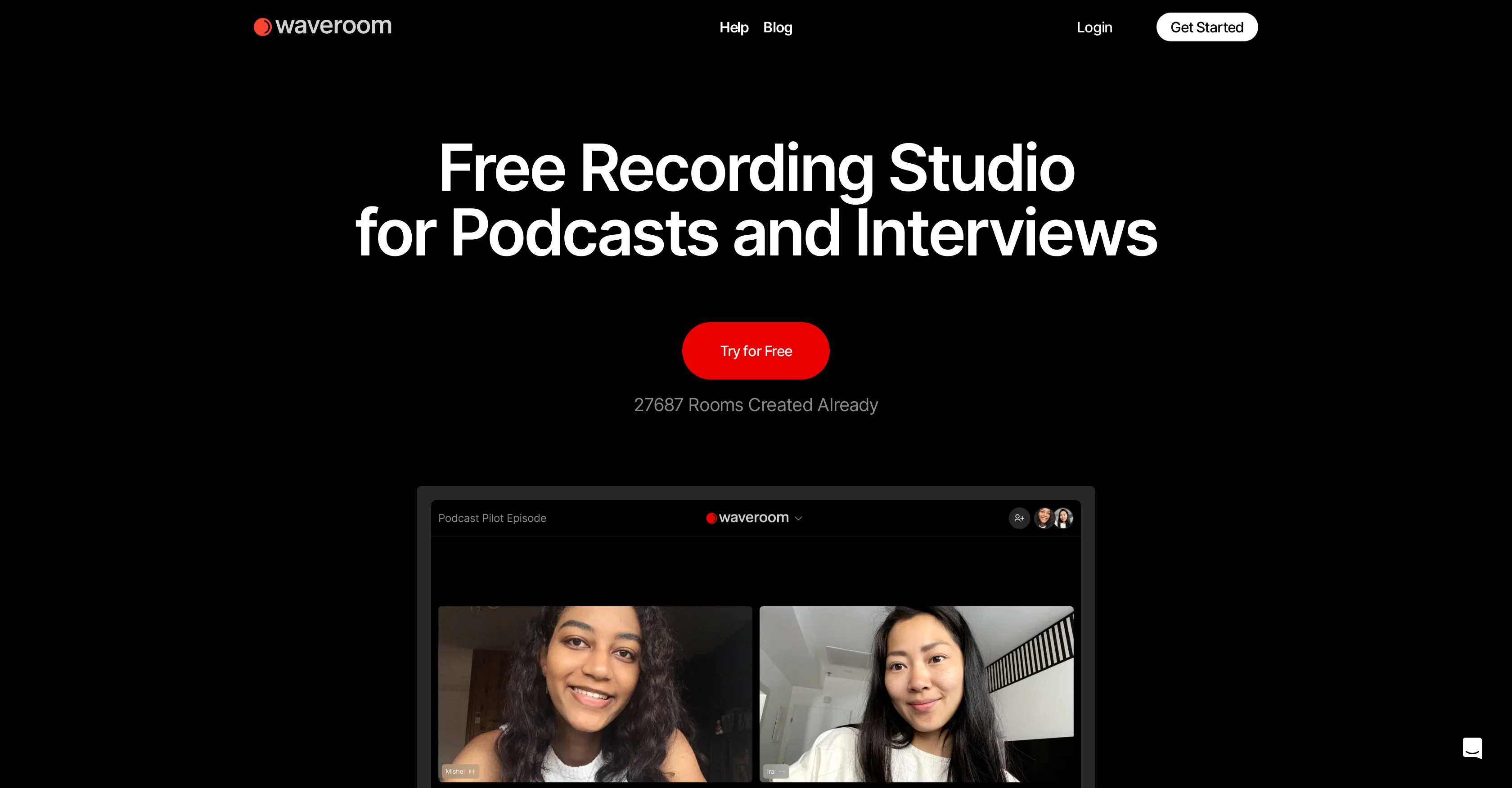
Waveroom is an online remote recording studio designed to record podcasts, meetings, and interviews in studio quality. It enables users to record audio and video communications, with each participants recording available for individual download.
It offers features such as multi-track recording, allowing users to record, download, organize, and edit separate tracks of each participant. The platform is also equipped with AI-noise removal to eliminate background noise and enhance the quality of the recordings.
Additionally, Waveroom offers one-click collaboration, enabling users to share recording session links and record up to five participants simultaneously.
It also features a local recording mechanism that ensures high-quality recording, even with a slow internet connection. Future plans for Waveroom include the introduction of simplified editing, gap removal, speech-to-text conversion, and mobile support.
The tool is available for free with an option for an Enterprise plan for additional features. Please note that users are recommended to contact the sales team for information regarding the participant capacity expansion and paid enterprise plans.
Help other people by letting them know if this AI was useful.
Add your own prompts and outputs to help others understand how to use this AI.
Screenshot gallery
Pros & Cons
Pros
+Online remote recording
+Studio quality sound
+Multi-track recording
+Individual track download
+One-click collaboration
+Up to five participants
+Local recording mechanism
+Resilient to slow internet
+Future speech-to-text feature
+Future mobile support
+Free base version
+Enterprise plan available
+4K video recording
+Lossless WAV audio
+Recording session link sharing
+Separate tracks for guests
+Background noise removal
+Simultaneous record, audio, video
+High video, audio quality
+Cloud recording
+Local recording comparison
+Podcast recording capability
+Remote teaching capabilities
+Corporate communication tool
+Future gap removal feature
+Video resolution up to 2K
+Up to 120 minute sessions
+Sessions extendable
+Up to 5 participants
+Recordings stored for 90 days
Cons
−Limited to 5 participants
−No mobile support
−Recording limit of 120 minutes
−Lack of advanced editing tools
−Enterprise plan details unclear
−Recordings only stored for 90 days
−Simplified editing upcoming, not current
−Gap removal feature not available
−Speech-to-text conversion not present
−Needs sales contact for participant expansion
A Professional Framework to Evaluate Waveroom
When considering Waveroom for integration into your organizational workflow, we recommend deploying a structured score card across three critical operational pillars: Security & Compliance, Integration Friction, and long-term Price Scalability. Rather than looking only at basic feature lists, modern procurement teams must assess how a software platform behaves under high load and how well it fits into the team's data security guidelines.
1. Security and Database Compliance
Depending on your operating region and field, ensure that Waveroom supports standard security layers such as SOC 2 Type II certifications, GDPR compliance, or HIPAA-compliant database encryption. If the tool connects directly to client database tables or handles user passwords, verify that they implement multi-factor authentication (MFA), single sign-on (SSO) integrations, and end-to-end data encryption in transit and at rest.
2. API Coverage and Custom Integrations
Siloed data is the primary cause of operational friction. Evaluate if Waveroom has native connectors for your current project trackers, messaging hubs, and customer communication channels. For custom developer requirements, check if they provide a fully documented REST API with reasonable rate limits, comprehensive Webhooks support, and robust SDK packages in your language. A flexible API layer saves hundreds of hours of manual copy-paste overhead.
3. Total Cost of Ownership (TCO)
SaaS pricing packages are often deceptively simple. When reviewing Waveroom's billing structure, map out your team's projected expansion over the next 12 to 24 months. Determine how costs scale as your customer database increases or as you add team members. Factor in setup costs, mandatory support plan upgrades, API access fees, and storage overage rates to understand the true cost before committing to a contract.
By combining verified user reviews from our directory with internal workflow pilot tests, your procurement team can make an informed decision that drives productivity without creating capital waste.
Features of Waveroom
Local
Online Recording Studio
Remote Collaboration
Podcast Recording
AI Noise Removal
Audio Recording
Free
SaaS1to10 verified reviews for Waveroom
Overall rating
★★★★★5.0
Based on 19 reviews
★★★★★5.01 months ago
“Review”
This is a great tool! I have a question. The first time I created an Interactive Lesson, the published result had a transcript of the podcast which interacted simultaneously with the mindmap. After navigating out of that window, I can't access this again. Is there a way to access it? Currently it only shows an outline, the podcast and mindmap with no transcript or mindmap interactivity.
Fly Soul O
★★★★★5.01 months ago
“Review”
Seems to be working for me. Maybe try again?
Aramis
★★★★★5.01 months ago
“Review”
superb, e gratis, merge blana, in EN se aude ideal
jon doe
★★★★★5.01 months ago
“Review”
Works but I cannot understand what's the use. I was expecting it to give me some videos
Samartha Venkatramana
★★★★★5.01 months ago
“Review”
Not at all accurate…. The only thing similar between original and generated images were the clothes and accessories… face was absolutely new and unconnected.
Shvetank Sharma
★★★★★5.01 months ago
“Review”
Really cool and intuitive tool, it helps me a lot with my articles!
Nina Ristik
★★★★★5.01 months ago
“Review”
create stock control, delivery and product management
Francisco Jalane
★★★★★5.01 months ago
“Review”
A little biased, but I think it's great.
Dawson Whitfield
★★★★★5.01 months ago
“Review”
Really like how it finds connection in the content that I save. I don't think any other tool can do that.
amix ffx
★★★★★5.01 months ago
“Review”
As the service was in beta-testing stage, I created there a dozen of AI-generated courses for free. I wanted to use them. Those courses remained in my account as they started subscription tiers. But recently I have found out that they were deleted. The support didn't answer to my e-mail at all.
Oldfag TV
★★★★★5.01 months ago
“Review”
I joined Kin's beta program on my iPhone XR. After upgrading to an iPhone 13, I found that I couldn't log into my existing account on the new phone, forcing me to create a new account. Now, I have two separate Kin accounts on different phones. Today, when I accessed the beta version of Kin, I got a notification stating that the test version ended on Monday, September 23rd. It instructed me to back up my data and move to the official Kin app. I did as advised—backed up my data, confirmed, uninstalled the beta app via TestFlight, and installed the official Kin app. However, when I attempted to “log in”, I was still unable to access my existing account. This issue hasn't been resolved yet. I have been trying desperately to get in contact with the support team. I left feedback through the test flight app and sent emails. No response. Now trying to find a forums, Reddit posts, TAAFT comments☻
Desiree Miller
★★★★★5.01 months ago
“Review”
I already have another transcription tool, but this one is much better. I love the different features such as the summary, quiz, and chapters. It does a great job of them. I've only done one transcript so far to try it out, but I'm truly impressed and am going to grab another code. A couple things that would make it even better are: - the ability to rename the files and organize them through folders. - the ability to download a copy of the other features as well as the transcript. Copying and pasting it works, but doesn't keep the format.
dunn
★★★★★5.01 months ago
“Review”
Suppppeeeeerrr! Wowwww! @Mindsmith is absolutely fantastic! It is incredibly useful, easy to use, and very professional.
Claudia Scilletta
★★★★★5.01 months ago
“Review”
I think it's the best @Image Generator I ever found on the net. It gives more accurate image according to the prompt. And thank you for keeping it for free.
My Sawsiri
★★★★★5.02 months ago
“Review”
This one's a winner! Thank you for building this. Just used it for my product demo at grapha.ai
Prince Harshan
★★★★★5.02 months ago
“Review”
its really cool
Trevor job
★★★★★5.02 months ago
“Review”
Hi folks - I'm Charles, the founder of @Wizardly. I built this app to help marketing, product, and sales teams instantly create polished product videos without requiring expensive professional video editing. Try it out to see how to turn a quick screen recording into professional, customer-ready video today. We have lot's of cool features in the pipe but feel free to share feedback and suggestions once you give the app a spin! 🙏🏻
Charles Brun (Charles)
★★★★★5.02 months ago
“Review”
5 star and Ai is the best to guide anybody Ai helps many things like hardwork is easy due to use of Ai .You help in your study
Mohit Singh
★★★★★5.02 months ago
“Review”
Decent stem splitting, but no better than free options, and definitely not worth paying for. The sound quality is so poor you cannot really use the output for anything apart from making karaoke tracks for personal enjoyment. Don't even think of using Lalal if you're a professional producer who needs to split a mixed song due to lost stems etc.