wAnywhere

5.0(19 reviews)

AI-powered remote work monitoring for productivity and security

Paid

wAnywhere Overview

What is wAnywhere?

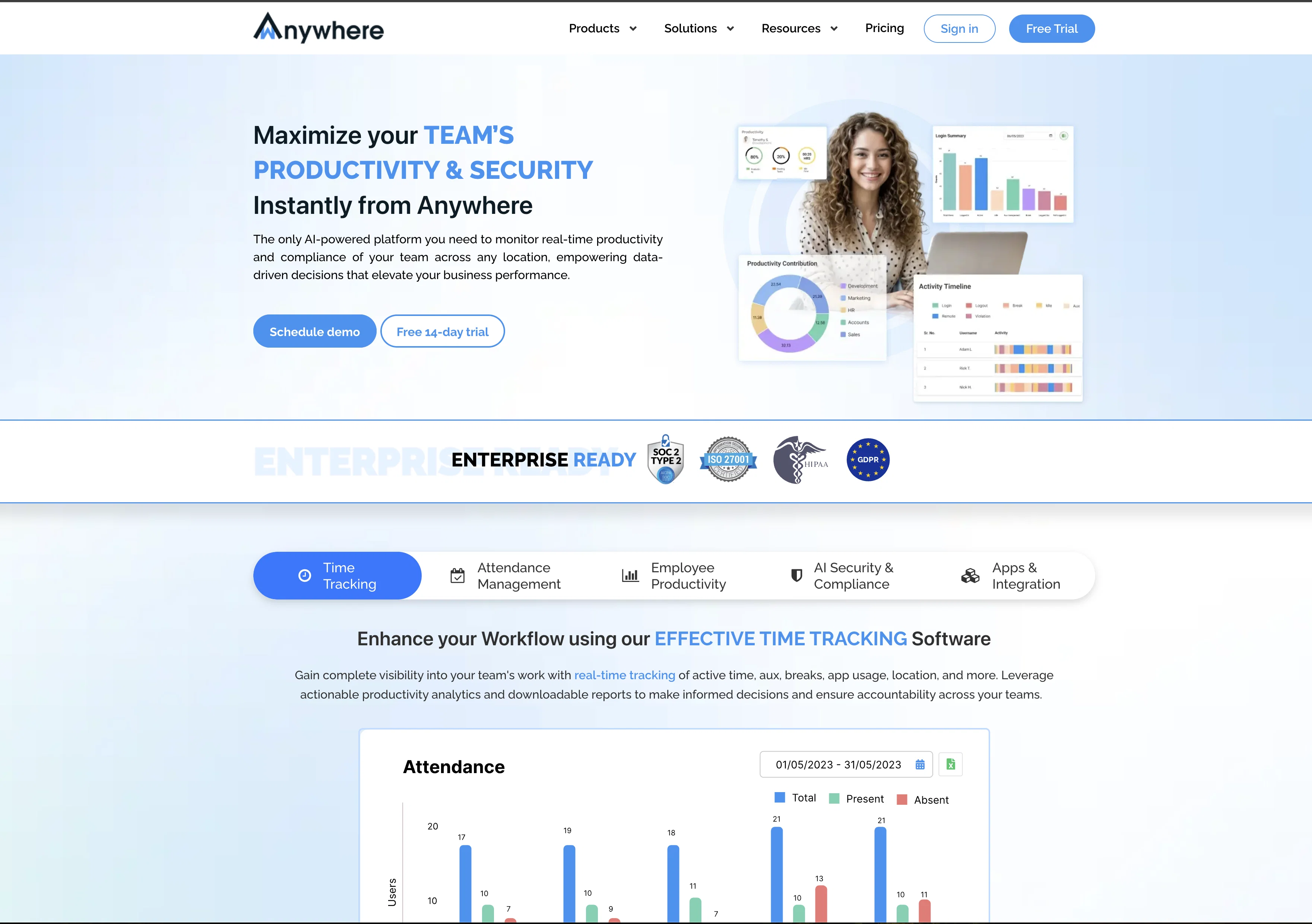
wAnywhere is an AI-based remote employee monitoring and desktop time tracking software designed to ensure security and boost productivity. This tool offers features such as automatic time monitoring, idle time tracking, website and app usage monitoring, and location tracking to maximize productivity. It also provides intuitive and comprehensive visualization and reporting at various levels within the organization. Managers can set configurable actions when thresholds or boundaries are not met, including screen blocking or triggering notifications.In addition to monitoring, wAnywhere offers communication and collaboration capabilities within the platform. Users can interact with team members through an enterprise-grade secured video conferencing app and enterprise chat. The tool allows for department-wise configuration, attachment, group creation, and the ability to add custom branding for a cohesive culture.wAnywhere also provides a collection of productivity-enhancing apps, allowing employees to have everything they need on a single desktop. The tool is continuously adding new apps, and soon it will allow access to popular external apps as well.To keep employees engaged and motivated, wAnywhere offers gamification and wellness features. It aims to increase engagement by providing innovative features that promote motivation and wellness.The tool also highlights its value in unlocking various benefits, including a location-agnostic secured workplace, flexibility in hybrid working, cost reduction in real estate, energy, and commuting, maximizing and tracking productivity, strengthening company culture, and providing data-driven insights through intuitive visualization and reporting.Furthermore, wAnywhere emphasizes AI-based security and compliance to create a secure environment for companies exploring the possibility of hybrid working. Help other people by letting them know if this AI was useful. Add your own prompts and outputs to help others understand how to use this AI.

Screenshot gallery

wAnywhere screenshot

Pros & Cons

Pros

  • Automatic time monitoring
  • Idle time tracking
  • Website and app usage monitoring
  • Location tracking
  • Configurable violation actions
  • Screen blocking
  • Triggering notifications
  • Built-in communication and collaboration tools
  • Enterprise-grade secured video conferencing
  • Enterprise chat
  • Department-wise configuration
  • Supports attachments
  • Allows group creation
  • Custom branding ability
  • Productivity-enhancing apps
  • Continuous addition of new apps
  • Access to popular external apps
  • Gamification features
  • Wellness features
  • Secured workplace for hybrid working
  • Cost reduction assistance
  • Productivity maximization
  • Company culture strengthening
  • Data-driven insights
  • Intuitive visualization
  • Comprehensive reporting
  • Location agnostic
  • Individual and process level tracking
  • Task management
  • Time sheet app
  • Supports Mac, Windows and Linux
  • Integrated collaborative tools
  • Customizable security levels
  • Built for different team needs
  • Supports remote branches tracking
  • Motivation tools for remote teams
  • Apps for Open Source teams
  • Enforces 'clean desk policy'
  • Security compliance enforcement
  • Remediation workflow management
  • Facial Authentication support
  • On-premise/private solution availability
  • Easy to configure and setup
  • Supports all popular platforms
  • Inbuilt collaboration tools
  • Supports different plans.

Cons

  • Limited external app access
  • Potential privacy concerns
  • Limited platform coverage
  • Limited gamification features
  • Limited wellness features
  • Complicated department configuration
  • Lacks customization options
  • Software could block screen
  • Potential notification spam

A Professional Framework to Evaluate wAnywhere

When considering wAnywhere for integration into your organizational workflow, we recommend deploying a structured score card across three critical operational pillars: Security & Compliance, Integration Friction, and long-term Price Scalability. Rather than looking only at basic feature lists, modern procurement teams must assess how a software platform behaves under high load and how well it fits into the team's data security guidelines.

1. Security and Database Compliance

Depending on your operating region and field, ensure that wAnywhere supports standard security layers such as SOC 2 Type II certifications, GDPR compliance, or HIPAA-compliant database encryption. If the tool connects directly to client database tables or handles user passwords, verify that they implement multi-factor authentication (MFA), single sign-on (SSO) integrations, and end-to-end data encryption in transit and at rest.

2. API Coverage and Custom Integrations

Siloed data is the primary cause of operational friction. Evaluate if wAnywhere has native connectors for your current project trackers, messaging hubs, and customer communication channels. For custom developer requirements, check if they provide a fully documented REST API with reasonable rate limits, comprehensive Webhooks support, and robust SDK packages in your language. A flexible API layer saves hundreds of hours of manual copy-paste overhead.

3. Total Cost of Ownership (TCO)

SaaS pricing packages are often deceptively simple. When reviewing wAnywhere's billing structure, map out your team's projected expansion over the next 12 to 24 months. Determine how costs scale as your customer database increases or as you add team members. Factor in setup costs, mandatory support plan upgrades, API access fees, and storage overage rates to understand the true cost before committing to a contract.

By combining verified user reviews from our directory with internal workflow pilot tests, your procurement team can make an informed decision that drives productivity without creating capital waste.

Features of wAnywhere

  • Employee Monitoring
  • Time Tracking
  • Remote Work
  • Remote Management
  • Workforce Supervision
  • Productivity Management
  • From $6/Mo

SaaS1to10 verified reviews for wAnywhere

Overall rating

5.0

Based on 19 reviews

5.02 weeks ago

Review

Voice clone sounds really good and the lip sync is the most accurate I've seen. Look forward to seeing how this product progresses. Pricing is good imo, especially since others don't have voice clone or lip sync with the translation. The editor is also really useful for checking the transcripts and translations. I think it's the best editor out of all the ones I have tested.

James Harvey

5.02 weeks ago

Review

The application arbitrarily adds doors and windows, making the final design unusable. It also changes the view from the window. In the final you are looking at a completely different room than the one you are interested in redesigning.

Martin Březina

5.02 weeks ago

Review

Comprehensive course outlines, lessons, and assessments within seconds.

Sebastian Cognetta

5.02 weeks ago

Review

Useful to quickly explore the content of and interconnections between research papers. Makes it a more fun process.

Jon Hasworth

5.02 weeks ago

Review

Generating captions was super fast like seconds. Wish they had Anton font though

bob miller

5.02 weeks ago

Review

I've been playing around with this for a few hours. It's made me say "WOW" too many times than i wish to admit. I'm going to follow this and see how it evolves. For now, i managed to create quite a nice Expenses app for personal use. | It did have some problems when it came to moving some components on other pages, but for how short the prompts it uses can be, it is really impressive. With some proper prompts it can generate some strong stuff.

Bernard

5.02 weeks ago

Review

I've tried to find the exact articles via WoS, Google, or Scopus. Despite using a very advised and complicated search query, it was just a waste of time. Perplexity didn't help either. The Jenni AI, which may add useful links when generating text, finds nothing but trash. SciScape gave exactly what I needed from the first query! A couple of fresh relative articles with very exact topics!

Elijah

5.02 weeks ago

Review

I joined Kin's beta program on my iPhone XR. After upgrading to an iPhone 13, I found that I couldn't log into my existing account on the new phone, forcing me to create a new account. Now, I have two separate Kin accounts on different phones. Today, when I accessed the beta version of Kin, I got a notification stating that the test version ended on Monday, September 23rd. It instructed me to back up my data and move to the official Kin app. I did as advised—backed up my data, confirmed, uninstalled the beta app via TestFlight, and installed the official Kin app. However, when I attempted to “log in”, I was still unable to access my existing account. This issue hasn't been resolved yet. I have been trying desperately to get in contact with the support team. I left feedback through the test flight app and sent emails. No response. Now trying to find a forums, Reddit posts, TAAFT comments☻

Desiree Miller

5.02 weeks ago

Review

No other tool quite like this, it's pretty straightforward. Needed to extract a long interview from YouTube and it extracted everything, providing it in different meaningful formats in less than two minutes. Awesome

Juan Sierra

5.02 weeks ago

Review

easy to pick up and you get a few free file imports. it gives you results pretty fast, unfortunately i can't find a way to get back to these, they're locked behind the paid service.

Ron Jayson

5.02 weeks ago

Review

I tried using it but the website has too many bugs.

João Neiva

5.02 weeks ago

Review

It's sad to see people want to try your tool out but you have no free sample for them. This may be the best tool out there, but, as mentioned, going through with the AI for minutes to explain what you want, then being prompted to pay, without even knowing if it CAN create something, is discouraging. I hope we can get a free sample or preview at one point, im interested in this one.

Ron Jayson

5.02 weeks ago

Review

An amazing app, I love the share feature and the comment section summaries

Silvia Cho

5.02 weeks ago

Review

It's not free, it forces you to input an email before shoving a price tag in your face.

Arvoly XSL

5.02 weeks ago

Review

O GPT faz uma análise melhor e mais personalizada.

Vinicius Vilela

5.02 weeks ago

Review

As the service was in beta-testing stage, I created there a dozen of AI-generated courses for free. I wanted to use them. Those courses remained in my account as they started subscription tiers. But recently I have found out that they were deleted. The support didn't answer to my e-mail at all.

Oldfag TV

5.02 weeks ago

Review

Suppppeeeeerrr! Wowwww! @Mindsmith is absolutely fantastic! It is incredibly useful, easy to use, and very professional.

Claudia Scilletta

5.02 weeks ago

Review

Really amazing! Makes learning content and engaging with things so much easier!

Jamie McDonald

5.02 weeks ago

Review

These guys are onto something solid. Life changing for me having been in the professional services industry my entire life and soooo over project/admin time tracking.

Kristen DiFolco

Pricing

Starting Price

From $14.00/user/month

Pricing may vary based on team size and features selected.

Where can wAnywhere be deployed?

  • Cloud, SaaS, Web-Based

Recommended for you