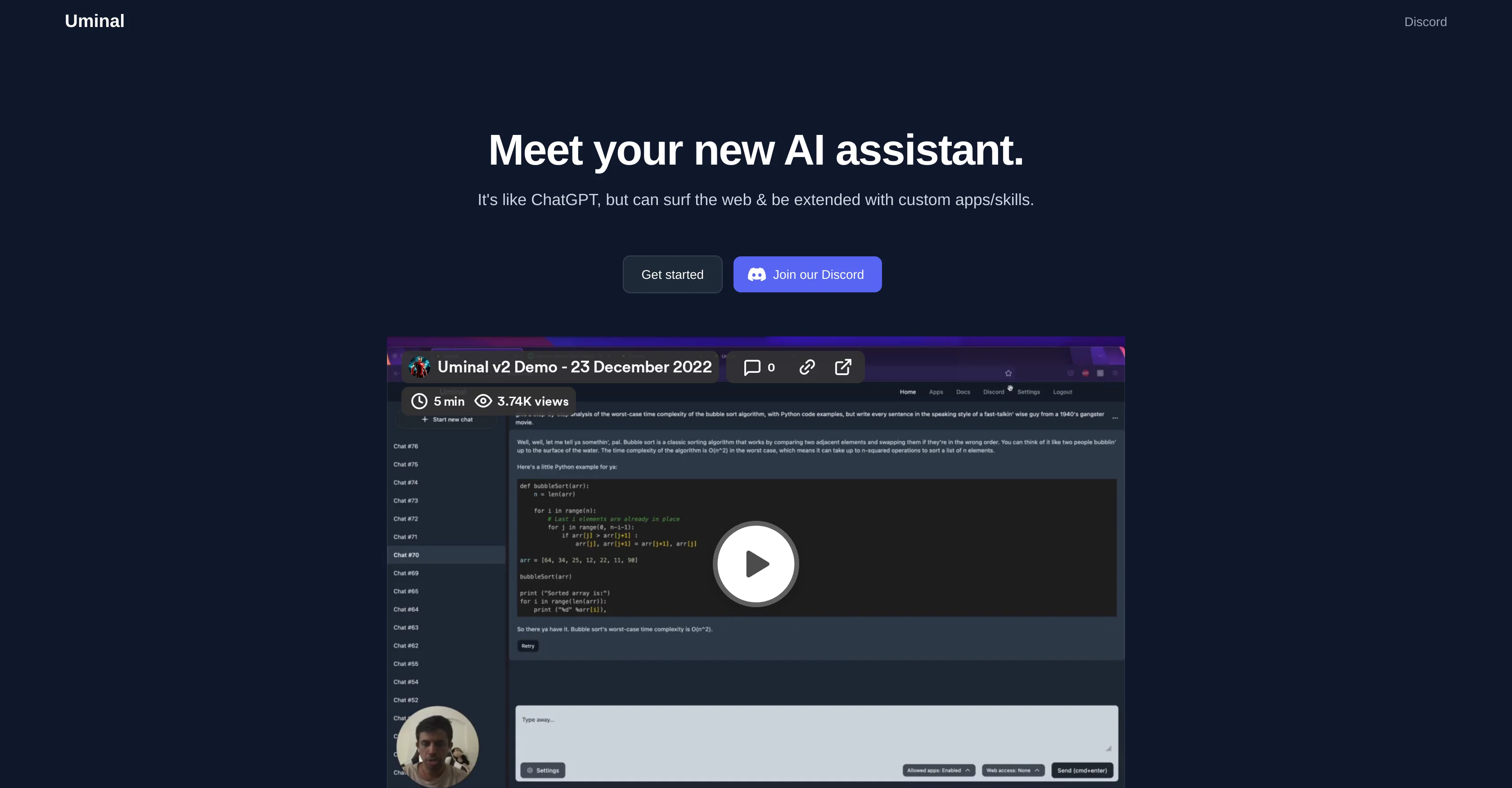
Uminal is an AI assistant built with capabilities to surf the web and extend its functionalities through the use of custom applications or skills, without requiring any code.
AI operates in a similar vein as ChatGPT, but with added utilities. The tool can be extended with custom applications or skills, presenting a broad spectrum of potential functionalities that users can explore.
Key features include internet surfing capabilities, which broadens its scope of operation beyond standard conversational abilities, allowing Uminal to access and extract online information as required.
Applications are handled without any necessity for coding skills on the user's part, thereby making the tool accessible to a wide audience. Users also have the opportunity to connect and interact with a community via platforms such as Discord, providing support and fostering an environment for sharing and improvement.
All these make Uminal a versatile AI assistant that can be used across various domains and purposes, enhancing efficiency and productivity.
Help other people by letting them know if this AI was useful.
Add your own prompts and outputs to help others understand how to use this AI.
Screenshot gallery
Pros & Cons
Pros
+Web surfing capability
+Interacts with apps
+No coding for extension
+User-friendly design
+Supportive Discord community
+Automates tedious tasks
+Quick answers retrieval
+Custom applications extension
+Broad functionalities spectrum
+Access to online information
+No coding skills required
+Community engagement and support
+Versatile use cases
+Enhanced efficiency and productivity
+Can be personalized
+NLP powered interactions
+Data extraction from web
+Adaptable for various domains
+Advanced than ChatGPT
+Custom skills addition
+Imitates human conversation
+Community for advice and questions
+App and website interfacing
+Can simulate web browsing
+Operates on diverse platforms
Cons
−Limited to web-based tasks
−Dependency on external applications
−Non-coding approach can limit customization
−May struggle with complex queries
−Reliance on active community for support
−No mention of privacy measures
−No multi-language support mentioned
−Potential overreliance on Discord community
−Limited use for non-Internet tasks
−Possible struggle extracting structured data
A Professional Framework to Evaluate Uminal
When considering Uminal for integration into your organizational workflow, we recommend deploying a structured score card across three critical operational pillars: Security & Compliance, Integration Friction, and long-term Price Scalability. Rather than looking only at basic feature lists, modern procurement teams must assess how a software platform behaves under high load and how well it fits into the team's data security guidelines.
1. Security and Database Compliance
Depending on your operating region and field, ensure that Uminal supports standard security layers such as SOC 2 Type II certifications, GDPR compliance, or HIPAA-compliant database encryption. If the tool connects directly to client database tables or handles user passwords, verify that they implement multi-factor authentication (MFA), single sign-on (SSO) integrations, and end-to-end data encryption in transit and at rest.
2. API Coverage and Custom Integrations
Siloed data is the primary cause of operational friction. Evaluate if Uminal has native connectors for your current project trackers, messaging hubs, and customer communication channels. For custom developer requirements, check if they provide a fully documented REST API with reasonable rate limits, comprehensive Webhooks support, and robust SDK packages in your language. A flexible API layer saves hundreds of hours of manual copy-paste overhead.
3. Total Cost of Ownership (TCO)
SaaS pricing packages are often deceptively simple. When reviewing Uminal's billing structure, map out your team's projected expansion over the next 12 to 24 months. Determine how costs scale as your customer database increases or as you add team members. Factor in setup costs, mandatory support plan upgrades, API access fees, and storage overage rates to understand the true cost before committing to a contract.
By combining verified user reviews from our directory with internal workflow pilot tests, your procurement team can make an informed decision that drives productivity without creating capital waste.
Features of Uminal
AI Assistant
Web Surfing
Virtual Assistant
Extensible Functions
No Coding Required
Internet Research
SaaS1to10 verified reviews for Uminal
Overall rating
★★★★★5.0
Based on 17 reviews
★★★★★5.02 months ago
“Review”
I've been playing around with this for a few hours. It's made me say "WOW" too many times than i wish to admit. I'm going to follow this and see how it evolves. For now, i managed to create quite a nice Expenses app for personal use. | It did have some problems when it came to moving some components on other pages, but for how short the prompts it uses can be, it is really impressive. With some proper prompts it can generate some strong stuff.
Bernard
★★★★★5.02 months ago
“Review”
Great idea, but does not find what you are looking for-about the same as Google Scholar
Andy
★★★★★5.02 months ago
“Review”
Loved the search engine ideas.
Amr عمرو Amin امين
★★★★★5.02 months ago
“Review”
too expensive for me, I just want to make memes, not pay that much
Grzegorz Rolnik
★★★★★5.02 months ago
“Review”
It seems to be working fine right now. Maybe try again and double check if you’re using the book’s original or most recognized title. That might make a difference.
Alexandru Bostina
★★★★★5.02 months ago
“Review”
Free Start with a Free Experience $0 /mo
Vitus Bering
★★★★★5.02 months ago
“Review”
The website is pretty good but there are only a limited number of responses
Probal Roy
★★★★★5.02 months ago
“Review”
I think its good
Adam Gusky
★★★★★5.02 months ago
“Review”
Suppppeeeeerrr! Wowwww! @Mindsmith is absolutely fantastic! It is incredibly useful, easy to use, and very professional.
Claudia Scilletta
★★★★★5.02 months ago
“Review”
An amazing app, I love the share feature and the comment section summaries
Silvia Cho
★★★★★5.02 months ago
“Review”
O GPT faz uma análise melhor e mais personalizada.
Vinicius Vilela
★★★★★5.02 months ago
“Review”
They recently changed to a “point based system” where free users get 3000 daily point. Subscribers get 100,000,000 points monthly plus the 3000 daily. Each model has a wide range of costs. Some are cheap and some are more expensive. There is no longer unlimited messages for subscribers. It has since sparked an outrage among the community with many ending their subscriptions and moving away from @Poe.
Sam Heller (LostInStardust)
★★★★★5.02 months ago
“Review”
Accurate. Private and anonymous. No ads, spam or tracking. Just the way I like it
kanawati
★★★★★5.02 months ago
“Review”
Really amazing! Makes learning content and engaging with things so much easier!
Jamie McDonald
★★★★★5.02 months ago
“Review”
I've tried to find the exact articles via WoS, Google, or Scopus. Despite using a very advised and complicated search query, it was just a waste of time. Perplexity didn't help either. The Jenni AI, which may add useful links when generating text, finds nothing but trash. SciScape gave exactly what I needed from the first query! A couple of fresh relative articles with very exact topics!
Elijah
★★★★★5.02 months ago
“Review”
pretty useful for quick fact-checking and comparisons. the answers are laid out clearly, but it can feel like overkill for really simple questions. still a nice tool to have around.
Vansh Thakur
★★★★★5.02 months ago
“Review”
Improving your public speaking skills for professional presentations can be achieved through practice, preparation, and persistence. Here are some tips to help you enhance your public speaking skills: Practice and Preparation Building Confidence Start small: Begin with small presentations or group discussions to build your confidence. Focus on your message: Focus on the value of your message rather than your own nervousness. Delivery Techniques Make eye contact: Engage with your audience by making eye contact with different people in the room. Vary your tone and pace: Use vocal variety to add emphasis and keep your audience engaged. Use visual aids: Use visual aids like slides, videos, or props to support your message and add visual interest. Managing Nervousness Take deep breaths: Take deep breaths before your presentation to calm your nerves. Use positive self-talk: Encourage yourself with positive affirmations, such as "I am well-prepared" or "I can do this." Focus on your audience: Focus on your audience's needs and interests rather than your own nervousness. Seeking Feedback Ask for feedback: Ask colleagues or mentors for feedback on your presentations. Be open to constructive criticism: Use feedback to identify areas for improvement and work on making changes. Continuously improve: Continuously work on improving your public speaking skills through practice, feedback, and self-reflection. By following these tips, you can improve your public speaking skills and deliver confident, effective presentations in a professional setting.
Abul Kashem
Pricing
Starting Price
Contact vendor for pricing
Pricing may vary based on team size and features selected.