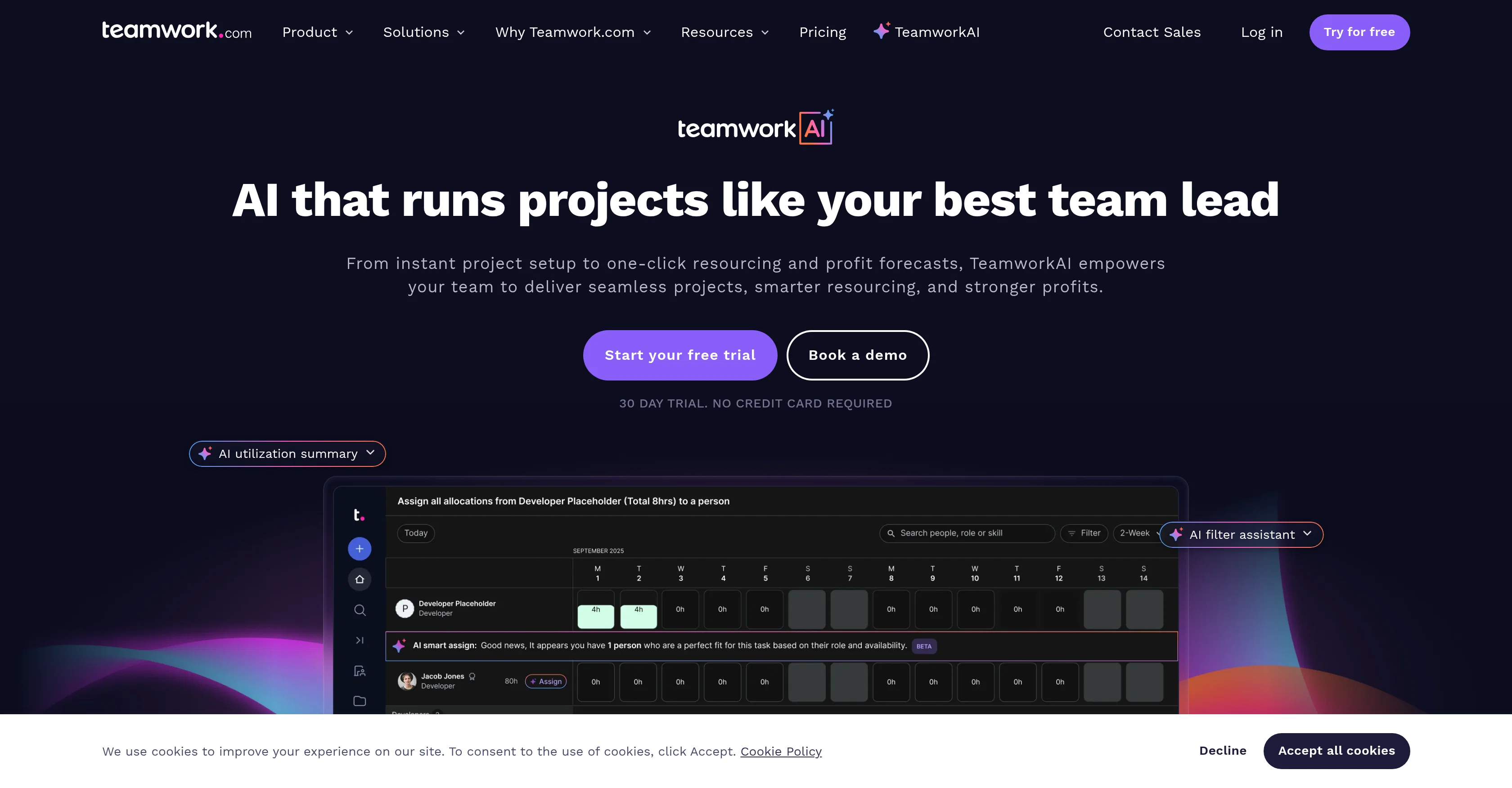
TeamworkAI is an AI-powered tool from Teamwork.com that aims to assist client service teams streamline their workflows by automating routine tasks and enhancing their project delivery.
The tool is designed to function as a smart partner for faster and more efficient client projects. It focuses on three primary areas: project management, resource management, and financial management.
In terms of project management, TeamworkAI converts client requests into actionable projects and tasks, automating setup and administration for increased productivity.
With regards to resource management, the tool helps to maintain balanced workloads through automated scheduling decisions and utilization tracking. It eliminates the guesswork and manual labor involved in allocating resources.
For financial management, TeamworkAI identifies risks early on, providing clear, data-backed predictions for revenue, costs, and profits, reducing dependency on manual processes like spreadsheets.
Additionally, the tool offers AI-powered features that expedite project setup as well as resourcing and profit forecasts. TeamworkAI is built to complement existing workflows rather than replace them.
Help other people by letting them know if this AI was useful.
Add your own prompts and outputs to help others understand how to use this AI.
Screenshot gallery
Pros & Cons
Pros
+Automates routine tasks
+Streamlines client service workflows
+Enhances project delivery
+Integrated project management
+Advanced resource management
+Highly effective financial management
+Transforms client requests into projects
+Automated project setup
+Task administration automation
+Maintains balanced workloads
+Automated scheduling
+Utilization tracking
+Eliminates manual resource allocation
+Early risk identification
+Data-backed financial predictions
+Reduces dependency on manual processes
+Expedited project setup
+Profit prediction features
+Complements existing workflows
+Allows intake form management
+Real-time performance reports
+Maximizes team capacity
+Cost management capabilities
+Billable time maximization
+Real-time budgets tracking
+Recurring budgets management
+Integration with accounting apps
+Summarizes comments
+ChatGPT connector
+Instant task locating
+Expense autofill
+Capacity tracking in seconds
+Designed for client work
+MCP server for smarter workflows
+SOC 2 compliant
+Secured data protection
Cons
−No integration with third-party apps
−Lacks real-time collaboration feature
−No mobile application
−Lacks customizability
−No free version available
−Requires extensive setup
−Single functionality oriented
−Limited resource management options
−Single platform dependency
A Professional Framework to Evaluate TeamworkAI
When considering TeamworkAI for integration into your organizational workflow, we recommend deploying a structured score card across three critical operational pillars: Security & Compliance, Integration Friction, and long-term Price Scalability. Rather than looking only at basic feature lists, modern procurement teams must assess how a software platform behaves under high load and how well it fits into the team's data security guidelines.
1. Security and Database Compliance
Depending on your operating region and field, ensure that TeamworkAI supports standard security layers such as SOC 2 Type II certifications, GDPR compliance, or HIPAA-compliant database encryption. If the tool connects directly to client database tables or handles user passwords, verify that they implement multi-factor authentication (MFA), single sign-on (SSO) integrations, and end-to-end data encryption in transit and at rest.
2. API Coverage and Custom Integrations
Siloed data is the primary cause of operational friction. Evaluate if TeamworkAI has native connectors for your current project trackers, messaging hubs, and customer communication channels. For custom developer requirements, check if they provide a fully documented REST API with reasonable rate limits, comprehensive Webhooks support, and robust SDK packages in your language. A flexible API layer saves hundreds of hours of manual copy-paste overhead.
3. Total Cost of Ownership (TCO)
SaaS pricing packages are often deceptively simple. When reviewing TeamworkAI's billing structure, map out your team's projected expansion over the next 12 to 24 months. Determine how costs scale as your customer database increases or as you add team members. Factor in setup costs, mandatory support plan upgrades, API access fees, and storage overage rates to understand the true cost before committing to a contract.
By combining verified user reviews from our directory with internal workflow pilot tests, your procurement team can make an informed decision that drives productivity without creating capital waste.
Features of TeamworkAI
API
Project Management
Resource Management
Financial Management
Workflow Automation
Task Automation
Free + From $13.99/Mo
SaaS1to10 verified reviews for TeamworkAI
Overall rating
★★★★★5.0
Based on 12 reviews
★★★★★5.02 months ago
“Review”
From one of our customers: We are running our 15 person VC-backed company right now without a PM. @Devplan helps fills that gap for us by generating high-quality user stories that sync in Linear in minutes. What used to take me days of back and forth and refinement I’m now doing in less then a hour.
Chris Bee
★★★★★5.02 months ago
“Review”
Prepare as per blooms taxonomy question and answer for this Introduction, meaning, nature, scope of HRM-Importance and Evolution of the concept of HRM-Major functions of HRM-Principles of HRM, Factors of Competitive advantage, Nature and responsibility of HR Manager in Hospitals
Sharan Reddy
★★★★★5.02 months ago
“Review”
I loveeeee this idea but sadly it does not send the email so i couldnt log in and try it... tried 2 different devices with different emails...
uma
★★★★★5.02 months ago
“Review”
Thanks! So happy to hear you're liking @FlowPost.
CodeConda
★★★★★5.02 months ago
“Review”
Athena has been a useful product for travel and product recommendations. Additionally, it has helped me with my daily tasks.
Ash Pradeep
★★★★★5.02 months ago
“Review”
Impressive, looks like what I needed all these years... Finally I found something useful!
Felix F.
★★★★★5.02 months ago
“Review”
Miro has massively improved how we collaborate and execute. The AI features have made a real difference in day-to-day productivity, helping us structure ideas quickly and get to decisions faster. What really surprised me is the new prototyping feature: it’s now much easier to turn a workshop board into an actual prototype and iterate with the team. If you’re running product work, workshops, roadmaps, or even GTM planning, Miro is worth it.
Joran Hofman
★★★★★5.02 months ago
“Review”
A work of a dedicated team that prioritizes user needs
劉維人
★★★★★5.02 months ago
“Review”
Purely magic. It increases the productivity by a lot and the process is pretty addictive. I've been building websites like there's not tomorrow.
Geo Burlibasa
★★★★★5.02 months ago
“Review”
Very useful, but for me, who only needs the simplest feedback functions, the on-boarding where they force me to do things I don't need to do is unbearable. I've done it once, but I'll never create an account on it again just for that reason.
Grimnir
★★★★★5.02 months ago
“Review”
Using @Bugasura has been a game-changer for our QA workflow. The AI automatically generates precise issue descriptions, assesses impact, and suggests assignments, cutting down bug logging time by more than half while keeping everything organized and collaborative across teams.
Gowtham M
★★★★★5.02 months ago
“Review”
I started using @Team Pulse recently, and I really like how simple it feels. Managing projects, tasks, and pipelines in one place is smooth, clean, and easy to understand without overcomplicating the workflow.