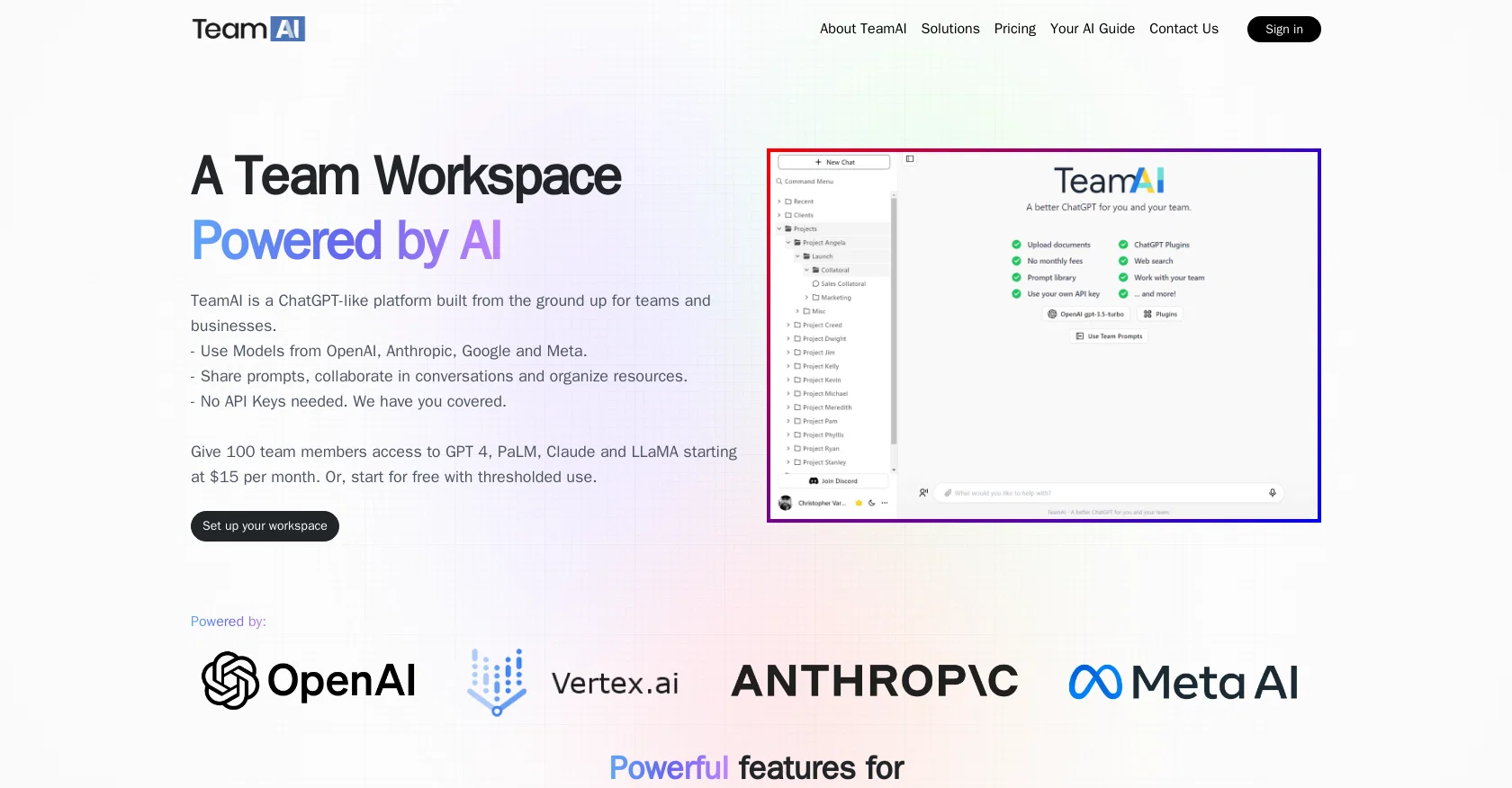
TeamAI is a collaborative AI platform designed for teams and businesses similar to ChatGPT. It offers a range of features to simplify team collaboration within a ChatGPT-like environment.
The platform allows users to utilize models from OpenAI, Anthropic, Google, and Meta without the need for API keys. It enables sharing prompts, collaborating in conversations, and organizing resources.
Users can customize their AI assistant's chatbot experience by selecting characters for their assistant and choosing from a variety of models, including ChatGPT and GPT-4.TeamAI supports document-based conversations, allowing users to upload documents and ask their AI assistant questions about them.
The platform also offers organizational features such as folders and subfolders to keep chats organized. Users can browse over 150 built-in prompts or create their own prompt library for their team.
They can also customize output settings, selecting language, tone, writing style, and format according to their preferences.Additionally, TeamAI provides options for custom branding, allowing users to use their own name, logo, and branding elements.
It supports hosting on custom domains and offers the ability to invite team members to collaborate within the workspace. The platform is available in different pricing plans, including a free plan that allows up to 100 users.
It also offers premium plans with additional features such as multi-model support, access to specific models like LLaMA and Claude, and the ability to upload and store documents.
Help other people by letting them know if this AI was useful.
Add your own prompts and outputs to help others understand how to use this AI.
Screenshot gallery
A Professional Framework to Evaluate TeamAI
When considering TeamAI for integration into your organizational workflow, we recommend deploying a structured score card across three critical operational pillars: Security & Compliance, Integration Friction, and long-term Price Scalability. Rather than looking only at basic feature lists, modern procurement teams must assess how a software platform behaves under high load and how well it fits into the team's data security guidelines.
1. Security and Database Compliance
Depending on your operating region and field, ensure that TeamAI supports standard security layers such as SOC 2 Type II certifications, GDPR compliance, or HIPAA-compliant database encryption. If the tool connects directly to client database tables or handles user passwords, verify that they implement multi-factor authentication (MFA), single sign-on (SSO) integrations, and end-to-end data encryption in transit and at rest.
2. API Coverage and Custom Integrations
Siloed data is the primary cause of operational friction. Evaluate if TeamAI has native connectors for your current project trackers, messaging hubs, and customer communication channels. For custom developer requirements, check if they provide a fully documented REST API with reasonable rate limits, comprehensive Webhooks support, and robust SDK packages in your language. A flexible API layer saves hundreds of hours of manual copy-paste overhead.
3. Total Cost of Ownership (TCO)
SaaS pricing packages are often deceptively simple. When reviewing TeamAI's billing structure, map out your team's projected expansion over the next 12 to 24 months. Determine how costs scale as your customer database increases or as you add team members. Factor in setup costs, mandatory support plan upgrades, API access fees, and storage overage rates to understand the true cost before committing to a contract.
By combining verified user reviews from our directory with internal workflow pilot tests, your procurement team can make an informed decision that drives productivity without creating capital waste.
Features of TeamAI
Agent
Chat
Chatgpt
Q&A
Team
Workspace
Free + From $25/Mo
SaaS1to10 verified reviews for TeamAI
Overall rating
★★★★★5.0
Based on 16 reviews
★★★★★5.01 months ago
“Review”
Good idea on democratization of AHP based Multiple Criteria Decision Making / Analysis (MCDM / MCDA). Helping common people to get AI powered MCDA at own mobile phone, otherwise only available expencive software with enterprises.
Shashi Bhattarai
★★★★★5.02 months ago
“Review”
This tool makes my team write about their work. AI summaries on top of daily reports are surprisingly helpful.
Jozo Kovac
★★★★★5.02 months ago
“Review”
Hey everyone! I’m Martin — co-founder, builder, and creator of @OneTask 🚀 @OneTask is specifically designed for people with ADHD and other creatives who can’t be bothered to spend time “managing” their tasks, and instead need an app that just helps them get things done. We have a Todoist and Google Calendar integration, and offer many other features that will help you optimize your life. Let me know if you have any questions! As of this writing, we have a special lifetime deal featured on our website — be sure to catch it before it’s gone! Martin
Martin Adams
★★★★★5.02 months ago
“Review”
The fact that it's available as a Chrome and Firefox extension makes it super convenient to integrate into my workflow. I love how it not only helps with proofreading and editing but also tracks changes, which is incredibly useful.
Magnus
★★★★★5.02 months ago
“Review”
Since discovering this tool in January 2024, my workflow as an entrepreneur, educator, and content creator has undergone a complete transformation, becoming far more efficient. With a total of +13,617 snippets used, I have managed to save +3,811 hours of work that were previously spent on repetitive and tedious tasks. Its ability to combine web scraping features with @AI Blaze instructions makes it far superior and more user-friendly compared to other technical alternatives. This system has truly become a bridge for me to stop worrying about exhausting operational details and shift my focus entirely to things that are essential in my career. Although the features that currently exist are already very solid and comprehensive, I see a great opportunity for improvement if @AI Blaze supported open-source models like DeepSeek or GLM. Giving users the option to add external API keys independently would be an amazing update that provides unlimited flexibility for users. Overall, this is the best productivity solution that continues to provide exceptional value to my community even after two years of active use.
Iwan Kurniawan
★★★★★5.02 months ago
“Review”
Fast - probably the fastest tool I've tried for transcribing from an uploaded MP3. Accuracy was good. My samples was a ~30 min university lecture recorded alone (recorded with a mic and laptop, not in a lecture hall). Only complaint is that the logical sectioning or paragraphing isn't great. (It's hard to do with these stream-of-consciousness type lectures, but some tools do a great job.) If I didn't need the logical breaks, I'd likely come back to this tool solely for the speed and accuracy. Great job!
Lisa Prowse
★★★★★5.02 months ago
“Review”
Hey! We'd love to have you test our tool again after a year! It should work much better now :)
Nathan Ganser
★★★★★5.02 months ago
“Review”
Heya Tech! The app used to be free, but it looks like it’s been updated to a paid only plan starting at $12.95 per month.
Daniel Garaiacu
★★★★★5.02 months ago
“Review”
We built this for us, and if other people want to use it, so be it, but I’m not going to try and sell on why one should use or buy it. Judging by the sign-ups and upgrades, it looks like more people are finding it useful. You are right about #1 and that line does sound a bit dishonest and salesy - which was unintentional so I’m changing that. It was very real though and we carefully baked in tiny little details for our upgraded users. For eg, we have invited most of our upgraded users to try the mobile apps’ TestFlight version.
Jijo Sunny
★★★★★5.02 months ago
“Review”
Love @FlowChai. I save so much time on writing content for my website.
Caitlin
★★★★★5.02 months ago
“Review”
The Idea is good, but... It seems it only connects to a google account... Can't find a way to connect to my office 365 account.
Eduardo Magalhaes
★★★★★5.02 months ago
“Review”
This one was really nice. In that it could also generate a white paper to go with the diagram
Marcy
★★★★★5.02 months ago
“Review”
Very very beautiful I tell you again
Idriss Bilal
★★★★★5.02 months ago
“Review”
No way to test it. Only paid options. The 7 days trial requires a credit card. this sounds as a scham
Roberto Lopez
★★★★★5.02 months ago
“Review”
I recently started using @Napkin AI, and I couldn't be more impressed! This tool is incredibly user-friendly and intuitive, making it easy to generate clear visual representations from text. Moreover, the interface is clean and visually appealing, which enhances the overall user experience. @Napkin AI is a fantastic companion. Highly recommended for anyone looking to elevate their creative process!