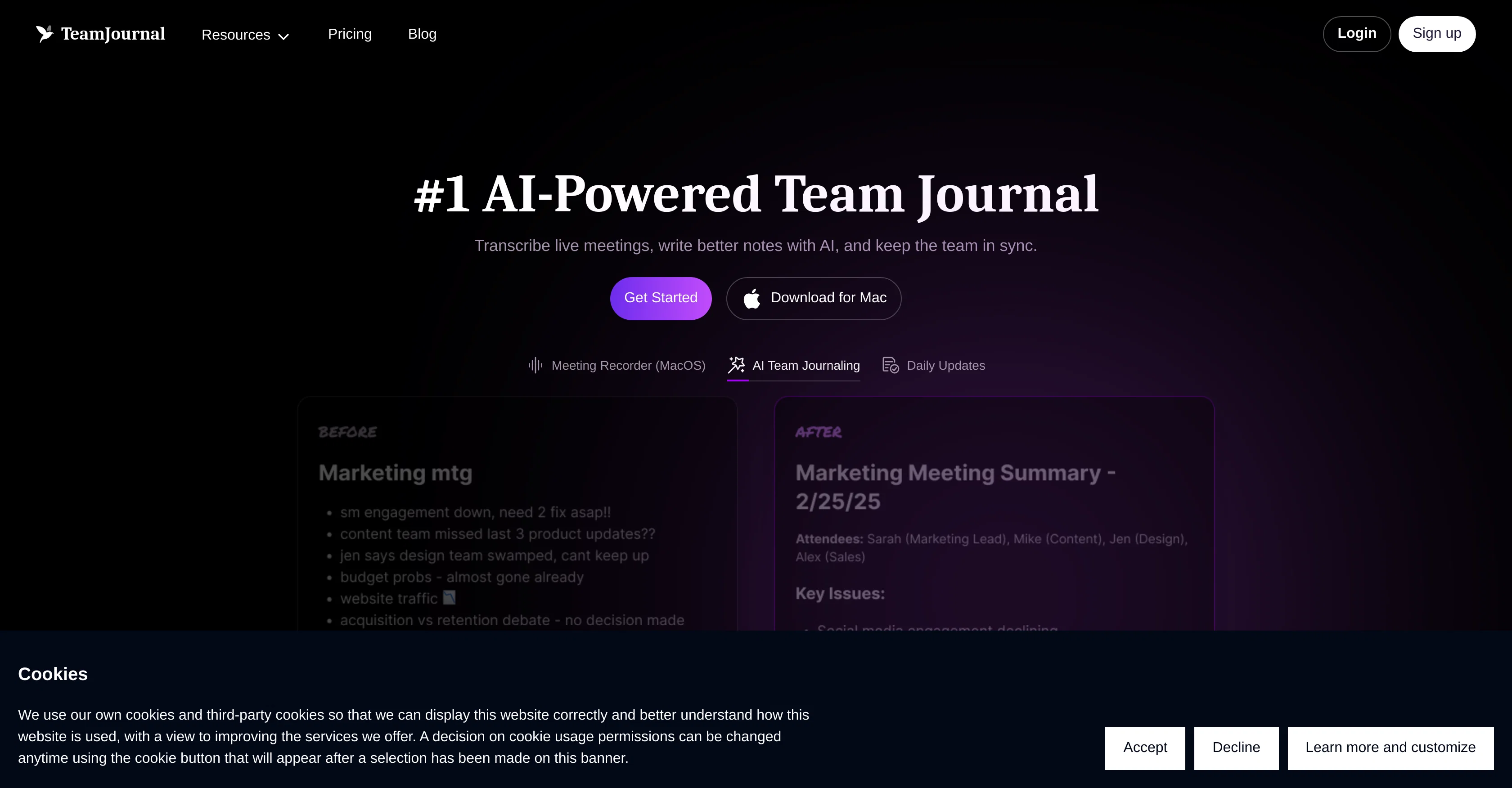
Team Journal is an artificial intelligence (AI) enabled platform that aims to foster team awareness and alignment through mindful and intentional growth.
Its core functionalities are centered around enhancing team productivity and collaboration. This platform allows teams to transcribe live meetings, craft better meeting notes with the help of AI, and keep their colleagues in sync.
Team Journal provides a daily updates feature, intended to improve collaboration among team members. In addition, it offers a 'Notes Improvement' function which enhances meeting notes with AI-driven insights and actionable items.
There's also an AI assistant available to perform various tasks as directed by the users. The platform contains a task management tool that leverages AI to suggest tasks based on user updates.
The tool also supports the structuring of a team's knowledge in designated channels, fostering efficient discussions, and improving note-taking through template usage.A unique feature of Team Journal is the AI-powered smart search, which helps users locate the right information promptly.
Moreover, the platform can automatically transcribe meetings, converting spoken words into searchable text. This platform provides integration with popular tools like Slack, Microsoft Teams, and Jira, and ensures high-level data security.
The platform's AI capabilities extend to improved summarization, insights generation, and higher monthly usage limits for all AI-powered features. In terms of accessibility, Team Journal offers a MacOS app and mobile apps on Google Play and Apple App store.
Help other people by letting them know if this AI was useful.
Add your own prompts and outputs to help others understand how to use this AI.
Screenshot gallery
Pros & Cons
Pros
+Transcribes live meetings
+Daily updates feature
+Task management tool
+Suggestions based on user updates
+Structures team's knowledge
+Template usage for notes
+Auto transcription of meetings
+Integration with Slack, MS Teams, Jira
+High-level data security
+Summarization and insights capability
+MacOS app availability
+Mobile apps on Google Play, App Store
+Chat integration
+Actionable item generation
+Promotes remote collaboration
+Supports inline comments and reactions
+Offers note templates
+Flexible Pricing Plans
+Enhanced tasks management in Premium
+Unlimited meeting transcripts in premium
+MacOS meeting recorder
+Semantic search feature
+Unlimited users in Premium
+Team growth fostering
+App for intentional team growth
+Teams and Slack updates
+Customizable note templates
+Advanced summarization in premium
+High volume users support
+No per-user costs in premium
+New integrations based on feedback
+Encrypted data
+Regular security audits
+Enterprise plan option
+Dedicated support options
+Premium analytics
+Slack and Teams for daily updates
+Free plan includes multiple features
+Premium plan unlimited meeting transcripts
+Highly scalable pricing plans
+Supports growth of any team size
+Real-time transcription
Cons
−No Windows application
−No offline functionality
−Potential high usage limits
−Lacks custom integrations
−Language support not mentioned
−No on-premises version
−Unclear data retention policies
−Fair usage clause on transcripts
A Professional Framework to Evaluate Team Journal
When considering Team Journal for integration into your organizational workflow, we recommend deploying a structured score card across three critical operational pillars: Security & Compliance, Integration Friction, and long-term Price Scalability. Rather than looking only at basic feature lists, modern procurement teams must assess how a software platform behaves under high load and how well it fits into the team's data security guidelines.
1. Security and Database Compliance
Depending on your operating region and field, ensure that Team Journal supports standard security layers such as SOC 2 Type II certifications, GDPR compliance, or HIPAA-compliant database encryption. If the tool connects directly to client database tables or handles user passwords, verify that they implement multi-factor authentication (MFA), single sign-on (SSO) integrations, and end-to-end data encryption in transit and at rest.
2. API Coverage and Custom Integrations
Siloed data is the primary cause of operational friction. Evaluate if Team Journal has native connectors for your current project trackers, messaging hubs, and customer communication channels. For custom developer requirements, check if they provide a fully documented REST API with reasonable rate limits, comprehensive Webhooks support, and robust SDK packages in your language. A flexible API layer saves hundreds of hours of manual copy-paste overhead.
3. Total Cost of Ownership (TCO)
SaaS pricing packages are often deceptively simple. When reviewing Team Journal's billing structure, map out your team's projected expansion over the next 12 to 24 months. Determine how costs scale as your customer database increases or as you add team members. Factor in setup costs, mandatory support plan upgrades, API access fees, and storage overage rates to understand the true cost before committing to a contract.
By combining verified user reviews from our directory with internal workflow pilot tests, your procurement team can make an informed decision that drives productivity without creating capital waste.
Features of Team Journal
Team Collaboration
Team Journaling
Team Alignment
Productivity Tool
AI Assistant
Meeting Notes
Free + From $11.20/Mo
SaaS1to10 verified reviews for Team Journal
Overall rating
★★★★★5.0
Based on 18 reviews
★★★★★5.01 months ago
“Review”
The most humanly AI i have used so far but the problem is as soon as you start piling up messages in single chat session , it starts getting slow and at some point it starts freezing and also uses a lot of resources. For time being its okay to do 3 4 messages but as soon as we continue it has messages limitation and also starts getting very very slow . For the price of £18 per month this is unacceptable and with the newly introduced feature called project, if we start new chat within the project we cannot continue with the context we provided in other chats within same project. There are lot of improvements for them to work on. And to start with the its speed and its price
Bibash Katel
★★★★★5.01 months ago
“Review”
Reducing manual efforts in first-pass during code-review process helps speed up the "final check" before merging PRs
Sahil Mohan Bansal
★★★★★5.01 months ago
“Review”
i would say it gives the mind a sense of clarity
Emmanuella Marshall
★★★★★5.01 months ago
“Review”
I got some top quality results after learning how to prompt songs 🤩
Claes Lanng
★★★★★5.01 months ago
“Review”
I love the image that was generated ✨️👏🏾✨️
Kira Robinson
★★★★★5.01 months ago
“Review”
Great tool! Was very helpful in content production
Duck Typer
★★★★★5.01 months ago
“Review”
I already have another transcription tool, but this one is much better. I love the different features such as the summary, quiz, and chapters. It does a great job of them. I've only done one transcript so far to try it out, but I'm truly impressed and am going to grab another code. A couple things that would make it even better are: - the ability to rename the files and organize them through folders. - the ability to download a copy of the other features as well as the transcript. Copying and pasting it works, but doesn't keep the format.
dunn
★★★★★5.01 months ago
“Review”
Suppppeeeeerrr! Wowwww! @Mindsmith is absolutely fantastic! It is incredibly useful, easy to use, and very professional.
Claudia Scilletta
★★★★★5.01 months ago
“Review”
Went from a C to an A in Cognitive Psychology using @Thea!!
Sarah White
★★★★★5.01 months ago
“Review”
superb, e gratis, merge blana, in EN se aude ideal
jon doe
★★★★★5.01 months ago
“Review”
I'm still testing the tool yet it looks very promising. I tested it with a 5.5k words Academic text that I had previously red. I tested the Key points feature, it does work!
Ivana González
★★★★★5.01 months ago
“Review”
I want free voice over
xghxhcjc hxhhxhxj
★★★★★5.01 months ago
“Review”
Thank you. We are looking forward for the latest 4-o1 model available and it would be even better in terms of reasoning accuracy.
Pei Yong Goh
★★★★★5.01 months ago
“Review”
@PPT.AI is an outstanding AI-powered presentation tool that has completely transformed my workflow! With just a few clicks, it turns my ideas, documents, or even YouTube links into polished, professional slides in minutes. The platform offers over 800 premium templates and smart editing tools, making customization both powerful and intuitive. I especially appreciate the real-time cloud collaboration and version control features, which make working in teams seamless. Whether you’re a professional, educator, or entrepreneur, @PPT.AI saves a tremendous amount of time and ensures every presentation looks visually engaging and consistent. Highly recommended—definitely a five-star experience!
Leo Wang
★★★★★5.01 months ago
“Review”
I think it's the best @Image Generator I ever found on the net. It gives more accurate image according to the prompt. And thank you for keeping it for free.
My Sawsiri
★★★★★5.02 months ago
“Review”
I use it for a few years now, for me it´s a great "all-in-one" tool especially if you like to build apps. Build-in AI is also great and at all the price is fair. no-Coder.io
O Schlachta
★★★★★5.02 months ago
“Review”
High bandwidth way to work with Claude Code and Codex. Has become my main workspace.
Karl Wirth
★★★★★5.02 months ago
“Review”
A work of a dedicated team that prioritizes user needs