5.02 months ago
“Review”
Hi, this is amazing
Raj mandal

Add captions and subtitles to videos automatically.
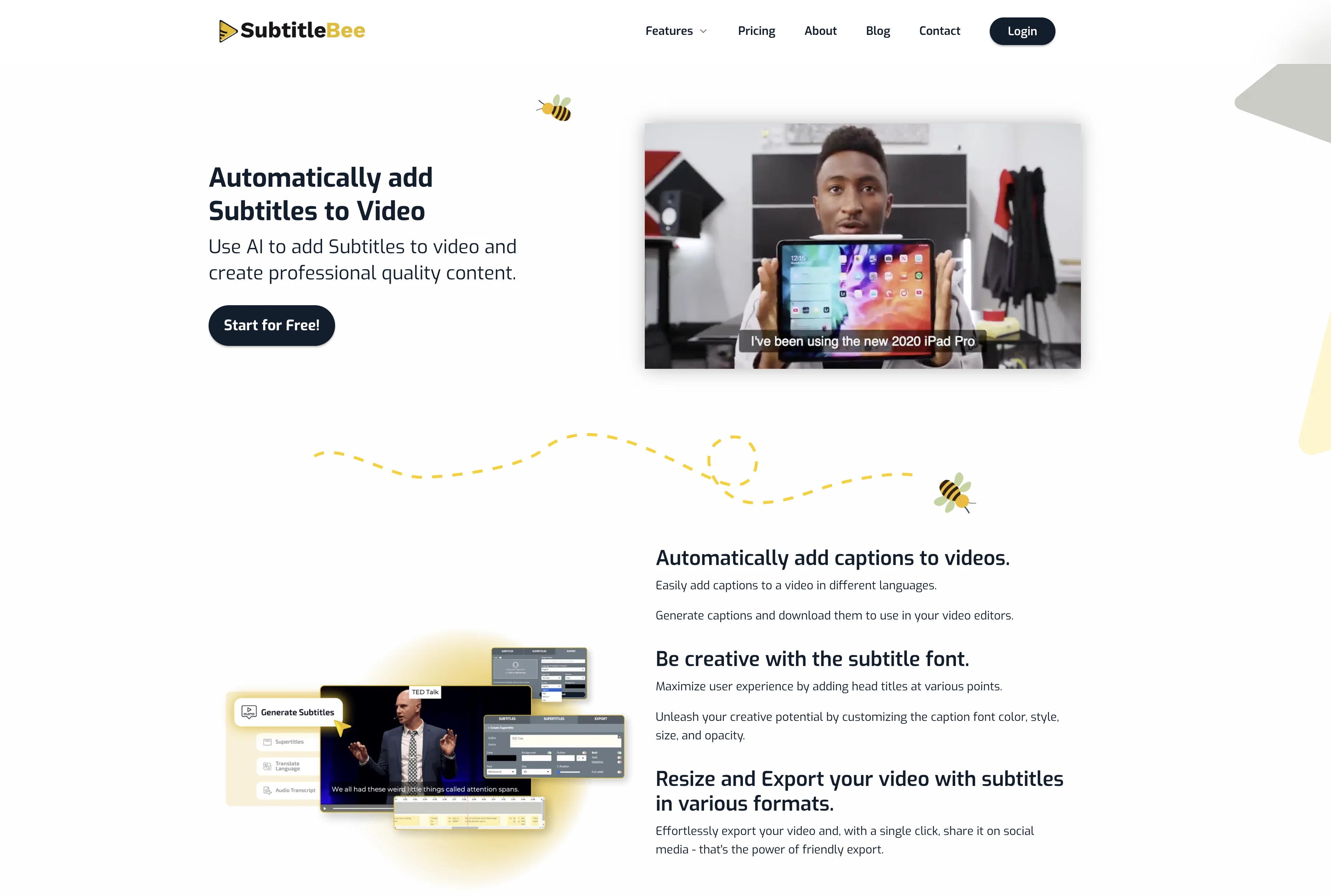
SubtitleBee is an artificial intelligence-based tool designed to add captions and subtitles to videos automatically. It allows users to effortlessly subtitle their content in numerous different languages, thereby optimising user accessibility and enhancing the global reach of their media. Additionally, this tool promotes creative customization of subtitle styles and provides the option to add head titles at various points in the video. By employing advanced algorithmic capabilities, SubtitleBee can accurately detect the employed language of a video, and add matching subtitles. Beyond adding captions, SubtitleBee also helps translate existing subtitles into multiple languages. The tool also aids in enhancing videos by adding a customizable progress bar. It supports various video formats and allows for ease in exporting and sharing videos across social media platforms. Other notable features include advanced video cropping for different social media platforms, the ability to add Supertitles for enhanced viewer engagement, automated audio transcription, and a privacy-focused approach that ensures user content rights. SubtitleBee is touted as being popular amongst influencers and vloggers for enhancing viewer engagement through subtitled videos. Help other people by letting them know if this AI was useful. Add your own prompts and outputs to help others understand how to use this AI.
When considering SubtitleBee for integration into your organizational workflow, we recommend deploying a structured score card across three critical operational pillars: Security & Compliance, Integration Friction, and long-term Price Scalability. Rather than looking only at basic feature lists, modern procurement teams must assess how a software platform behaves under high load and how well it fits into the team's data security guidelines.
Depending on your operating region and field, ensure that SubtitleBee supports standard security layers such as SOC 2 Type II certifications, GDPR compliance, or HIPAA-compliant database encryption. If the tool connects directly to client database tables or handles user passwords, verify that they implement multi-factor authentication (MFA), single sign-on (SSO) integrations, and end-to-end data encryption in transit and at rest.
Siloed data is the primary cause of operational friction. Evaluate if SubtitleBee has native connectors for your current project trackers, messaging hubs, and customer communication channels. For custom developer requirements, check if they provide a fully documented REST API with reasonable rate limits, comprehensive Webhooks support, and robust SDK packages in your language. A flexible API layer saves hundreds of hours of manual copy-paste overhead.
SaaS pricing packages are often deceptively simple. When reviewing SubtitleBee's billing structure, map out your team's projected expansion over the next 12 to 24 months. Determine how costs scale as your customer database increases or as you add team members. Factor in setup costs, mandatory support plan upgrades, API access fees, and storage overage rates to understand the true cost before committing to a contract.
By combining verified user reviews from our directory with internal workflow pilot tests, your procurement team can make an informed decision that drives productivity without creating capital waste.
Overall rating
Based on 21 reviews
Hi, this is amazing
Raj mandal
not bad, but few templates
Sonya Salenko
Is this a joke? creator of this web must be deaf, otherwise i honestly don't understand how he/she can make that absolute crap
Xavi Ayllon
Now here's an application where ML can shine. Translation quality is usually excellent, especially if the target language is English. Probably the closest you can get to a decent translation short of hiring a professional translator.
Daniel Saner
There are much better apps for much better pricing. Company was rude after discovering it couldn't do as advertised, refused any refund (nothing was really accomplished at all, quirky at best). MOVE app on the iphone is so much better. Avoid this software, waste of money.
Jared Smith
thank you very much for this. i'll add some points: 1. its too fast, i cant make out where and when the pen leaves the paper and when it continues 2. there should be a pause and rewind mechanism, like a video player 3. a pen to paper angle indicator would be nice
A Gh.abolfazl
Great avatar generation tool!
Ethan Webb
It's a really great tool. I've used it for many different stories and brainstorms.
Justin Patterson
Only available on the iphone... doesn't seem super intuitive to use.
Mental Forge Media
easy onboarding, quick to set up.
Pluto Radigund
too expensive for me, I just want to make memes, not pay that much
Grzegorz Rolnik
They're dreaming if they think I'd give them my credit card info just for a free trial. Most useless thing ever...
Noeffen Way
B12 exceeded my expectations especially after I tried a few similar tools. Signing up took under a minute and because I offer a very specific set of services as a consultant, I didn't expect the AI to be able to capture my work, but it did a great job with creating content for me. I only had to make a few edits, add my bio, and was able to publish that same day. Now I get lots of compliments on my site and I've even tried their other tools like email marketing, which is great because the emails match my site's appearance. Overall I would recommend B12 as an effective, affordable, and easy to use website solution.
Katie G
It's really frustrating when you try to select something you want, only to be immediately redirected to a subscription-based payment model. There's no opportunity to even test things out, which kills the enthusiasm right away. It seems like everything is geared towards subscriptions nowadays, and it's a turn-off. Companies should prioritize transparency and give customers a chance to try out products before committing to a subscription. Practices like these erode consumer trust and deter many potential customers.
X X
WE USE @D-ID AT THE COLORADO VIRTUAL CREATIVE FACTORY...AND LOVE IT.
Franco Arteseros
tried @Submagic and it does the job, auto captions came out clean and it’s super easy to use. free trial lets you upload 3 vids which is enough to test it out, but the watermark on them means you can’t really use those exports anywhere. still, pretty solid tool overall :p
Devandra Daniel
Amazing functionality! I created stunning animations for my online courses.
Mikael
It doesn't create the subtitles and it doesn't let you upload them. You can only create them manually
francesco tagliamonte
starts in 59$mo
Igor Medeiros
Amazing tool! Just started working on my videos and I’m loving everything @RenderCut offers. It’s super easy to use and saves me a ton of time with subtitles. 5 tacos, no doubt!
Render Cut
This one is CRAAAAAZY! drop your MP4/MOV, it locks captions to speech cleanly (also multi-language), the in-browser editor is solid and you can either export SRT for youtube or burn the subs in shorts with a couple clicks. it's a W for creators :D
Chris Studioz
Starting Price
Free plan available
Free tier available with optional paid upgrades.


