5.01 months ago
“Review”
Perfect one-stop knowledge base for individuals/teams!
Nitro Fire

Your Smart Virtual Office for Remote Teams
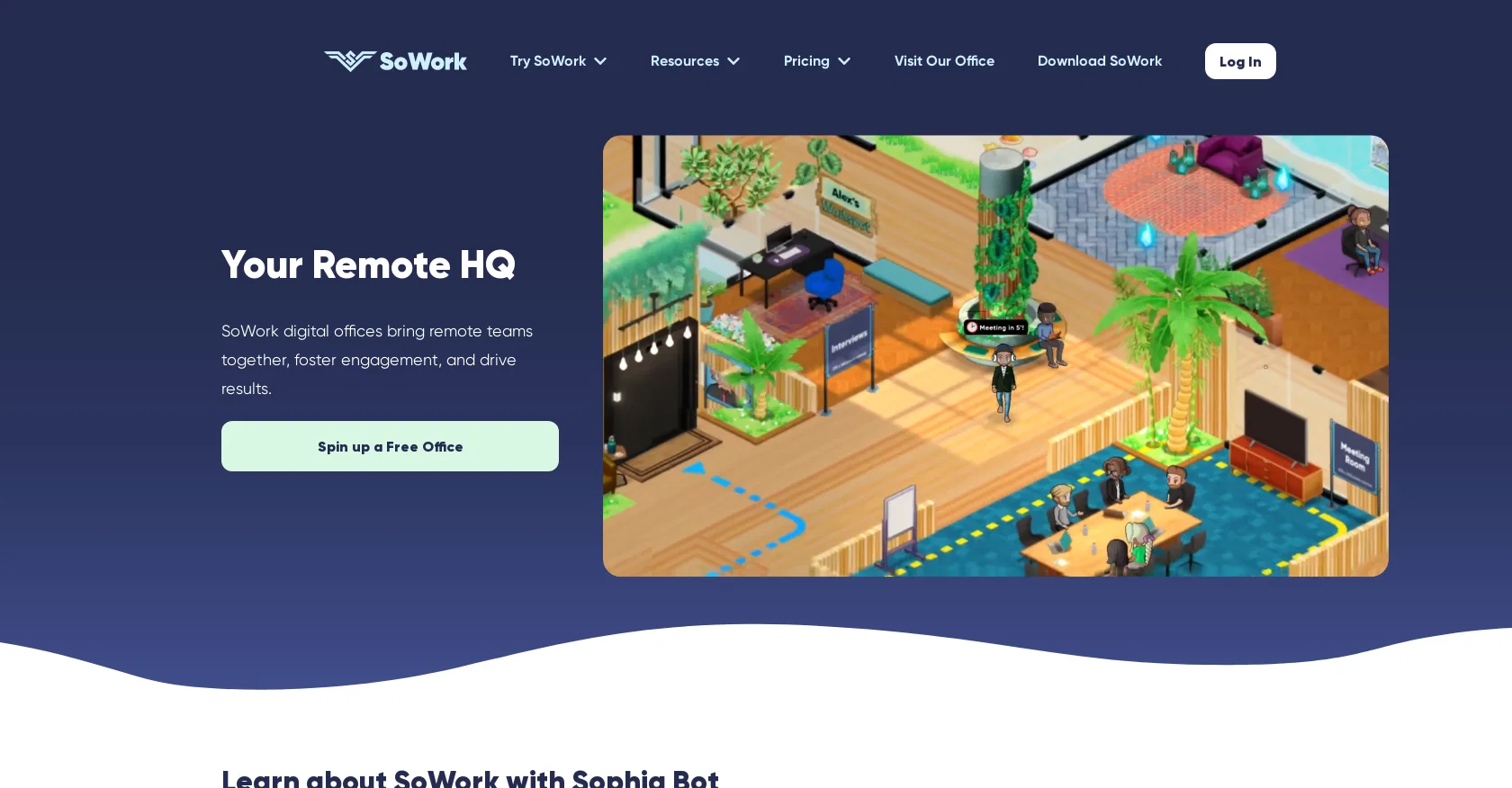
SoWork is a virtual workplace tool designed for remote teams looking to enhance their efficiency, productivity, and collaboration. The tool offers a Smart Virtual Office environment where teams can connect, communicate, and engage in real-time, providing a sense of presence, spontaneity, and connection. Users can create their own avatar and a customizable workspace, which allows them to fluidly video chat, collaborate with team members, and get work done much faster than before. The tool also comes with advanced features such as HD video and recordings, screen sharing, AI-powered meeting summaries, scheduled meetings, and more. SoWork's AI Meeting Assistant, Sophia Bot, can help users create meeting notes with summaries, action items, and decisions made. Additionally, SoWork's MapMaker enables users to customize their digital office to match their team's culture. The tool can be accessed via desktop or mobile devices, offering users the flexibility to work efficiently from any location. Overall, SoWork is a comprehensive virtual workplace solution for remote teams, offering a range of advanced features that can enhance team engagement, collaboration, and productivity. Help other people by letting them know if this AI was useful. Add your own prompts and outputs to help others understand how to use this AI.
When considering SoWork for integration into your organizational workflow, we recommend deploying a structured score card across three critical operational pillars: Security & Compliance, Integration Friction, and long-term Price Scalability. Rather than looking only at basic feature lists, modern procurement teams must assess how a software platform behaves under high load and how well it fits into the team's data security guidelines.
Depending on your operating region and field, ensure that SoWork supports standard security layers such as SOC 2 Type II certifications, GDPR compliance, or HIPAA-compliant database encryption. If the tool connects directly to client database tables or handles user passwords, verify that they implement multi-factor authentication (MFA), single sign-on (SSO) integrations, and end-to-end data encryption in transit and at rest.
Siloed data is the primary cause of operational friction. Evaluate if SoWork has native connectors for your current project trackers, messaging hubs, and customer communication channels. For custom developer requirements, check if they provide a fully documented REST API with reasonable rate limits, comprehensive Webhooks support, and robust SDK packages in your language. A flexible API layer saves hundreds of hours of manual copy-paste overhead.
SaaS pricing packages are often deceptively simple. When reviewing SoWork's billing structure, map out your team's projected expansion over the next 12 to 24 months. Determine how costs scale as your customer database increases or as you add team members. Factor in setup costs, mandatory support plan upgrades, API access fees, and storage overage rates to understand the true cost before committing to a contract.
By combining verified user reviews from our directory with internal workflow pilot tests, your procurement team can make an informed decision that drives productivity without creating capital waste.
Overall rating
Based on 19 reviews
Perfect one-stop knowledge base for individuals/teams!
Nitro Fire
Useful tool for visualizing traffic flowing through your website. Does what GA4 does but without the headache and unnecessary learning curve.
Nic Miller
It has everything that I need in one place: ChatGPT, Copywriting templates, AI Images, Audio Transcription.
Dmytro
Fantastic tool for anyone who is looking to promote their personal brand and gain followers on Linkedin with no experience. The tool has a lot of potential to grow and as someone who has recently purchased the tool I'm hoping for more topics in settings.
Ed Soltani
No other tool quite like this, it's pretty straightforward. Needed to extract a long interview from YouTube and it extracted everything, providing it in different meaningful formats in less than two minutes. Awesome
Juan Sierra
Undetectable.wtf is better bypasses everything maintaining thee integrity of the text.
LiteEagle
I’ve tried many AI writing tools in the past, but this one actually delivers content that sounds human and ranks. I love how you can create a full SEO blog post with just a keyword… and it’s ready to publish in one click. That saves me so much time. Also, small win for the wallet — use code FSL25 to get 25% off on any plan. Definitely helped me out when testing it for the first time. 👍 Hope this helps someone else who’s been struggling like I was!
Jason
I tried using it but the website has too many bugs.
João Neiva
The website is pretty good but there are only a limited number of responses
Probal Roy
As the service was in beta-testing stage, I created there a dozen of AI-generated courses for free. I wanted to use them. Those courses remained in my account as they started subscription tiers. But recently I have found out that they were deleted. The support didn't answer to my e-mail at all.
Oldfag TV
im not receiving the code in my email
aiden shop
You have the option to waitlist or you can login with your email/pass or google account. I chose google. Once inside you have a suite of tools but im sure when you go to publish you have to sign up for a paid plan. So if your looking for a free option it will be branded. Use at your own risk. Thanks
Col Cooper
After my first use, I think it's surprisingly good. The only drawback so far is the PDF export option for the report which is formatless.
Alejandro Correa
It's sad to see people want to try your tool out but you have no free sample for them. This may be the best tool out there, but, as mentioned, going through with the AI for minutes to explain what you want, then being prompted to pay, without even knowing if it CAN create something, is discouraging. I hope we can get a free sample or preview at one point, im interested in this one.
Ron Jayson
B12 exceeded my expectations especially after I tried a few similar tools. Signing up took under a minute and because I offer a very specific set of services as a consultant, I didn't expect the AI to be able to capture my work, but it did a great job with creating content for me. I only had to make a few edits, add my bio, and was able to publish that same day. Now I get lots of compliments on my site and I've even tried their other tools like email marketing, which is great because the emails match my site's appearance. Overall I would recommend B12 as an effective, affordable, and easy to use website solution.
Katie G
O GPT faz uma análise melhor e mais personalizada.
Vinicius Vilela
Founder here 👋 I built @Clear Cortex because the chat window is the wrong shape for real work. Every new conversation starts from zero — you re-paste the same context, re-explain the same project, and the good answers disappear into scrollback you'll never find again. So the model here is flipped: your work lives in a workspace you own, and the AI comes to it. Every leading model — chat, image, audio, code — works from the same canvas behind one login and one pot of credit. And every answer is cited back to the exact source it was built from, so you can open it a week later and still trust it.
James
Hello! Thor here, creator of @Axell. We're the first generative AI application with real-time sync for multiple users, happy to answer any questions.
Thor
After registration, a 403 error is directly displayed and the service cannot be used.
Terry
Starting Price
Free plan available
Free tier available with optional paid upgrades.


