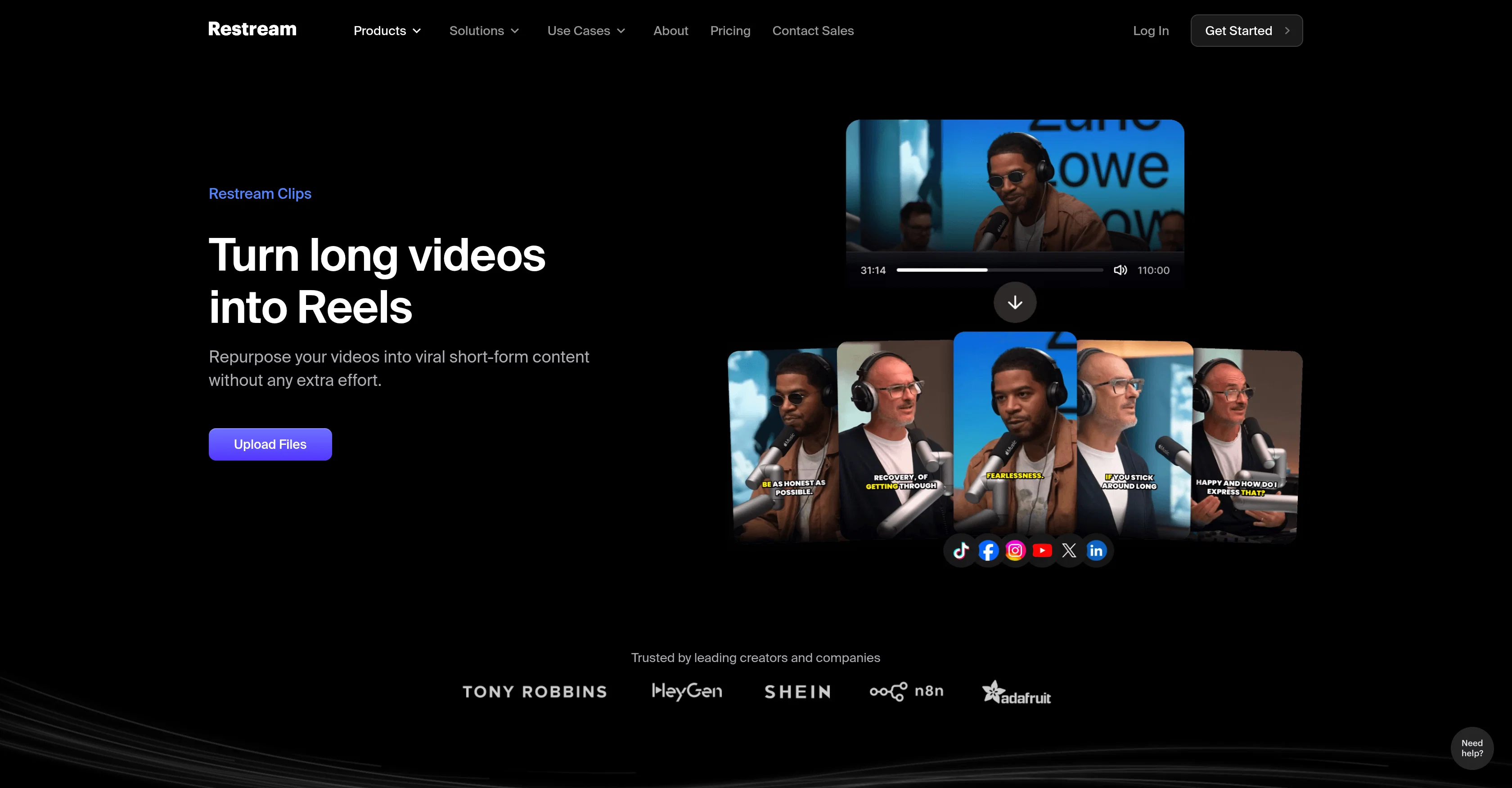
Restream Clips is an AI-powered product that helps creators transform their existing broadcasts or videos into clip-form content suitable for platforms like TikTok, Shorts, and Reels.
The tool's features are designed for efficiency, aiming to save creators hours of editing. Restream Clips works in a few simple steps: it automatically identifies key moments from uploaded videos or broadcasts, applies video editing actions such as cropping, trimming, and adding captions, and gets the clips ready for sharing across various platforms.
There's also an optional human touch element; users can make modifications themselves using the professional editor feature. Restream Clips also provides the ability to add copyright-free stock footage, make edits through text, and export videos in multiple aspect ratios for optimal viewing on different platforms.
Its algorithm scans uploaded videos to identify the moments with the highest potential for virality. It automatically reframes videos to fit vertical platforms, cuts between speakers, and trims silent moments.
Restream additionally offers language support, detecting, editing, and transcribing up to 52 languages. The AI technology primarily identifies highlights relying on speech cues, making the tool particularly suitable for content formats with clear spoken audio, such as podcasts, interviews, tutorials, product reviews, and trainings.
Help other people by letting them know if this AI was useful.
Add your own prompts and outputs to help others understand how to use this AI.
Screenshot gallery
Pros & Cons
Pros
+Automatic key moments identification
+In-built editing tools
+Automatic captions addition
+User modification feature
+Professional editor integration
+Supports copyrights-free footage
+Text based edits
+Exports in multiple ratios
+Reframes for vertical platforms
+Auto cuts between speakers
+Auto trims silent moments
+Recognizes up to 52 languages
+Identifies potential viral moments
+Optimal for spoken-audio content
+Automatic video shortening
+Integration with social platforms
+Time-saver for creators
+Suitable for multilingual content
+Supports content repurposing
+Edits suitable for TikTok, Shorts, Reels
+Advanced speech cue recognition
+Supports user modifications
+Automated aspect ratio optimization
+Efficient silent moments detection
+Supports diverse content: podcasts, reviews, tutorials
+Comprehensive language support
+Adapts content for different platforms
+Auto-detect viral potential
+One-click social media sharing
+Auto-addition of stock footage
Cons
−Limited to clear audio content
−Relies heavily on speech cues
−No mention of resolution support
−No offline functionality
−Automatic decision might miss key-points
−Unsuitable for content without spoken words
−Limited language support (52 only)
−Modifications require professional editing skills
−No detailed info on algorithm
A Professional Framework to Evaluate Restream Clips
When considering Restream Clips for integration into your organizational workflow, we recommend deploying a structured score card across three critical operational pillars: Security & Compliance, Integration Friction, and long-term Price Scalability. Rather than looking only at basic feature lists, modern procurement teams must assess how a software platform behaves under high load and how well it fits into the team's data security guidelines.
1. Security and Database Compliance
Depending on your operating region and field, ensure that Restream Clips supports standard security layers such as SOC 2 Type II certifications, GDPR compliance, or HIPAA-compliant database encryption. If the tool connects directly to client database tables or handles user passwords, verify that they implement multi-factor authentication (MFA), single sign-on (SSO) integrations, and end-to-end data encryption in transit and at rest.
2. API Coverage and Custom Integrations
Siloed data is the primary cause of operational friction. Evaluate if Restream Clips has native connectors for your current project trackers, messaging hubs, and customer communication channels. For custom developer requirements, check if they provide a fully documented REST API with reasonable rate limits, comprehensive Webhooks support, and robust SDK packages in your language. A flexible API layer saves hundreds of hours of manual copy-paste overhead.
3. Total Cost of Ownership (TCO)
SaaS pricing packages are often deceptively simple. When reviewing Restream Clips's billing structure, map out your team's projected expansion over the next 12 to 24 months. Determine how costs scale as your customer database increases or as you add team members. Factor in setup costs, mandatory support plan upgrades, API access fees, and storage overage rates to understand the true cost before committing to a contract.
By combining verified user reviews from our directory with internal workflow pilot tests, your procurement team can make an informed decision that drives productivity without creating capital waste.
Features of Restream Clips
Video Editing
Content Creation
AI Powered
Audio Detection
Speech Cues
Language Support
Free + From $38/Mo
SaaS1to10 verified reviews for Restream Clips
Overall rating
★★★★★4.5
Based on 4 reviews
★★★★★5.01 weeks ago
“Efficient and reliable solution”
Streamlines daily workflows, saves time, and provides the tools we need to manage teams and reporting in one centralized Restream Clips.
Ease of Use: 5/5Features: 5/5Support: 4/5Value: 5/5
Sarah M. · Operations Manager, Mid-size company
★★★★★4.02 weeks ago
“Great value for growing teams”
Easy to onboard new users, intuitive interface, and solid customer support when we needed help during setup.
Ease of Use: 3/5Features: 4/5Support: 4/5Value: 3/5
James K. · HR Director, Growing startup
★★★★★5.03 weeks ago
“Powerful but approachable”
Has the depth we need without feeling overwhelming. Reporting and automation features have been especially helpful.
Ease of Use: 5/5Features: 5/5Support: 5/5Value: 5/5
Priya R. · Product Lead, Technology firm
★★★★★4.04 weeks ago
“Exactly what we were looking for”
Replaced multiple tools with one Restream Clips. The integration options and flexibility made it a clear winner for our team.
Ease of Use: 3/5Features: 4/5Support: 3/5Value: 3/5
Michael T. · Finance Manager, Professional services