5.01 months ago
“Review”
Undetectable.wtf is better bypasses everything maintaining thee integrity of the text.
LiteEagle

Fully automated time tracking software to reclaim your day.
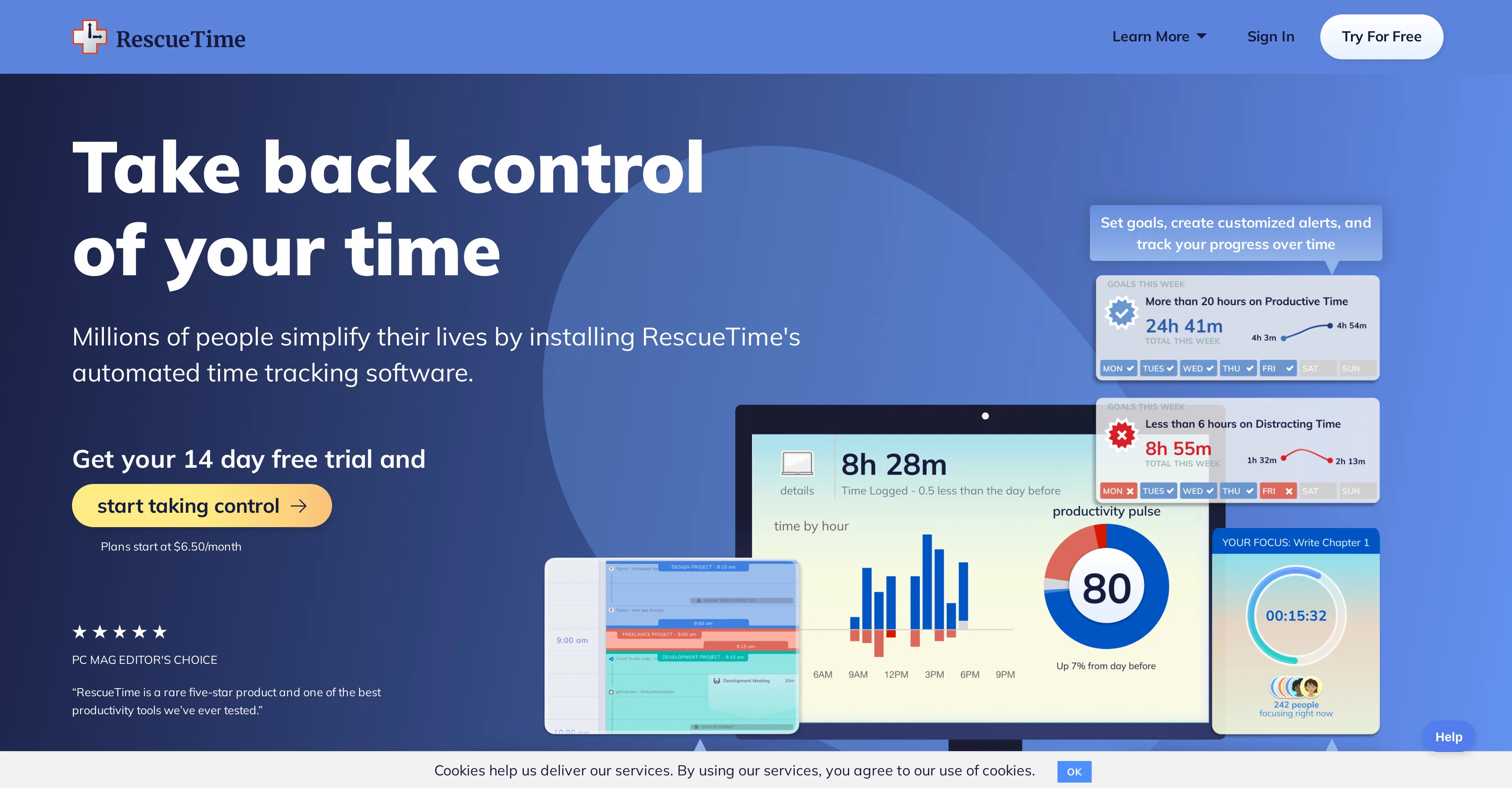
RescueTime is a time management software designed to help users understand their daily habits and increase productivity. This automated tool provides detailed reports and insights about the time spent on various apps, websites, and even offline activities, eliminating the need for manual time tracking. Its defining feature is the ability for users to block distracting sites and apps that impair focus, thereby optimizing productivity. RescueTime also enables setting personalized goals, which, with the assistance of real-time alerts, guide users behavior throughout the day. An additional feature, referred to as FocusTime, reduces digital distractions, further boosting productive hours. For those looking to integrate productivity tracking into their existing workflow, RescueTime provides integrations with popular applications. There is also an extension, 'Timesheets AI' that allows users to efficiently track and assign time to different projects or clients. Whether it's meeting schedule management or distraction-blocking, RescueTime offers a comprehensive package for time management and productivity enhancement. Help other people by letting them know if this AI was useful. Add your own prompts and outputs to help others understand how to use this AI.
When considering RescueTime for integration into your organizational workflow, we recommend deploying a structured score card across three critical operational pillars: Security & Compliance, Integration Friction, and long-term Price Scalability. Rather than looking only at basic feature lists, modern procurement teams must assess how a software platform behaves under high load and how well it fits into the team's data security guidelines.
Depending on your operating region and field, ensure that RescueTime supports standard security layers such as SOC 2 Type II certifications, GDPR compliance, or HIPAA-compliant database encryption. If the tool connects directly to client database tables or handles user passwords, verify that they implement multi-factor authentication (MFA), single sign-on (SSO) integrations, and end-to-end data encryption in transit and at rest.
Siloed data is the primary cause of operational friction. Evaluate if RescueTime has native connectors for your current project trackers, messaging hubs, and customer communication channels. For custom developer requirements, check if they provide a fully documented REST API with reasonable rate limits, comprehensive Webhooks support, and robust SDK packages in your language. A flexible API layer saves hundreds of hours of manual copy-paste overhead.
SaaS pricing packages are often deceptively simple. When reviewing RescueTime's billing structure, map out your team's projected expansion over the next 12 to 24 months. Determine how costs scale as your customer database increases or as you add team members. Factor in setup costs, mandatory support plan upgrades, API access fees, and storage overage rates to understand the true cost before committing to a contract.
By combining verified user reviews from our directory with internal workflow pilot tests, your procurement team can make an informed decision that drives productivity without creating capital waste.
Overall rating
Based on 18 reviews
Undetectable.wtf is better bypasses everything maintaining thee integrity of the text.
LiteEagle
WE USE @D-ID AT THE COLORADO VIRTUAL CREATIVE FACTORY...AND LOVE IT.
Franco Arteseros
I’ve tried many AI writing tools in the past, but this one actually delivers content that sounds human and ranks. I love how you can create a full SEO blog post with just a keyword… and it’s ready to publish in one click. That saves me so much time. Also, small win for the wallet — use code FSL25 to get 25% off on any plan. Definitely helped me out when testing it for the first time. 👍 Hope this helps someone else who’s been struggling like I was!
Jason
An amazing app, I love the share feature and the comment section summaries
Silvia Cho
I tried NovelGPT a template in @Agentgpt and it did an excellent job writing the first two episodes of my novel complete with character descriptions, setting,plot points and well I think you get the point. Great tool can't wait to see it out of beta.
Kelli Crose
I'm still testing the tool yet it looks very promising. I tested it with a 5.5k words Academic text that I had previously red. I tested the Key points feature, it does work!
Ivana González
O GPT faz uma análise melhor e mais personalizada.
Vinicius Vilela
very good image
Bristan “Capesterre” Carbier
your answer is much too general, so useless. You could have just tell me to ask Perplexity.
Ta
I think it's the best @Image Generator I ever found on the net. It gives more accurate image according to the prompt. And thank you for keeping it for free.
My Sawsiri
Amazing tool to get things done! Trully amazing use of AI
Andres
I can't explain how impressed i am by this. I've seen tools to help you brainstorm ideas, but not one to break your task down into big steps, then little steps for each of these. Plus "games" to help come up with more ideas for your project. I'm excited to use this!
ImpulseOscar
Thanks for the feedback, and also for the tip for the community. One more tip: if you upload an image directly, you can add context that might be missing in the image. For example, the duration is 3 hours or prefix every event title with Name:
Caren Cioffi
@KeywordSearch creates AI Ad Targeting audiences for YouTube
Aleric Heck
Really like how it finds connection in the content that I save. I don't think any other tool can do that.
amix ffx
No other tool quite like this, it's pretty straightforward. Needed to extract a long interview from YouTube and it extracted everything, providing it in different meaningful formats in less than two minutes. Awesome
Juan Sierra
Use full workspaces multiple people can use this ai
Rajkumar Dyagala
These guys are onto something solid. Life changing for me having been in the professional services industry my entire life and soooo over project/admin time tracking.
Kristen DiFolco
Starting Price
Free plan available
Free tier available with optional paid upgrades.