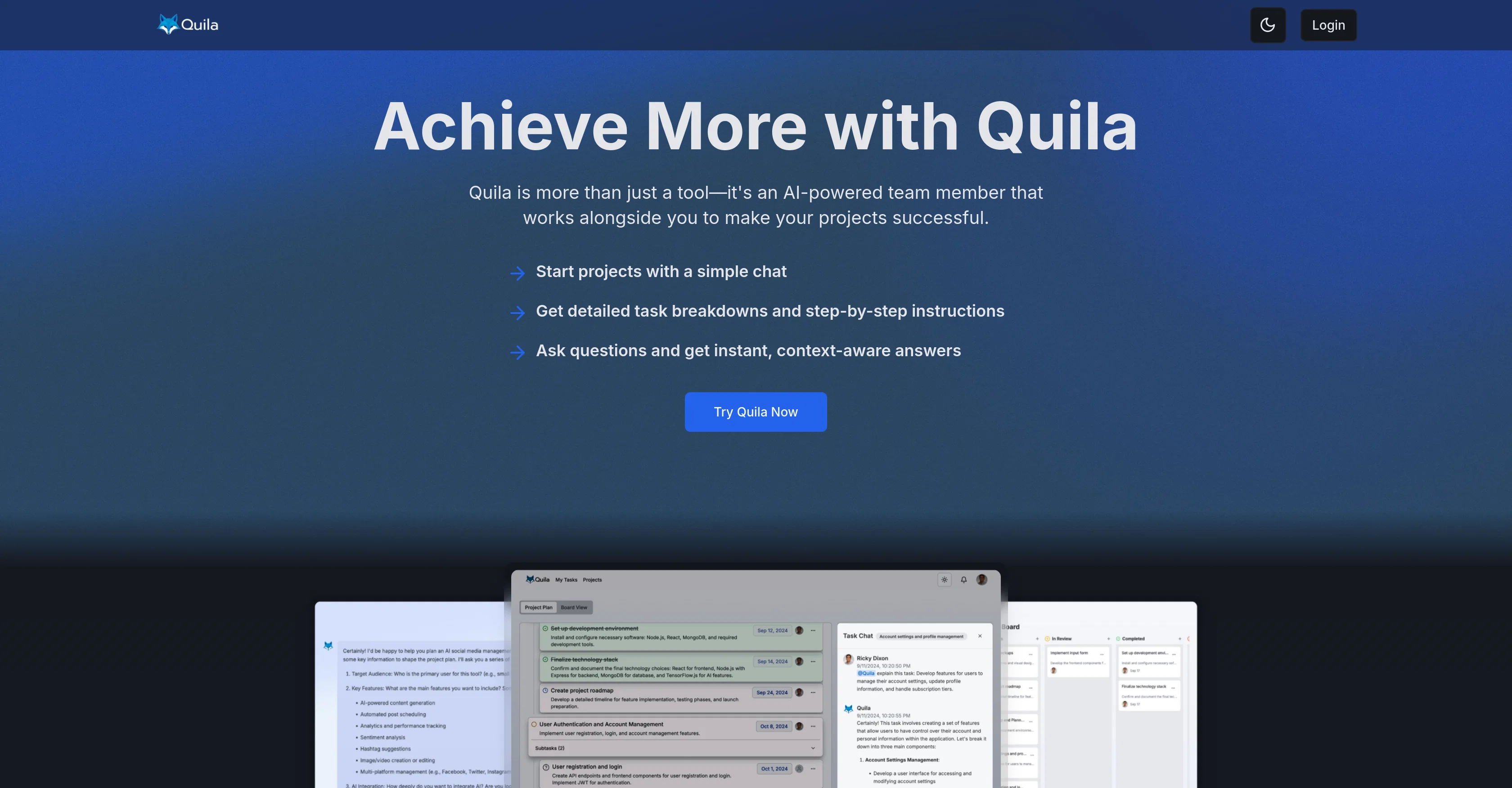
Quila is an AI-powered project management tool that supports teams in optimizing their workflows and execution of tasks. The tool serves as an AI assistant that interacts via chat and provides precise task breakdowns as well as instant, context-aware answers to queries.
It offers robust task management features, allowing users to view their project status at a glance and control their workload with customizable task displays.
It also supports collaboration, enabling team members to instantly delegate and discuss tasks. Furthermore, Quila enhances project planning by creating clear, actionable project plans and allowing easy control over task details, including subtasks and assignments.
It includes a suite of project management tools such as a kanban board for visualizing project workflow and task management features for handling individual workloads across all projects.Moreover, Quila fosters seamless teamwork by providing tools for inviting members, delegating tasks, and instant communication, therefore enhancing the alignment, communication, and efficiency of the entire team.
Users can visualize progress and manage task details including subtasks and assignments through a simple drag-and-drop system.Additionally, it integrates into existing workflows seamlessly and provides real-time AI assistance in team chats, contextual responses based on project details, and expert advice.
Quila also offers templates for streamlining workflows and maintaining efficiency and consistency across projects. Users can create new templates from existing projects and manage recurring tasks with ease, ensuring a smooth project execution process.
Help other people by letting them know if this AI was useful.
Add your own prompts and outputs to help others understand how to use this AI.
Screenshot gallery
Pros & Cons
Pros
+Precise task breakdowns
+Instant, context-aware answers
+Customizable task displays
+Built-in collaboration features
+Delegating tasks functionality
+Clear, actionable project plans
+Control over subtasks and assignments
+Includes Kanban board
+Workflow integration
+Project templates
+Manage recurring tasks
+Visualize task progress
+Drag-and-drop interface
+Expert advice
+Generated subtasks for complex tasks
+Visual task status indicators
+Collapsible subtasks
+Template creation from existing projects
+Community template sharing
+Persistent chatbot presence in team chats
+Personalized learning paths feature
+Automated skill gap analysis
+Performance analytics
+Interactive training simulations
+Integrated with professional development modules
+Task status tracking
+Detailed task explanations
+Adaptable to unique workflows
+Integrated with study planning modules
+Several pricing plans
+Unlimited projects and team members on Pro plan
Cons
−Complex for simple projects
−Over-reliance on chat interface
−No mentioned compatibility with external apps
−No explicit data export feature
−No explicit advanced analytics feature
−No offline functionality mentioned
−Pricing not ideal for large teams
−No multi-language support mentioned
−No asynchronous communication option
−Lacks voice interface
A Professional Framework to Evaluate Quila
When considering Quila for integration into your organizational workflow, we recommend deploying a structured score card across three critical operational pillars: Security & Compliance, Integration Friction, and long-term Price Scalability. Rather than looking only at basic feature lists, modern procurement teams must assess how a software platform behaves under high load and how well it fits into the team's data security guidelines.
1. Security and Database Compliance
Depending on your operating region and field, ensure that Quila supports standard security layers such as SOC 2 Type II certifications, GDPR compliance, or HIPAA-compliant database encryption. If the tool connects directly to client database tables or handles user passwords, verify that they implement multi-factor authentication (MFA), single sign-on (SSO) integrations, and end-to-end data encryption in transit and at rest.
2. API Coverage and Custom Integrations
Siloed data is the primary cause of operational friction. Evaluate if Quila has native connectors for your current project trackers, messaging hubs, and customer communication channels. For custom developer requirements, check if they provide a fully documented REST API with reasonable rate limits, comprehensive Webhooks support, and robust SDK packages in your language. A flexible API layer saves hundreds of hours of manual copy-paste overhead.
3. Total Cost of Ownership (TCO)
SaaS pricing packages are often deceptively simple. When reviewing Quila's billing structure, map out your team's projected expansion over the next 12 to 24 months. Determine how costs scale as your customer database increases or as you add team members. Factor in setup costs, mandatory support plan upgrades, API access fees, and storage overage rates to understand the true cost before committing to a contract.
By combining verified user reviews from our directory with internal workflow pilot tests, your procurement team can make an informed decision that drives productivity without creating capital waste.
Features of Quila
AI Project Management
Workflow Optimization
Task Management
Collaboration Tool
Communication Enhancement
Team Efficiency
Free + From $7/Mo
SaaS1to10 verified reviews for Quila
Overall rating
★★★★★5.0
Based on 15 reviews
★★★★★5.01 months ago
“Review”
I use Sourcetable for quick data analysis and visualizations with natural-language queries. I'm working with Excel files and our Postgres database. It feels like an AI analyst built into a spreadsheet for turning raw data into clear reports. (Like ChatGPT + Excel, but better.)
Eoin McMillan
★★★★★5.01 months ago
“Review”
I was searching for such a tool literally two days ago, and today I found it on theresanaiforthat. That's funny and awesome. It seems to work well.
Sergey Kolesnikov
★★★★★5.01 months ago
“Review”
Faster than sifting through reddit myself. TY for building.
Sean M
★★★★★5.01 months ago
“Review”
very easy to use and navigate, shows never before seen listings, the analytical consulting is major and so many other great factors
Precise Hvac
★★★★★5.01 months ago
“Review”
Although not very detailed, the key points are almost all included. Not only can PDFs be uploaded, but other text files as well, and can be translated into the specified language, Overall, it's quite practical!
Chen Ye
★★★★★5.01 months ago
“Review”
I've used it for my new business. It save tons of time and money.
Aleksandr Veryayskiy
★★★★★5.01 months ago
“Review”
I love this extension, mobile app and desktop software! I use it everyday and everywhere. Generated text are amazing. Well done to the team and continue your incredible work! For me, Voilà is the best AI assistant, copilot and AI writer on the market. I stopped my ChatGPT plus subscription since I discoverer it.
Lane Wood
★★★★★5.01 months ago
“Review”
Use full workspaces multiple people can use this ai
Rajkumar Dyagala
★★★★★5.01 months ago
“Review”
It is not free. So i couldnt test anything
Isa Venancio
★★★★★5.01 months ago
“Review”
Reducing manual efforts in first-pass during code-review process helps speed up the "final check" before merging PRs
Sahil Mohan Bansal
★★★★★5.01 months ago
“Review”
It's genius. Amazing tool. PDF generation might be improved, but apart from that is amazing.
Aleksander Lukashou
★★★★★5.01 months ago
“Review”
A little biased, but I think it's great.
Dawson Whitfield
★★★★★5.01 months ago
“Review”
I tried using it but the website has too many bugs.
João Neiva
★★★★★5.01 months ago
“Review”
nice holistic
Amit ImmI
★★★★★5.02 months ago
“Review”
I started using @Team Pulse recently, and I really like how simple it feels. Managing projects, tasks, and pipelines in one place is smooth, clean, and easy to understand without overcomplicating the workflow.