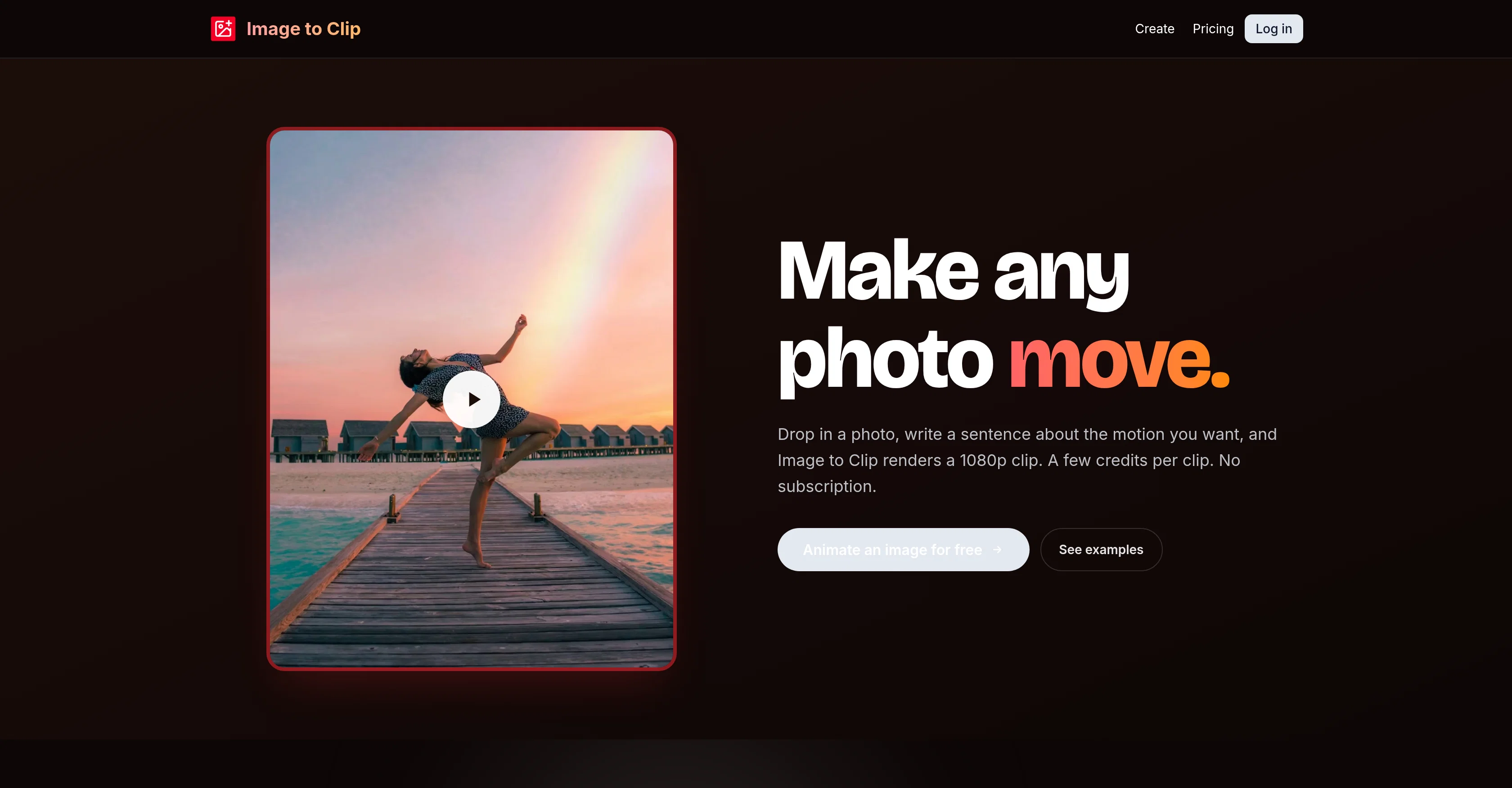
Image to Clip is an AI-powered tool that converts static images into short cinematic clips. The user can create a moving video from any image, by simply providing a description of the desired motion.
The AI interprets this and transforms the still picture into a dynamic video. Users can choose to start from a template or drop in their own JPEG, PNG, BMP, or WebP files with a maximum size of 10MB.
They also have a choice regarding the length of the video, which can range between 3 to 15 seconds, and the resolution, which can be either 720p or 1080p.
Processed videos can be saved directly to the user's account for easy access and sharing. The tool ensures privacy, storing uploads and finished clips within individual accounts with no public gallery.
The tool operates on a pay-as-you-go basis, offering credit packs for purchases without requiring a subscription. In case of a processing failure, the spent credits are automatically refunded.
Image to Clip is ideal for creating unique animations without prior knowledge or expertise in animation or video editing.
Help other people by letting them know if this AI was useful.
Add your own prompts and outputs to help others understand how to use this AI.
Screenshot gallery
Pros & Cons
Pros
+Converts photos to videos
+High output resolution
+Supports JPEG, PNG, BMP, WebP
+Max upload size 10MB
+Supports various aspect ratios
+MP4 file download
+Quick generation time
+Operates on pay-as-you-go
+Automatic refund on failure
+Private user content
+Built-in templates available
+Resolution Choice 720p, 1080p
+Video Length Customization
+No monthly subscription
+Direct save to user's account
+User-friendly interfaces
+No prior video-editing knowledge required
+Customizable motion description
+Template or own image use
+Credit packs available
+High privacy standards
+Starts free with 12 starter credits
+720p or 1080p output choice
+Minimum 300px image requirement
+Supports 3 to 15 second videos
+Custom animation creation
+Automated Refunds
+Secure content storage
Cons
−Maximum 10MB file size
−No free usage
−Pay-as-you-go only
−Not for longer videos
−No video editing features
−Limited to JPEG, PNG, BMP, WebP
−Outputs only in MP4
−No public gallery
−No real-time preview
−Only up to 1080p resolution
A Professional Framework to Evaluate ImageToClip.com
When considering ImageToClip.com for integration into your organizational workflow, we recommend deploying a structured score card across three critical operational pillars: Security & Compliance, Integration Friction, and long-term Price Scalability. Rather than looking only at basic feature lists, modern procurement teams must assess how a software platform behaves under high load and how well it fits into the team's data security guidelines.
1. Security and Database Compliance
Depending on your operating region and field, ensure that ImageToClip.com supports standard security layers such as SOC 2 Type II certifications, GDPR compliance, or HIPAA-compliant database encryption. If the tool connects directly to client database tables or handles user passwords, verify that they implement multi-factor authentication (MFA), single sign-on (SSO) integrations, and end-to-end data encryption in transit and at rest.
2. API Coverage and Custom Integrations
Siloed data is the primary cause of operational friction. Evaluate if ImageToClip.com has native connectors for your current project trackers, messaging hubs, and customer communication channels. For custom developer requirements, check if they provide a fully documented REST API with reasonable rate limits, comprehensive Webhooks support, and robust SDK packages in your language. A flexible API layer saves hundreds of hours of manual copy-paste overhead.
3. Total Cost of Ownership (TCO)
SaaS pricing packages are often deceptively simple. When reviewing ImageToClip.com's billing structure, map out your team's projected expansion over the next 12 to 24 months. Determine how costs scale as your customer database increases or as you add team members. Factor in setup costs, mandatory support plan upgrades, API access fees, and storage overage rates to understand the true cost before committing to a contract.
By combining verified user reviews from our directory with internal workflow pilot tests, your procurement team can make an informed decision that drives productivity without creating capital waste.
Features of ImageToClip.com
Image To Video Conversion
AI Powered Tool
Video Generation
Image Conversion
Static To Dynamic
Motion Graphics
From $3
SaaS1to10 verified reviews for ImageToClip.com
Overall rating
★★★★★5.0
Based on 13 reviews
★★★★★5.02 months ago
“Review”
I’ve been using Image Combiner for quick image blending tests, and it does exactly what I need without making the workflow complicated. The interface is clean, uploads are simple, and the generated combinations are useful enough to iterate on quickly.
ShanAIDev
★★★★★5.02 months ago
“Review”
Phenomenal quality outputs, reasonable & kind permittance to utilize for free & I said phenomenal but it’s whatever word which is above phenomenal! Kudos!
Steven Dyer
★★★★★5.02 months ago
“Review”
tried it for a quick music idea and it came together pretty smoothly. good for getting a track started when you don’t wanna spend forever setting things up. solid tool.
Kelechi Ajoku
★★★★★5.02 months ago
“Review”
I was lucky enough to join the early canary testing for this platform, and it’s been impressively simple and transparent to use.
Daniel Liao
★★★★★5.02 months ago
“Review”
I like it but sometimes it changes some features in somone
Cherry
★★★★★5.02 months ago
“Review”
Maybe you don’t have a subscription, so there are no credits on your account, and a lot of features require credits to use.
Span Chen
★★★★★5.02 months ago
“Review”
You get 300 credits upon signing up, which is enough to test out the app and see its potential. I had a bit of fun with it. It takes a few minutes to generate content, but the results are impressive. There are many styles, modifiers, and customization options available. I would definitely use this for content creation or storytelling.
Daniel Garaiacu
★★★★★5.02 months ago
“Review”
Hi this is best teacher in Japan he is teach English every well. Every student like this teacher and he also loving with his students. But every time he is angry on his students because the students is very stofed.
Dilawar Hussain
★★★★★5.02 months ago
“Review”
@Animagic works by allowing users to upload a photo of their character drawing. The AI-based tool then automates the process of animating the uploaded characters, as if they were dancing or performing various actions. Besides animation, users can also customize their creations, such as adding multiple characters, altering dancing moves, or changing backgrounds.
Jayaram Behera
★★★★★5.02 months ago
“Review”
Stunning. I love so much
Ji Aiden
★★★★★5.02 months ago
“Review”
It’s good but I don’t like that it doesn’t animate the whole picture, I mean 4 people on 1 picture would be animated differently so you can’t save a picture as whole
Boris Simasco
★★★★★5.02 months ago
“Review”
It's too complicated for a beginner
Giti Mortazavi
★★★★★5.02 months ago
“Review”
Creat cartoon video 5minet
PRAVIN THAKOR
Pricing
Starting Price
From $20.00/user/month
Pricing may vary based on team size and features selected.