5.02 months ago
“Review”
Looks amazing, but only 5 searches??
kanawati

AI-powered creativity booster
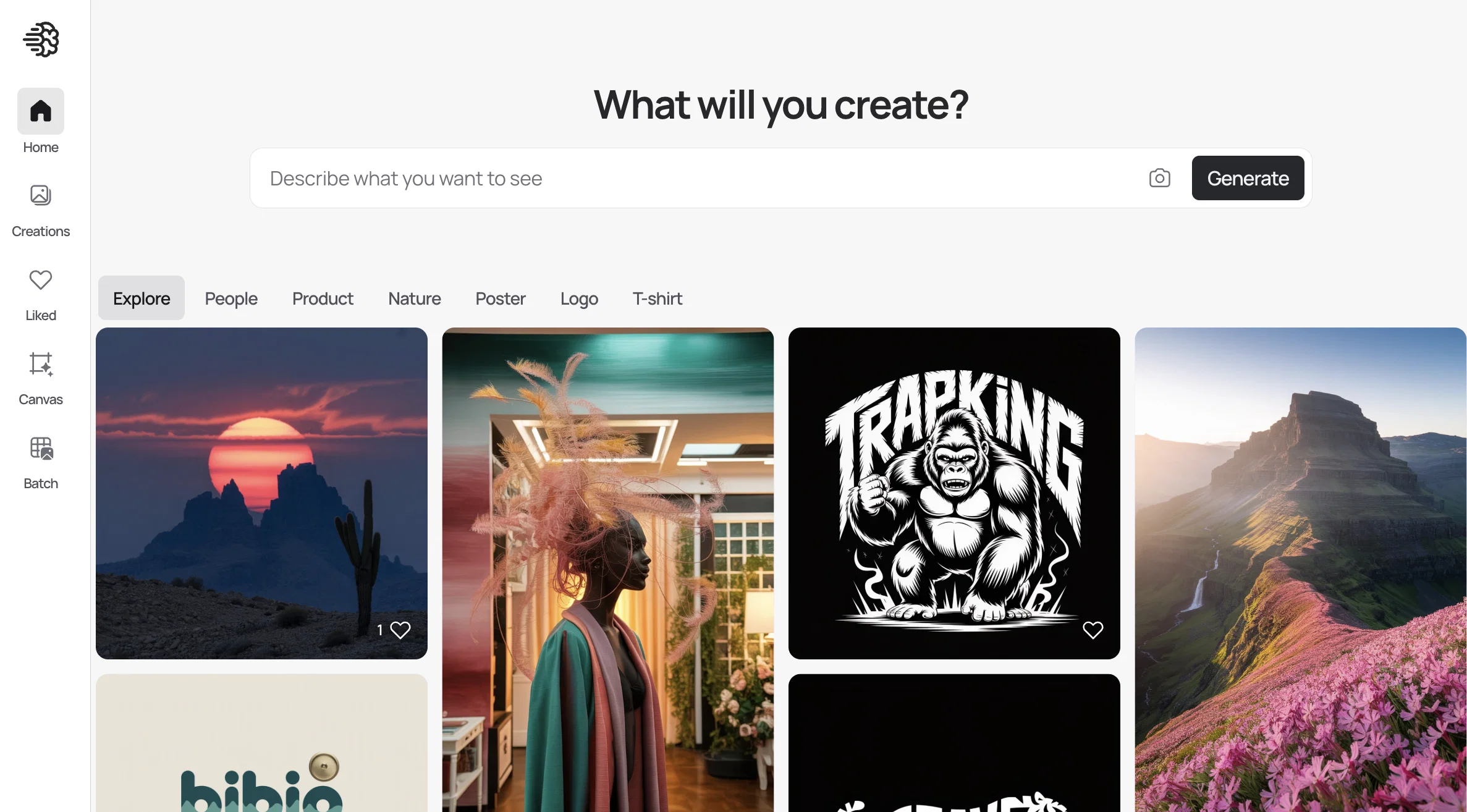
Ideogram is an AI tool designed to aid individuals in enhancing their creativity. By providing a supportive environment, Ideogram empowers users to develop and express their creative ideas effectively. Through its user-friendly interface, this tool unleashes users' creative potential by offering a range of innovative features and functionalities.One of the key benefits of Ideogram is that it assists users in generating and organizing ideas. Utilizing advanced algorithms, it helps users brainstorm and generate creative concepts by suggesting related ideas and concepts in real-time. This feature helps users overcome mental blocks and fosters a more fluid creative process.Moreover, Ideogram enables users to visualize their ideas through various mediums. By offering a wide range of visual tools and templates, it allows users to create visually appealing representations of their creative ideas. These visualizations can be easily customized and shared, making it convenient for users to collaborate and seek feedback from others.Additionally, Ideogram enhances the creative process by providing intelligent recommendations. Leveraging its AI capabilities, it analyzes users' preferences, patterns, and historical data to offer personalized suggestions and insights. This enables users to explore new perspectives, expanding their creative horizons.Ideogram also promotes collaboration by facilitating the seamless sharing and collaboration of ideas between users. It provides features such as real-time editing, commenting, and version control, promoting effective communication and fostering a collaborative creative environment.In summary, Ideogram is an AI tool that supports individuals in their creative endeavors. By offering idea generation, visualization, personalized recommendations, and collaboration features, Ideogram empowers users to unlock their creative potential and effectively express their ideas. Open weights enable downloading, fine-tuning, and running generations on your own hardware. Multilingual text rendering supports design work beyond English-only typography. Bounding-box layout control gives more precise placement for text, logos, and visual elements. Realistic 2K image output improves production use for ads, branding, apparel, photography, and social content. Native editable outputs are planned to return alpha channels and editable text layers directly from inference. Better prompt alignment, photorealism, and text rendering quality. Style references guide generations with up to 3 uploaded images. Random styles explore a large preset library and can be reused through Style Codes. Stronger graphic design output for posters, ads, layouts, and longer text compositions. More production-ready brand assets, including logos, promotional posters, landing pages, and product photography. Ideogram 2a offers fast image generation, with the "2a Turbo" option producing images in as little as 5 seconds. The cost is reduced by 50% compared to its predecessor. Optimized for Graphic Design and Photography: The model is specifically optimized for graphic design and photography, offering more natural image output and precise text embedding. Community Engagement: Ideogram has introduced "Ideogram feeds" to showcase top images across various categories, aiming to inspire creativity and provide prompts for users. Excellent text rendering capabilities, comparable to professional human designers, especially in English typography. Supports real-time image generation, allowing users to see their designs come to life quickly. Impressive detail handling, ensuring that even small elements in images are accurately rendered. Offers a variety of customization options to fit different design styles and preferences. Can be integrated with other design tools and platforms, enhancing workflow efficiency for users. Image quality: Significant improvements in image-text alignment, overall subjective preference, and text rendering accuracy. Enhanced style control: Users can now choose from distinct styles including Realistic, Design, 3D, and Anime. Aspect ratio flexibility: Users can generate images in any aspect ratio, including 3:1 and 1:3. Realistic style: Improved textures, more lifelike human skin and hair rendering. Design style: Boosted accuracy of text in generated images, particularly useful for graphic design tasks. Color palette control: Users can now generate images adhering to specific color palettes. iOS app: A dedicated iOS application has been released, with an Android version planned for the future. API access: A new API is available in public beta, offering Ideogram's capabilities to developers at competitive pricing. Search functionality: Users can now search through over 1 billion publicly viewable images created by the Ideogram community. Improved prompting tools: Enhanced "Describe" and "Magic Prompt" features to boost the creative process. These improvements aim to make Ideogram 2.0 more versatile, user-friendly, and capable of producing higher-quality images across various styles and use cases. Help other people by letting them know if this AI was useful.
When considering Ideogramv4 for integration into your organizational workflow, we recommend deploying a structured score card across three critical operational pillars: Security & Compliance, Integration Friction, and long-term Price Scalability. Rather than looking only at basic feature lists, modern procurement teams must assess how a software platform behaves under high load and how well it fits into the team's data security guidelines.
Depending on your operating region and field, ensure that Ideogramv4 supports standard security layers such as SOC 2 Type II certifications, GDPR compliance, or HIPAA-compliant database encryption. If the tool connects directly to client database tables or handles user passwords, verify that they implement multi-factor authentication (MFA), single sign-on (SSO) integrations, and end-to-end data encryption in transit and at rest.
Siloed data is the primary cause of operational friction. Evaluate if Ideogramv4 has native connectors for your current project trackers, messaging hubs, and customer communication channels. For custom developer requirements, check if they provide a fully documented REST API with reasonable rate limits, comprehensive Webhooks support, and robust SDK packages in your language. A flexible API layer saves hundreds of hours of manual copy-paste overhead.
SaaS pricing packages are often deceptively simple. When reviewing Ideogramv4's billing structure, map out your team's projected expansion over the next 12 to 24 months. Determine how costs scale as your customer database increases or as you add team members. Factor in setup costs, mandatory support plan upgrades, API access fees, and storage overage rates to understand the true cost before committing to a contract.
By combining verified user reviews from our directory with internal workflow pilot tests, your procurement team can make an informed decision that drives productivity without creating capital waste.
Overall rating
Based on 52 reviews
Looks amazing, but only 5 searches??
kanawati
nice holistic
Amit ImmI
O GPT faz uma análise melhor e mais personalizada.
Vinicius Vilela
Accuracy nice. Free
Álvaro Sánchez Román
Classic tool 😮💨 Loving Gen 4, it's wild how good the motion consistency is. It feels like a full studio in your browser. Big W guys keep it up!
Chris Studioz
tried @Veo 3 today and it honestly feels like a sneak peek into the future. one short prompt and it gave me a crisp 4K video with perfect audio and cinematic camera moves. not flawless yet, but wow.
Lark Cube
As the service was in beta-testing stage, I created there a dozen of AI-generated courses for free. I wanted to use them. Those courses remained in my account as they started subscription tiers. But recently I have found out that they were deleted. The support didn't answer to my e-mail at all.
Oldfag TV
Not at all accurate…. The only thing similar between original and generated images were the clothes and accessories… face was absolutely new and unconnected.
Shvetank Sharma
@Cursor is underrated.
Vanessa
Makes it easy to get started with a presentation if you have an outline, but as soon as you want more control, you're better off using Google Slides. @Gamma's feature that I used the most was image generation - you can select among a variety of models (Ideogram, Flux, DALL-E, but not Midjourney), and it shows 3 variations to choose from. Performance is slow and a little janky, even in Chrome. Prompts and settings are often not respected - e.g. you set it to "preserve text" and just generate slides, and it goes onto dumping an entire 3 paragraphs of text in one slide. You can't overlay text over images (e.g. for image attribution), and there's no precise positioning control, or grouping elements. No way to control table layout, e.g. to have two images slide-by-side in full bleed mode. I tried @Gamma for a new presentation, but next time I need to make a presentation, I'll go back to Google Slides and generate images independently.
Dan Dascalescu
Great avatar generation tool!
Ethan Webb
Easy to use and produces some very interesting results. It is going to be my Go To image creation tool.
Malcolm Davison
The most humanly AI i have used so far but the problem is as soon as you start piling up messages in single chat session , it starts getting slow and at some point it starts freezing and also uses a lot of resources. For time being its okay to do 3 4 messages but as soon as we continue it has messages limitation and also starts getting very very slow . For the price of £18 per month this is unacceptable and with the newly introduced feature called project, if we start new chat within the project we cannot continue with the context we provided in other chats within same project. There are lot of improvements for them to work on. And to start with the its speed and its price
Bibash Katel
too expensive for me, I just want to make memes, not pay that much
Grzegorz Rolnik
State of the Art
Dmitry G.
Loved the search engine ideas.
Amr عمرو Amin امين
easy onboarding, quick to set up.
Pluto Radigund
I got some top quality results after learning how to prompt songs 🤩
Claes Lanng
Overall for me is @Ideogram Is more specialized for Text image Generator, While Midjourney is more specialized for Photo-like and Image Generator.
Agent Jet
I am honestly stunned how good @Ideogram is, in pretty much everything. I built an entire website, generated all the images, using @Ideogram, and it's effortlessly brilliant. I'll keep using it, both for pure fun, creativity, curiosity and - for work. https://maecenium.org/
Maecenium
Awesome 👍😎 💯!!!
H3X4FL0W
When I want to sign up on the @Ideogram website with "Continue with Google" and press it, the sentence "Please choose an option to continue" appears below the banner and no action happens. Anybody can help me?
Michael Ryan
I use @Ideogram practically every single day. I have a pro account, but I constantly have to top it off because I run out of credits. The ability to generate illustrations of famous people is fabulous. So is the (often) correct spelling. I'm a huge fan. I've used and paid for a lot of premium AI art generation, but this tool is by far the best (@Jennatwork in the @Ideogram world!)
Jennifer Gibbs
They are so far ahead in terms of image quality, it will take years for a competitor to catch up. Best than anything anybody has ever thought of.
Mohan CK
really impressed with the image quality and i didn’t expect to see that many style options either. it’s honestly fun to play with. great visual output for minimal effort. would recommend
Emad Almasri
makes solid images and the text-in-image thing hits, but the site's super minimal. controls are there, just not inviting. outputs are good, vibes are flat, would love clearer style previews.
Monika Pal
For a writer, @Ideogram is a visual spark plug, quick drafts, brave typography, happy accidents; great for mood boards, less for fine control.
Jon Hillstrom
@Ideogram speeds up my content flow, prompt in, crisp visuals with readable text out. Great for thumbnails and title cards, it's extremely good!
Michał Jana
@Ideogram actually clicked for my anime/manga workflow. I can spin un character sheets, logos and clean title cards with readable text (huge win for chapter covers).. Feels like the boost I needed to finally move my series from "ideas" to visuals
Simon Riley
This tool nails text on image better than most. Super clean lettering for posters or social posts without the usual weird distortions
Mircea Cazun
I like how it mixes text and visuals without losing style. great for experimenting with mood boards.
simona Zoro
super fun for blending prompts and visuals. it understands nuance in text surprisingly well and the image quality hits that balance between artistic and useful
Sunil Henrique
Fun tool. pretty intuitive and the results come out clean.
BADKID Ena
this one gets the sticker aesthetic perfectly, like that clean die-cut look. made a bunch of kid friendly characters and emojis and they all came out with that punchy, cartoonish vibe.
Jay S.
Gave this a shot for some branding projects and tbh it impressed me. the way it handles text in logos is actually clean, which is rare. outputs look professional and usable right away.
David Carrillo
this one's actually fun for meme templates. handles text placement way better than other generators, so your captions don't look like a mess. images come out memeable if you describe the vibe right. saves time when you're churning out content. not bad honestly.
Malena Abulwafa
this one is perfect for emoji and sticker stuff. handles text way better than others so your designs actually look finished. the cartoonish aesthetic comes through naturally and it's fast enough to iterate ideas quickly. love it.
Jason Lakshmi
tried this for desktop backgrounds and was surprised. handles text overlays way better than others if u want motivational wallpapers or branding. free tier's generous. quality's decent but not as polished as premium tools.
Stefano Zaki
impressed. text rendering in logos actually works, fonts stay sharp and readable. tested various art styles including pixel art and everything came out clean with good proportions. definitely the best tool i've tried for combining text with visuals. worth it. 5/5
Oleg John
Made like 50 memes in an hour when I should've been studying. Text actually shows up properly which is rare. Sent the best ones to my group chat and they asked if I became a professional memer. No bro, just got a new tool. RIP my productivity.
Last Saini
Basic paid plan implies that generated images are not private. It is inconceivable that a paid service does not provide privacy.
Thiago Sorrentino
Used this for wedding invite designs and it's amazing! Text on images actually looks good which is rare. Made beautiful mockups with names and wedding date. Super helpful for getting ideas before hiring a designer!!
Orit Paredes
perfect for product images with captions. it actually writes text on images without it looking weird which is rare. u can make ads and promo stuff super quick. extremely dope for marketing visuals
Daria Prem
this is my go to now for avatar work. spits out clean designs that actually look intentional, not like random AI slop. been using it for client mockups and they never know it started with AI lol
James swami
the text rendering in images actually works which is rare for AI tools. been using it for comic panel layouts and poster designs. saves hours compared to hand-lettering everything
Diego Beast
Nature videos
Saikumar Komire
This one gives some pretty decent logo directions quickly. The first concepts are useful, but I’d still want finer control over typography and spacing before calling anything final.
Josh KUMAR
Such a great place to start out!
Helli Lang
Love how it offers stuff for both free and premium users. huge thanks to the devs and keep it up!
Burner Cruz
Free Start with a Free Experience $0 /mo
Vitus Bering
It's not free, it forces you to input an email before shoving a price tag in your face.
Arvoly XSL
I think it's the best @Image Generator I ever found on the net. It gives more accurate image according to the prompt. And thank you for keeping it for free.
My Sawsiri
Starting Price
Free plan available
Free tier available with optional paid upgrades.


