Grain AI

5.0(29 reviews)

Grain turns customer conversations into AI-powered insights.

Freemium

Grain AI Overview

What is Grain AI?

Help other people by letting them know if this AI was useful. Add your own prompts and outputs to help others understand how to use this AI.

Screenshot gallery

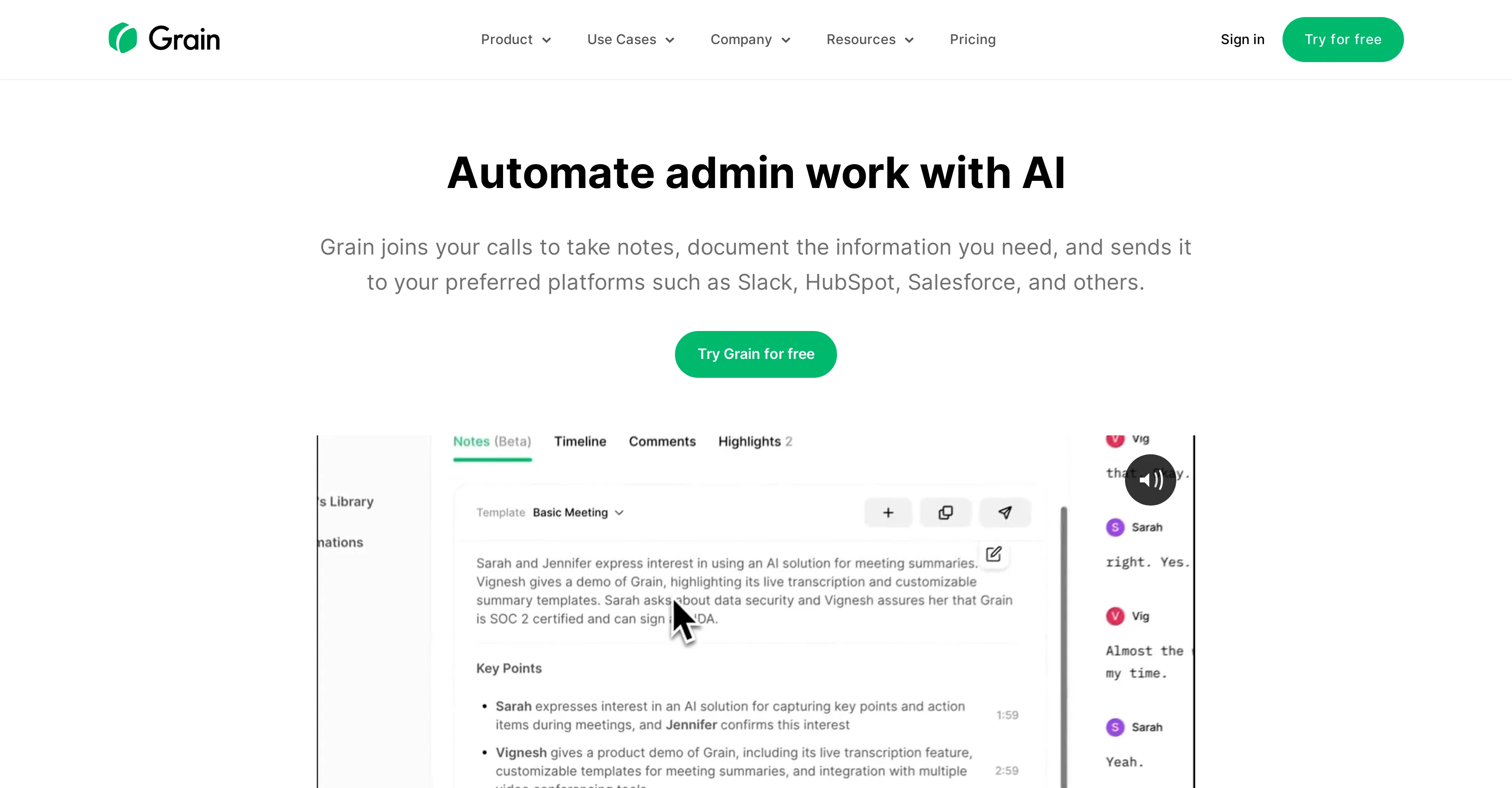
Grain AI screenshot

Pros & Cons

Pros

  • Automated meeting summaries
  • Key moment identification
  • Note-taking customization
  • Quick sharing through Slack
  • Integrated with Notion
  • Data extraction from conversations
  • GPT functionality for Q&A w/ transcript
  • Creation of shareable video clips
  • Library of knowledge
  • Searchable transcript
  • Administrative task automation
  • Flexible for different meetings
  • Automated workflows
  • Integration with HubSpot
  • Integration with Salesforce
  • Productivity enhancement in meetings
  • Supports team collaboration
  • Feedback sharing capabilities
  • Video and audio transcript and clip sharing
  • Emphasizes customer voice
  • Extracts pertinent conversation details
  • Conversation organization
  • Seamless platform integration
  • Notes templates for customization
  • User research friendly
  • Sales team utility
  • Customer success use-case
  • Saves post-meeting minutes
  • Quality customer interaction focus

Cons

  • Dependent on third-party platforms
  • No offline functionality
  • No on-premise option
  • Customisation might be complex
  • No mobile version

A Professional Framework to Evaluate Grain AI

When considering Grain AI for integration into your organizational workflow, we recommend deploying a structured score card across three critical operational pillars: Security & Compliance, Integration Friction, and long-term Price Scalability. Rather than looking only at basic feature lists, modern procurement teams must assess how a software platform behaves under high load and how well it fits into the team's data security guidelines.

1. Security and Database Compliance

Depending on your operating region and field, ensure that Grain AI supports standard security layers such as SOC 2 Type II certifications, GDPR compliance, or HIPAA-compliant database encryption. If the tool connects directly to client database tables or handles user passwords, verify that they implement multi-factor authentication (MFA), single sign-on (SSO) integrations, and end-to-end data encryption in transit and at rest.

2. API Coverage and Custom Integrations

Siloed data is the primary cause of operational friction. Evaluate if Grain AI has native connectors for your current project trackers, messaging hubs, and customer communication channels. For custom developer requirements, check if they provide a fully documented REST API with reasonable rate limits, comprehensive Webhooks support, and robust SDK packages in your language. A flexible API layer saves hundreds of hours of manual copy-paste overhead.

3. Total Cost of Ownership (TCO)

SaaS pricing packages are often deceptively simple. When reviewing Grain AI's billing structure, map out your team's projected expansion over the next 12 to 24 months. Determine how costs scale as your customer database increases or as you add team members. Factor in setup costs, mandatory support plan upgrades, API access fees, and storage overage rates to understand the true cost before committing to a contract.

By combining verified user reviews from our directory with internal workflow pilot tests, your procurement team can make an informed decision that drives productivity without creating capital waste.

Features of Grain AI

  • API
  • Productivity
  • Customer Meeting
  • Administrative Automation
  • Customer Interaction
  • Meeting Customization
  • Free + From $15.00/Mo

SaaS1to10 verified reviews for Grain AI

Overall rating

5.0

Based on 29 reviews

5.01 days ago

Review

Speed is easy to demo and hard to keep valuable - the bottleneck for most teams is not writing, it is deciding what deserves to exist and getting someone to check the facts. Does the workflow include a review step, or is the assumption that output goes live as generated? Worth being explicit; it changes who the tool is right for.

Seonix AI

5.01 days ago

Review

Does it work on pages behind a paywall, or only open articles?

Seonix AI

5.02 weeks ago

Review

Absolute Garbage. Cannot follow basic instructions.

Nigel Sewell

5.02 weeks ago

Review

Just tried yesterday. The first productivity tool which allowed me to create professional slides, reports, and sheets with my data in a few minutes. Was able to connect 20 of my tools in less than 5 minutes.

Samuel

5.02 weeks ago

Review

As ambitious as it is, it's really FAR AWAY from Frank Miller's art style, almost in a galaxy far, far away ;-) It follows the prompt up to 50%, but the strong stylization is too close to "coloring book art" rather than "handmade comic book art" as advertised. I really tried hard, trust me ;-) For better results, try https://perchance.org/ (100% FREE).

Timeship

5.02 weeks ago

Review

@Audiostrip did exactly what I wanted to do, to isolate and denoise an important video I had, there was a lady talking loudly close to the camera but we needed the background conversations to be heard and the noise taken out, this did the job, free and fast!

Miss Tammy

5.02 weeks ago

Review

One of the best tools to generate standard aligned lesson plans and assignments with the help of AI. Presentation generated for the lesson plan was also really good. Loved it!

RUSHIL MAKKAR

5.02 weeks ago

Review

@Twee is the ai I know for ELT.

Dr. Nellie Deutsch

5.02 weeks ago

Review

Great it's helps me alot

Rup Mondal

5.02 weeks ago

Review

This is pretty cool

Jennifer Towers

5.02 weeks ago

Review

Simple, fun, with endless possibilities.

Daniel Garaiacu

5.02 weeks ago

Review

Yooo, it's okeishhhh, I mean it def could be better. respect for u man, practice makes perfect

Naser Williams

5.02 weeks ago

Review

I think it's the best @Image Generator I ever found on the net. It gives more accurate image according to the prompt. And thank you for keeping it for free.

My Sawsiri

5.02 weeks ago

Review

Not at all accurate…. The only thing similar between original and generated images were the clothes and accessories… face was absolutely new and unconnected.

Shvetank Sharma

5.03 weeks ago

Review

I was able to get a summary for a half hour video in just under 2 minutes. An hour long video took 5 minutes. Saved me a phenomenal amount of time having to watch videos for courses!

Linda Kolean

5.03 weeks ago

Review

It doesn't allow me to upload a file with less then 1GB and sends the message "Tenant ID missing"...

Fil Ca

5.03 weeks ago

Review

Great personalized digests you can share with your team mates!

Carl Brenssell

5.03 weeks ago

Review

An amazing app, I love the share feature and the comment section summaries

Silvia Cho

5.03 weeks ago

Review

I'm still testing the tool yet it looks very promising. I tested it with a 5.5k words Academic text that I had previously red. I tested the Key points feature, it does work!

Ivana González

5.03 weeks ago

Review

Just so limited and kind of useless

Maurice Audinet

5.03 weeks ago

Review

Might as well use Harpa for this, that's free.

Eric Van de Kerckhove

5.03 weeks ago

Review

O GPT faz uma análise melhor e mais personalizada.

Vinicius Vilela

5.03 weeks ago

Review

It is useful in the free version too..you get credits inviting people!

cristina recenti

5.03 weeks ago

Review

I've tried 10 note-taking tools, and so far this is the best. My work is now much simpler and more efficient.

Happy Kid

5.03 weeks ago

Review

Maybe more useful as I think!

yuesheng zheng

5.03 weeks ago

Review

I like the desktop version, it can record and transcribe my meetings. Pretty accurate transcript and summary.

akihouse98

5.03 weeks ago

Review

very accurate transcription. summaries are spot on. and can transcribe conversations in real-time. easy to use

Jeff Matteus

5.03 weeks ago

Review

Very smooth and effective. It could detect even Hindi language and could summarise pretty reasonably

Pankaj Dixit

5.03 weeks ago

Review

👋 Hey everyone — I’m Yusef, founder of @Jamy. We built @Jamy because we were tired of wasting time after meetings — rewriting notes, chasing action items, and trying to remember what was actually said. @Jamy handles all of that automatically: it joins your calls, transcribes, summarizes, pulls tasks and quotes, and even sends branded follow-ups. It works with Zoom, Google Meet, Teams, and phone calls — and connects with tools like Slack, Trello, and Notion. If you’re curious, give it a spin — @Jamy.ai. Would love your feedback! — Yusef

Yusef Jacobs

Pricing

Starting Price

Free plan available

Free tier available with optional paid upgrades.

Where can Grain AI be deployed?

  • Cloud, SaaS, Web-Based

Recommended for you