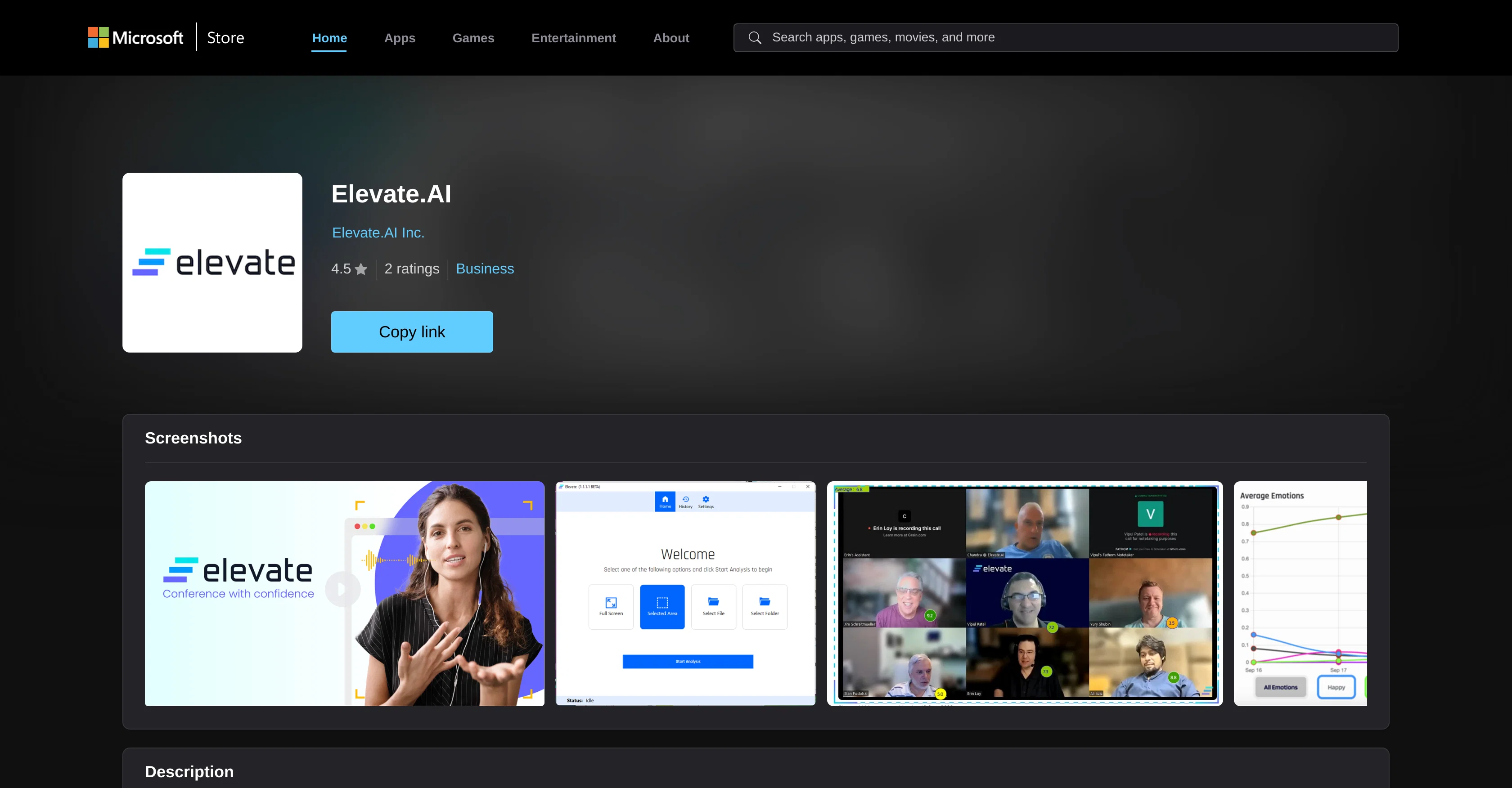
Elevate.AI is a tool designed to 'read the room' in video calls or streaming video applications, offering insights on communication effectiveness by identifying and analyzing participants' sentiments through facial expression recognition.
It recognizes eight primary emotions and computes an overall sentiment score, with scores representing positive, neutral, or negative expressions displayed in color-coded on-screen circles next to each person's face.The app continuously updates each participant's sentiment score during a call and applies a weighted moving average considering their recent activity.
It also shows an average sentiment score for all participants, useful for gauging the overall sentiment of the call.Elevate.AI tracks sentiment of the active screen, which means it switches to scoring faces displayed in the current active window regardless of the previously tracked application.The facial expression analysis presented by the tool is designed to be inclusive and non-discriminatory, regardless of age, gender, or skin color.
While the number of participants whose sentiment can be analyzed is subject to the processing power of your computer, an average computer can nominally support multiple participants on a video call.
All facial images used for emotion recognition are processed and stored locally, illustrating the tool's commitment to user privacy.
Help other people by letting them know if this AI was useful.
Add your own prompts and outputs to help others understand how to use this AI.
Screenshot gallery
Pros & Cons
Pros
+Analyzes emotions in video calls
+Aims to improve remote work
+Assists teams, educators, healthcare providers
+Provides Emotional Scores on calls
+Tracks emotional engagement over time
+Fights video call fatigue
+Generates instant CSV data
+Generates subsequent instant Excel reports
+Easy installation process
+One user installation is enough
+Generates reports after each session
+30-day free trial
+Runs directly on user's device
+Customizable reporting
+Supports human-centric remote work
+Offers Beta Access
+Improves emotional intelligence (EQ)
+Detects various emotions
+Quick report generation
+Aids in understanding emotional engagement
+Supports multiple users
+Aims to elevate video meetings
Cons
−Currently in Beta
−Only one user installation
−Limited emotion recognition
−Instant csv data only
−No user reviews
−Requires Windows 10
−x64 architecture only
A Professional Framework to Evaluate Elevate.AI
When considering Elevate.AI for integration into your organizational workflow, we recommend deploying a structured score card across three critical operational pillars: Security & Compliance, Integration Friction, and long-term Price Scalability. Rather than looking only at basic feature lists, modern procurement teams must assess how a software platform behaves under high load and how well it fits into the team's data security guidelines.
1. Security and Database Compliance
Depending on your operating region and field, ensure that Elevate.AI supports standard security layers such as SOC 2 Type II certifications, GDPR compliance, or HIPAA-compliant database encryption. If the tool connects directly to client database tables or handles user passwords, verify that they implement multi-factor authentication (MFA), single sign-on (SSO) integrations, and end-to-end data encryption in transit and at rest.
2. API Coverage and Custom Integrations
Siloed data is the primary cause of operational friction. Evaluate if Elevate.AI has native connectors for your current project trackers, messaging hubs, and customer communication channels. For custom developer requirements, check if they provide a fully documented REST API with reasonable rate limits, comprehensive Webhooks support, and robust SDK packages in your language. A flexible API layer saves hundreds of hours of manual copy-paste overhead.
3. Total Cost of Ownership (TCO)
SaaS pricing packages are often deceptively simple. When reviewing Elevate.AI's billing structure, map out your team's projected expansion over the next 12 to 24 months. Determine how costs scale as your customer database increases or as you add team members. Factor in setup costs, mandatory support plan upgrades, API access fees, and storage overage rates to understand the true cost before committing to a contract.
By combining verified user reviews from our directory with internal workflow pilot tests, your procurement team can make an informed decision that drives productivity without creating capital waste.
Features of Elevate.AI
Sentiment Analysis
Facial Expression Recognition
Emotion Recognition
Video Conferencing
Emotional AI
Emotional Intelligence
Free
SaaS1to10 verified reviews for Elevate.AI
Overall rating
★★★★★5.0
Based on 15 reviews
★★★★★5.01 months ago
“Review”
The most humanly AI i have used so far but the problem is as soon as you start piling up messages in single chat session , it starts getting slow and at some point it starts freezing and also uses a lot of resources. For time being its okay to do 3 4 messages but as soon as we continue it has messages limitation and also starts getting very very slow . For the price of £18 per month this is unacceptable and with the newly introduced feature called project, if we start new chat within the project we cannot continue with the context we provided in other chats within same project. There are lot of improvements for them to work on. And to start with the its speed and its price
Bibash Katel
★★★★★5.02 months ago
“Review”
Great! I think @AI Lawyer is the best service I've ever seen. Perfect use. Prompting helps in the work
Yuri Gerasimov
★★★★★5.02 months ago
“Review”
WE USE @D-ID AT THE COLORADO VIRTUAL CREATIVE FACTORY...AND LOVE IT.
Franco Arteseros
★★★★★5.02 months ago
“Review”
It's sad to see people want to try your tool out but you have no free sample for them. This may be the best tool out there, but, as mentioned, going through with the AI for minutes to explain what you want, then being prompted to pay, without even knowing if it CAN create something, is discouraging. I hope we can get a free sample or preview at one point, im interested in this one.
Ron Jayson
★★★★★5.02 months ago
“Review”
It's not free, it forces you to input an email before shoving a price tag in your face.
Arvoly XSL
★★★★★5.02 months ago
“Review”
I think it's the best @Image Generator I ever found on the net. It gives more accurate image according to the prompt. And thank you for keeping it for free.
My Sawsiri
★★★★★5.02 months ago
“Review”
filters my spam calls
Robin Haw
★★★★★5.02 months ago
“Review”
Zero GPT which is supposed to be covered detects it with 100% certainty. So... No.
Stephan Tual
★★★★★5.02 months ago
“Review”
Hey Dillon, email me at bobby@revmo.ai and let’s see if we can figure out what’s going on.
Revmo
★★★★★5.02 months ago
“Review”
O GPT faz uma análise melhor e mais personalizada.
Vinicius Vilela
★★★★★5.02 months ago
“Review”
Great idea, but does not find what you are looking for-about the same as Google Scholar
Andy
★★★★★5.02 months ago
“Review”
I joined Kin's beta program on my iPhone XR. After upgrading to an iPhone 13, I found that I couldn't log into my existing account on the new phone, forcing me to create a new account. Now, I have two separate Kin accounts on different phones. Today, when I accessed the beta version of Kin, I got a notification stating that the test version ended on Monday, September 23rd. It instructed me to back up my data and move to the official Kin app. I did as advised—backed up my data, confirmed, uninstalled the beta app via TestFlight, and installed the official Kin app. However, when I attempted to “log in”, I was still unable to access my existing account. This issue hasn't been resolved yet. I have been trying desperately to get in contact with the support team. I left feedback through the test flight app and sent emails. No response. Now trying to find a forums, Reddit posts, TAAFT comments☻
Desiree Miller
★★★★★5.02 months ago
“Review”
Fantastic tool for anyone who is looking to promote their personal brand and gain followers on Linkedin with no experience. The tool has a lot of potential to grow and as someone who has recently purchased the tool I'm hoping for more topics in settings.
Ed Soltani
★★★★★5.02 months ago
“Review”
Such a great place to start out!
Helli Lang
★★★★★5.02 months ago
“Review”
I'm still testing the tool yet it looks very promising. I tested it with a 5.5k words Academic text that I had previously red. I tested the Key points feature, it does work!