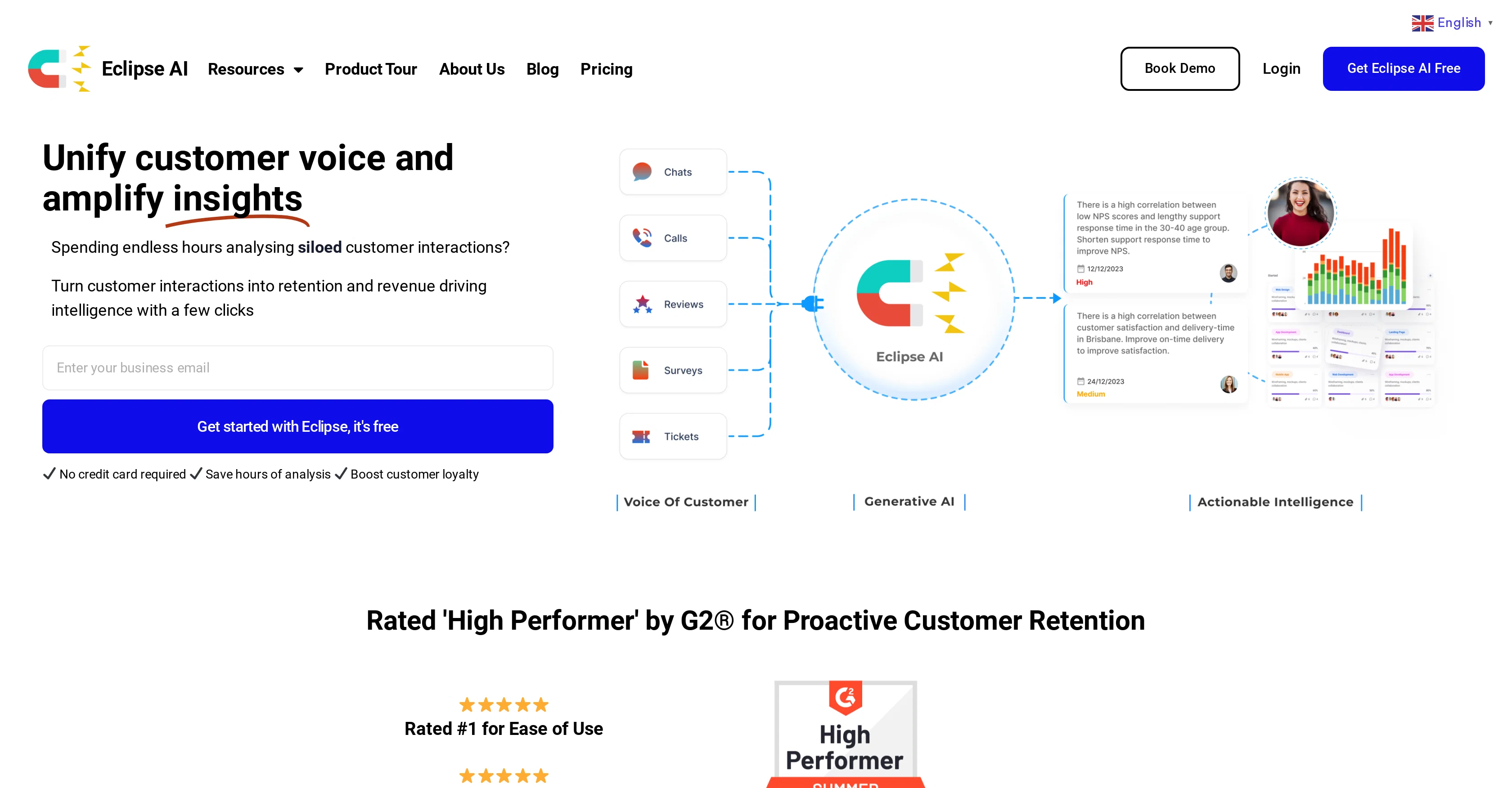
Eclipse AI is a comprehensive AI tool that focuses on unifying and analyzing omnichannel voice-of-customer data. This tool is designed to transform siloed customer interactions into actionable intelligence that supports businesses with their retention strategies.
It enables an easy integration with numerous other tools, thereby allowing your voice-of-customer data to be plugged in and analyzed with just a few clicks.
Eclipse AI plays a critical role in providing insightful visibility, thereby facilitating informed business decisions that can drive revenue and growth.
Not confined to a single channel, this tool allows for the consolidation of customer data from multiple channels for an inclusive view. This tool also supports businesses in gaining insights that may aid in boosting customer loyalty.
Help other people by letting them know if this AI was useful.
Add your own prompts and outputs to help others understand how to use this AI.
Screenshot gallery
Pros & Cons
Pros
+Prevents customer churn
+Analyzes omnichannel data
+Unifies voice-of-customer data
+Real-time pattern analysis
+Controllable measures generation
+#1 for Ease of Use
+#1 for Quality of Support
+Improves customer loyalty
+Increases productivity
+Boosts revenue
+Provides actionable intelligence
+Instant actionable intelligence
+Turns voice into insights
+Transforms customer interactions
+Easy integration with tools
+Consolidates data from multiple channels
+Visibility facilitation
+Informed business decisions support
+Free benchmarking
+High Performer status on G2
+Trust by customer-centric brands
+Saves hours of analysis
+Easy integration with 50+ tools
+Turns siloed customer interactions into intelligence
+Free templates and resources
+Workflow automation
+Customer-centric approach
Cons
−Limited to customer churn analysis
−Dependant on channel data quality
−Layers added complexity to data analysis
−Requires integration with other tools
−May provide redundant insights
−Requires commitment to full platform
−No mention of data security features
−Limitations in support of different languages
−Depends heavily on quality of customer feedback
A Professional Framework to Evaluate Eclipse AI
When considering Eclipse AI for integration into your organizational workflow, we recommend deploying a structured score card across three critical operational pillars: Security & Compliance, Integration Friction, and long-term Price Scalability. Rather than looking only at basic feature lists, modern procurement teams must assess how a software platform behaves under high load and how well it fits into the team's data security guidelines.
1. Security and Database Compliance
Depending on your operating region and field, ensure that Eclipse AI supports standard security layers such as SOC 2 Type II certifications, GDPR compliance, or HIPAA-compliant database encryption. If the tool connects directly to client database tables or handles user passwords, verify that they implement multi-factor authentication (MFA), single sign-on (SSO) integrations, and end-to-end data encryption in transit and at rest.
2. API Coverage and Custom Integrations
Siloed data is the primary cause of operational friction. Evaluate if Eclipse AI has native connectors for your current project trackers, messaging hubs, and customer communication channels. For custom developer requirements, check if they provide a fully documented REST API with reasonable rate limits, comprehensive Webhooks support, and robust SDK packages in your language. A flexible API layer saves hundreds of hours of manual copy-paste overhead.
3. Total Cost of Ownership (TCO)
SaaS pricing packages are often deceptively simple. When reviewing Eclipse AI's billing structure, map out your team's projected expansion over the next 12 to 24 months. Determine how costs scale as your customer database increases or as you add team members. Factor in setup costs, mandatory support plan upgrades, API access fees, and storage overage rates to understand the true cost before committing to a contract.
By combining verified user reviews from our directory with internal workflow pilot tests, your procurement team can make an informed decision that drives productivity without creating capital waste.
Features of Eclipse AI
Omnichannel Data Analysis
Voice Of Customer Analysis
Actionable Intelligence
Customer Retention
Customer Insights
Data Consolidation
Free + From $39/Mo
SaaS1to10 verified reviews for Eclipse AI
Overall rating
★★★★★5.0
Based on 15 reviews
★★★★★5.02 months ago
“Review”
It's sad to see people want to try your tool out but you have no free sample for them. This may be the best tool out there, but, as mentioned, going through with the AI for minutes to explain what you want, then being prompted to pay, without even knowing if it CAN create something, is discouraging. I hope we can get a free sample or preview at one point, im interested in this one.
Ron Jayson
★★★★★5.02 months ago
“Review”
The website is pretty good but there are only a limited number of responses
Probal Roy
★★★★★5.02 months ago
“Review”
Works but I cannot understand what's the use. I was expecting it to give me some videos
Samartha Venkatramana
★★★★★5.02 months ago
“Review”
It's really frustrating when you try to select something you want, only to be immediately redirected to a subscription-based payment model. There's no opportunity to even test things out, which kills the enthusiasm right away. It seems like everything is geared towards subscriptions nowadays, and it's a turn-off. Companies should prioritize transparency and give customers a chance to try out products before committing to a subscription. Practices like these erode consumer trust and deter many potential customers.
X X
★★★★★5.02 months ago
“Review”
I tried NovelGPT a template in @Agentgpt and it did an excellent job writing the first two episodes of my novel complete with character descriptions, setting,plot points and well I think you get the point. Great tool can't wait to see it out of beta.
Kelli Crose
★★★★★5.02 months ago
“Review”
After my first use, I think it's surprisingly good. The only drawback so far is the PDF export option for the report which is formatless.
Alejandro Correa
★★★★★5.02 months ago
“Review”
It's not free, it forces you to input an email before shoving a price tag in your face.
Arvoly XSL
★★★★★5.02 months ago
“Review”
I'm still testing the tool yet it looks very promising. I tested it with a 5.5k words Academic text that I had previously red. I tested the Key points feature, it does work!
Ivana González
★★★★★5.02 months ago
“Review”
after playing around with it for a bit, i am now aware of how much i need this. i can already feel the hours of sleep coming back to me <3
Bru no no no
★★★★★5.02 months ago
“Review”
O GPT faz uma análise melhor e mais personalizada.
Vinicius Vilela
★★★★★5.02 months ago
“Review”
As the service was in beta-testing stage, I created there a dozen of AI-generated courses for free. I wanted to use them. Those courses remained in my account as they started subscription tiers. But recently I have found out that they were deleted. The support didn't answer to my e-mail at all.
Oldfag TV
★★★★★5.02 months ago
“Review”
It is the ease of use for me. @DataSquirrel is fast, the UI is super intuitive, and the guided analysis feature is highly convenient. I have officially moved from uploading CSV files from Google sheet to @DataSquirrel. Within minutes, I can visualize my data and interpreting it becomes super simple.
Aakriti Mahajan
★★★★★5.02 months ago
“Review”
Nice interface, but no good at PDF answers, especially tables data.
hifive szu
★★★★★5.02 months ago
“Review”
Very useful, but for me, who only needs the simplest feedback functions, the on-boarding where they force me to do things I don't need to do is unbearable. I've done it once, but I'll never create an account on it again just for that reason.
Grimnir
★★★★★5.02 months ago
“Review”
If customer insights don’t translate into actions, you’re sitting on data -> ~20–30% missed growth. How much of that feedback actually drives revenue decisions?