Dub AI

5.0(27 reviews)

Localize videos in minutes with AI dubbing

Freemium

Dub AI Overview

What is Dub AI?

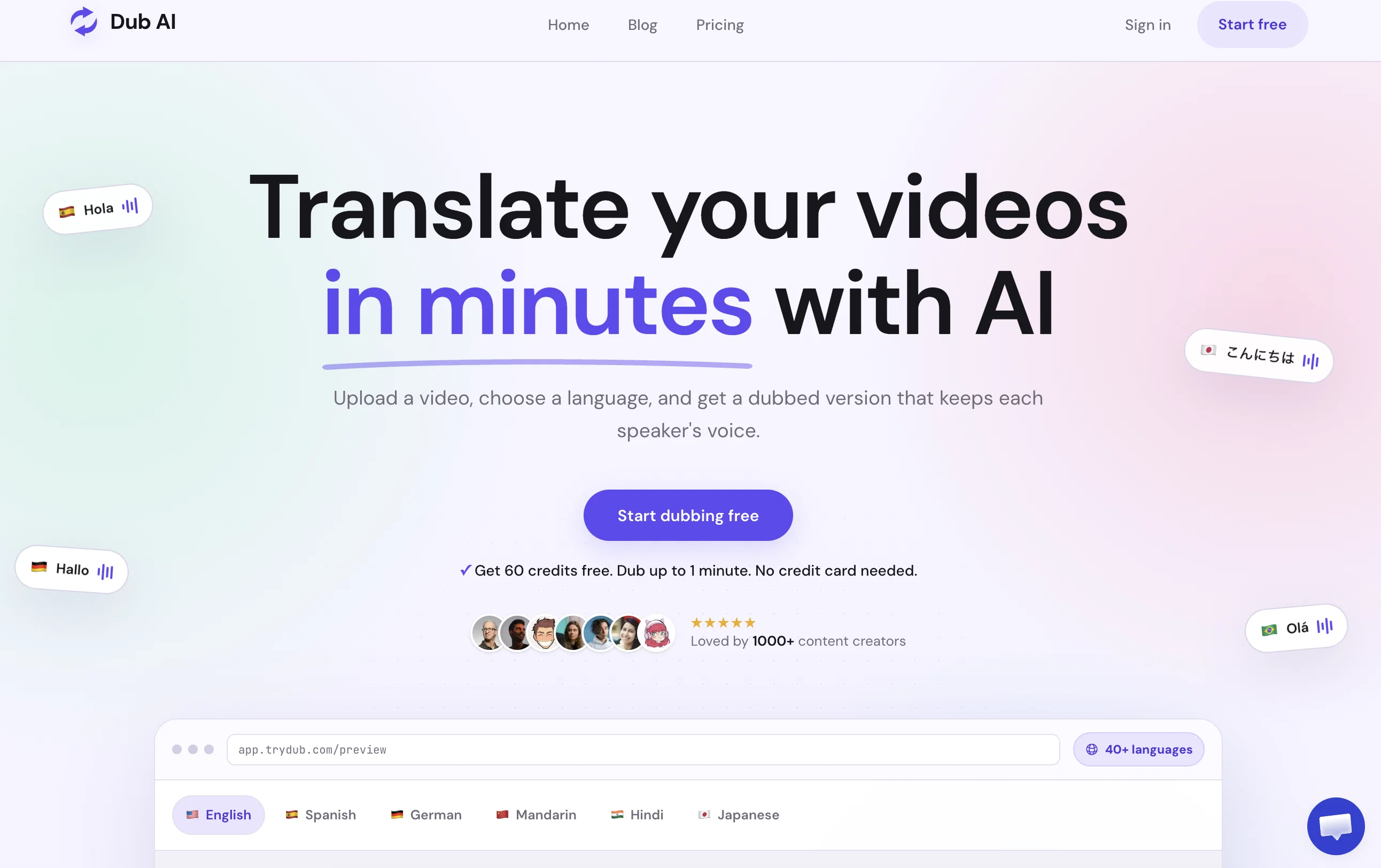
Dub AI is a tool designed to aid in the localization of videos using artificial intelligence. The primary services offered include translation, voice cloning and automatic speaker detection. By translating content into more than 25 languages, this tool assists users in reaching a global audience. It also enables the cloning of voices, helping to maintain a consistent brand identity across diverse markets. The multi-speaker feature can support up to ten speakers simultaneously and comes with an automatic detection function. The tool also provides access to translated transcripts and audio clips, adding value for post-processing use. Dub AI is user-friendly, allowing for quick uploading of audio and video files or even YouTube URLs for prompt dubbing. The process involves three simple steps: uploading the file, enabling AI for instant translation and dubbing in the desired language, and downloading the final dubbed audio or video file along with transcripts and audio clips. Help other people by letting them know if this AI was useful. Add your own prompts and outputs to help others understand how to use this AI.

Screenshot gallery

Dub AI screenshot

Pros & Cons

Pros

  • Supports 25+ languages
  • Voice cloning
  • Automatic speaker detection
  • Multi-speaker support
  • Provides translated transcripts
  • Provides audio clips
  • Easy file uploading
  • Accepts YouTube URLs
  • Simple three-step process
  • Instant translation
  • Final dubbed file download
  • Brand identity maintenance
  • Tool for video localization
  • Aids in global outreach
  • Valuable for post-processing
  • User-friendly interface
  • No credit card requirement
  • Free trial available
  • Localizes video content
  • Loved by 1000+ creators
  • Multilingual content support
  • High-quality audio, video dubbing
  • Automated dubbing process
  • Accessible transcripts, audio clips
  • Helps expand audience globally

Cons

  • Limited to 25 languages
  • Supports only 10 speakers
  • No clear offline functionality
  • No explicit API mentioned
  • No MacOS or Linux client
  • Voice clone might decrease quality
  • No live-streaming support
  • No multi-platform uploading mentioned
  • May over-simplify complex languages
  • No mentioned voice editing tools

A Professional Framework to Evaluate Dub AI

When considering Dub AI for integration into your organizational workflow, we recommend deploying a structured score card across three critical operational pillars: Security & Compliance, Integration Friction, and long-term Price Scalability. Rather than looking only at basic feature lists, modern procurement teams must assess how a software platform behaves under high load and how well it fits into the team's data security guidelines.

1. Security and Database Compliance

Depending on your operating region and field, ensure that Dub AI supports standard security layers such as SOC 2 Type II certifications, GDPR compliance, or HIPAA-compliant database encryption. If the tool connects directly to client database tables or handles user passwords, verify that they implement multi-factor authentication (MFA), single sign-on (SSO) integrations, and end-to-end data encryption in transit and at rest.

2. API Coverage and Custom Integrations

Siloed data is the primary cause of operational friction. Evaluate if Dub AI has native connectors for your current project trackers, messaging hubs, and customer communication channels. For custom developer requirements, check if they provide a fully documented REST API with reasonable rate limits, comprehensive Webhooks support, and robust SDK packages in your language. A flexible API layer saves hundreds of hours of manual copy-paste overhead.

3. Total Cost of Ownership (TCO)

SaaS pricing packages are often deceptively simple. When reviewing Dub AI's billing structure, map out your team's projected expansion over the next 12 to 24 months. Determine how costs scale as your customer database increases or as you add team members. Factor in setup costs, mandatory support plan upgrades, API access fees, and storage overage rates to understand the true cost before committing to a contract.

By combining verified user reviews from our directory with internal workflow pilot tests, your procurement team can make an informed decision that drives productivity without creating capital waste.

Features of Dub AI

  • Video Localization
  • Multilingual Content
  • Translation
  • Voice Cloning
  • AI Dubbing
  • Instant Translation
  • Free + From $5/Mo

SaaS1to10 verified reviews for Dub AI

Overall rating

5.0

Based on 27 reviews

5.01 weeks ago

Review

Currently, the website provides free text-to-speech (TTS) with emotions without requiring registration. You can generate 50,000 characters using generic Microsoft voices which are available also within any ReadAloud/Read out Loud apps. However, these voices lack emotion, but you can generate 5,000 characters with emotion per generation for free. Firstly, you have to select a voice, preview it, and then select it - paste your text or write it down and after a few minutes, you can listen and download it for free. However, the website's reviews are likely fake, suggesting that this free service might not last long.

Shteryan Nikolaev (AcTePuKc)

5.01 weeks ago

Review

Used this for a quick ebook draft and it got the structure down pretty well. The first chapters were stronger than the later ones, but it’s a useful starting point if you want to turn an idea into something readable fast.

Niraj Katy

5.01 weeks ago

Review

This video generator did much better than I expected on complex subjects. Unfortunately, it isn't as free as I wished. I could not iterate my creation to create a resolved result.

Gamaliel yd

5.01 weeks ago

Review

I wasn't able to use this one (I have my API key)

Pauline LeBlanc

5.01 weeks ago

Review

hmm it is un-real...literally...sounds robotic....far awy from Real

Dhhaval Joshi

5.01 weeks ago

Review

No other tool quite like this, it's pretty straightforward. Needed to extract a long interview from YouTube and it extracted everything, providing it in different meaningful formats in less than two minutes. Awesome

Juan Sierra

5.01 weeks ago

Review

I already have another transcription tool, but this one is much better. I love the different features such as the summary, quiz, and chapters. It does a great job of them. I've only done one transcript so far to try it out, but I'm truly impressed and am going to grab another code. A couple things that would make it even better are: - the ability to rename the files and organize them through folders. - the ability to download a copy of the other features as well as the transcript. Copying and pasting it works, but doesn't keep the format.

dunn

5.01 weeks ago

Review

superb, e gratis, merge blana, in EN se aude ideal

jon doe

5.01 weeks ago

Review

Voice clone sounds really good and the lip sync is the most accurate I've seen. Look forward to seeing how this product progresses. Pricing is good imo, especially since others don't have voice clone or lip sync with the translation. The editor is also really useful for checking the transcripts and translations. I think it's the best editor out of all the ones I have tested.

James Harvey

5.01 weeks ago

Review

I think this is the future of movies, but I have to give you some advice : 1. Make all images automatically animated and animating them does not cost additional credits 2. Make sure it doesn't all have to be family friendly, put age ratings (PG, PG-13, R) This way all your creations won't have to be family friendly and your site will be much more successful.

Accaunt Millesimo

5.01 weeks ago

Review

Great idea, but does not find what you are looking for-about the same as Google Scholar

Andy

5.01 weeks ago

Review

Suppppeeeeerrr! Wowwww! @Mindsmith is absolutely fantastic! It is incredibly useful, easy to use, and very professional.

Claudia Scilletta

5.01 weeks ago

Review

It's good for me to make my videos into different languages.

David S

5.01 weeks ago

Review

I tested the app, and it works perfectly. If you're still experiencing any issues, feel free to contact the tool’s support team. Have fun and take care!

Daniel Garaiacu

5.03 weeks ago

Review

One of best tools right now on the market. I tried to use this to translate my clients video to three different Language. It works really well.

New Light

5.03 weeks ago

Review

I love their UI, easy to use and no extra complex thing that kills the productivity brings me on a decision fatigue situation like other tools. Nothing to complain!

Ananda

5.03 weeks ago

Review

One of the best tools in market rn.I used it for my personal

abir hasan

5.03 weeks ago

Review

This is a fantastic tools for dubbing.

Rudra X2

5.03 weeks ago

Review

This feels pure human. Most of ai tools i tried before had this things missing.

RS Rudra

5.03 weeks ago

Review

Thumbs to the team who build this

Neymar Jr.

5.03 weeks ago

Review

Idk why this is so underrated. It should need a thumbs up

Rudra

5.03 weeks ago

Review

One of best tools rn.

Rudra

5.03 weeks ago

Review

This is a game-changer! It's intuitive, fast, and packed with useful features. Definitely a must-have tool..

S.M. Muzahidul Islam

5.03 weeks ago

Review

Easy to use, good one

Md Risalat

5.03 weeks ago

Review

Terrible, just terrible. You have to pay money to buy credits, and you start at zero. What a waste of effort!

Jamie Buchanan

5.03 weeks ago

Review

Seemed good UI at first. But the quality is not good at all.

Sayanwita Khaskel

5.03 weeks ago

Review

This software helps me watch various educational videos on YouTube without any obstacles, significantly improving my learning efficiency.

Venkatesh Boddu

Pricing

Starting Price

Free plan available

Free tier available with optional paid upgrades.

Where can Dub AI be deployed?

  • Cloud, SaaS, Web-Based

Recommended for you