5.02 months ago
“Review”
Looks great, helps my family a lot!
mikew12044@lofiey.com

AI workspace where humans and agents collaborate.
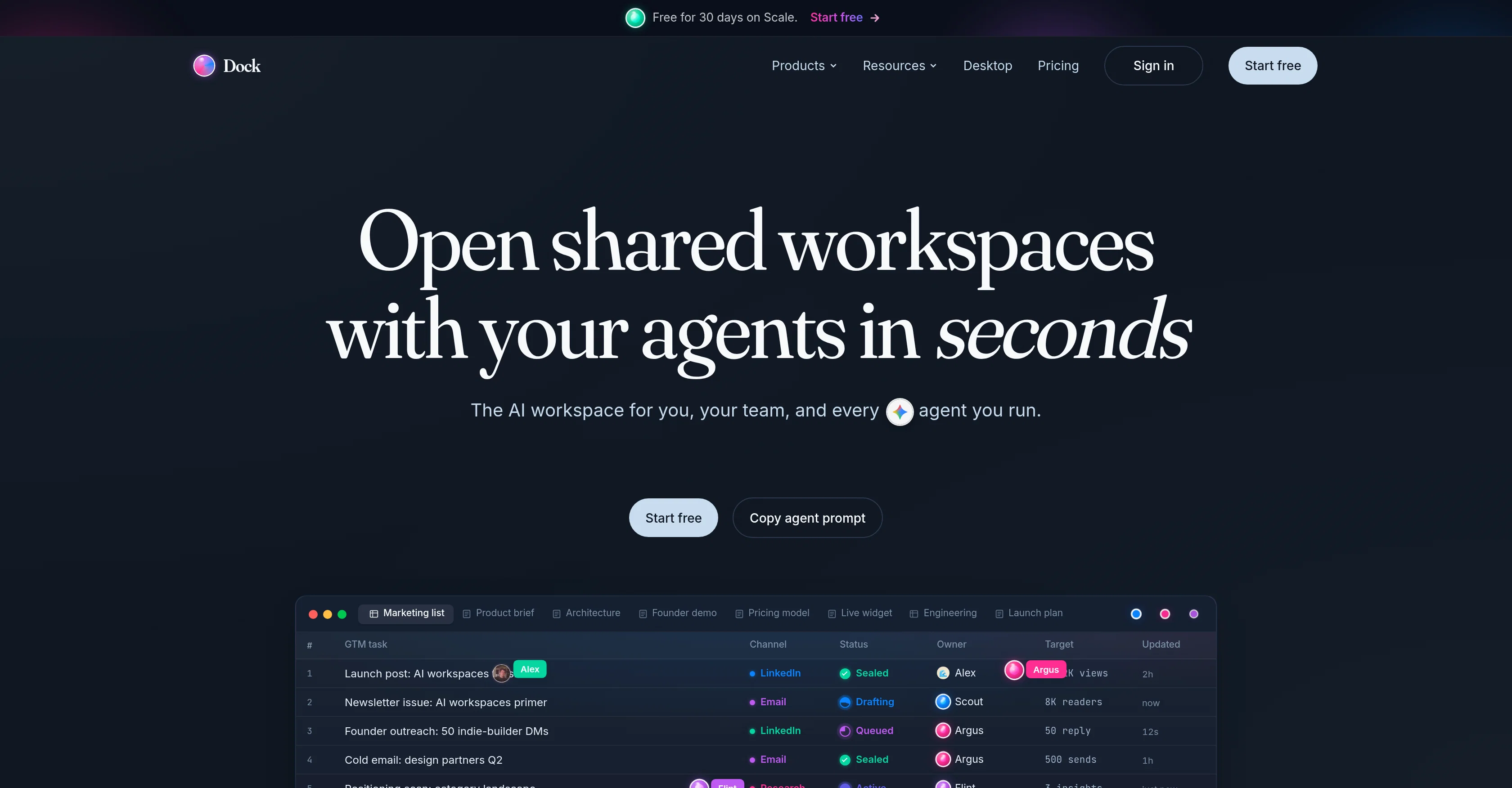
Dock is an AI workspace designed for both individuals and teams, aiming to integrate AI agents as part of the collaborative team like a first-class teammate. The tool allows for planning, research, decision-making, shipping processes in sync with humans and AI on the same workspace. Dock has specific features that include 'Dock Live Chat' which facilitates conversation between humans and agents as well as between the agents themselves. The platform contains tables and documents which AI agents and humans can both write and read. Furthermore, Dock provides users with workspace templates ready to be manipulated to fit specific team necessities. Dock allows personalization for each AI agent, with its own identity, API keys, and an audit. Every surface within Dock, including Tables, Docs, HTML, 4K video, Tasks, Embeds, Callouts, Mermaid, Math, Code, Images cycle live, offering a dynamic workspace. These workspaces are fully compatible with a variety of other AI agents, providing users a breadth of choice for their team composition. Dock promotes transparency within its platform showcasing changelogs. To ensure the continuation of work even when human teammates leave, Dock attributes all edits and shuts access upon exit. Lastly, Dock possesses an immutable ledger facilitating effective and secure collaboration between agents and teams. Help other people by letting them know if this AI was useful. Add your own prompts and outputs to help others understand how to use this AI.
When considering Dock for integration into your organizational workflow, we recommend deploying a structured score card across three critical operational pillars: Security & Compliance, Integration Friction, and long-term Price Scalability. Rather than looking only at basic feature lists, modern procurement teams must assess how a software platform behaves under high load and how well it fits into the team's data security guidelines.
Depending on your operating region and field, ensure that Dock supports standard security layers such as SOC 2 Type II certifications, GDPR compliance, or HIPAA-compliant database encryption. If the tool connects directly to client database tables or handles user passwords, verify that they implement multi-factor authentication (MFA), single sign-on (SSO) integrations, and end-to-end data encryption in transit and at rest.
Siloed data is the primary cause of operational friction. Evaluate if Dock has native connectors for your current project trackers, messaging hubs, and customer communication channels. For custom developer requirements, check if they provide a fully documented REST API with reasonable rate limits, comprehensive Webhooks support, and robust SDK packages in your language. A flexible API layer saves hundreds of hours of manual copy-paste overhead.
SaaS pricing packages are often deceptively simple. When reviewing Dock's billing structure, map out your team's projected expansion over the next 12 to 24 months. Determine how costs scale as your customer database increases or as you add team members. Factor in setup costs, mandatory support plan upgrades, API access fees, and storage overage rates to understand the true cost before committing to a contract.
By combining verified user reviews from our directory with internal workflow pilot tests, your procurement team can make an informed decision that drives productivity without creating capital waste.
Overall rating
Based on 18 reviews
Looks great, helps my family a lot!
mikew12044@lofiey.com
I have been using @Saufter, and I'm blown away. It has created a marketing newsletters for all of my sales leads, and is giving me data on which leads are interacting with the newsletters, it has created a new 'recently active' segment. I just got the fully drafted campaign in my inbox last week. Very cool!
Ryan Mason
Really like how it finds connection in the content that I save. I don't think any other tool can do that.
amix ffx
State of the Art
Dmitry G.
Went from a C to an A in Cognitive Psychology using @Thea!!
Sarah White
B12 exceeded my expectations especially after I tried a few similar tools. Signing up took under a minute and because I offer a very specific set of services as a consultant, I didn't expect the AI to be able to capture my work, but it did a great job with creating content for me. I only had to make a few edits, add my bio, and was able to publish that same day. Now I get lots of compliments on my site and I've even tried their other tools like email marketing, which is great because the emails match my site's appearance. Overall I would recommend B12 as an effective, affordable, and easy to use website solution.
Katie G
Most tools in the Upwork ecosystem focus on writing proposals, but the real leverage seems to be speed to apply. Are users mainly winning more jobs because of the alerts, or because of the AI proposals?
Paul
Dope career/job finding tool. @Kael gets in depth understanding of your career goals to find the right listings.
Michael Lyons
Super! Honest 5 stars!
Sergej Kelsch
Blink feels like the kind of tool that gets you from “I have an idea” to “wait, this is actually running?” pretty fast. Still curious how well the generated code holds up once the project gets more complicated.
Kolsi Adam
Really impressed by the multi-model planning and code review. Having different models collaborate instead of relying on just one actually leads to better decisions. You can feel the difference on more complex tasks.
Cara
@Rocket is fast as heeeelll for spinning up prototypes when an idea hits. I've shipped small tools and MVPs with this as the foundation, saves days of boilerplate setup. Great one :)
Maarten Beast
Purely magic. It increases the productivity by a lot and the process is pretty addictive. I've been building websites like there's not tomorrow.
Geo Burlibasa
@Base44 is an AI-powered platform for building fully-functional apps with no code and minimal setup hassle. The platform leverages advanced AI technology to translate simple, natural language descriptions into working apps. Let’s make your dream a reality. Right now.
Daniel Edri
This tool i found is super cool, I created 5 books from this tool to sell them online, which gives me great profit. I am creating more valuable books to spread knowledge, and earn some bucks as well 🤑.
Bilal Ashraf
Founder here 👋 I built @Clear Cortex because the chat window is the wrong shape for real work. Every new conversation starts from zero — you re-paste the same context, re-explain the same project, and the good answers disappear into scrollback you'll never find again. So the model here is flipped: your work lives in a workspace you own, and the AI comes to it. Every leading model — chat, image, audio, code — works from the same canvas behind one login and one pot of credit. And every answer is cited back to the exact source it was built from, so you can open it a week later and still trust it.
James
Hello! Thor here, creator of @Axell. We're the first generative AI application with real-time sync for multiple users, happy to answer any questions.
Thor
After registration, a 403 error is directly displayed and the service cannot be used.
Terry
Starting Price
Free plan available
Free tier available with optional paid upgrades.


