5.01 months ago
“Review”
Seems to be working now
Aramis

Create and publish diagrams with AI-powered code generation.
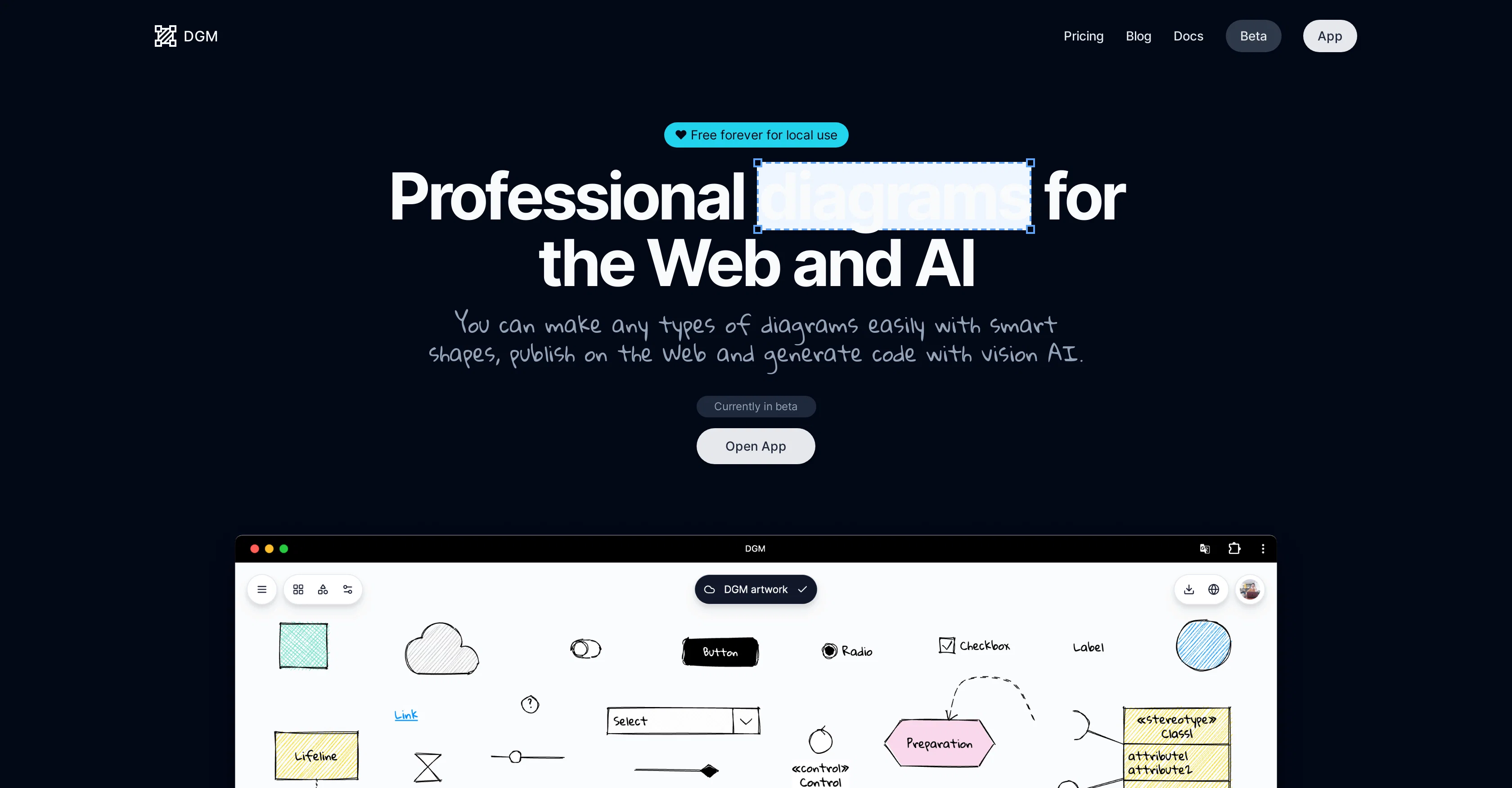
DGM is a comprehensive online tool aimed at creating and managing diagrams. It has been designed with a user-friendly interface that makes the creation of various diagrams simple with the help of smart shapes. The tools feature-packed functionality includes a collection of well-crafted libraries for creating flowcharts, UML diagrams, ER diagrams, and UI Wireframes. A unique feature of DGM is its experimental vision AI, potentially using future versions of OpenAIs GPT, capable of generating code from diagrams. It has a smart shapes functionality where shapes can have specific constraints, properties and scripts. To ensure data accessibility, DGM offers a cloud storage feature enabling users to save their diagrams to the cloud and access them from anywhere. Diagrams created in DGM can easily be exported in both PNG and SVG image formats. Aesthetic customization is available with options to select hand-drawn styles and fonts, utilize shape libraries, and adapt colors to light or dark themes. Additionally, users can publish their diagrams on the web and embed them within other sites. DGM also comes with a 30-day history feature which empowers users to restore their diagrams to any point within the last 30 days. Relevant updates for a significant feature, the real-time collaboration for teams, is expected to become available. Help other people by letting them know if this AI was useful. Add your own prompts and outputs to help others understand how to use this AI.
When considering DGM for integration into your organizational workflow, we recommend deploying a structured score card across three critical operational pillars: Security & Compliance, Integration Friction, and long-term Price Scalability. Rather than looking only at basic feature lists, modern procurement teams must assess how a software platform behaves under high load and how well it fits into the team's data security guidelines.
Depending on your operating region and field, ensure that DGM supports standard security layers such as SOC 2 Type II certifications, GDPR compliance, or HIPAA-compliant database encryption. If the tool connects directly to client database tables or handles user passwords, verify that they implement multi-factor authentication (MFA), single sign-on (SSO) integrations, and end-to-end data encryption in transit and at rest.
Siloed data is the primary cause of operational friction. Evaluate if DGM has native connectors for your current project trackers, messaging hubs, and customer communication channels. For custom developer requirements, check if they provide a fully documented REST API with reasonable rate limits, comprehensive Webhooks support, and robust SDK packages in your language. A flexible API layer saves hundreds of hours of manual copy-paste overhead.
SaaS pricing packages are often deceptively simple. When reviewing DGM's billing structure, map out your team's projected expansion over the next 12 to 24 months. Determine how costs scale as your customer database increases or as you add team members. Factor in setup costs, mandatory support plan upgrades, API access fees, and storage overage rates to understand the true cost before committing to a contract.
By combining verified user reviews from our directory with internal workflow pilot tests, your procurement team can make an informed decision that drives productivity without creating capital waste.
Overall rating
Based on 19 reviews
Seems to be working now
Aramis
"It’s like if Figma and ComfyUI had a baby." got me laughing. I am gonna use this thing.
Aathreya Shetty
This video generator did much better than I expected on complex subjects. Unfortunately, it isn't as free as I wished. I could not iterate my creation to create a resolved result.
Gamaliel yd
Very good job. File size concerns me, it was 10.2mb from a 1.63mb file. That was only one image, what if I had 50?
Ann P
It's not even usable anymore, their website is literally a sponsor and that's it
LazyBones The Third
I'm new in using AI tools, but i found @COACH quite helpful! It follows you step by step both analyzing your situation and finding resources... thanks!
Gabriele Orsini
Great idea, but does not find what you are looking for-about the same as Google Scholar
Andy
after playing around with it for a bit, i am now aware of how much i need this. i can already feel the hours of sleep coming back to me <3
Bru no no no
No way to test it. Only paid options. The 7 days trial requires a credit card. this sounds as a scham
Roberto Lopez
I wasn't able to use this one (I have my API key)
Pauline LeBlanc
The website is pretty good but there are only a limited number of responses
Probal Roy
I think it's the best @Image Generator I ever found on the net. It gives more accurate image according to the prompt. And thank you for keeping it for free.
My Sawsiri
I joined Kin's beta program on my iPhone XR. After upgrading to an iPhone 13, I found that I couldn't log into my existing account on the new phone, forcing me to create a new account. Now, I have two separate Kin accounts on different phones. Today, when I accessed the beta version of Kin, I got a notification stating that the test version ended on Monday, September 23rd. It instructed me to back up my data and move to the official Kin app. I did as advised—backed up my data, confirmed, uninstalled the beta app via TestFlight, and installed the official Kin app. However, when I attempted to “log in”, I was still unable to access my existing account. This issue hasn't been resolved yet. I have been trying desperately to get in contact with the support team. I left feedback through the test flight app and sent emails. No response. Now trying to find a forums, Reddit posts, TAAFT comments☻
Desiree Miller
it is really cool and easy to use you can create diagrams really easily it even has a unique and lovely theme
No reply
Found it randomly and tested @Mermaid Chart with a small service architecture and it turned the prompt into editable diagram code almost instantly. The structure was accurate enough to refine, and being able to fix the syntax instead of fighting a locked image is a huge plus. Styling is still a little basic, but for technical diagrams it’s a strong 4.
Valentina Jara
Really useful tool here. Saves a lot of time when creating diagrams. Made a video about it here: https://www.youtube.com/watch?v=ClySYyEBvno
J.I.
Isn't it possible that when downloading a diagram from it, the diagram to have white background rather than black background.
shazil saqib
nice! does exatly what i wanted it to do, takes text, makes a nice looking diagram.
Lenny Deus
Didn't really do the graphs that i thought it would do. Good for simple graphs, like for a presentation
Timothy Unfried
Starting Price
Free plan available
Free tier available with optional paid upgrades.


