5.02 months ago
“Review”
This tool not only transcribes videos and audio, but also automatically generates summaries, which greatly helps me organize my study notes.
Sarah

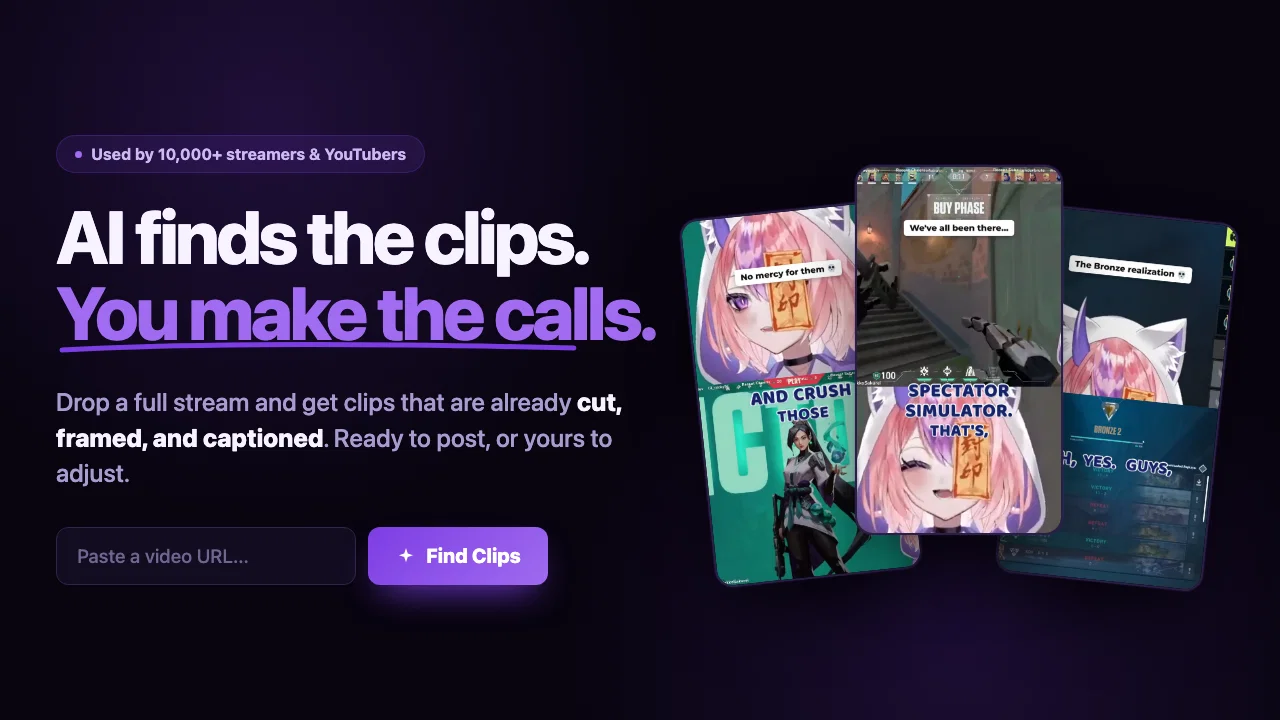
Turn hours of streams and VODs into viral clips automatically.
Added an AI camera that cuts, frames, and captions every clip for you Added burned-in captions, auto-placed text hooks, and silence trim Added publishing and scheduling to YouTube and TikTok, plus one-tap share links Added Kick and Google Drive alongside YouTube, Twitch, and uploads Improved analysis to about 2x faster, with clips streaming in as they are found MAJOR UPDATE: Clip, edit, and publish all in one place. Twitch VOD support — paste any Twitch VOD URL AI-generated video chapters Auto-generated captions Faster clip analysis with Gemini 3 Flash Improved stability and fewer job failures New pricing: start at $2/hour, pay as you go Help other people by letting them know if this AI was useful. Add your own prompts and outputs to help others understand how to use this AI.
When considering ClipFinderv3.0.0 for integration into your organizational workflow, we recommend deploying a structured score card across three critical operational pillars: Security & Compliance, Integration Friction, and long-term Price Scalability. Rather than looking only at basic feature lists, modern procurement teams must assess how a software platform behaves under high load and how well it fits into the team's data security guidelines.
Depending on your operating region and field, ensure that ClipFinderv3.0.0 supports standard security layers such as SOC 2 Type II certifications, GDPR compliance, or HIPAA-compliant database encryption. If the tool connects directly to client database tables or handles user passwords, verify that they implement multi-factor authentication (MFA), single sign-on (SSO) integrations, and end-to-end data encryption in transit and at rest.
Siloed data is the primary cause of operational friction. Evaluate if ClipFinderv3.0.0 has native connectors for your current project trackers, messaging hubs, and customer communication channels. For custom developer requirements, check if they provide a fully documented REST API with reasonable rate limits, comprehensive Webhooks support, and robust SDK packages in your language. A flexible API layer saves hundreds of hours of manual copy-paste overhead.
SaaS pricing packages are often deceptively simple. When reviewing ClipFinderv3.0.0's billing structure, map out your team's projected expansion over the next 12 to 24 months. Determine how costs scale as your customer database increases or as you add team members. Factor in setup costs, mandatory support plan upgrades, API access fees, and storage overage rates to understand the true cost before committing to a contract.
By combining verified user reviews from our directory with internal workflow pilot tests, your procurement team can make an informed decision that drives productivity without creating capital waste.
Overall rating
Based on 26 reviews
This tool not only transcribes videos and audio, but also automatically generates summaries, which greatly helps me organize my study notes.
Sarah
Great tool. I use it a lot. It's free, you don't have to sign up, and it's quick. I also made a video on it https://youtu.be/wWQHOtY6cYE
J.I.
@Clever AI Humanizer is a smart solution for making AI text more 'human' at no cost. I've tried it myself, and the results are truly natural, not robotic. Highly recommended for those who frequently use AI for content! 👍🏼
JEFRIE DYLAN
Finally, a prompt optimizer that makes sense, adding power to my own words. Easy to expand details, easy to go deeper and to get exactly what I need to squeeze out incredible results with ChatGPT. The Prompt_Enhancer setting is something serious. Thanks guys, keep on providing excellent AI tools!
Hollie Arsement
The most humanly AI i have used so far but the problem is as soon as you start piling up messages in single chat session , it starts getting slow and at some point it starts freezing and also uses a lot of resources. For time being its okay to do 3 4 messages but as soon as we continue it has messages limitation and also starts getting very very slow . For the price of £18 per month this is unacceptable and with the newly introduced feature called project, if we start new chat within the project we cannot continue with the context we provided in other chats within same project. There are lot of improvements for them to work on. And to start with the its speed and its price
Bibash Katel
Very interesting
Béatrice Duval
🌟🌟🌟🌟🌟 This AI prompt generation tool is exceptional! It vividly brought to life the jungle scene I envisioned, capturing every detail with remarkable accuracy. The natural expressions, vibrant colors, and serene atmosphere were perfectly rendered. Highly recommended for creative projects!
Sukul Das PANIKA
I joined Kin's beta program on my iPhone XR. After upgrading to an iPhone 13, I found that I couldn't log into my existing account on the new phone, forcing me to create a new account. Now, I have two separate Kin accounts on different phones. Today, when I accessed the beta version of Kin, I got a notification stating that the test version ended on Monday, September 23rd. It instructed me to back up my data and move to the official Kin app. I did as advised—backed up my data, confirmed, uninstalled the beta app via TestFlight, and installed the official Kin app. However, when I attempted to “log in”, I was still unable to access my existing account. This issue hasn't been resolved yet. I have been trying desperately to get in contact with the support team. I left feedback through the test flight app and sent emails. No response. Now trying to find a forums, Reddit posts, TAAFT comments☻
Desiree Miller
nice holistic
Amit ImmI
Very useful tool, especially that it's free and easy to use.
Dev Adrian
this is completely free, and it is amazing that you can change pictures into art and animations without paying anything.
Ellio
Really impressive! The suggestions were simple, and the image came out beautifully well too!
Jojo
There were no aristocratic Asians and Africans in ancient Rome.
Sándor Gajdos
Not at all accurate…. The only thing similar between original and generated images were the clothes and accessories… face was absolutely new and unconnected.
Shvetank Sharma
I think it's the best @Image Generator I ever found on the net. It gives more accurate image according to the prompt. And thank you for keeping it for free.
My Sawsiri
makes actually good clips
fourleafclover
Highly recommend
aihai
The preview actually is the best one of other that i use so far. Easy to use, onwards!
John C
finally don't have to scrub through 2 hour recordings looking for good moments. it finds the clips for me and they're usually spot on. saves me literal hours every week. wish i found this sooner honestly
Learning Badave
Saw @ClipFinder on TAAFT. Right now it’s framed as a generic “AI clip tool”, which puts it in a crowded low‑value bucket. The real value is scaling short‑form content output for marketing teams - a buyer willing to pay for measurable production efficiency. Repositioning around content velocity could materially improve conversion and pricing. DM 2
Paul
Dev here! All 16:9 clips found with @ClipFinder are available for download even without any credit card information. I'm glad to answer any further questions.
Decycle
You can't test it at all, you should give him your credit card information first, they tell you that you have 1 hour of clippin , but in the end you have nothing..hahaha
surfdiv sailling
pretty good but not the best
Hamza Bashiri
Bro, @Captions is actually straight fire for short-form content. Script in, clean @Captions and edits out, and it makes talking-head clips feel way more polished in minutes. Big w for creators
Chris Studioz
Selamat siang saya akan membagikan tutorial gimana caranya mengedit video di aplikasi capcut
Rhyben Rinto
Video editing
Amrit kuli Amrit kuli
Starting Price
Free plan available
Free tier available with optional paid upgrades.


