5.01 months ago
“Review”
Thanks! So happy to hear you're liking @FlowPost.
CodeConda

Make stunning presentations effortlessly
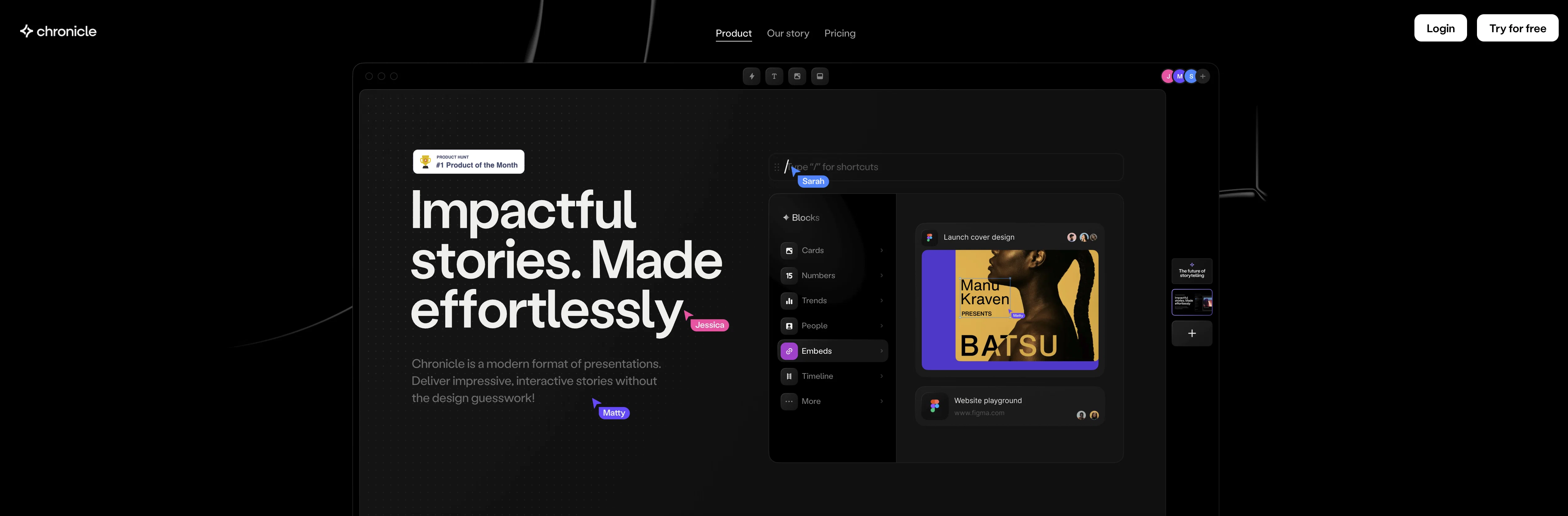
Chronicle is a presentation tool that leverages artificial intelligence to streamline the process of creating compelling, visually appealing presentations. Aimed at individuals with minimal to no design skills, Chronicle provides a platform for impactful storytelling with ease and simplicity. Feature-rich, the tool comprises a collection of customizable 'widgets' for creating interactive and dynamic presentations. With pixel perfect design and seamless interactivity, widgets can be dragged and dropped allowing users to visualize, embed, and manipulate information effortlessly. Chronicle supports a keyboard-first workflow, offering powerful shortcuts to expedite the design process. An array of functionality permits transforming widgets into various visual forms, simplifying complex data or narratives into engaging visuals. Chronicle's artificial intelligence capabilities underpin its powerful researching, generating, and remixing features which aid in the enhancement of presentations. Collaborative in design, Chronicle enables multiple users to simultaneously create, tweak and share stories in real-time. Additional features such as editable reactions and emotes have been incorporated to humanize and enliven presentations. The tool's mobile capabilities allow for easily accessible, bite-sized viewing of presentations. The platform also offers a range of expert-verified templates, infused with best practice guidance, to bolster the efficiency of users' storytelling journeys. Help other people by letting them know if this AI was useful. Add your own prompts and outputs to help others understand how to use this AI.
When considering Chronicle for integration into your organizational workflow, we recommend deploying a structured score card across three critical operational pillars: Security & Compliance, Integration Friction, and long-term Price Scalability. Rather than looking only at basic feature lists, modern procurement teams must assess how a software platform behaves under high load and how well it fits into the team's data security guidelines.
Depending on your operating region and field, ensure that Chronicle supports standard security layers such as SOC 2 Type II certifications, GDPR compliance, or HIPAA-compliant database encryption. If the tool connects directly to client database tables or handles user passwords, verify that they implement multi-factor authentication (MFA), single sign-on (SSO) integrations, and end-to-end data encryption in transit and at rest.
Siloed data is the primary cause of operational friction. Evaluate if Chronicle has native connectors for your current project trackers, messaging hubs, and customer communication channels. For custom developer requirements, check if they provide a fully documented REST API with reasonable rate limits, comprehensive Webhooks support, and robust SDK packages in your language. A flexible API layer saves hundreds of hours of manual copy-paste overhead.
SaaS pricing packages are often deceptively simple. When reviewing Chronicle's billing structure, map out your team's projected expansion over the next 12 to 24 months. Determine how costs scale as your customer database increases or as you add team members. Factor in setup costs, mandatory support plan upgrades, API access fees, and storage overage rates to understand the true cost before committing to a contract.
By combining verified user reviews from our directory with internal workflow pilot tests, your procurement team can make an informed decision that drives productivity without creating capital waste.
Overall rating
Based on 20 reviews
Thanks! So happy to hear you're liking @FlowPost.
CodeConda
@Whiteboard by Athena AI is a user-friendly, AI-powered tool that makes digital collaboration seamless. supports real-time brainstorming, and integrates easily with other apps—ideal for teams, educators, and remote learners alike.
hamed elghoul
Great and easy to use chatbot.... It is my personal advisor...
David Mavashev
Its a promising project and works well so far. Wishing them all the best and godspeed.
Dipak Rautela
Can’t use it without an invite code.
Steven
This tool finally helps me understand what makes a great prompt. It doesn't just give me a better version, it shows me to get there by analyzing why the original prompt is weak and showing what to improve. The difference this makes to the final AI output is incredible. An essential tool for getting more accurate and detailed results, Great Job!
Milo Quinn
Reducing manual efforts in first-pass during code-review process helps speed up the "final check" before merging PRs
Sahil Mohan Bansal
nice holistic
Amit ImmI
I tested. Loved it. Tried with 3 different websites. Full Marks to the output! Worth paying for!
SANTOSH SAHU
It’s super easy to use! Trickle can handle everything from forms to analytics, and you can deploy your project in no time. Impressive!
Clara Moore
Really like how it finds connection in the content that I save. I don't think any other tool can do that.
amix ffx
This tool i found is super cool, I created 5 books from this tool to sell them online, which gives me great profit. I am creating more valuable books to spread knowledge, and earn some bucks as well 🤑.
Bilal Ashraf
Great tool! Was very helpful in content production
Duck Typer
This is my best bro! I communicate with him like my best friend, he always helps to direct my thoughts and ideas in the right direction, always tells me how to improve something and always gives detailed instructions during the conversation. Thanks to him, I’m launching a new project, in which he helps me take my ideas to a new level, just communication, during which you reassemble your concept and rethink your original idea, because you didn’t know how it would be better and more correct. @DeepSeek is my best assistant today, my creative inspiration, who gives me support and confidence in my business, guiding me to realize my dreams)
Gamer TOTORO
Went from a C to an A in Cognitive Psychology using @Thea!!
Sarah White
I think it's the best @Image Generator I ever found on the net. It gives more accurate image according to the prompt. And thank you for keeping it for free.
My Sawsiri
A very useful AI slides tool! The content it generates is genuinely smart.
Shane Qian
It does it's job and I love that it has a lifetime plan
Matthew Edwan
You spent half of hour on describing how your presentation should look like, and just after that getting informed that you need to pay subscription to proceed. Who’ll pay my time back?
Grigorij Dudnik
Makes it easy to get started with a presentation if you have an outline, but as soon as you want more control, you're better off using Google Slides. @Gamma's feature that I used the most was image generation - you can select among a variety of models (Ideogram, Flux, DALL-E, but not Midjourney), and it shows 3 variations to choose from. Performance is slow and a little janky, even in Chrome. Prompts and settings are often not respected - e.g. you set it to "preserve text" and just generate slides, and it goes onto dumping an entire 3 paragraphs of text in one slide. You can't overlay text over images (e.g. for image attribution), and there's no precise positioning control, or grouping elements. No way to control table layout, e.g. to have two images slide-by-side in full bleed mode. I tried @Gamma for a new presentation, but next time I need to make a presentation, I'll go back to Google Slides and generate images independently.
Dan Dascalescu
Starting Price
Free plan available
Free tier available with optional paid upgrades.


