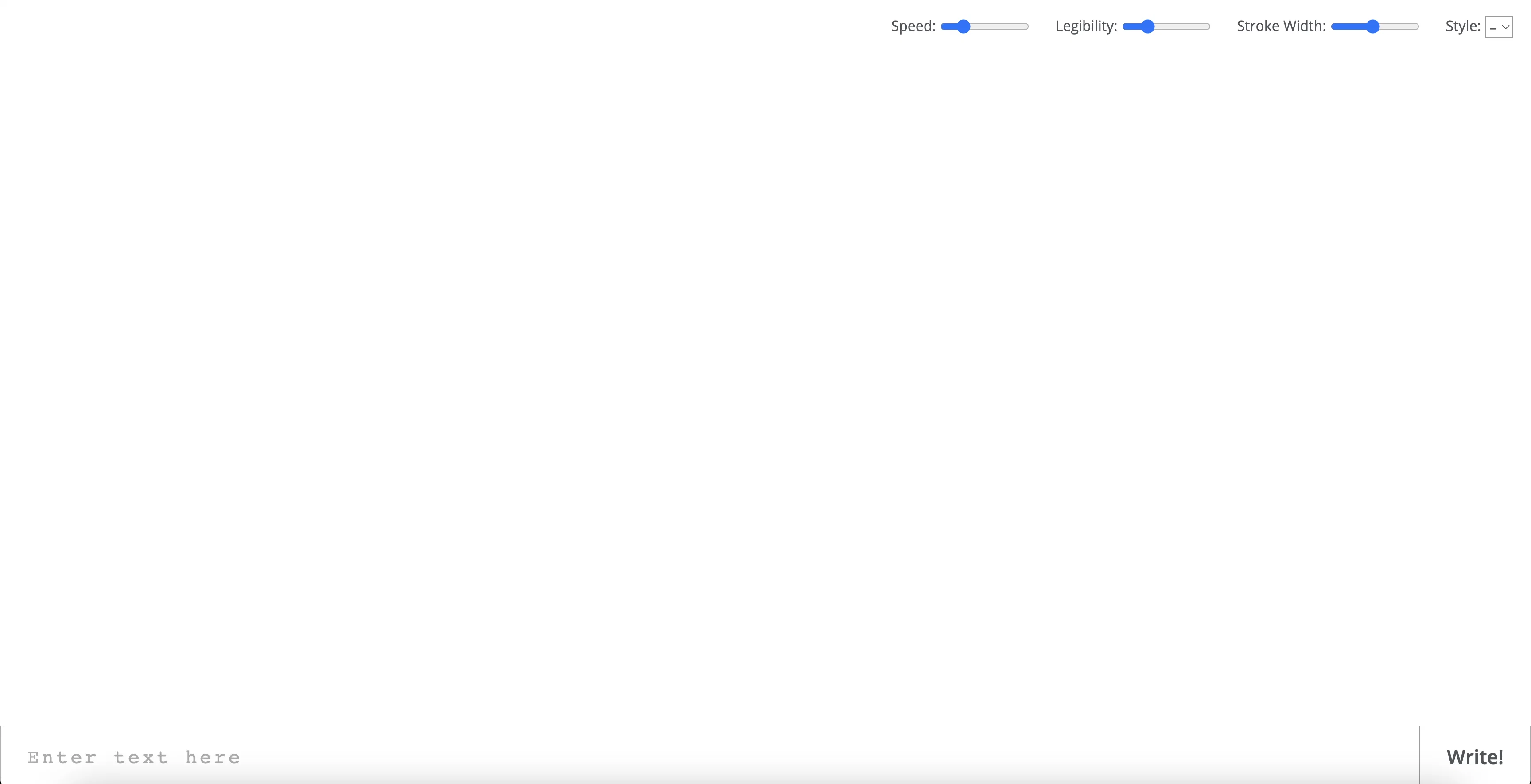
Calligrapher.ai is a web-based AI tool that enables users to generate realistic computer-generated handwriting. It uses a recurrent neural network to convert text into handwriting with a range of print and cursive styles.
It allows users to customize the output to their preference, with options to adjust the download speed, legibility, stroke width and style. The generated handwriting can then be downloaded as an SVG file to be used in other applications.
The tool is lightweight and easy to use, making it an ideal choice for those looking to quickly generate realistic handwriting.
Help other people by letting them know if this AI was useful.
Add your own prompts and outputs to help others understand how to use this AI.
Screenshot gallery
Pros & Cons
Pros
+Web-based tool
+Generates realistic handwriting
+Provides print, cursive styles
+Fully customizable output
+Adjustable download speed
+Stroke width customization
+Style adjustment option
+Easy download as SVG
+User-friendly interface
+Ideal for quick generation
+Legibility control
Cons
−Requires internet connection
−Only generates SVG files
−Limited handwriting styles
−No multilingual support
−No API for integration
−Customization options are limited
−No real-time generation feature
−No batch processing
−Limited to web-based use
−No undo/redo options
A Professional Framework to Evaluate Calligrapher
When considering Calligrapher for integration into your organizational workflow, we recommend deploying a structured score card across three critical operational pillars: Security & Compliance, Integration Friction, and long-term Price Scalability. Rather than looking only at basic feature lists, modern procurement teams must assess how a software platform behaves under high load and how well it fits into the team's data security guidelines.
1. Security and Database Compliance
Depending on your operating region and field, ensure that Calligrapher supports standard security layers such as SOC 2 Type II certifications, GDPR compliance, or HIPAA-compliant database encryption. If the tool connects directly to client database tables or handles user passwords, verify that they implement multi-factor authentication (MFA), single sign-on (SSO) integrations, and end-to-end data encryption in transit and at rest.
2. API Coverage and Custom Integrations
Siloed data is the primary cause of operational friction. Evaluate if Calligrapher has native connectors for your current project trackers, messaging hubs, and customer communication channels. For custom developer requirements, check if they provide a fully documented REST API with reasonable rate limits, comprehensive Webhooks support, and robust SDK packages in your language. A flexible API layer saves hundreds of hours of manual copy-paste overhead.
3. Total Cost of Ownership (TCO)
SaaS pricing packages are often deceptively simple. When reviewing Calligrapher's billing structure, map out your team's projected expansion over the next 12 to 24 months. Determine how costs scale as your customer database increases or as you add team members. Factor in setup costs, mandatory support plan upgrades, API access fees, and storage overage rates to understand the true cost before committing to a contract.
By combining verified user reviews from our directory with internal workflow pilot tests, your procurement team can make an informed decision that drives productivity without creating capital waste.
Features of Calligrapher
Handwriting
Customization
Generation
Calligraphy
Font Design
Digital Writing
Free
SaaS1to10 verified reviews for Calligrapher
Overall rating
★★★★★5.0
Based on 23 reviews
★★★★★5.02 months ago
“Review”
thank you very much for this. i'll add some points:
1. its too fast, i cant make out where and when the pen leaves the paper and when it continues
2. there should be a pause and rewind mechanism, like a video player
3. a pen to paper angle indicator would be nice
A Gh.abolfazl
★★★★★5.02 months ago
“Review”
Not calligraphy ...
Zach Bennett
★★★★★5.02 months ago
“Review”
It's super cool. I like the number 4 style for signature
Abdul Waheed
★★★★★5.02 months ago
“Review”
Very interesting! That a shame there are just 9 styles of handwrite.
Roberto Gomes
★★★★★5.02 months ago
“Review”
It's not free, it forces you to input an email before shoving a price tag in your face.
Arvoly XSL
★★★★★5.02 months ago
“Review”
Free Start with a Free Experience $0 /mo
Vitus Bering
★★★★★5.02 months ago
“Review”
I think it's the best @Image Generator I ever found on the net. It gives more accurate image according to the prompt. And thank you for keeping it for free.
My Sawsiri
★★★★★5.02 months ago
“Review”
Best font app I ever tried. Because it is really simple and effective.
Alice Peyrol
★★★★★5.02 months ago
“Review”
It created some decent logos. They are great as a start point
Samuel Barlet
★★★★★5.02 months ago
“Review”
I tried NovelGPT a template in @Agentgpt and it did an excellent job writing the first two episodes of my novel complete with character descriptions, setting,plot points and well I think you get the point. Great tool can't wait to see it out of beta.
Kelli Crose
★★★★★5.02 months ago
“Review”
After my first use, I think it's surprisingly good. The only drawback so far is the PDF export option for the report which is formatless.
Alejandro Correa
★★★★★5.02 months ago
“Review”
It's really frustrating when you try to select something you want, only to be immediately redirected to a subscription-based payment model. There's no opportunity to even test things out, which kills the enthusiasm right away. It seems like everything is geared towards subscriptions nowadays, and it's a turn-off. Companies should prioritize transparency and give customers a chance to try out products before committing to a subscription. Practices like these erode consumer trust and deter many potential customers.
X X
★★★★★5.02 months ago
“Review”
Undetectable.wtf is better bypasses everything maintaining thee integrity of the text.
LiteEagle
★★★★★5.02 months ago
“Review”
Didn’t get to read the poem as a VPN spam ad came up. Had to shut the page down. Waste of time
Amanda Hosie
★★★★★5.02 months ago
“Review”
I'm still testing the tool yet it looks very promising. I tested it with a 5.5k words Academic text that I had previously red. I tested the Key points feature, it does work!
Ivana González
★★★★★5.02 months ago
“Review”
after playing around with it for a bit, i am now aware of how much i need this. i can already feel the hours of sleep coming back to me <3
Bru no no no
★★★★★5.02 months ago
“Review”
It seems to be working fine right now. Maybe try again and double check if you’re using the book’s original or most recognized title. That might make a difference.
Alexandru Bostina
★★★★★5.02 months ago
“Review”
The website is pretty good but there are only a limited number of responses
Probal Roy
★★★★★5.02 months ago
“Review”
superb, e gratis, merge blana, in EN se aude ideal
jon doe
★★★★★5.02 months ago
“Review”
As the service was in beta-testing stage, I created there a dozen of AI-generated courses for free. I wanted to use them. Those courses remained in my account as they started subscription tiers. But recently I have found out that they were deleted. The support didn't answer to my e-mail at all.
Oldfag TV
★★★★★5.02 months ago
“Review”
O GPT faz uma análise melhor e mais personalizada.