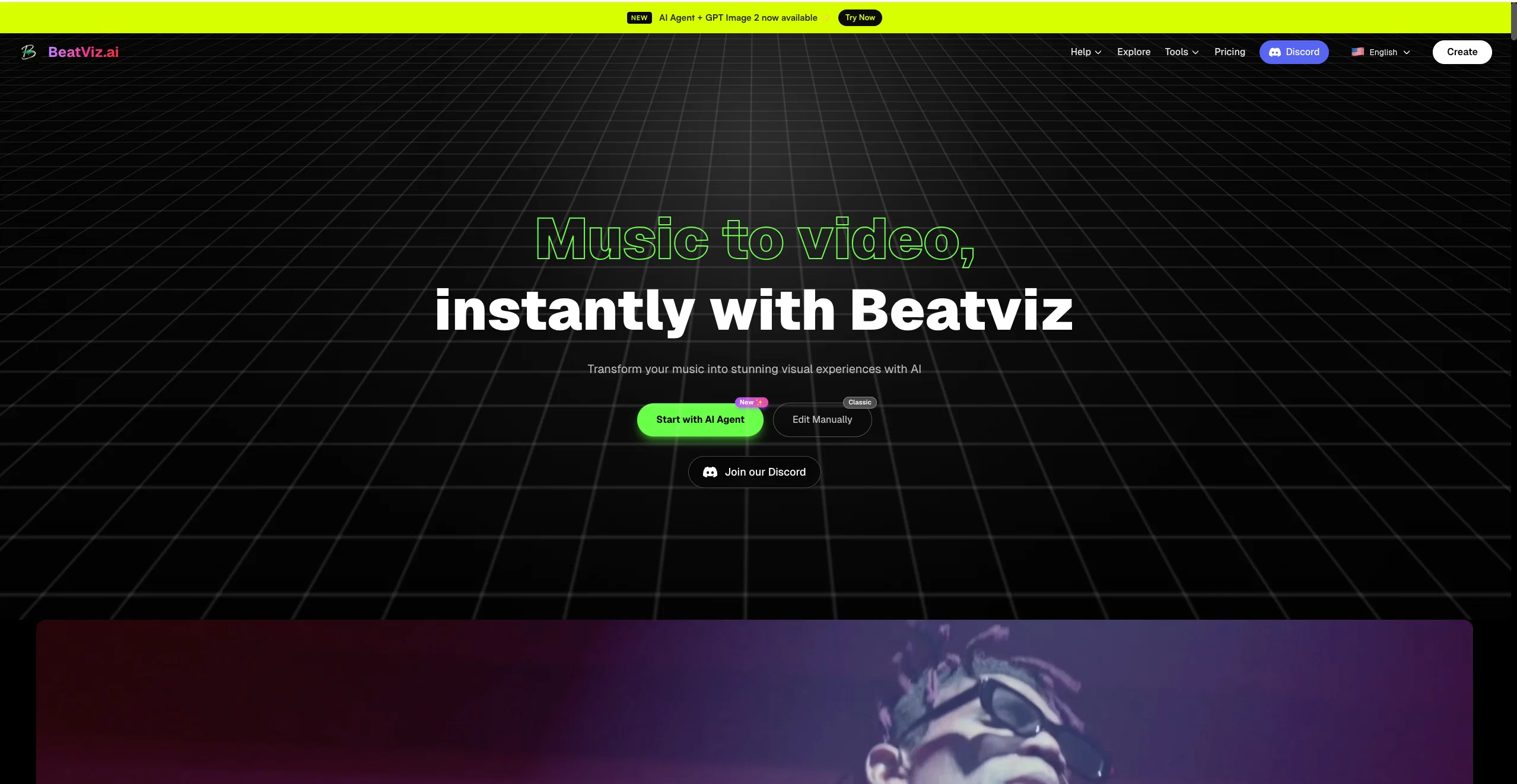
BeatViz AI is a music video generator that uses advanced artificial intelligence models to transform audio tracks into visually appealing videos. The tool detects the rhythm and beat of the uploaded music to create a synchronized visual framework.
Users can specify their requirements by inputting a desired style, such as 'Neon city' or 'Retro waves', which the AI uses to generate the music video.
It is capable of rapid rendering and delivery, skipping the need for manual footage upload and traditional editing. In addition to this, BeatViz AI has the unique capacity to generate original music if the user doesn't have an audio track.
This is accomplished through textual suggestions about mood, genre, and tempo provided by the user. These musical creations can also be accompanied by synthesized human voice dialogues or voiceovers based on the user's script, making it suitable for concept videos and story-driven content.
The AI Agent not only generates music but performs automated audio-visual editing. After creating the music, it cuts and arranges visual footage to match the rhythmic changes and climax points of the new soundtrack.
Taking it a step further, it delivers a full concept clip, incorporating original music and custom visuals. BeatViz also offers an 'audio swap' feature allowing users to replace the AI-generated music with their own audio.
The Agent then re-syncs the visuals according to the new audio, providing creative flexibility. Lastly, BeatViz aggregates leading AI video models, offering a range of features and styles for users to choose from.
🚀 BeatViz v3.0 — Agent Mode Launch
We’re excited to introduce BeatViz v3.0, a major release centered around our new AI Agent — designed to turn your music into fully directed videos with minimal effort.
This update transforms BeatViz from a tool into a true AI music video director.
✨ New Features
🎬 AI Music Video Agent
Introducing our new Agent Mode — an AI-powered workflow that plans and generates your entire video.
From music analysis to scene design, shot planning, and final video generation, the Agent handles everything for you.
🎧 Smart Music Analysis
Automatically analyzes your track’s BPM, mood, energy curve, and structure to drive visual storytelling and pacing.
🎨 Style Exploration & Selection
Generate multiple visual styles tailored to your music, with AI-generated reference images to help you choose the perfect direction.
🧠 Creative Plan Generation
The Agent creates a complete creative concept — including story structure, visual world, and key moments — before production begins.
🎭 Character & Scene Design
Define a consistent protagonist and generate scene concepts with visual references, ensuring cohesion across your entire video.
🎞 Shot Planning & Keyframe Generation
Each segment of your music is translated into detailed shot design, including cinematic prompts and keyframe images for visual consistency.
🎥 Multi-Segment Video Generation
Generate video clips per segment using AI models (Kie / Veo / Kling), then assemble them into a full music video.
🌐 Multi-Language Support
The Agent now supports multiple languages — all outputs automatically match the user’s language for a seamless experience.
🛠 Improvements & Fixes
⚡ Improved Workflow Speed & Stability
Optimized tool execution and task handling for a faster and more reliable generation pipeline.
🧩 Better Regeneration Control
You can now refine specific elements (character, scene, shot, or frame) without restarting the entire workflow.
🎯 Enhanced Visual Consistency
Improved handling of character presence, scene continuity, and shot transitions across segments.
🖥 UI & UX Enhancements
Refined the Agent interface for clarity and ease of use, including improved onboarding and guidance.
🎬 Editor Integration
Seamlessly move from Agent generation into Editor Mode for manual adjustments, clip replacement, and final composition.
BeatViz v3.0 marks a major step toward fully automated video creation — combining AI direction with creative flexibility.
We can’t wait to see what you create with the new Agent.
🚀 BeatViz v2.4 — Product Update
We’re excited to announce BeatViz v2.4, a major update focused on creative control, visual consistency, and workflow flexibility.
✨ New Features
🎭 Character Definition & Upload
You can now define and upload custom characters to act as the main subject of your entire video.
This makes it easier to keep a consistent protagonist across scenes and shots.
🎨 Style Presets
New style presets allow you to instantly change the overall theme and visual direction of your generated videos — from mood and color to cinematic style.
🛠 Improvements & Fixes
💳 +10% Credits on All Paid Plans
All paid subscription plans now receive 10% more credits, giving you more value for every plan.
🖥 UI & UX Enhancements
We’ve refined the interface to make it cleaner, more intuitive, and easier to use throughout the creation process.
🎞 Better Start & End Frame Control (Simple Mode)
Simple Mode now offers improved control over start and end frame images, helping your videos feel smoother and more coherent.
📂 History Import & Reuse (Simple Mode)
Previously generated frame images and videos can now be exported from history and reused in new projects — allowing you to remix, replace, or refine visuals effortlessly.
BeatViz v2.4 is all about helping creators move faster while keeping full creative control.
We can’t wait to see what you create with it.
🎶 BeatViz 2.3 is here
We’re excited to introduce BeatViz 2.3, an update focused on giving creators more control over motion and character performance.
With smarter motion understanding and a new edit workflow, BeatViz can now transfer real movements from video directly onto your characters—making music videos feel more alive and expressive.
✨ What’s New
Turn real movement into character animation.
Upload a dance or motion-based video along with a character image. BeatViz’s AI analyzes the movements in the video and applies them to the character, transforming a static image into a dynamic performance.
Perfect for dance visuals, animated characters, and expressive music videos.
🔧 How It Works
Motion Extraction & Transfer
Our AI detects body movement and motion patterns from your uploaded video and maps them onto the character in your image for smooth, natural animation.
Edit Mode Workflow
This feature is available in Video Generator → Custom Mode. Simply switch Generate Mode to Edit Mode to start applying motion to your image.
💡 Why It Matters
Bring characters to life – Real motion creates more engaging visuals
Less manual tweaking – Let AI handle motion mapping
More creative freedom – Use any video as a movement reference
BeatViz 2.3 helps you turn movement into storytelling—so your music videos don’t just look good, they move with purpose.
We’re excited to introduce BeatViz 2.2, a major update focused on making music video creation faster, smarter, and more controllable.
This release brings AI-powered automation and deeper music understanding—so you can spend less time tweaking prompts and more time creating.
✨ What’s New
Creating the perfect video prompt is now effortless.
BeatViz can automatically generate high-quality video prompts based on your music and selected style—no manual writing required.
Custom mode just got a major intelligence upgrade.
The new Music Analyzer understands your track’s rhythm, mood, and structure, and helps guide video generation with better timing and visual alignment.
Simple mode now gives you more visual control from the very first frame.
You can:
Generate a first-frame image with AI
Or upload your own image as the video’s starting point
This ensures visual consistency and a stronger opening impression.
🔧 How It Works
AI Video Prompt Generator
Automatically analyzes your input and creates optimized prompts for smoother video results.
Music Analyzer (Custom Mode)
Breaks down your music to enhance beat synchronization and scene transitions.
First Frame Control (Simple Mode)
Set the visual tone instantly by generating or uploading a starting image.
💡 Why It Matters
Less setup, more creation – AI handles the complex parts.
Better music–visual sync – Smarter analysis means more expressive videos.
More control, even in Simple mode – Strong visuals from frame one.
BeatViz 2.2 is all about helping creators turn music into compelling visuals—faster and with better results.
1.Revolutionary Dual-Panel Workflow
Instantly generate AI visuals on the left while editing them seamlessly on the right. No more switching between tools!
2.Perfect Audio-Visual Synchronization
Our new editor allows you to map generated visuals directly onto music nodes for beat-perfect, frame-accurate music video timing.Advanced Lip-Sync Control
3.Advanced Lip-Sync Control
Bring your singers to life with realistic, dedicated lip-sync generation, ensuring natural movement and vocal alignment for your digital performers.
Help other people by letting them know if this AI was useful.
Add your own prompts and outputs to help others understand how to use this AI.
Screenshot gallery
Pros & Cons
Pros
+Generates music videos from text
+Cloud-based rendering
+Detects rhythm and beat
+Synchronizes visual and audio
+Generates original music
+Constructs visual and auditory framework
+Automatic footage arranging
+Emotion and music genre identification
+Story driven content creation
+Great user interface
+Rapid rendering and delivery
+Generates videos without tracks
+Audio swap feature
+Generates storyboards
+Textual style input
+Concept clip creation
+User-specified visual styles
+Generates voice synthesis
+Automatically cuts to match rhythm
+Automatically fits soundtrack to visuals
+Adjusts to new audio on swap
+One-click viral effects
+Automatic music and BPM analysis
+High-quality human voice dialogue
+Mood and genre analysis
+Narration synthesis feature
+Customizable video resolution and duration
+Automated audio and visual editing
+Creation without manual footage uploads
+Generates visuals for audio-free mode
+Storyboard production tools
+Generates background music for scenes
+Applies massive library of trending effects
+Auto-syncs uploaded audio with visuals
+Requires zero manual editing
+All-in-one music video generator
+Allows precise visual storytelling
+Multiple duration and resolution customization options
+Simultaneously syncs music and visual output
+Simple instructions for complex visuals
+Auto-generates audio effects
+Perfect for rapid content rollout
+Offers control over final product
+Generates atmospheric sound effects
+Applies Magic Effects feature
Cons
−Lacks offline version
−Limited style customization
−Complex user interface
−Long rendering times
−No guarantee of musical quality
−Limited genre detection
−Lack of multi-language support
−Content originality concerns
A Professional Framework to Evaluate BeatViz AI Music Video Generatorv3.0
When considering BeatViz AI Music Video Generatorv3.0 for integration into your organizational workflow, we recommend deploying a structured score card across three critical operational pillars: Security & Compliance, Integration Friction, and long-term Price Scalability. Rather than looking only at basic feature lists, modern procurement teams must assess how a software platform behaves under high load and how well it fits into the team's data security guidelines.
1. Security and Database Compliance
Depending on your operating region and field, ensure that BeatViz AI Music Video Generatorv3.0 supports standard security layers such as SOC 2 Type II certifications, GDPR compliance, or HIPAA-compliant database encryption. If the tool connects directly to client database tables or handles user passwords, verify that they implement multi-factor authentication (MFA), single sign-on (SSO) integrations, and end-to-end data encryption in transit and at rest.
2. API Coverage and Custom Integrations
Siloed data is the primary cause of operational friction. Evaluate if BeatViz AI Music Video Generatorv3.0 has native connectors for your current project trackers, messaging hubs, and customer communication channels. For custom developer requirements, check if they provide a fully documented REST API with reasonable rate limits, comprehensive Webhooks support, and robust SDK packages in your language. A flexible API layer saves hundreds of hours of manual copy-paste overhead.
3. Total Cost of Ownership (TCO)
SaaS pricing packages are often deceptively simple. When reviewing BeatViz AI Music Video Generatorv3.0's billing structure, map out your team's projected expansion over the next 12 to 24 months. Determine how costs scale as your customer database increases or as you add team members. Factor in setup costs, mandatory support plan upgrades, API access fees, and storage overage rates to understand the true cost before committing to a contract.
By combining verified user reviews from our directory with internal workflow pilot tests, your procurement team can make an informed decision that drives productivity without creating capital waste.
Features of BeatViz AI Music Video Generatorv3.0
Music Video Generator
Music Video Generation
Audio Visual Synchronization
AI Music Creation
AI Video Editing
Rhythm And Beat Detection
Free + From $19.9/Mo
SaaS1to10 verified reviews for BeatViz AI Music Video Generatorv3.0
Overall rating
★★★★★5.0
Based on 28 reviews
★★★★★5.02 months ago
“Review”
I work on the @Tendem team, so take this with that context — but I also use the product constantly for my own work. I've used @Tendem to research AI directories — finding relevant ones, pulling submission requirements, organizing everything into a spreadsheet I could act on. I've also used it for copy edits — sending over drafts and getting back tightened, polished versions without going back and forth with a prompt ten times. The thing that keeps me coming back is how little I have to think about the handoff. I describe what I need, send it, and move on to something else. It's slower than getting a ChatGPT response, sure. But I get something finished — not a starting point I still need to rework. When you use AI tools for this kind of work, you trade waiting time for cleanup time. @Tendem flips that. I'd rather wait and get a result I can use than get a fast draft I have to fix myself.
Vladimir Gromozdin
★★★★★5.02 months ago
“Review”
@Base44 is an AI-powered platform for building fully-functional apps with no code and minimal setup hassle. The platform leverages advanced AI technology to translate simple, natural language descriptions into working apps. Let’s make your dream a reality. Right now.
Daniel Edri
★★★★★5.02 months ago
“Review”
Just implemented your instruction out how to run drip campaigns automatically, nice! Getting prospect calls coming in
Jenn N.
★★★★★5.02 months ago
“Review”
Absolutely in love. I could create my own custom AI and shared it with my colleuges to get instant support from me, i mean digital AI of me :)
Derek W.
★★★★★5.02 months ago
“Review”
Ideal for stock-watchlist and not missing trade setups that correspond to my strategy.
Builder
★★★★★5.02 months ago
“Review”
Reducing manual efforts in first-pass during code-review process helps speed up the "final check" before merging PRs
Sahil Mohan Bansal
★★★★★5.02 months ago
“Review”
still background removing accuracy is required. it only 80% not 100%
Krutika Creations
★★★★★5.02 months ago
“Review”
your answer is much too general, so useless. You could have just tell me to ask Perplexity.
Ta
★★★★★5.02 months ago
“Review”
tried @Veo 3 today and it honestly feels like a sneak peek into the future. one short prompt and it gave me a crisp 4K video with perfect audio and cinematic camera moves. not flawless yet, but wow.
Lark Cube
★★★★★5.02 months ago
“Review”
nice holistic
Amit ImmI
★★★★★5.02 months ago
“Review”
I got some top quality results after learning how to prompt songs 🤩
Claes Lanng
★★★★★5.02 months ago
“Review”
There were no aristocratic Asians and Africans in ancient Rome.
Sándor Gajdos
★★★★★5.02 months ago
“Review”
Very interesting
Béatrice Duval
★★★★★5.02 months ago
“Review”
Not at all accurate…. The only thing similar between original and generated images were the clothes and accessories… face was absolutely new and unconnected.
Shvetank Sharma
★★★★★5.02 months ago
“Review”
I think it's the best @Image Generator I ever found on the net. It gives more accurate image according to the prompt. And thank you for keeping it for free.
My Sawsiri
★★★★★5.02 months ago
“Review”
Thank your~
Enjoy your Music Video Creating journey~~
Truman
★★★★★5.02 months ago
“Review”
The music videos generated are solid and visually appealing.
James
★★★★★5.02 months ago
“Review”
Thank you for your use.
Because the video generation process involves a lot of technical and processing steps, especially the audio synthesis part, it will take a relatively long time.
We are already working on it to expedite the processing of each task as much as possible. Thank you for your feedback. Wish you a pleasant creative process.
Truman
★★★★★5.02 months ago
“Review”
The generation effect is good, the pictures are exquisite, and the transition animations of the pictures are smooth
The only drawback is that it would be better if the generation time were a little faster
GraphThread
★★★★★5.02 months ago
“Review”
Thank you for your positive feedback on the performance of our products.
The issue of generation speed has always been a challenge for us. Our team has already begun to address it.
Truman
★★★★★5.02 months ago
“Review”
I made a song using Suno and directly uploaded it to this platform, which resulted in a video that I was very satisfied with. However, the rendering speed is a bit slow. I hope it can be faster.
va E
★★★★★5.02 months ago
“Review”
I like the "character" feature of this software. It enables me to upload my own photos to be used as the main character in the music video.
Stock
★★★★★5.02 months ago
“Review”
AI companies like beetviz have huge potential, but real success comes from visibility on Google. SEO guest posting backlinks helps build authority, traffic, and rankings. I specialize in this for AI businesses. If you want your business to grow the same way your competitors are, get in touch.
Emily Anne
★★★★★5.02 months ago
“Review”
Terrible experience. Spent over $200 to produce a music video that @Musid.ai was never able to complete. System crashed during the final production generation/rendering - over and over and over. Contacted support@Musid.ai - no response whatsoever after 2 days. Don't touch it! UPDATE: minutes after posting this @Musid.ai responded by reinstating all of the credits purchased. Doesn't compensate for the wasted time but better that a poke in the eye with a sharp stick! I'll review again once I get to the other side of this drama...
William Smith
★★★★★5.02 months ago
“Review”
I used the Punk subscription for 2 months and really went deep into it. @Plazmapunk offers great flexibility and a lot of option to create videos/animated visuals that can look stunning and cool. My favorite part is the Scene Editor where you can be your own story director. Sometimes videos won't turn out the way you like them, but upon refining you usually get it to be satisfying for you. So in short, I enjoyed it a lot :)
Eszter
★★★★★5.02 months ago
“Review”
Great tool! The most complete one if you want to create music video specifically.
Angelo Gallarello
★★★★★5.02 months ago
“Review”
Wow, so good
Neskwusss
★★★★★5.02 months ago
“Review”
To just upload my song and have AI figure out the rest so I can share my songs on tiktok etc... As a Suno user I've wanted something simple and affordable, this is finally it. Other tools want $50 credits then it turns out it's not even enough to learn the tool, never mind just get a usable video out.
Henrik Harju
Pricing
Starting Price
Free plan available
Free tier available with optional paid upgrades.
Where can BeatViz AI Music Video Generatorv3.0 be deployed?