5.02 months ago
“Review”
Such beautiful ux.ui
Nim

Instant ChatGPT access anywhere on your Mac
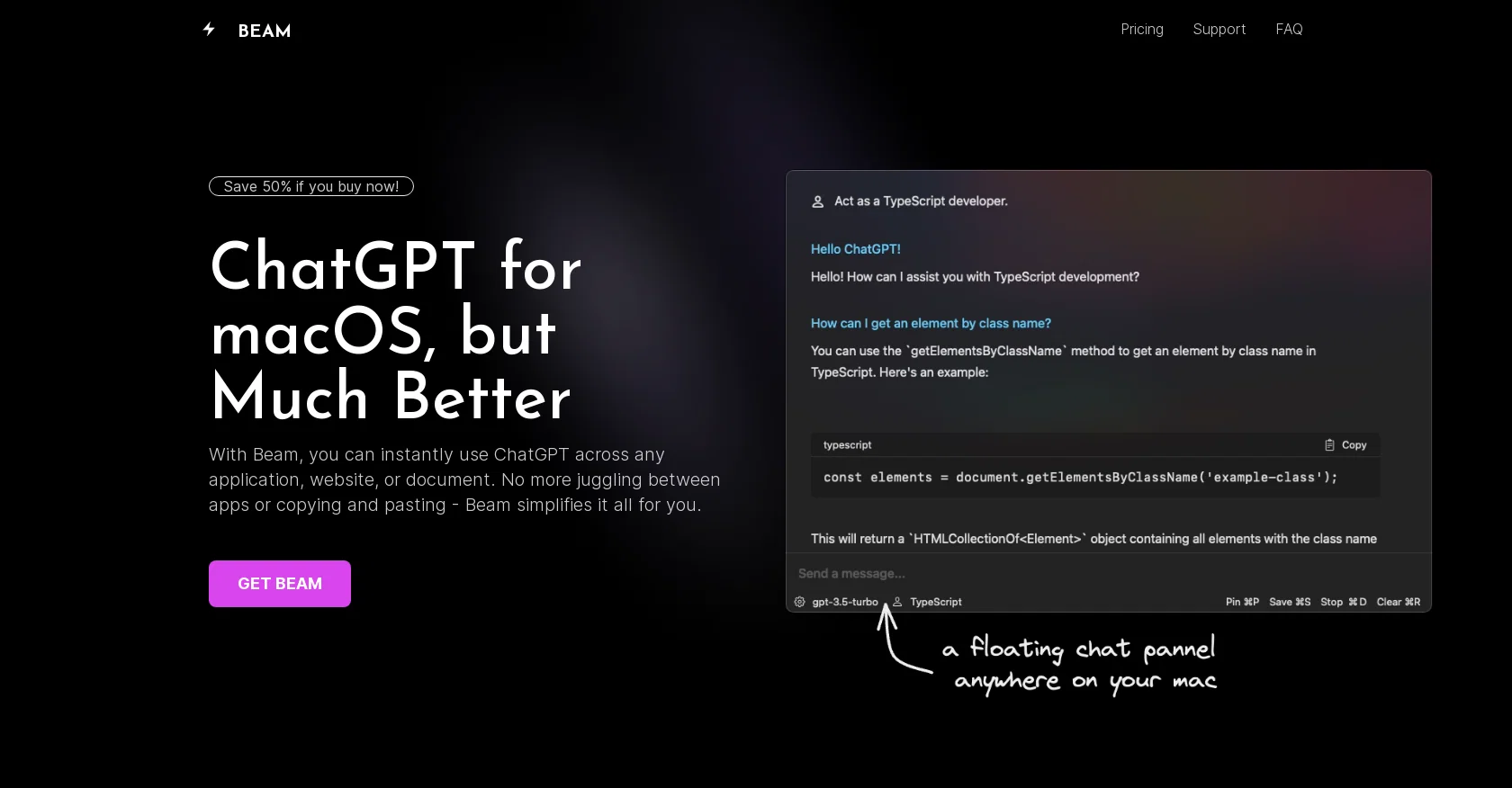
Beam is an efficient user interface (UI) tool designed for macOS users to enhance their experience with ChatGPT, an AI-powered chat application. It allows users to access ChatGPT instantly from any application, website, or document without the need for switching between different apps or copying and pasting content. With Beam, users can open a floating chat window on their Mac by pressing a key combination, enabling them to chat while staying within their current window.Beam offers several features to enhance productivity. Users can create AI profiles to train the GPT models to respond according to their specific needs, ensuring precise and contextually relevant answers. The tool also supports the use of macros, allowing users to assign shortcuts to frequently used texts or phrases, reducing the need for typing repetitively.Furthermore, Beam enables users to interact with PDF documents by leveraging the power of ChatGPT. Users can extract summaries, ask questions, find answers, and make PDF documents more dynamic.One notable advantage of Beam is its native and intuitive UI, specifically designed for macOS. It provides a user-friendly experience, making it easy to use and navigate. Additionally, Beam is available as a one-time purchase with lifetime access, eliminating any subscription fees. Users also benefit from free updates and receive a license for usage on another device.Beam guarantees the security of user data and offers a 7-day money-back guarantee for unsatisfied customers. The tool does not require any special system permissions and ensures user privacy. Help other people by letting them know if this AI was useful. Add your own prompts and outputs to help others understand how to use this AI.
When considering Beam for integration into your organizational workflow, we recommend deploying a structured score card across three critical operational pillars: Security & Compliance, Integration Friction, and long-term Price Scalability. Rather than looking only at basic feature lists, modern procurement teams must assess how a software platform behaves under high load and how well it fits into the team's data security guidelines.
Depending on your operating region and field, ensure that Beam supports standard security layers such as SOC 2 Type II certifications, GDPR compliance, or HIPAA-compliant database encryption. If the tool connects directly to client database tables or handles user passwords, verify that they implement multi-factor authentication (MFA), single sign-on (SSO) integrations, and end-to-end data encryption in transit and at rest.
Siloed data is the primary cause of operational friction. Evaluate if Beam has native connectors for your current project trackers, messaging hubs, and customer communication channels. For custom developer requirements, check if they provide a fully documented REST API with reasonable rate limits, comprehensive Webhooks support, and robust SDK packages in your language. A flexible API layer saves hundreds of hours of manual copy-paste overhead.
SaaS pricing packages are often deceptively simple. When reviewing Beam's billing structure, map out your team's projected expansion over the next 12 to 24 months. Determine how costs scale as your customer database increases or as you add team members. Factor in setup costs, mandatory support plan upgrades, API access fees, and storage overage rates to understand the true cost before committing to a contract.
By combining verified user reviews from our directory with internal workflow pilot tests, your procurement team can make an informed decision that drives productivity without creating capital waste.
Overall rating
Based on 19 reviews
Such beautiful ux.ui
Nim
@Fabric is kind of like a combo of bookmarking/webclipper/summarizer/knowledgebase. Basically you can add information and it will auto organize it as well as let you chat with this information and search through it. It is not a “search engine tool” I wouldn’t say. Maybe you will be able to create a knowledge, base and information repository of everything relevant to you and be able to search through that information… But that is still different than a “search engine, tool” in my opinion. So far I think they are shooting for individuals and not enterprise users. Which is great because I have been wanting to find a product that will allow me to add information from PDFs, websites and videos and then be able to search/query/chat with that. But so many of the companies I have found that offer anything close to along these lines are developing knowledge bases with only company customers in mind. I get that that is where the money is, but @Fabric appears to be for actual people to use. The product is definitely underdevelopment, and I have the TestFlight of their iOS app. I wouldn’t say the app is perfect yet or anything, but they are actively developing it, and some of their ideas are changing and evolving not just minor changes to their user interface. I am using @Fabric and Mem at the same time and I will be interested to see which turns put to be more for me. Definitely check it out if you have not already done so they have the opportunity to make an extremely useful tool and kind of even changing the way individuals think about storing/accessing information important to them.
Extra Google Account
Very powerful, too expensive
Alex Therien
Can’t use it without an invite code.
Steven
Honestly, with the website looking the way it does on 5.4.2024, I feel discouraged to even try it for free. First impressions matter IMO. It would be great to have a showcase of products, etc
Vineet Sinha
Great accuracy and easy to crosscheck with the provided hyperlinks to the sources.
Marius Schmitt
Accuracy nice. Free
Álvaro Sánchez Román
I've been playing around with this for a few hours. It's made me say "WOW" too many times than i wish to admit. I'm going to follow this and see how it evolves. For now, i managed to create quite a nice Expenses app for personal use. | It did have some problems when it came to moving some components on other pages, but for how short the prompts it uses can be, it is really impressive. With some proper prompts it can generate some strong stuff.
Bernard
Loved the search engine ideas.
Amr عمرو Amin امين
Best AI Chatbot out there!
GMP
Really like how it finds connection in the content that I save. I don't think any other tool can do that.
amix ffx
Alternative for fast academic writing
Ivan Taslim
Went from a C to an A in Cognitive Psychology using @Thea!!
Sarah White
@AnythingLLM is easy to use, and allows us to build private databases using several (any) kinds of media (text, pdf, audio, etc) and use it as a source of knowledge for any LLM you might wonder to experiment!
Francisco Bischoff
I tried NovelGPT a template in @Agentgpt and it did an excellent job writing the first two episodes of my novel complete with character descriptions, setting,plot points and well I think you get the point. Great tool can't wait to see it out of beta.
Kelli Crose
It does give you the option to choose what you want to pay, including trying it out without a set price. Totally fair setup and it's nice that the flexibility is there for users.
Alexandru Bostina
Very useful for my work!
Frederick Galloway
Absolutely love @MindMac, I have been giving large amounts of feedback and support to help improve the app for some time now, and the only reason why I am doing that out of my own time, without any incentive is to help the community, but I also want to help this app succeed. Having small developers, like @MindMac's is incredible, to create something as powerful and helpful, for users that do not need a computer science degree just to operate it I find very exciting. The developer listens and actions requests that are helpful, and reasonable, and that is something you won't get with the larger developers for months. Keep it up @MindMac!
Dylan
I use Bolt every day as my main GPT client. Easier to use than ChatGPT, Daniel has made a great app here 👏 He's also very receptive to feedback, and has taken some of my ideas and bug reports on board 👍 Keep up the good work! Recommended ⭐
James Ivings
Starting Price
Free plan available
Free tier available with optional paid upgrades.


