5.01 months ago
“Review”
Speed is amazing ! I will definitely utilize the tool in the future for film generation
Derek Little

vocal remover, remove vocal, vocal remover online free, vocal remover AI
AI Vocal Remover is an online tool that leverages advanced AI technology to separate vocals from instrumentals in any song. This tool is designed to create high-quality karaoke, acapella, or instrumental tracks in a convenient, efficient manner without the need for downloads or sign-ups. It can also remove background audio, breath sounds, mouth sounds, silence, echo, and reverb from audio, and remove specific instruments like drums, guitar, bass, and piano from songs. Further, it can extract stems, generate AI mashups, and even remove music from video content. The AI Vocal Remover is not limited to music only; it can also assist users in podcast making, audio translating, text to speech conversion, audio trimming, and voice cloning. The tool also comes with capabilities like audio to animation conversion, audio enhancement, and voice changing. The application of this tool spans across different user needs from creating karaoke tracks, DJ remixes & mashups, instrumental music production, customized background music for videos, music education & practice, to cover songs & vocal training. It is easy to use, requiring users to only upload their track for the AI to analyze and extract the vocals, after which they can download their output and use as they wish. Help other people by letting them know if this AI was useful. Add your own prompts and outputs to help others understand how to use this AI.
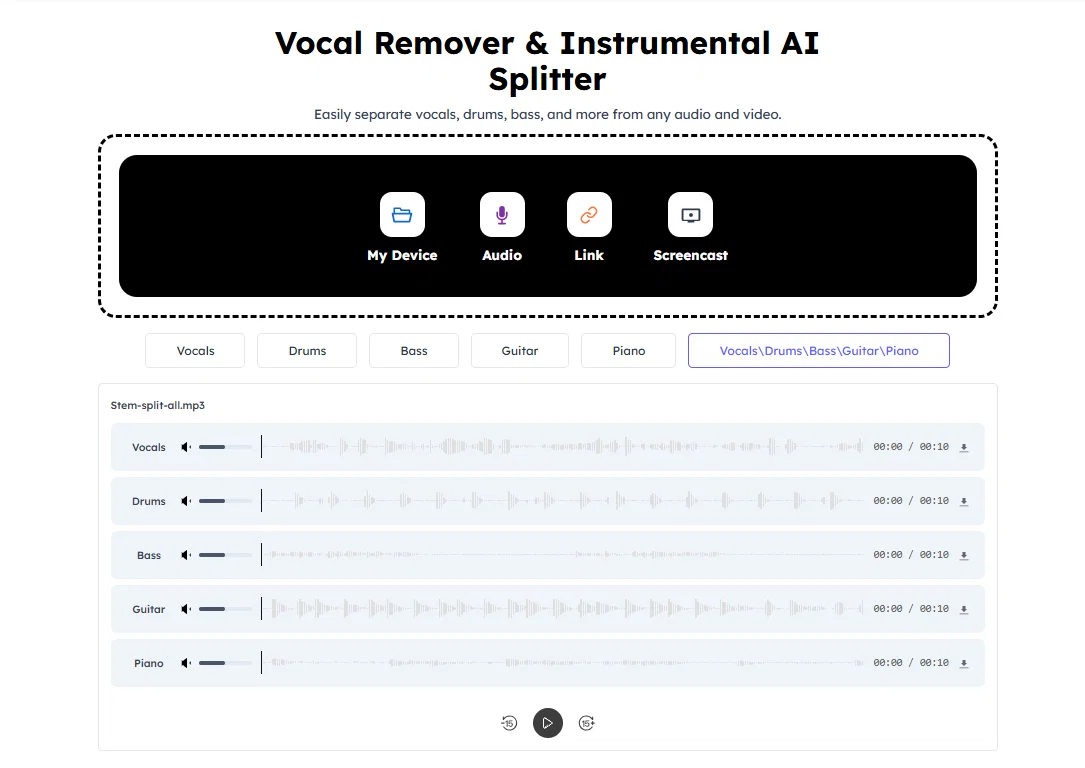
When considering Audiocleaner | Vocal Remover Free for integration into your organizational workflow, we recommend deploying a structured score card across three critical operational pillars: Security & Compliance, Integration Friction, and long-term Price Scalability. Rather than looking only at basic feature lists, modern procurement teams must assess how a software platform behaves under high load and how well it fits into the team's data security guidelines.
Depending on your operating region and field, ensure that Audiocleaner | Vocal Remover Free supports standard security layers such as SOC 2 Type II certifications, GDPR compliance, or HIPAA-compliant database encryption. If the tool connects directly to client database tables or handles user passwords, verify that they implement multi-factor authentication (MFA), single sign-on (SSO) integrations, and end-to-end data encryption in transit and at rest.
Siloed data is the primary cause of operational friction. Evaluate if Audiocleaner | Vocal Remover Free has native connectors for your current project trackers, messaging hubs, and customer communication channels. For custom developer requirements, check if they provide a fully documented REST API with reasonable rate limits, comprehensive Webhooks support, and robust SDK packages in your language. A flexible API layer saves hundreds of hours of manual copy-paste overhead.
SaaS pricing packages are often deceptively simple. When reviewing Audiocleaner | Vocal Remover Free's billing structure, map out your team's projected expansion over the next 12 to 24 months. Determine how costs scale as your customer database increases or as you add team members. Factor in setup costs, mandatory support plan upgrades, API access fees, and storage overage rates to understand the true cost before committing to a contract.
By combining verified user reviews from our directory with internal workflow pilot tests, your procurement team can make an informed decision that drives productivity without creating capital waste.
Overall rating
Based on 16 reviews
Speed is amazing ! I will definitely utilize the tool in the future for film generation
Derek Little
It's very helpful
Syed Zaid i
I tried to look at what their avatars look and sound like but could not find it on their website. I'm not going to make a purchase if I can't see what I'm buying.
Iamalright Jack
Did not produce anything remotely close to what i asked for
Caleb Fayers
Great @Image generator for free
Emilio Donovan
What a waste of time! DEI has ruined this app.
Ronnie
It is very receptive to the prompts and gives very aesthetically pleasing results.
Arianna
Needs to learn about different art schools, imo: doesn’t seem to understand the concept of cubism.
Catherine Karaguézian
There were no aristocratic Asians and Africans in ancient Rome.
Sándor Gajdos
I think it's the best @Image Generator I ever found on the net. It gives more accurate image according to the prompt. And thank you for keeping it for free.
My Sawsiri
Not at all accurate…. The only thing similar between original and generated images were the clothes and accessories… face was absolutely new and unconnected.
Shvetank Sharma
it does only do one image per time i am looking for multiple images to video
Ireal Estate
I use Coolo to remove bass from the song. By isolating the bass track, I can hear every single note and nuance. It’s also been great for making backing tracks to practice my guitar solos over. Very nice!!
Heidi
Free Online for me
Alex Cao
It did a great job extracting audio from de music!
Leonardo Victor
Ladies and gentlemen, welcome to Pak Udin's duck rice stall. The sun sets in the evening. Accidentally saw an apparition. As night falls, I wish you bon appetit. Where does love begin? From the eyes to the heart. Thank you for your time. Your presence means a lot.
FoxSer
Starting Price
Free plan available
Free tier available with optional paid upgrades.


