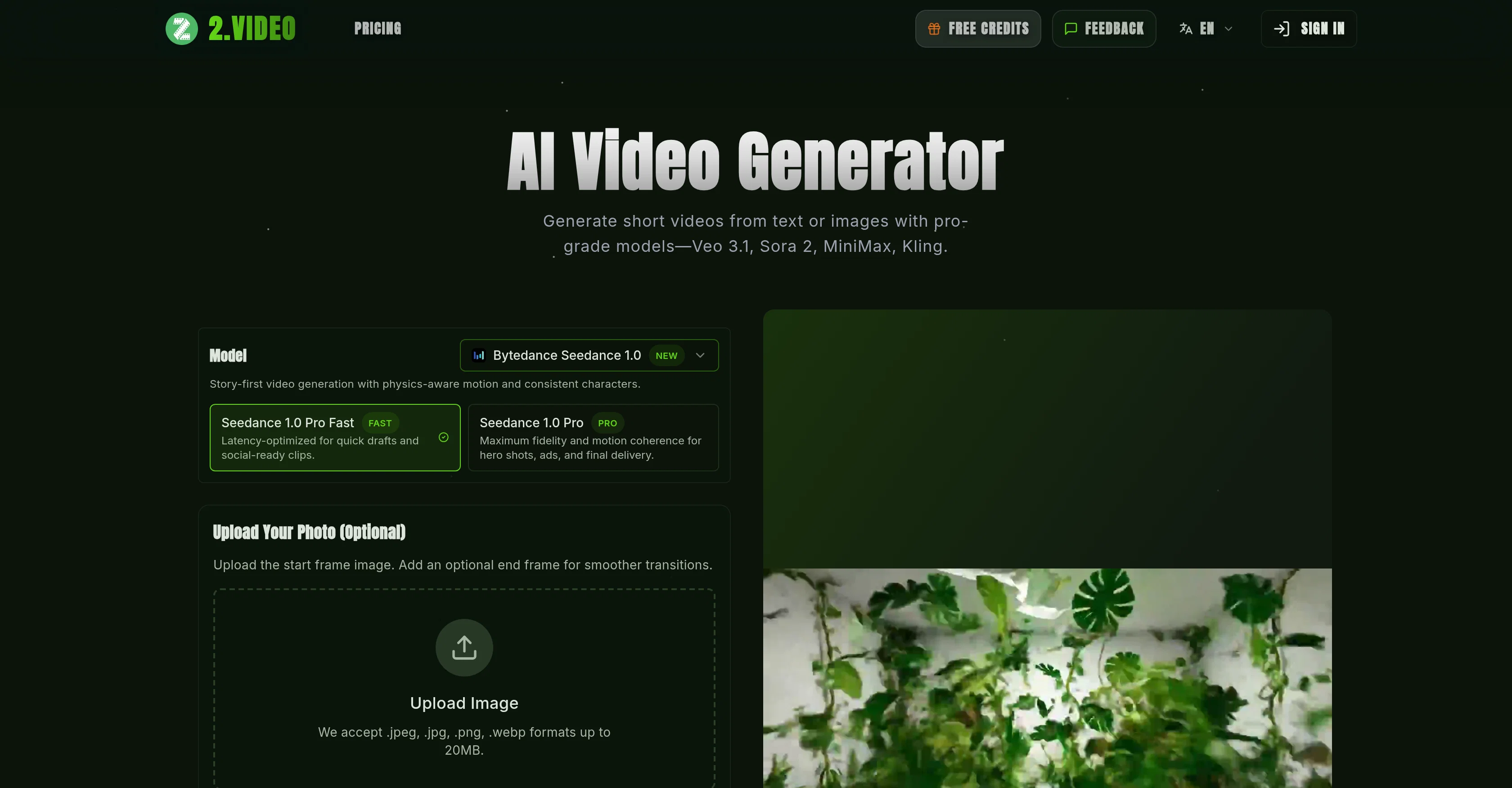
2.VIDEO is an AI video generator tool that turns images or text prompts into dynamic short videos using models Veo 3.1, Sora 2, MiniMax, and Kling. It offers a 'story-first' video creation approach, ensuring physics-aware motion and consistent characters.
This tool is latency-optimized for creating quick drafts and social-ready clips, and provides high fidelity and motion coherence for hero shots, ads, and final deliveries.
The platform accepts various formats like .jpeg, .jpg, .png, .webp for image inputs, and lets users pick the desired aspect ratio, output quality and video length.
The platform allows for an exploration of influential generative video models including OpenAI Sora2, Google Veo3.1, MiniMax Hailuo, and Kuaishou Kling.
Users can transform their ideas into professional videos by defining the style, uploading the content, customizing preferences, and generating and downloading the video.
This tool strives for efficient and on-brand storytelling, ensuring that brand logos, color palettes, and messaging are consistently maintained. The lightning-fast rendering capabilities and instant iteration make it an accessible, scalable, and on-brand solution for professional video production.
The user has creative control over tone, storyboard structure, on-screen text, voiceover style, and brand elements. The videos render in minutes and exports are delivered as MP4 in HD or 4K with aspect ratios ready for various playbacks.
Help other people by letting them know if this AI was useful.
Add your own prompts and outputs to help others understand how to use this AI.
Screenshot gallery
Pros & Cons
Pros
+Generates dynamic short videos
+High-fidelity video generation
+Physics-aware motion
+Consistent characters
+Story-first video generation
+Latency optimized video production
+Quick drafting
+Professional-grade videos
+Freedom to define scenes
+Customizable video format
+Customizable voice, style, duration
+Review and edit videos
+Supports multi-aspect ratios
+Matches video qualities to platform
+Allows video tailoring
+Provides video templates
+Maintains branding elements consistently
+Streamlined video production
+Creates videos from images
+Creates videos from text
+Supports uploading images
+Instant iteration capability
+Generative video model exploration
+High-resolution video generation
+Provides creative control
+HD and 4K export
+Process designed for efficient storytelling
+Customizable storyboard structure
+Supports multiple languages
+Auto-creation of cinematic sequences
+Lightning-fast rendering
+Multi-platform delivery
+Supports vertical, horizontal, square formats
+Translates scripts into explainer, tutorial, testimonial, showcase videos
+Transforms ideas into professional videos
+Focuses on whenever 'On-Brand storytelling' is required
+Automated logo detection
+Color palette maintenance
+Iterate instantly without complex editing workflows
+Automated scene assembly
+Voiceover inclusion from your assets
+Clear scripts give strong context
+Support for brand guidelines
+Improvement with high-resolution footage or images
+Allows generation of multiple drafts
+Offers refining scenes
+Allows multitasking during rendering
+Supports commercial use of videos
+Support tweak on prompt for better output
+Monthly render allowance for free accounts
+Option to purchase extra credits
Cons
−Resolution choice limited
−No offline functionality
−Requires high-resolution inputs
−Dependent on specific models
−Limited to JPEG, PNG, WEBP
−Limited video format options
−Dependent on clear scripts
−Limited brand customization
−Rendering time varies
−Limited commercial use rights
A Professional Framework to Evaluate 2.VIDEO
When considering 2.VIDEO for integration into your organizational workflow, we recommend deploying a structured score card across three critical operational pillars: Security & Compliance, Integration Friction, and long-term Price Scalability. Rather than looking only at basic feature lists, modern procurement teams must assess how a software platform behaves under high load and how well it fits into the team's data security guidelines.
1. Security and Database Compliance
Depending on your operating region and field, ensure that 2.VIDEO supports standard security layers such as SOC 2 Type II certifications, GDPR compliance, or HIPAA-compliant database encryption. If the tool connects directly to client database tables or handles user passwords, verify that they implement multi-factor authentication (MFA), single sign-on (SSO) integrations, and end-to-end data encryption in transit and at rest.
2. API Coverage and Custom Integrations
Siloed data is the primary cause of operational friction. Evaluate if 2.VIDEO has native connectors for your current project trackers, messaging hubs, and customer communication channels. For custom developer requirements, check if they provide a fully documented REST API with reasonable rate limits, comprehensive Webhooks support, and robust SDK packages in your language. A flexible API layer saves hundreds of hours of manual copy-paste overhead.
3. Total Cost of Ownership (TCO)
SaaS pricing packages are often deceptively simple. When reviewing 2.VIDEO's billing structure, map out your team's projected expansion over the next 12 to 24 months. Determine how costs scale as your customer database increases or as you add team members. Factor in setup costs, mandatory support plan upgrades, API access fees, and storage overage rates to understand the true cost before committing to a contract.
By combining verified user reviews from our directory with internal workflow pilot tests, your procurement team can make an informed decision that drives productivity without creating capital waste.
Features of 2.VIDEO
AI Video Generation
Video Generation
AI Video Creation
Fast Video Rendering
Professional Video Production
Customizable Videos
From $17.4/Mo
SaaS1to10 verified reviews for 2.VIDEO
Overall rating
★★★★★5.0
Based on 21 reviews
★★★★★5.01 months ago
“Review”
This is simply amazing. I used @Nodu AI to create an employer branding video for our Talent Acquisition team to promote one of our key roles. Very impressed by the high-quality visuals it has generated, including the voiceover based on my brief. I like the way it has so nicely incorporated the brand logo and call to action messaging. My video looks like a professional production. Highly recommend!
Shalini Deshpande
★★★★★5.01 months ago
“Review”
Many ai models help me create videos I love
long ff
★★★★★5.01 months ago
“Review”
I just used for a couple of scientific tasks and its output was as good as ChatGPT 4 and Gemini Pro. This is an interesting tool and I will be exploring it further
Farooq Rathore
★★★★★5.01 months ago
“Review”
@VideoIdeas.ai Creates YouTube Video Ideas & Scripts
Aleric Heck
★★★★★5.01 months ago
“Review”
This tool not only transcribes videos and audio, but also automatically generates summaries, which greatly helps me organize my study notes.
Sarah
★★★★★5.01 months ago
“Review”
Love this app!
Chase O'Neal
★★★★★5.01 months ago
“Review”
Definitely helpful , time saver for sure! Gives you clarity and is a way for someone to have a quick description of what they should achieve with their script.
Luis Perez
★★★★★5.01 months ago
“Review”
Just tried it and it’s working fine for me. The results are actually nice, worth trying again!
Alexandru Bostina
★★★★★5.01 months ago
“Review”
I'm delighted
RAJI AYUBA
★★★★★5.01 months ago
“Review”
The site has a fantastic presentation and from what we tested the features are perfect. Congratulations to the development team
Tudonumclic Consultoria
★★★★★5.01 months ago
“Review”
Great avatar generation tool!
Ethan Webb
★★★★★5.01 months ago
“Review”
Pretty inconsistent
Sagnik Datta
★★★★★5.01 months ago
“Review”
I think it's the best @Image Generator I ever found on the net. It gives more accurate image according to the prompt. And thank you for keeping it for free.
My Sawsiri
★★★★★5.01 months ago
“Review”
Not at all accurate…. The only thing similar between original and generated images were the clothes and accessories… face was absolutely new and unconnected.
Shvetank Sharma
★★★★★5.01 months ago
“Review”
Absolutely HUGE. This gonna be the top AI for YouTube creators!
Thehero394
★★★★★5.01 months ago
“Review”
It works surprisingly well. Clean plus you can actually try it first without having to drop money right away. helps if you are not sure it'll fit your needs. Solid stuff.
Tushar Ford
★★★★★5.02 months ago
“Review”
They're dreaming if they think I'd give them my credit card info just for a free trial. Most useless thing ever...
Noeffen Way
★★★★★5.02 months ago
“Review”
easy onboarding, quick to set up.
Pluto Radigund
★★★★★5.02 months ago
“Review”
You get 300 credits upon signing up, which is enough to test out the app and see its potential. I had a bit of fun with it. It takes a few minutes to generate content, but the results are impressive. There are many styles, modifiers, and customization options available. I would definitely use this for content creation or storytelling.
Daniel Garaiacu
★★★★★5.02 months ago
“Review”
WE USE @D-ID AT THE COLORADO VIRTUAL CREATIVE FACTORY...AND LOVE IT.
Franco Arteseros
★★★★★5.02 months ago
“Review”
The concept is great.
kanawati
Pricing
Starting Price
From $12.00/user/month
Pricing may vary based on team size and features selected.