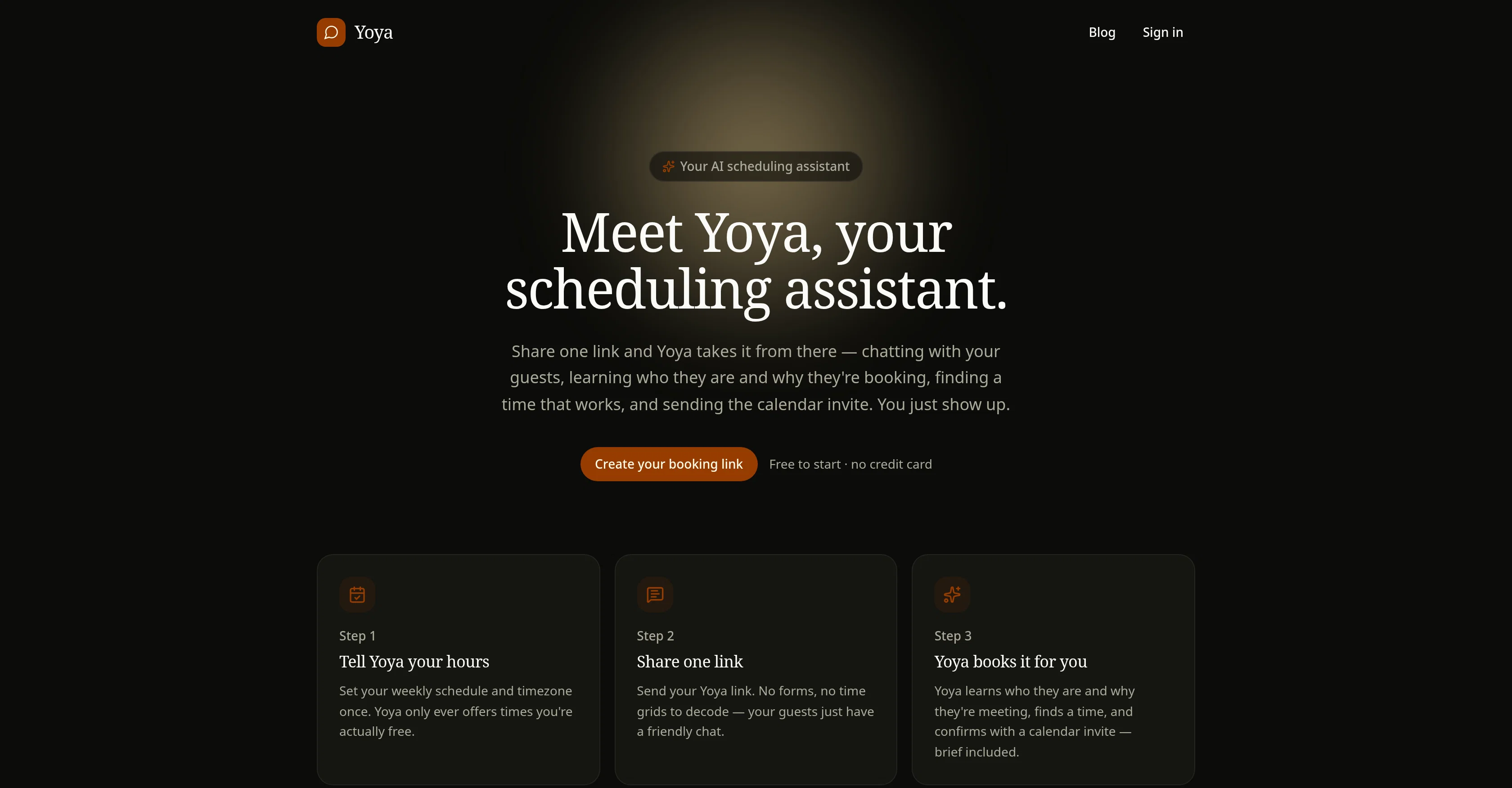
Yoya is an AI scheduling assistant designed to automate meeting scheduling. The platform engages interactively with users' guests to understand their requirements and then schedules a suitable meeting in the user's calendar.
After the user sets their availability and share their unique Yoya link, the AI assistant gets to work. It facilitates a smooth and friendly scheduling process, parsing conversational inputs from guests to comprehend the purpose of the meeting.
Yoya provides a simplified scheduling process by eliminating traditional forms and time grids, instead using an AI-driven conversation to gather necessary information.
Once Yoya understands who the guest is and why they're scheduling a meeting, it identifies an appropriate time slot that aligns with the user's pre-set schedule and sends a calendar invite on the user's behalf.
The calendar invite comes with a brief that provides key details about the meeting and the attending guest. The tool is designed to only offer meeting slots during the user's defined 'free' times avoiding scheduling conflicts.
Yoya is designed to make the process of scheduling meetings easier, allowing users to focus on the meeting itself rather than the administrative process involved in setting it up.
Ideal for busy professionals who frequently schedule meetings, Yoya aims to streamline the process, making it less time-consuming and more efficient.
Help other people by letting them know if this AI was useful.
Add your own prompts and outputs to help others understand how to use this AI.
Screenshot gallery
Pros & Cons
Pros
+Automates meeting scheduling
+Interacts with users' guests
+Understands guests' requirements
+Eliminates traditional forms and grids
+Identifies appropriate user's free slots
+Sends calendar invites automatically
+Detailed briefs with meeting invites
+Avoids scheduling conflicts
+Streamlines the scheduling process
+Saves users' time
+Focuses on meeting efficiency
+Guest management feature
+User availability management
+Conversational inputs parsing
+Easy sharing through unique link
+Built for busy professionals
+Increases professional efficiency
+Personalized chatbot creation
+Simple URL connectivity
+Supports various platforms
+Easy setup process
+Supports connecting to external data
+No coding required
+Offers rich interface support
+Able to import data via URL
Cons
−No explicit privacy policy
−No support for coding
−Dependent on URL for training
−No support for multi-platforms
−Possible issues with guest comprehension
−Lack of language support options
−Limited customization of scheduling process
−Potential conflicts with overlapping 'free' times
−Missing detailed analytics about meetings
A Professional Framework to Evaluate Yoya
When considering Yoya for integration into your organizational workflow, we recommend deploying a structured score card across three critical operational pillars: Security & Compliance, Integration Friction, and long-term Price Scalability. Rather than looking only at basic feature lists, modern procurement teams must assess how a software platform behaves under high load and how well it fits into the team's data security guidelines.
1. Security and Database Compliance
Depending on your operating region and field, ensure that Yoya supports standard security layers such as SOC 2 Type II certifications, GDPR compliance, or HIPAA-compliant database encryption. If the tool connects directly to client database tables or handles user passwords, verify that they implement multi-factor authentication (MFA), single sign-on (SSO) integrations, and end-to-end data encryption in transit and at rest.
2. API Coverage and Custom Integrations
Siloed data is the primary cause of operational friction. Evaluate if Yoya has native connectors for your current project trackers, messaging hubs, and customer communication channels. For custom developer requirements, check if they provide a fully documented REST API with reasonable rate limits, comprehensive Webhooks support, and robust SDK packages in your language. A flexible API layer saves hundreds of hours of manual copy-paste overhead.
3. Total Cost of Ownership (TCO)
SaaS pricing packages are often deceptively simple. When reviewing Yoya's billing structure, map out your team's projected expansion over the next 12 to 24 months. Determine how costs scale as your customer database increases or as you add team members. Factor in setup costs, mandatory support plan upgrades, API access fees, and storage overage rates to understand the true cost before committing to a contract.
By combining verified user reviews from our directory with internal workflow pilot tests, your procurement team can make an informed decision that drives productivity without creating capital waste.
Features of Yoya
AI Scheduling Assistant
Automated Meeting Scheduling
Interactive Communication
Busy Professionals
Meeting Brief
Conversation Parsing
SaaS1to10 verified reviews for Yoya
Overall rating
★★★★★5.0
Based on 18 reviews
★★★★★5.02 months ago
“Review”
I’ve tried many AI writing tools in the past, but this one actually delivers content that sounds human and ranks. I love how you can create a full SEO blog post with just a keyword… and it’s ready to publish in one click. That saves me so much time. Also, small win for the wallet — use code FSL25 to get 25% off on any plan. Definitely helped me out when testing it for the first time. 👍 Hope this helps someone else who’s been struggling like I was!
Jason
★★★★★5.02 months ago
“Review”
Works but I cannot understand what's the use. I was expecting it to give me some videos
Samartha Venkatramana
★★★★★5.02 months ago
“Review”
I tried NovelGPT a template in @Agentgpt and it did an excellent job writing the first two episodes of my novel complete with character descriptions, setting,plot points and well I think you get the point. Great tool can't wait to see it out of beta.
Kelli Crose
★★★★★5.02 months ago
“Review”
Really amazing! Makes learning content and engaging with things so much easier!
Jamie McDonald
★★★★★5.02 months ago
“Review”
It requires users to choose a preset, which is fine, but it won't accept anything I choose.
Stephen Ocean
★★★★★5.02 months ago
“Review”
Intuitive, offering several ways of building AI powered apps. The dashboard allows refinement of prompts, a history of every iteration of the app you are working on and the code editor window. @Pico also provides a choice of AI platforms and excellent support.
Paul Dickerson
★★★★★5.02 months ago
“Review”
Hi there! I tested it myself and didn’t run into any errors, maybe try again now
Antonia Mitrea
★★★★★5.02 months ago
“Review”
Only available on the iphone... doesn't seem super intuitive to use.
Mental Forge Media
★★★★★5.02 months ago
“Review”
Great idea, but does not find what you are looking for-about the same as Google Scholar
Andy
★★★★★5.02 months ago
“Review”
The website is pretty good but there are only a limited number of responses
Probal Roy
★★★★★5.02 months ago
“Review”
It's really frustrating when you try to select something you want, only to be immediately redirected to a subscription-based payment model. There's no opportunity to even test things out, which kills the enthusiasm right away. It seems like everything is geared towards subscriptions nowadays, and it's a turn-off. Companies should prioritize transparency and give customers a chance to try out products before committing to a subscription. Practices like these erode consumer trust and deter many potential customers.
X X
★★★★★5.02 months ago
“Review”
After my first use, I think it's surprisingly good. The only drawback so far is the PDF export option for the report which is formatless.
Alejandro Correa
★★★★★5.02 months ago
“Review”
O GPT faz uma análise melhor e mais personalizada.
Vinicius Vilela
★★★★★5.02 months ago
“Review”
I tried using it but the website has too many bugs.
João Neiva
★★★★★5.02 months ago
“Review”
It's sad to see people want to try your tool out but you have no free sample for them. This may be the best tool out there, but, as mentioned, going through with the AI for minutes to explain what you want, then being prompted to pay, without even knowing if it CAN create something, is discouraging. I hope we can get a free sample or preview at one point, im interested in this one.
Ron Jayson
★★★★★5.02 months ago
“Review”
As the service was in beta-testing stage, I created there a dozen of AI-generated courses for free. I wanted to use them. Those courses remained in my account as they started subscription tiers. But recently I have found out that they were deleted. The support didn't answer to my e-mail at all.
Oldfag TV
★★★★★5.02 months ago
“Review”
@LaunchLemonade is brilliant! AI for everyone.
meena sangar
★★★★★5.02 months ago
“Review”
Deploys the backend directly from chat!
Spam Trapper
Pricing
Starting Price
Contact vendor for pricing
Pricing may vary based on team size and features selected.