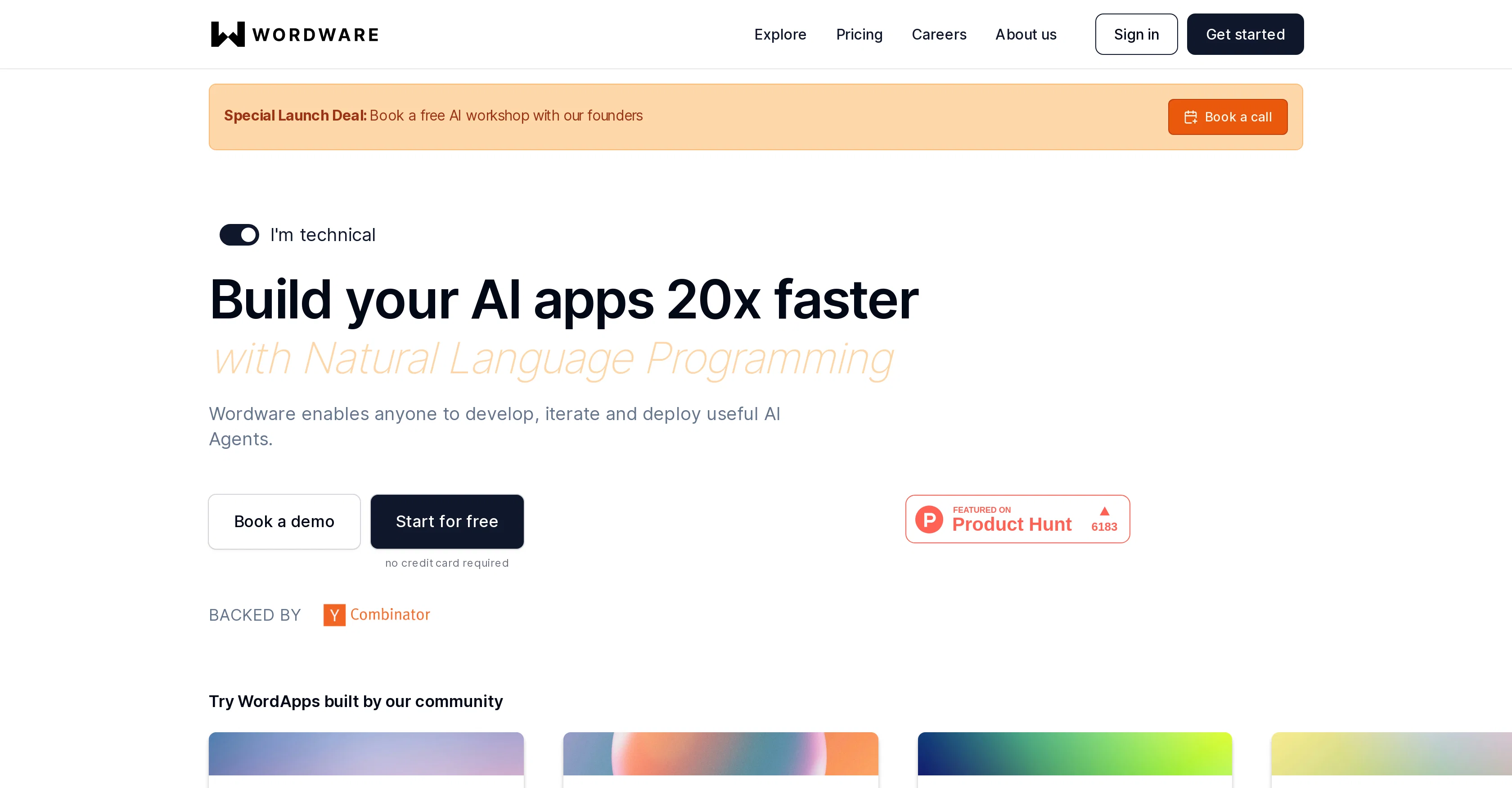
Wordware is an interactive development environment (IDE) that facilitates the accelerated development and deployment of AI applications. It merges the traditional aspects of software development with the power of natural language, making it an accessible platform for both technical and non-technical users alike.
Natural Language Programming is the cornerstone of Wordware, providing users with a user-friendly IDE for creating AI Agents. The intuitive platform features a Notion-like interface that fosters collaboration and streamlines workflows.
Advanced technical capabilities such as branching, structured generation, version control, and more are built in, generating an environment conducive for creating Large Language Models (LLMs).
Users can easily switch between multiple LLM providers optimising workflows as per the requirements. Wordware ensures ease of deployment of AI applications via its one-click API deployment feature, removing the necessity for frequent pushes to git for minor updates.
Furthermore, it supports various data modalities such as text, images, audio, and video within AI workflows, simplifying switching between these modalities.
Custom code execution capabilities within Wordware provide the ability to connect to virtually any API. Wordware is designed with a commitment to simplifying AI development, eliminating technical hurdles and supporting innovation.
Help other people by letting them know if this AI was useful.
Add your own prompts and outputs to help others understand how to use this AI.
Screenshot gallery
Pros & Cons
Pros
+Natural Language Programming
+Non-technical user accessible
+User-friendly IDE
+Notion-like interface
+Collaborative tool
+Streamlines workflows
+Branching capabilities
+Structured generation
+Version control built-in
+Creation of Large Language Models
+Switch between multiple LLM providers
+One-click API deployment
+Supports text, images, audio, video
+Seamless switching between data modalities
+Custom code execution capabilities
+Connects to any API
+Empowers all team members
+Loops and type safety
+Multimodal by default
+Rapid setup and scalability
+WYSIWYG approach
+Easily debuggable multimodal workflows
+One-click Wordware apps deployment
+Minimizes git pushes for updates
+Designed for technical and non-technical users
Cons
−Slight learning curve
−Over-reliance on natural language
−Limited info on security
−Multimodal support may vary
−Dependent on LLM providers
−Latency potential with data modalities
−Over-simplification may limit functionalities
−No information about support service
−No information about tool's scalability
−Excessive focus on collaboration
A Professional Framework to Evaluate Wordware
When considering Wordware for integration into your organizational workflow, we recommend deploying a structured score card across three critical operational pillars: Security & Compliance, Integration Friction, and long-term Price Scalability. Rather than looking only at basic feature lists, modern procurement teams must assess how a software platform behaves under high load and how well it fits into the team's data security guidelines.
1. Security and Database Compliance
Depending on your operating region and field, ensure that Wordware supports standard security layers such as SOC 2 Type II certifications, GDPR compliance, or HIPAA-compliant database encryption. If the tool connects directly to client database tables or handles user passwords, verify that they implement multi-factor authentication (MFA), single sign-on (SSO) integrations, and end-to-end data encryption in transit and at rest.
2. API Coverage and Custom Integrations
Siloed data is the primary cause of operational friction. Evaluate if Wordware has native connectors for your current project trackers, messaging hubs, and customer communication channels. For custom developer requirements, check if they provide a fully documented REST API with reasonable rate limits, comprehensive Webhooks support, and robust SDK packages in your language. A flexible API layer saves hundreds of hours of manual copy-paste overhead.
3. Total Cost of Ownership (TCO)
SaaS pricing packages are often deceptively simple. When reviewing Wordware's billing structure, map out your team's projected expansion over the next 12 to 24 months. Determine how costs scale as your customer database increases or as you add team members. Factor in setup costs, mandatory support plan upgrades, API access fees, and storage overage rates to understand the true cost before committing to a contract.
By combining verified user reviews from our directory with internal workflow pilot tests, your procurement team can make an informed decision that drives productivity without creating capital waste.
Features of Wordware
Natural Language Programming
AI Development Environment
Coding For Non Technical Users
API Deployment
AI Workflows
Collaborative Tool
Free + From $69/Mo
SaaS1to10 verified reviews for Wordware
Overall rating
★★★★★5.0
Based on 9 reviews
★★★★★5.02 months ago
“Review”
I tried NovelGPT a template in @Agentgpt and it did an excellent job writing the first two episodes of my novel complete with character descriptions, setting,plot points and well I think you get the point. Great tool can't wait to see it out of beta.
Kelli Crose
★★★★★5.02 months ago
“Review”
after playing around with it for a bit, i am now aware of how much i need this. i can already feel the hours of sleep coming back to me <3
Bru no no no
★★★★★5.02 months ago
“Review”
nice holistic
Amit ImmI
★★★★★5.02 months ago
“Review”
Not at all accurate…. The only thing similar between original and generated images were the clothes and accessories… face was absolutely new and unconnected.
Shvetank Sharma
★★★★★5.02 months ago
“Review”
Awesome Software
Akinola Abdulakeem
★★★★★5.02 months ago
“Review”
Code varies from run to run. Still it is a helpful app. You can specify coding languages that are not in the dropdown menu.
Oran Kangas
★★★★★5.02 months ago
“Review”
O GPT faz uma análise melhor e mais personalizada.