5.02 months ago
“Review”
filters my spam calls
Robin Haw

Visually create Tailwind UIs 10x faster with AI.
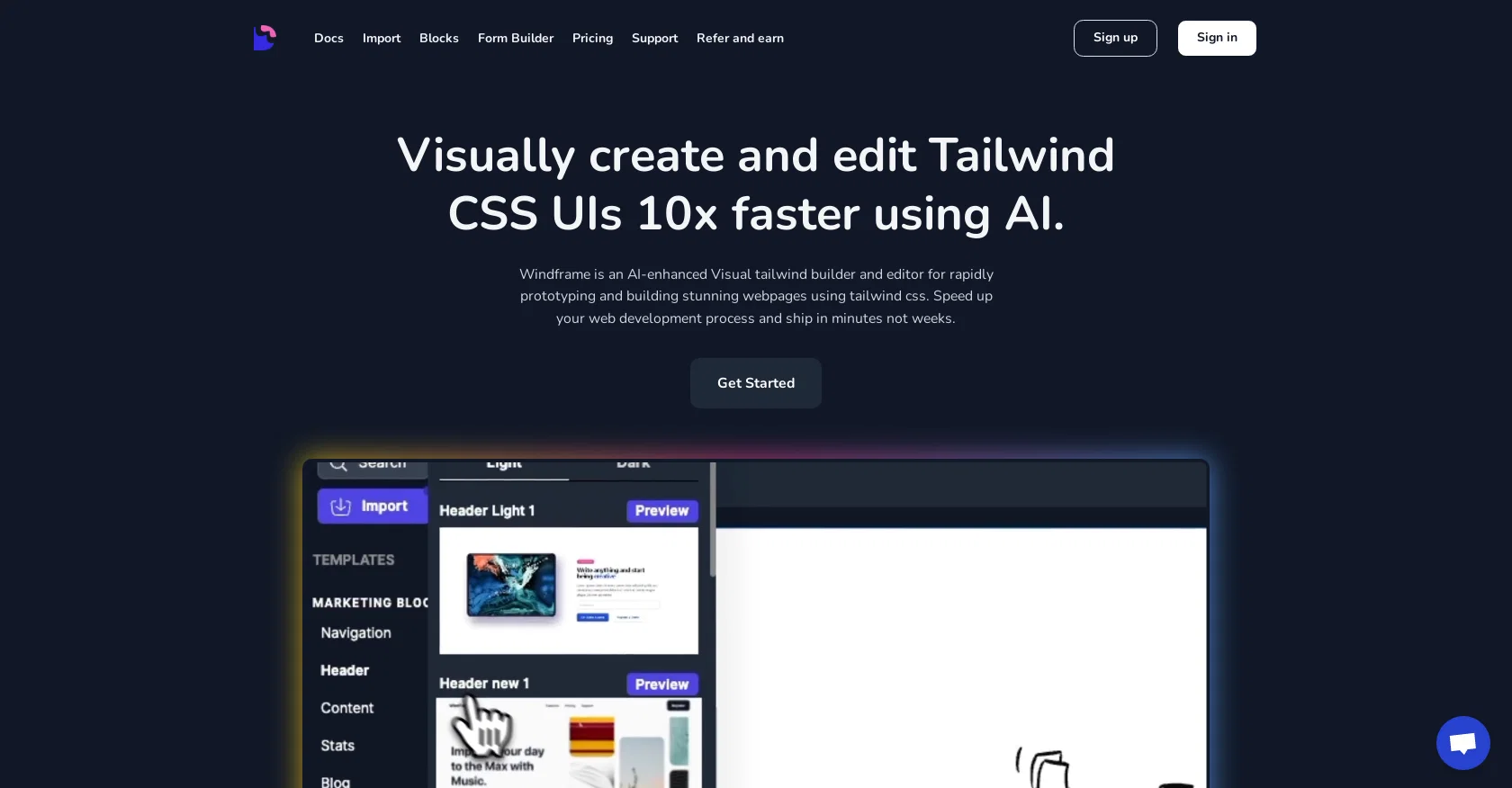
Windframe is an AI-enhanced visual builder and editor for rapidly prototyping and building stunning webpages using Tailwind CSS. It allows users to visually create and edit Tailwind CSS UIs up to 10 times faster using AI. With Windframe, users can build webpages from scratch or select from a directory of over 800 prebuilt Tailwind CSS templates. These templates are professionally crafted for various needs such as landing, SaaS, portfolio, and more, and are regularly updated.Users can preview their designs in the builder to see how they render on a webpage and easily save them for future editing. Windframe also enables users to export their designs to different formats like HTML, React, or Vue, making it easy to use in their own projects. The tool also features Windframe AI, which helps users generate and edit UIs in seconds, ensuring design consistency across projects and saving time.Importing custom templates, components, and projects is seamless in Windframe, allowing users to edit them visually with an intuitive interface. The tool is also ideal for building dashboards and admin web apps using Tailwind CSS, with customizable widgets and charts available. Windframe's segmented classes view makes working with Tailwind classes more efficient, and its responsive design feature allows for rendering designs on various screen sizes and selecting specific styles for each screen.Overall, Windframe is designed to speed up web development processes, save countless hours of coding and designing, and improve work productivity for developers, startups, and agencies. Help other people by letting them know if this AI was useful. Add your own prompts and outputs to help others understand how to use this AI.
When considering Windframe for integration into your organizational workflow, we recommend deploying a structured score card across three critical operational pillars: Security & Compliance, Integration Friction, and long-term Price Scalability. Rather than looking only at basic feature lists, modern procurement teams must assess how a software platform behaves under high load and how well it fits into the team's data security guidelines.
Depending on your operating region and field, ensure that Windframe supports standard security layers such as SOC 2 Type II certifications, GDPR compliance, or HIPAA-compliant database encryption. If the tool connects directly to client database tables or handles user passwords, verify that they implement multi-factor authentication (MFA), single sign-on (SSO) integrations, and end-to-end data encryption in transit and at rest.
Siloed data is the primary cause of operational friction. Evaluate if Windframe has native connectors for your current project trackers, messaging hubs, and customer communication channels. For custom developer requirements, check if they provide a fully documented REST API with reasonable rate limits, comprehensive Webhooks support, and robust SDK packages in your language. A flexible API layer saves hundreds of hours of manual copy-paste overhead.
SaaS pricing packages are often deceptively simple. When reviewing Windframe's billing structure, map out your team's projected expansion over the next 12 to 24 months. Determine how costs scale as your customer database increases or as you add team members. Factor in setup costs, mandatory support plan upgrades, API access fees, and storage overage rates to understand the true cost before committing to a contract.
By combining verified user reviews from our directory with internal workflow pilot tests, your procurement team can make an informed decision that drives productivity without creating capital waste.
Overall rating
Based on 18 reviews
filters my spam calls
Robin Haw
At first glance, this will save me hours of keyword research. I can't wait for the pro plan to be released to get access to more keywords. Much more user-friendly than traditional keyword research tools
Enzo Snyman
I've been playing around with this for a few hours. It's made me say "WOW" too many times than i wish to admit. I'm going to follow this and see how it evolves. For now, i managed to create quite a nice Expenses app for personal use. | It did have some problems when it came to moving some components on other pages, but for how short the prompts it uses can be, it is really impressive. With some proper prompts it can generate some strong stuff.
Bernard
Isn't it intriguing how all three other reviews for this "website builder" share the exact same profile photo?
Desiree Miller
Zero GPT which is supposed to be covered detects it with 100% certainty. So... No.
Stephan Tual
Did not work, keeps on thinking
Frank van Tussenbroek
Really like how it finds connection in the content that I save. I don't think any other tool can do that.
amix ffx
It's sad to see people want to try your tool out but you have no free sample for them. This may be the best tool out there, but, as mentioned, going through with the AI for minutes to explain what you want, then being prompted to pay, without even knowing if it CAN create something, is discouraging. I hope we can get a free sample or preview at one point, im interested in this one.
Ron Jayson
An amazing app, I love the share feature and the comment section summaries
Silvia Cho
As the service was in beta-testing stage, I created there a dozen of AI-generated courses for free. I wanted to use them. Those courses remained in my account as they started subscription tiers. But recently I have found out that they were deleted. The support didn't answer to my e-mail at all.
Oldfag TV
No other tool quite like this, it's pretty straightforward. Needed to extract a long interview from YouTube and it extracted everything, providing it in different meaningful formats in less than two minutes. Awesome
Juan Sierra
Undetectable.wtf is better bypasses everything maintaining thee integrity of the text.
LiteEagle
B12 exceeded my expectations especially after I tried a few similar tools. Signing up took under a minute and because I offer a very specific set of services as a consultant, I didn't expect the AI to be able to capture my work, but it did a great job with creating content for me. I only had to make a few edits, add my bio, and was able to publish that same day. Now I get lots of compliments on my site and I've even tried their other tools like email marketing, which is great because the emails match my site's appearance. Overall I would recommend B12 as an effective, affordable, and easy to use website solution.
Katie G
You have the option to waitlist or you can login with your email/pass or google account. I chose google. Once inside you have a suite of tools but im sure when you go to publish you have to sign up for a paid plan. So if your looking for a free option it will be branded. Use at your own risk. Thanks
Col Cooper
I tried NovelGPT a template in @Agentgpt and it did an excellent job writing the first two episodes of my novel complete with character descriptions, setting,plot points and well I think you get the point. Great tool can't wait to see it out of beta.
Kelli Crose
O GPT faz uma análise melhor e mais personalizada.
Vinicius Vilela
As a technical entrepreneur, working with designers is often way too slow - when I have an idea, I want a prototype the same day - not days/weeks later. I created UX Canvas because I wanted a better way to communicate my UI/UX ideas to developers, without having to spend thousands on hiring UI/UX designers or opening Figma and spending days/hours manually creating, iterating on, and prototyping designs myself. UX Canvas unlocks the ability for anyone - technical or not - to rapidly prototype their design ideas and instantly share them with team members in minutes. If you can put your idea into words, you can design it. No design skills required. (Although they are helpful) The agent has the ability to do cool things like generate it’s own image assets to be used in the design, and you can even export your designs to clean React/Typescript code - so you can hand the code over to your developers (or other AI tools like Cursor, Windsurf, etc.) to bring your product idea to life. Try it for free and let me know what you think! https://@UXCanvas.ai
Mike Tromba
Thank you everyone for trying @1UI! If you haven't yet, give it a spin and use code ‘TAAFT’ to get $5 credits to try @1UI.
Jessin Sam s
Starting Price
Free plan available
Free tier available with optional paid upgrades.


