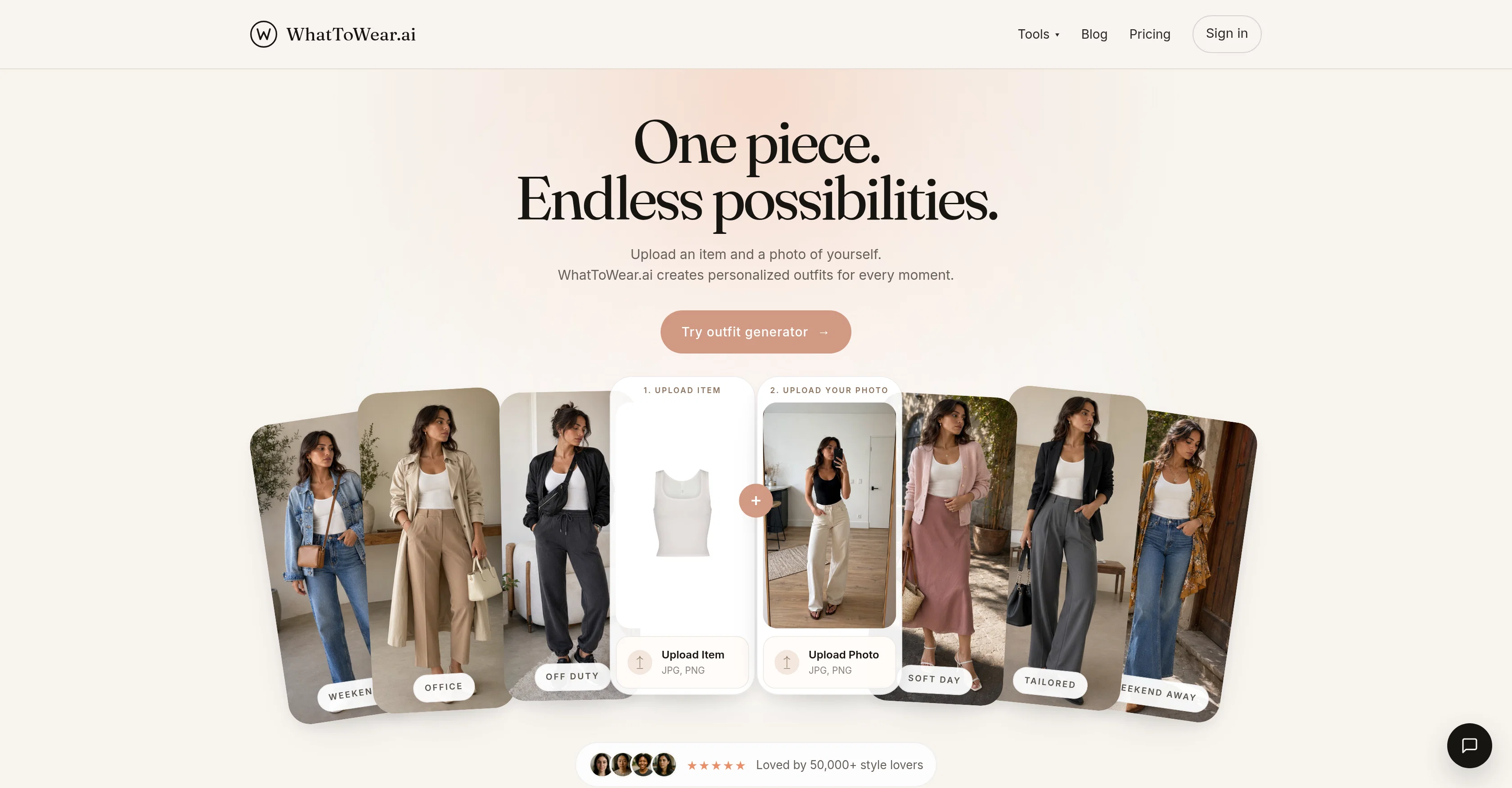
WhatToWear.ai is an artificial intelligence-powered tool designed to assist users with outfit choices. It aims to simplify styling decisions by generating personalized outfit suggestions based on the user's uploaded clothing item and full-body photo.
Users can explore this platform for various scenarios such as work, weekends, date night, travel, and everyday wear. Beyond just display of outfit ideas, WhatToWear.ai aims at providing wearable yet stylish looks that maintain balance and coherence in color, and place emphasis on proportion.
Through its 'Virtual Try-On' feature, users can envision how these outfits would look on them by uploading a clear, full-body picture of themselves. In the system, users can also find styling options categorized by garment type and color, and can choose to run the outfit generation in either 'Garment-only' or 'Person' mode.
The tool also offers resources like blogs and outfit guides to assist users in making more informed clothing decisions.
Help other people by letting them know if this AI was useful.
Add your own prompts and outputs to help others understand how to use this AI.
Screenshot gallery
Pros & Cons
Pros
+Personalized outfit suggestions
+Virtual Try-On feature
+Context-specific outfit generation
+Balance and coherence in color
+Emphasis on proportion
+Garment-only and Person mode
+Outfit guides and blogs
+Category-based styling options
+Event specific outfits
+Outfit balancing
+Educative styling content
+Multiple outfit looks
+Uploading multiple photo formats
+Analysis by dominant color
+Styled on personal photo
+Gender specific styling
+Informs about outfit proportions
+Offers styling notes
+Offers Restrain color palettes
+Guides on point of interest
+Aspirational and wearable outfits
+Personal color analysis
+Incorporates user's uploaded item
+Event-specific looks generation
+Style notes on wardrobe
+Style around one garment
+Multiple look generation
+Multi-purpose outfit ideas
+Operates on credits
+Outfit from one piece
Cons
−Requires full-body photo
−Not compatible with PDFs
−Limited outfit scenarios
−No video tutorials
−No mobile app available
−Requires item picture upload
−No multilingual support
−No HEIC compatibility
−Limits on outfit suggestions
−Two modes cost differently
A Professional Framework to Evaluate WhatToWear | Outfit Generator
When considering WhatToWear | Outfit Generator for integration into your organizational workflow, we recommend deploying a structured score card across three critical operational pillars: Security & Compliance, Integration Friction, and long-term Price Scalability. Rather than looking only at basic feature lists, modern procurement teams must assess how a software platform behaves under high load and how well it fits into the team's data security guidelines.
1. Security and Database Compliance
Depending on your operating region and field, ensure that WhatToWear | Outfit Generator supports standard security layers such as SOC 2 Type II certifications, GDPR compliance, or HIPAA-compliant database encryption. If the tool connects directly to client database tables or handles user passwords, verify that they implement multi-factor authentication (MFA), single sign-on (SSO) integrations, and end-to-end data encryption in transit and at rest.
2. API Coverage and Custom Integrations
Siloed data is the primary cause of operational friction. Evaluate if WhatToWear | Outfit Generator has native connectors for your current project trackers, messaging hubs, and customer communication channels. For custom developer requirements, check if they provide a fully documented REST API with reasonable rate limits, comprehensive Webhooks support, and robust SDK packages in your language. A flexible API layer saves hundreds of hours of manual copy-paste overhead.
3. Total Cost of Ownership (TCO)
SaaS pricing packages are often deceptively simple. When reviewing WhatToWear | Outfit Generator's billing structure, map out your team's projected expansion over the next 12 to 24 months. Determine how costs scale as your customer database increases or as you add team members. Factor in setup costs, mandatory support plan upgrades, API access fees, and storage overage rates to understand the true cost before committing to a contract.
By combining verified user reviews from our directory with internal workflow pilot tests, your procurement team can make an informed decision that drives productivity without creating capital waste.
Features of WhatToWear | Outfit Generator
Outfit Generator
Outfit Ideas
AI Fashion
Clothing Suggestions
AI Styling
Virtual Try On
Free + From $4.99/Mo
SaaS1to10 verified reviews for WhatToWear | Outfit Generator
Overall rating
★★★★★5.0
Based on 11 reviews
★★★★★5.02 months ago
“Review”
@GoAISong is an AI Song Creation Workspace for turning ideas, lyrics, stories, or owned audio into finished, downloadable songs. Create from text, use prompt libraries and examples, then unlock one selected track for watermark-free download, sharing, or commercial-use context under @GoAISong terms.
陈子歌
★★★★★5.02 months ago
“Review”
I am not sure if its working as when I gave the test and post that when I was trying to pay for the results it failed and is not loading the payment page.
Ishan Acharya
★★★★★5.02 months ago
“Review”
Hi TAAFT! I'm Henry, the founder of CartoMind. CartoMind offers a fully automated AI workflow to help you quickly organize text content and generate the perfect infographics to match. 【Why did I build this?】 When creating infographics with AI today, users are often forced to choose between two extremes. You either use generic AI image SaaS tools that trap you in complex prompt engineering and steep design learning curves with zero knowledge management, or you use products like NotebookLM. While they are fantastic for knowledge management, their infographic generation is just an afterthought, lacking design freedom and rich templates. 【Here is where CartoMind stands out:】 1. Lightweight knowledge & note management: We support uploading multiple file formats and automatically parsing text, allowing you to freely select the exact knowledge snippets you want to visualize. 2. Fully automated workflow: Based on your selected content, our AI automatically distills the key text elements and instantly matches you with the ideal infographic design from over 500 professional combinations. 3. Massive template library: A rich selection of infographic templates offering a true what-you-see-is-what-you-get experience. 【Who is using it?】 Marketers, educators, social media creators... In fact, anyone who needs to make their domain knowledge "visible" and loves to share it will find it incredibly useful. 【I can't wait for you all to try it out!】
Henry
★★★★★5.02 months ago
“Review”
Wow, so good
Neskwusss
★★★★★5.02 months ago
“Review”
@Choosaro makes it much easier to compare options and make decisions with more clarity. I like that it gives structured analysis, scores, reasoning, strengths and weaknesses, and a clear recommendation instead of a generic AI answer. Very useful for reducing overthinking and choosing the best option faster.
Olivia Grace
★★★★★5.02 months ago
“Review”
Ideal for stock-watchlist and not missing trade setups that correspond to my strategy.
Builder
★★★★★5.02 months ago
“Review”
I’ve been using Image Combiner for quick image blending tests, and it does exactly what I need without making the workflow complicated. The interface is clean, uploads are simple, and the generated combinations are useful enough to iterate on quickly.
ShanAIDev
★★★★★5.02 months ago
“Review”
I think it's the best @Image Generator I ever found on the net. It gives more accurate image according to the prompt. And thank you for keeping it for free.
My Sawsiri
★★★★★5.02 months ago
“Review”
love how it gives links to check out the clothes and lets you swap pieces if something's not your style. nice one right here
Vishav Jason
★★★★★5.02 months ago
“Review”
So do I have to take off all my clothes?
Kailash
★★★★★5.02 months ago
“Review”
tried it out on a few pics and the results were cleaner than expected. fun way to test outfit ideas without touching your closet. would be cool to get more theme variety in the free version tho.
Claudiu Florin
Pricing
Starting Price
Free plan available
Free tier available with optional paid upgrades.
Where can WhatToWear | Outfit Generator be deployed?