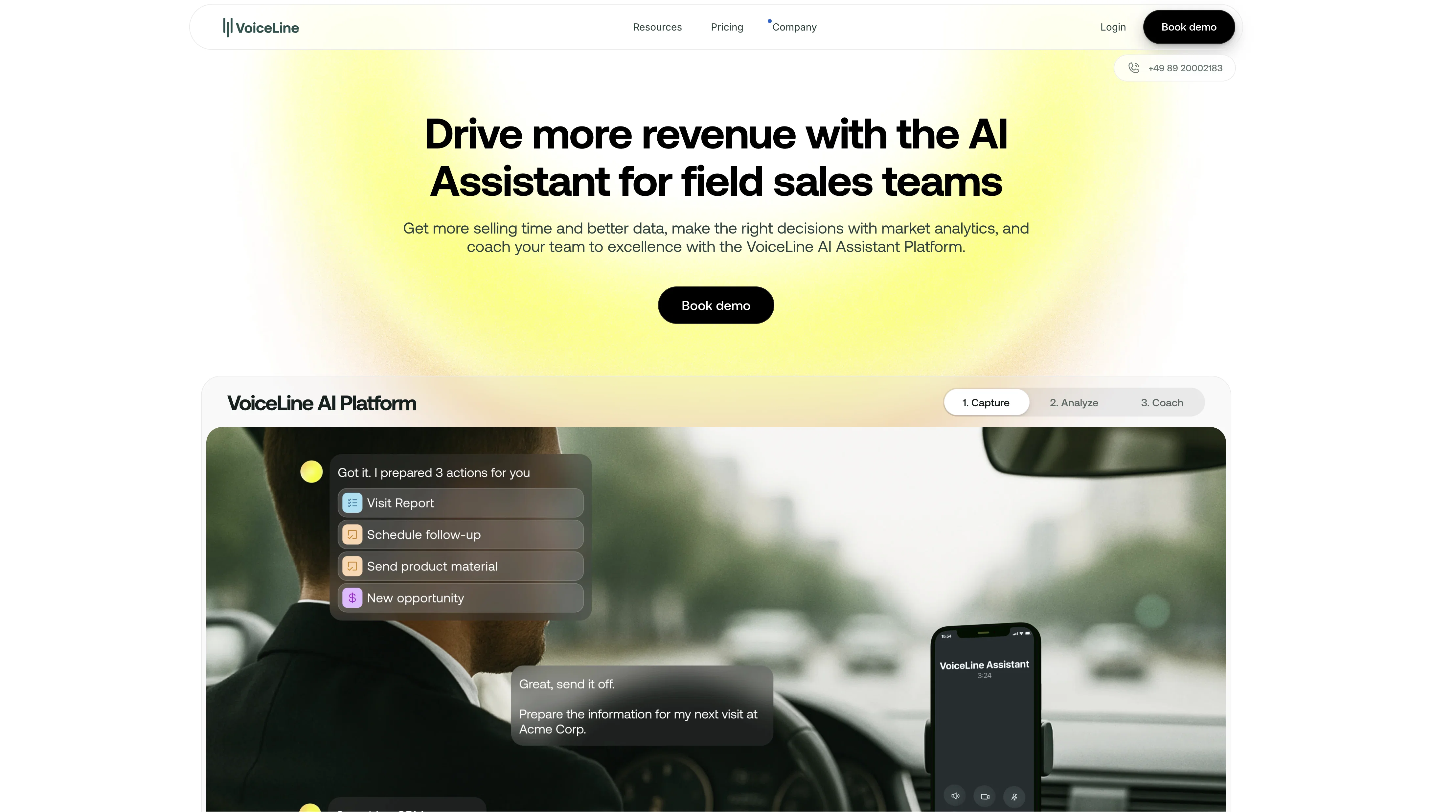
VoiceLine is an AI tool that allows users to record and drop voice notes directly into their daily tools, such as CRM, project management software, or shared documents.
VoiceLines are fully transcribed and summarized voice notes that offer better understanding, tone, and connection than text messages. The tool works on any device and is compatible with any tool on a desktop or mobile device.
VoiceLine provides users with ultimate control of all their asynchronous notifications through its VoiceLine Hub. The hub gives an instant overview of every VoiceLine sent or received.
VoiceLine unlocks communication, collaboration, knowledge sharing, and organizing across all applications. Users can give meaningful input remotely, accelerate documentation, debriefs and handover, capture ideas and tasks anywhere, replace meetings, and unblock their team using the tool.
VoiceLine also provides several features to enhance users' experience, including automatic transcription, interactive text, smart keywords, custom vocabulary, and noise cancellation.
The tool reduces feedback loops, saves time and makes idle time productive by allowing users to turn downtime into a time to work on the go. VoiceLine provides a free 14-day trial, is GDPR-compliant, and certified by DataGuard.
Help other people by letting them know if this AI was useful.
Add your own prompts and outputs to help others understand how to use this AI.
When considering VoiceLine for integration into your organizational workflow, we recommend deploying a structured score card across three critical operational pillars: Security & Compliance, Integration Friction, and long-term Price Scalability. Rather than looking only at basic feature lists, modern procurement teams must assess how a software platform behaves under high load and how well it fits into the team's data security guidelines.
1. Security and Database Compliance
Depending on your operating region and field, ensure that VoiceLine supports standard security layers such as SOC 2 Type II certifications, GDPR compliance, or HIPAA-compliant database encryption. If the tool connects directly to client database tables or handles user passwords, verify that they implement multi-factor authentication (MFA), single sign-on (SSO) integrations, and end-to-end data encryption in transit and at rest.
2. API Coverage and Custom Integrations
Siloed data is the primary cause of operational friction. Evaluate if VoiceLine has native connectors for your current project trackers, messaging hubs, and customer communication channels. For custom developer requirements, check if they provide a fully documented REST API with reasonable rate limits, comprehensive Webhooks support, and robust SDK packages in your language. A flexible API layer saves hundreds of hours of manual copy-paste overhead.
3. Total Cost of Ownership (TCO)
SaaS pricing packages are often deceptively simple. When reviewing VoiceLine's billing structure, map out your team's projected expansion over the next 12 to 24 months. Determine how costs scale as your customer database increases or as you add team members. Factor in setup costs, mandatory support plan upgrades, API access fees, and storage overage rates to understand the true cost before committing to a contract.
By combining verified user reviews from our directory with internal workflow pilot tests, your procurement team can make an informed decision that drives productivity without creating capital waste.
Features of VoiceLine
Speech To Text
Voice Transcription
Speech Recognition
Digital Transcription
Voice Processing
Communication
From $31.41/Mo
SaaS1to10 verified reviews for VoiceLine
Overall rating
★★★★★5.0
Based on 19 reviews
★★★★★5.02 months ago
“Review”
@Voiser is an exceptional platform that seamlessly bridges the gap between text and speech. What sets @Voiser apart is its user-friendly interface and the versatility it offers. Whether you're looking to convert written content into speech or vice versa, the platform's intuitive design ensures a smooth and efficient experience.
Hafzullah
★★★★★5.02 months ago
“Review”
Amazing tool
Francisco Angel V
★★★★★5.02 months ago
“Review”
Instead of paying for chat-gpt, I use this for free. It's the same, and it has more abilities.
Kevin S
★★★★★5.02 months ago
“Review”
Beautiful//videos
Tanu singh
★★★★★5.02 months ago
“Review”
Amazing, fast
Leonel Curra
★★★★★5.02 months ago
“Review”
I've tried to find the exact articles via WoS, Google, or Scopus. Despite using a very advised and complicated search query, it was just a waste of time. Perplexity didn't help either. The Jenni AI, which may add useful links when generating text, finds nothing but trash. SciScape gave exactly what I needed from the first query! A couple of fresh relative articles with very exact topics!
Elijah
★★★★★5.02 months ago
“Review”
It seems to be working fine right now. Maybe try again and double check if you’re using the book’s original or most recognized title. That might make a difference.
Alexandru Bostina
★★★★★5.02 months ago
“Review”
Such an impressive platform for all of us who are looking for more efficient ways to do the investigation. @OpenRead has the potential to solve our problems.
Zhuohang Tong
★★★★★5.02 months ago
“Review”
I tried using it but the website has too many bugs.
João Neiva
★★★★★5.02 months ago
“Review”
As the service was in beta-testing stage, I created there a dozen of AI-generated courses for free. I wanted to use them. Those courses remained in my account as they started subscription tiers. But recently I have found out that they were deleted. The support didn't answer to my e-mail at all.
Oldfag TV
★★★★★5.02 months ago
“Review”
@FineVoice Video to Audio feature is now live. Generate high-quality sound effects and music that perfectly matches the visuals, actions, and environment in your videos.
Fineshare
★★★★★5.02 months ago
“Review”
Nice interface, but no good at PDF answers, especially tables data.
hifive szu
★★★★★5.02 months ago
“Review”
An amazing app, I love the share feature and the comment section summaries
Silvia Cho
★★★★★5.02 months ago
“Review”
paid and stuff and not that good
Max Adventures
★★★★★5.02 months ago
“Review”
Really amazing! Makes learning content and engaging with things so much easier!
Jamie McDonald
★★★★★5.02 months ago
“Review”
While it does write your notes it only transcribes no audio. and it doesn’t even allow for you to update the title or a description of the recording. Lastly, the section items section doesn’t work.
Robert Taylor
★★★★★5.02 months ago
“Review”
Save the time!
Asrul Hanafi
★★★★★5.02 months ago
“Review”
Probably the best class lecture focused note taking I've seen yet. But the prices are steep and only given 30 free minutes a month.
Blake Hawthorne
★★★★★5.02 months ago
“Review”
@Slax Note is extremely user - friendly. Even the elderly can use it. One - click recording is so simple. The whole process, from recording to sharing, is a breeze.
Pan Zane
Pricing
Starting Price
From $14.00/user/month
Pricing may vary based on team size and features selected.