5.02 months ago
“Review”
I tried using it but the website has too many bugs.
João Neiva

Transform low-res videos into high-quality masterpieces.
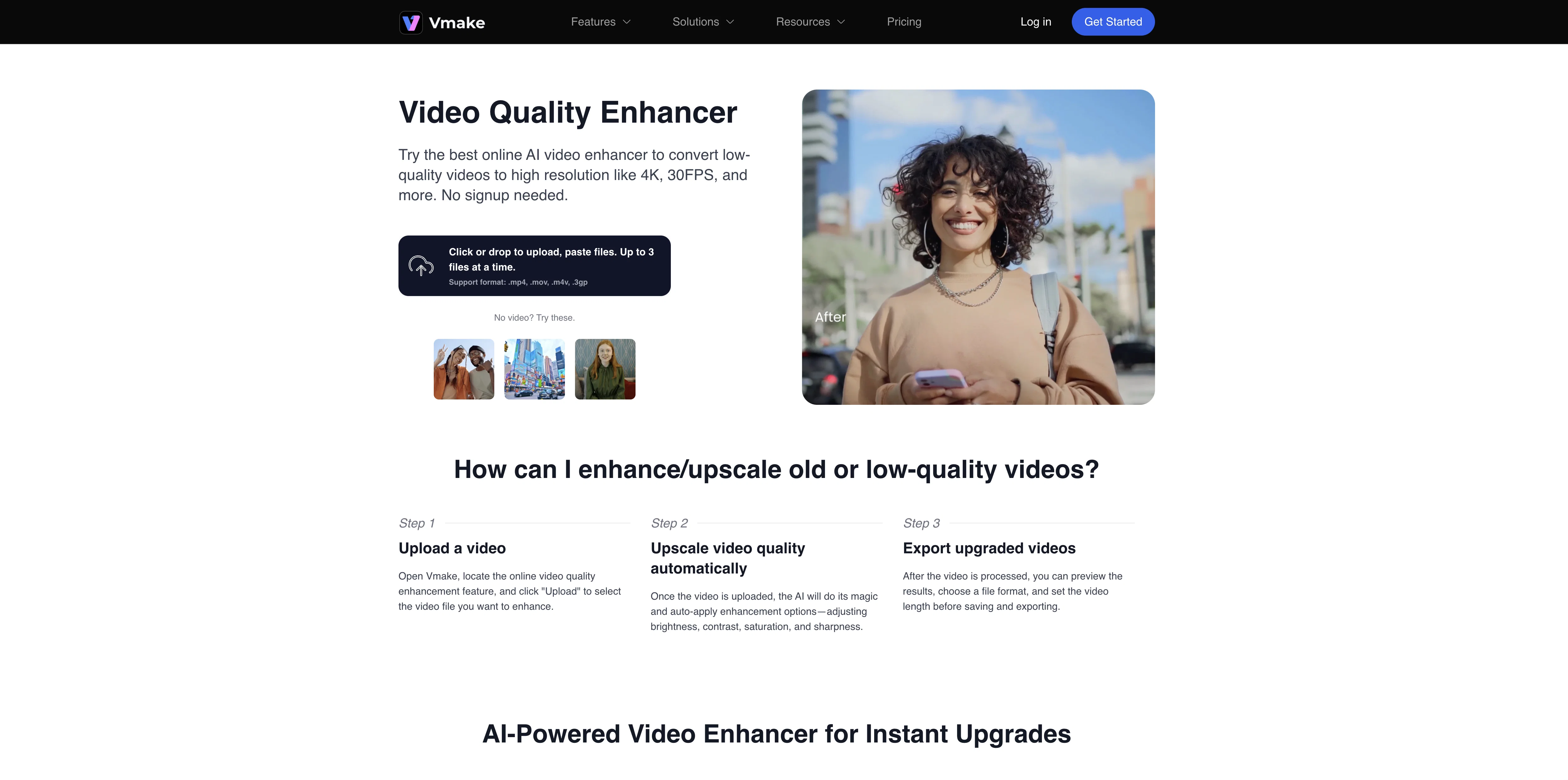
The Vmake AI Video Enhancer tool is designed to enhance the quality of videos by converting low-resolution content into a high-quality format. Alongside restoring old or blurry materials, the tool can also optimize videos to potentially high standards up to and including 4K and 30FPS. Vmake's AI Video Enhancer accepts multiple file types such as .mp4, .mov, .m4v and .3gp. Users can easily upload up to 3 files at a time for enhancement via a straightforward process. After uploading the video, the AI algorithm auto-applies enhancements, adjusting key attributes such as brightness, contrast, saturation and sharpness. It previews the upgraded quality of the video, allowing users to choose their desired final format and video length before saving and exporting the finished product. This tool can be useful for a range of applications, from boosting audience engagement through enhanced video quality, to creating a more professional look to the content which can help reinforce brand reputation. Help other people by letting them know if this AI was useful. Add your own prompts and outputs to help others understand how to use this AI.
When considering Vmake Video Enhancer for integration into your organizational workflow, we recommend deploying a structured score card across three critical operational pillars: Security & Compliance, Integration Friction, and long-term Price Scalability. Rather than looking only at basic feature lists, modern procurement teams must assess how a software platform behaves under high load and how well it fits into the team's data security guidelines.
Depending on your operating region and field, ensure that Vmake Video Enhancer supports standard security layers such as SOC 2 Type II certifications, GDPR compliance, or HIPAA-compliant database encryption. If the tool connects directly to client database tables or handles user passwords, verify that they implement multi-factor authentication (MFA), single sign-on (SSO) integrations, and end-to-end data encryption in transit and at rest.
Siloed data is the primary cause of operational friction. Evaluate if Vmake Video Enhancer has native connectors for your current project trackers, messaging hubs, and customer communication channels. For custom developer requirements, check if they provide a fully documented REST API with reasonable rate limits, comprehensive Webhooks support, and robust SDK packages in your language. A flexible API layer saves hundreds of hours of manual copy-paste overhead.
SaaS pricing packages are often deceptively simple. When reviewing Vmake Video Enhancer's billing structure, map out your team's projected expansion over the next 12 to 24 months. Determine how costs scale as your customer database increases or as you add team members. Factor in setup costs, mandatory support plan upgrades, API access fees, and storage overage rates to understand the true cost before committing to a contract.
By combining verified user reviews from our directory with internal workflow pilot tests, your procurement team can make an informed decision that drives productivity without creating capital waste.
Overall rating
Based on 22 reviews
I tried using it but the website has too many bugs.
João Neiva
It is interesting, AI can provide you great answers as long as you know the right questions. Experts and professionals such as attorneys are the ones who understand the right questions to ask. This app comes with preloaded nuanced questions on specific legal issues and guides the business user towards client intelligence on that issue. Brilliant.
Enrico Schaefer
@KeywordSearch creates AI Ad Targeting audiences for YouTube
Aleric Heck
Free Start with a Free Experience $0 /mo
Vitus Bering
I’ve tried many AI writing tools in the past, but this one actually delivers content that sounds human and ranks. I love how you can create a full SEO blog post with just a keyword… and it’s ready to publish in one click. That saves me so much time. Also, small win for the wallet — use code FSL25 to get 25% off on any plan. Definitely helped me out when testing it for the first time. 👍 Hope this helps someone else who’s been struggling like I was!
Jason
An amazing app, I love the share feature and the comment section summaries
Silvia Cho
Really amazing! Makes learning content and engaging with things so much easier!
Jamie McDonald
This is phenomenal. I demo it in my sessions all the time.
Beth Ziesenis
I completely agree with the previous comment. I first purchased the $5 package and then upgraded to the Pro package, hoping to create videos longer than 3.5 minutes. However, I was disappointed to find out that I needed to purchase the $99 package to create longer videos. It was not clear that the 5000 characters of script only equated to 3.5 minutes of video. To make things worse, the company has a strict no-refund policy, which feels unfair. They seem more focused on taking your money than providing quality service. I would highly recommend avoiding this service at all costs.
Yannis P.
As the service was in beta-testing stage, I created there a dozen of AI-generated courses for free. I wanted to use them. Those courses remained in my account as they started subscription tiers. But recently I have found out that they were deleted. The support didn't answer to my e-mail at all.
Oldfag TV
O GPT faz uma análise melhor e mais personalizada.
Vinicius Vilela
It's not free, it forces you to input an email before shoving a price tag in your face.
Arvoly XSL
Very nice tool for storyboarding. The process is streamlined and it's a real time saver! The tool has also a lot of features to specify shots for comprehensive settings which is a must for complex projects!
Sophie Normand
i edited my picture twice because the first time it randomly got deleted. second time i did everything and i pressed download but nothing happened, after repeatedly trying it didn’t work in the end. regardless very good editing tool (fyi you can’t download high res pic without paying)
Georg
I love it, this software surprisingly colors my black and white family video images and fits this video perfectly. The effect is so stunning.
Harney Zheng
It works well on video upscaling. I can fix my blurry old videos.
Cuiyun Luo
Nice tool, easy to use
Your Papa
Not even close to being worth the heavy pricing.
foodisgood
Excellent to restore old interlaced video, and to add FPS in order to make the motion smooth. The best part is that is accessible in browser, from any device, no equipment request.
Sanja Trbojević Montina
Thank you for your support. We value your feedback. If you have any questions or suggestions, please send us your feedback.
picsman
PLIS ! LET ME UPLOAD MORE FOR FREE ! THIS IS REALLY NICE AND I ENJOY IT ! COOL TOOL !!
Dara Mason
The best immage extending i have seen yet
Jászon Vászon
Starting Price
Free plan available
Free tier available with optional paid upgrades.


