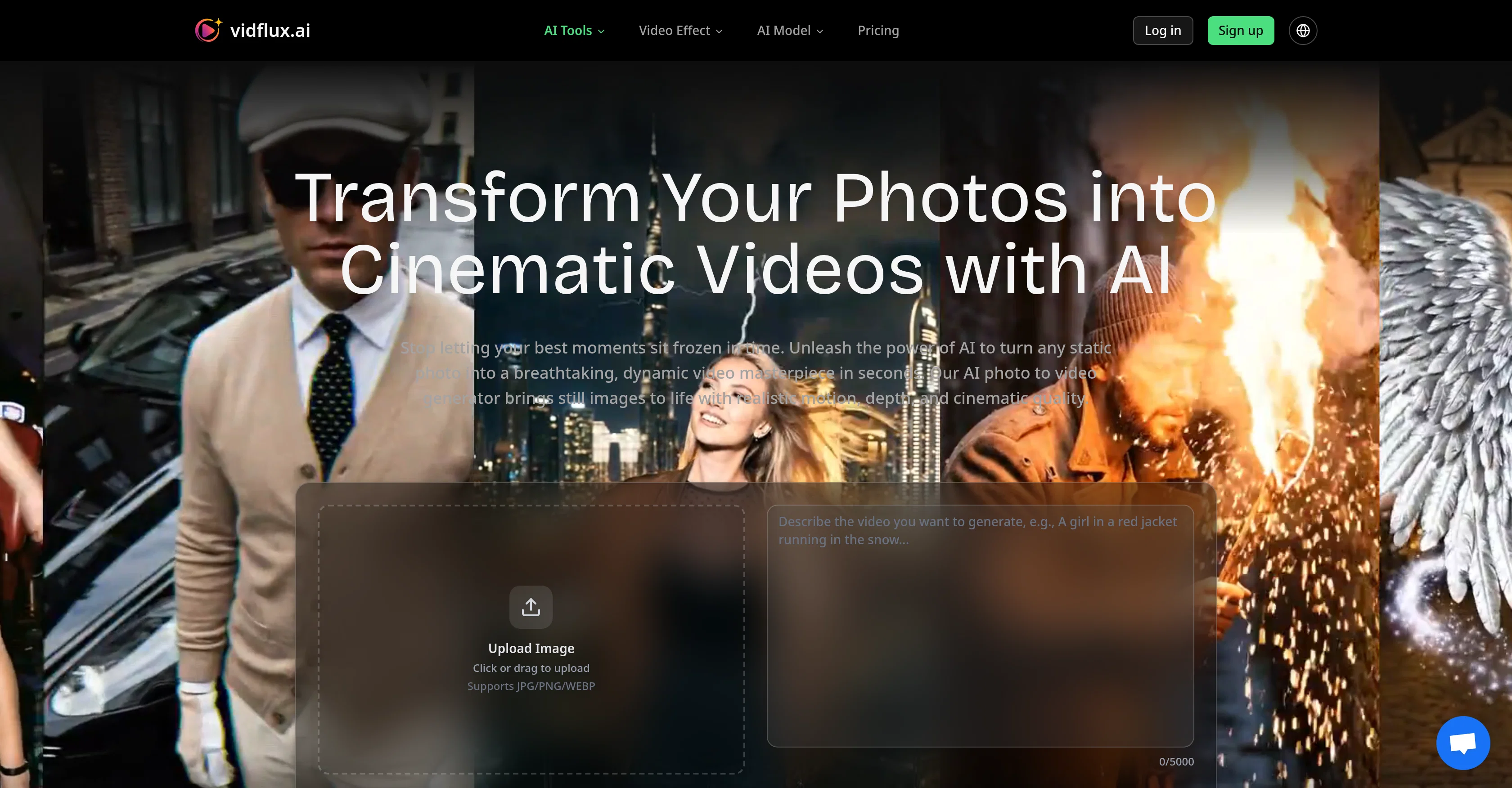
The AI Photo to Video Generator is a tool designed to bring static photos to life, transforming them into dynamic, cinematic videos with realistic motion and depth.
The system intelligently analyzes your photo and generates smooth, lifelike motion that adds profound depth to flat images. This tool is powered by advanced AI models, providing high-definition clarity and multiple resolution options.
The platform is designed to be easy to use. Users simply upload a high-quality image, guide the AI with a text description, and generate their video, which can be up to 15 seconds long and downloaded in MP4 format.
It supports different aspect ratios and offers advanced features for professional content creators, such as AI-powered motion understanding for realistic animation and a flexible credit system.
This tool can be particularly useful in a variety of industries, such as e-commerce, social media content creation, digital art, historical archives preservation, marketing and advertising, and real estate and architecture, adding depth and motion to the visuals used in these fields.
✨ New: Seedance 2 Mini Model
Better quality. Lower cost. Now available for AI video generation.
✨ New: Gemini Omni Model
Generate more realistic videos with improved creativity, motion quality, and scene coherence.
Now available alongside Veo, Kling, Grok Imagine, Wan, and Seedance models.
✨ New: Seedance 2 Model
Experience higher quality, better facial consistency, and smoother motion.
Also supports Veo, Kling, Grok Imagine, Wan, and more models.
✨ New: AI Prompt Generation
Instantly create optimized prompts for better results across Veo, Kling,Grok imagine , Wan, and Seedance.
✨ New: Edit images before video generation
Better results across Veo, Kling, Sora, Wan, and Seedance
🚀 Added Kling 3 for video generation.
Improved video generation experience for Wan 2.6, Veo 3.1, Seedance 1.5, Grok Imagine, and Sora 2.
Supports generating multiple videos at the same time.
Help other people by letting them know if this AI was useful.
Add your own prompts and outputs to help others understand how to use this AI.
Screenshot gallery
Pros & Cons
Pros
+Transforms photos into videos
+Cinematic quality motion
+High resolution videos
+15 seconds video generation
+Outputs video in MP4
+Multiple resolution options
+Supports various aspect ratios
+Advanced features for professionals
+E-commerce application
+Social media content creation
+Applicable for digital art
+Preserves historical archives
+Useful for marketers
+Advertising tool
+Useful in real estate
+Useful in architecture
+Easy to use
+Flexible credit system
+Photo Animation
+Platform supports different ratios
+Intelligent motion generation
+High-definition clarity
+Credit system for payment
+Supports JPG/PNG/WEBP
+Adjustable video length
+Video sharing on any platform
+Supports 16:9, 9:16, 1:1 ratios
+Intuitive user interface
+Supports 1080p resolution
+Suitable for individual and professional use
+Generate 3D product showcases
+Generate scroll-stopping Reels and TikToks
+Revive historical black-and-white portraits
+Generate dynamic ad content
+Virtual property walkthroughs
+Generate up to 220 videos
+No watermark on videos
+Commercial usage rights
+Priority support for Pro users
+Dedicated support for studio users
+Simple and powerful interface
+Fast video generation
+Multi industry use cases
Cons
−Limited to 15 seconds
−Video output only MP4
−Requires high-quality image
−Manual text prompt needed
−Limited resolution options
−No support for audio
−Cost per use within credit system
−Possible watermark on outputs
−Aspect ratios may be limited
A Professional Framework to Evaluate VidFlux - Photo to Video Generatorv1.7.0
When considering VidFlux - Photo to Video Generatorv1.7.0 for integration into your organizational workflow, we recommend deploying a structured score card across three critical operational pillars: Security & Compliance, Integration Friction, and long-term Price Scalability. Rather than looking only at basic feature lists, modern procurement teams must assess how a software platform behaves under high load and how well it fits into the team's data security guidelines.
1. Security and Database Compliance
Depending on your operating region and field, ensure that VidFlux - Photo to Video Generatorv1.7.0 supports standard security layers such as SOC 2 Type II certifications, GDPR compliance, or HIPAA-compliant database encryption. If the tool connects directly to client database tables or handles user passwords, verify that they implement multi-factor authentication (MFA), single sign-on (SSO) integrations, and end-to-end data encryption in transit and at rest.
2. API Coverage and Custom Integrations
Siloed data is the primary cause of operational friction. Evaluate if VidFlux - Photo to Video Generatorv1.7.0 has native connectors for your current project trackers, messaging hubs, and customer communication channels. For custom developer requirements, check if they provide a fully documented REST API with reasonable rate limits, comprehensive Webhooks support, and robust SDK packages in your language. A flexible API layer saves hundreds of hours of manual copy-paste overhead.
3. Total Cost of Ownership (TCO)
SaaS pricing packages are often deceptively simple. When reviewing VidFlux - Photo to Video Generatorv1.7.0's billing structure, map out your team's projected expansion over the next 12 to 24 months. Determine how costs scale as your customer database increases or as you add team members. Factor in setup costs, mandatory support plan upgrades, API access fees, and storage overage rates to understand the true cost before committing to a contract.
By combining verified user reviews from our directory with internal workflow pilot tests, your procurement team can make an informed decision that drives productivity without creating capital waste.
Features of VidFlux - Photo to Video Generatorv1.7.0
Photo To Video
Realistic Animation
AI Video Generation
AI Video Generator
Image Animation
Cinematic Videos
From $6.75/Mo
SaaS1to10 verified reviews for VidFlux - Photo to Video Generatorv1.7.0
Overall rating
★★★★★5.0
Based on 24 reviews
★★★★★5.02 months ago
“Review”
Thank you very much Jennifer, it is very cool and fun what is possible to do with imagination today, things that were previously imaginable become possible in seconds. Thank you very much for liking my tool, I daily publish things that I see and have to transfer from my imagination to the tool.
nilton Jr
★★★★★5.02 months ago
“Review”
Such a great place to start out!
Helli Lang
★★★★★5.02 months ago
“Review”
This tool i found is super cool, I created 5 books from this tool to sell them online, which gives me great profit. I am creating more valuable books to spread knowledge, and earn some bucks as well 🤑.
Bilal Ashraf
★★★★★5.02 months ago
“Review”
Free Start with a Free Experience $0 /mo
Vitus Bering
★★★★★5.02 months ago
“Review”
B12 exceeded my expectations especially after I tried a few similar tools. Signing up took under a minute and because I offer a very specific set of services as a consultant, I didn't expect the AI to be able to capture my work, but it did a great job with creating content for me. I only had to make a few edits, add my bio, and was able to publish that same day. Now I get lots of compliments on my site and I've even tried their other tools like email marketing, which is great because the emails match my site's appearance. Overall I would recommend B12 as an effective, affordable, and easy to use website solution.
Katie G
★★★★★5.02 months ago
“Review”
It's not free, it forces you to input an email before shoving a price tag in your face.
Arvoly XSL
★★★★★5.02 months ago
“Review”
Needs to learn about different art schools, imo: doesn’t seem to understand the concept of cubism.
Catherine Karaguézian
★★★★★5.02 months ago
“Review”
I like it but sometimes it changes some features in somone
Cherry
★★★★★5.02 months ago
“Review”
I really have fun with this.
Kimberly Campbell
★★★★★5.02 months ago
“Review”
🌟🌟🌟🌟🌟 This AI prompt generation tool is exceptional! It vividly brought to life the jungle scene I envisioned, capturing every detail with remarkable accuracy. The natural expressions, vibrant colors, and serene atmosphere were perfectly rendered. Highly recommended for creative projects!
Sukul Das PANIKA
★★★★★5.02 months ago
“Review”
nice holistic
Amit ImmI
★★★★★5.02 months ago
“Review”
I got some top quality results after learning how to prompt songs 🤩
Claes Lanng
★★★★★5.02 months ago
“Review”
still background removing accuracy is required. it only 80% not 100%
Krutika Creations
★★★★★5.02 months ago
“Review”
I think it's the best @Image Generator I ever found on the net. It gives more accurate image according to the prompt. And thank you for keeping it for free.
My Sawsiri
★★★★★5.02 months ago
“Review”
Not at all accurate…. The only thing similar between original and generated images were the clothes and accessories… face was absolutely new and unconnected.
Shvetank Sharma
★★★★★5.02 months ago
“Review”
Thanks for the support! If you have any questions or feature requests, feel free to reach out anytime 🙌
vidflux
★★★★★5.02 months ago
“Review”
There are tons of video generation models to choose from, which really helped solve my problem. I also love that I can try it for free before paying. Overall, it’s super useful and works great. 👍
Mykhailo Toğjan
★★★★★5.02 months ago
“Review”
Many models available, cost effective
Linda
★★★★★5.02 months ago
“Review”
Only app I could create video for free! Thanks
7even
★★★★★5.02 months ago
“Review”
I mainly used Himedia AI for image creation and got surprisingly realistic outputs. Prompt control feels intuitive compared with some other tools.
KoooU
★★★★★5.02 months ago
“Review”
Many ai models help me create videos I love
long ff
★★★★★5.02 months ago
“Review”
Requires previous login, not fully free
Elenimotoon
★★★★★5.02 months ago
“Review”
Feels illegal to be this early, quick run with @Grok Imagine: great for teaser bits. The image-to-video pass holds up for shorts ~6s loops with decent motion and sound sync. Style range is solid. Access sits behind the Grok sub on mobile, so not fully free and I’d love longer clips!
Herbert Kemp
★★★★★5.02 months ago
“Review”
a friend sent me this the other day. veo, grok, seedance all run from one upload and it's actually fast. ui doesn't fight me. no complaints.
owen_reeves
Pricing
Starting Price
From $17.00/user/month
Pricing may vary based on team size and features selected.
Where can VidFlux - Photo to Video Generatorv1.7.0 be deployed?