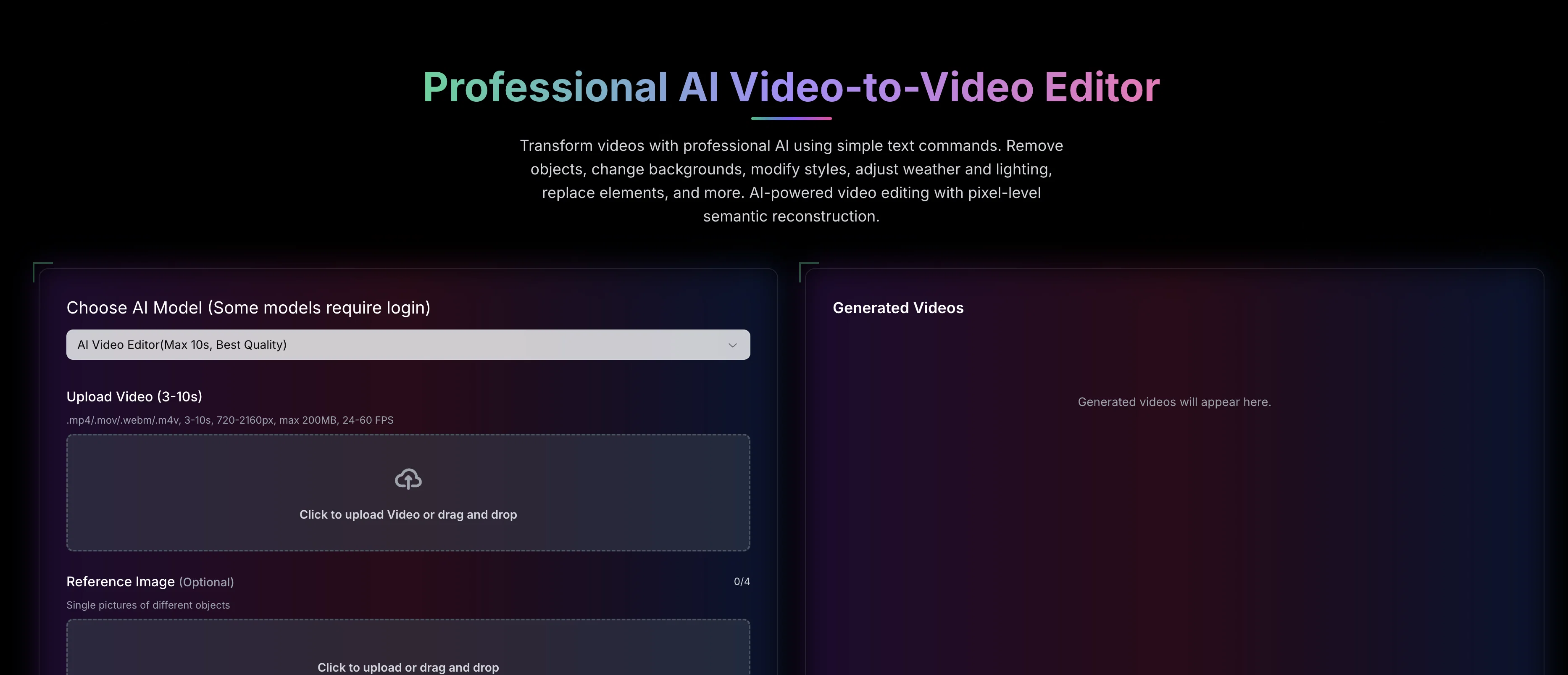
Video to Video AI is a sophisticated AI video editing tool that allows users to transform videos using simple text commands. The tool can perform various modifications such as removal of objects, background changes, style adjustments, weather and lighting alterations, and element replacements, among others.
It leverages artificial intelligence technology to perform pixel-level semantic reconstruction to provide precise and effective edits. Users can also adjust camera angles and facilitate intelligent and seamless transformations swiftly.
The tool supports multiple video formats such as .mp4, .mov, .webm, .m4v and maintains video qualities ranging from 720-2160px for uploads. The capabilities of the tool extend to character replacement, clothing swap, recoloring elements, artistic style transfer, and weather modifications, providing a diverse range of video editing options.
Furthermore, the tool's advanced semantic reconstruction engine allows for natural language understanding and pixel-level semantic reconstruction to perform context-aware modifications based on user commands.
Lastly, the tool maintains high-quality output, supports private videos, and offers priority generation, making it a comprehensive solution for AI-powered video editing.
Help other people by letting them know if this AI was useful.
Add your own prompts and outputs to help others understand how to use this AI.
Screenshot gallery
Pros & Cons
Pros
+Modify video with text commands
+Object removal feature
+Background alteration
+Style modification available
+Lighting adjustment
+Element replacement
+Operates at pixel-level
+Semantic video reconstruction
+Character replacement feature
+Clothing swap functionality
+Recolouring objects
+Implementation of artistic styles
+Atmospheric condition modification
+Multi-frame modifications
+Supports professional and casual use
+Video format support: .mp4, .mov, .webm, .m4v
+Maintains video quality from 720-2160px
+Natural language understanding
+High quality output
+Private video support
+Priority generation
+Camera Angle Modification
+Supports multiple video formats
+Supports high-resolution uploads
+Supports private videos
+Transforms videos using simple commands
+Integrates natural language understanding
+Performs pixel-level semantic reconstruction
+Context-aware video editing
+Transforms wide range of video aspects
+Offers swift transformations
+Facilitates intelligent video editing
+Offers diverse video editing options
+Generates high-quality output
+Supports large video files
+Interactive transformations
+Supports different object styles
+Provides priority generation for quicker results
+Natural fabric simulation for clothing swap
+Selective color modification in recoloring
+Lighting preservation in recoloring
+Frame-accurate color matching
+Preserves original motion in character replacement
+Environment transformation support
+Movement-aware clothing adaptation
+Maintains body proportions in clothing swap
+Preserves original motion in style transfer
+Offers multiple style options
+Realistic weather effects in weather change
+Natural environment adaptation in weather change
+Seamless seasonal transformations
Cons
−Limited video formats support
−Video length constraint (3-10s)
−File size limit (200MB)
−Particular FPS range (24-60)
−Requires paid credits for usage
−No offline functionality
−Specific video resolution requirement
−Limited daily credits for free users
−Requires detailed reference images
−Pro model is expensive
A Professional Framework to Evaluate Video to Video AI
When considering Video to Video AI for integration into your organizational workflow, we recommend deploying a structured score card across three critical operational pillars: Security & Compliance, Integration Friction, and long-term Price Scalability. Rather than looking only at basic feature lists, modern procurement teams must assess how a software platform behaves under high load and how well it fits into the team's data security guidelines.
1. Security and Database Compliance
Depending on your operating region and field, ensure that Video to Video AI supports standard security layers such as SOC 2 Type II certifications, GDPR compliance, or HIPAA-compliant database encryption. If the tool connects directly to client database tables or handles user passwords, verify that they implement multi-factor authentication (MFA), single sign-on (SSO) integrations, and end-to-end data encryption in transit and at rest.
2. API Coverage and Custom Integrations
Siloed data is the primary cause of operational friction. Evaluate if Video to Video AI has native connectors for your current project trackers, messaging hubs, and customer communication channels. For custom developer requirements, check if they provide a fully documented REST API with reasonable rate limits, comprehensive Webhooks support, and robust SDK packages in your language. A flexible API layer saves hundreds of hours of manual copy-paste overhead.
3. Total Cost of Ownership (TCO)
SaaS pricing packages are often deceptively simple. When reviewing Video to Video AI's billing structure, map out your team's projected expansion over the next 12 to 24 months. Determine how costs scale as your customer database increases or as you add team members. Factor in setup costs, mandatory support plan upgrades, API access fees, and storage overage rates to understand the true cost before committing to a contract.
By combining verified user reviews from our directory with internal workflow pilot tests, your procurement team can make an informed decision that drives productivity without creating capital waste.
Features of Video to Video AI
Video To Video AI
AI Video Editing
Video Editing
AI Video Transformation
Natural Language Processing
Context Understanding
From $29.99/Mo
SaaS1to10 verified reviews for Video to Video AI
Overall rating
★★★★★5.0
Based on 18 reviews
★★★★★5.01 months ago
“Review”
I love this extension, mobile app and desktop software! I use it everyday and everywhere. Generated text are amazing. Well done to the team and continue your incredible work! For me, Voilà is the best AI assistant, copilot and AI writer on the market. I stopped my ChatGPT plus subscription since I discoverer it.
Lane Wood
★★★★★5.01 months ago
“Review”
Comprehensive course outlines, lessons, and assessments within seconds.
Sebastian Cognetta
★★★★★5.01 months ago
“Review”
For now the best browser based AI scraper i have ever used.
Jason Shirazi
★★★★★5.01 months ago
“Review”
Everything is working normally. Best,
Stefan Mitrovic
★★★★★5.01 months ago
“Review”
This tool finally helps me understand what makes a great prompt. It doesn't just give me a better version, it shows me to get there by analyzing why the original prompt is weak and showing what to improve. The difference this makes to the final AI output is incredible. An essential tool for getting more accurate and detailed results, Great Job!
Milo Quinn
★★★★★5.01 months ago
“Review”
Amazing title choices! I put in a title idea with a one sentence video description and got back amazing title options.
Caroline Flansbaum
★★★★★5.01 months ago
“Review”
tried @Veo 3 today and it honestly feels like a sneak peek into the future. one short prompt and it gave me a crisp 4K video with perfect audio and cinematic camera moves. not flawless yet, but wow.
Lark Cube
★★★★★5.01 months ago
“Review”
Reducing manual efforts in first-pass during code-review process helps speed up the "final check" before merging PRs
Sahil Mohan Bansal
★★★★★5.01 months ago
“Review”
Very interesting
Béatrice Duval
★★★★★5.01 months ago
“Review”
This tool i found is super cool, I created 5 books from this tool to sell them online, which gives me great profit. I am creating more valuable books to spread knowledge, and earn some bucks as well 🤑.
Bilal Ashraf
★★★★★5.01 months ago
“Review”
Suppppeeeeerrr! Wowwww! @Mindsmith is absolutely fantastic! It is incredibly useful, easy to use, and very professional.
Claudia Scilletta
★★★★★5.01 months ago
“Review”
nice holistic
Amit ImmI
★★★★★5.01 months ago
“Review”
It works surprisingly well. Clean plus you can actually try it first without having to drop money right away. helps if you are not sure it'll fit your needs. Solid stuff.
Tushar Ford
★★★★★5.01 months ago
“Review”
Speed is amazing ! I will definitely utilize the tool in the future for film generation
Derek Little
★★★★★5.01 months ago
“Review”
makes actually good clips
fourleafclover
★★★★★5.02 months ago
“Review”
Bro, @Captions is actually straight fire for short-form content. Script in, clean @Captions and edits out, and it makes talking-head clips feel way more polished in minutes. Big w for creators
Chris Studioz
★★★★★5.02 months ago
“Review”
Selamat siang saya akan membagikan tutorial gimana caranya mengedit video di aplikasi capcut
Rhyben Rinto
★★★★★5.02 months ago
“Review”
Video editing
Amrit kuli Amrit kuli
Pricing
Starting Price
From $22.00/user/month
Pricing may vary based on team size and features selected.