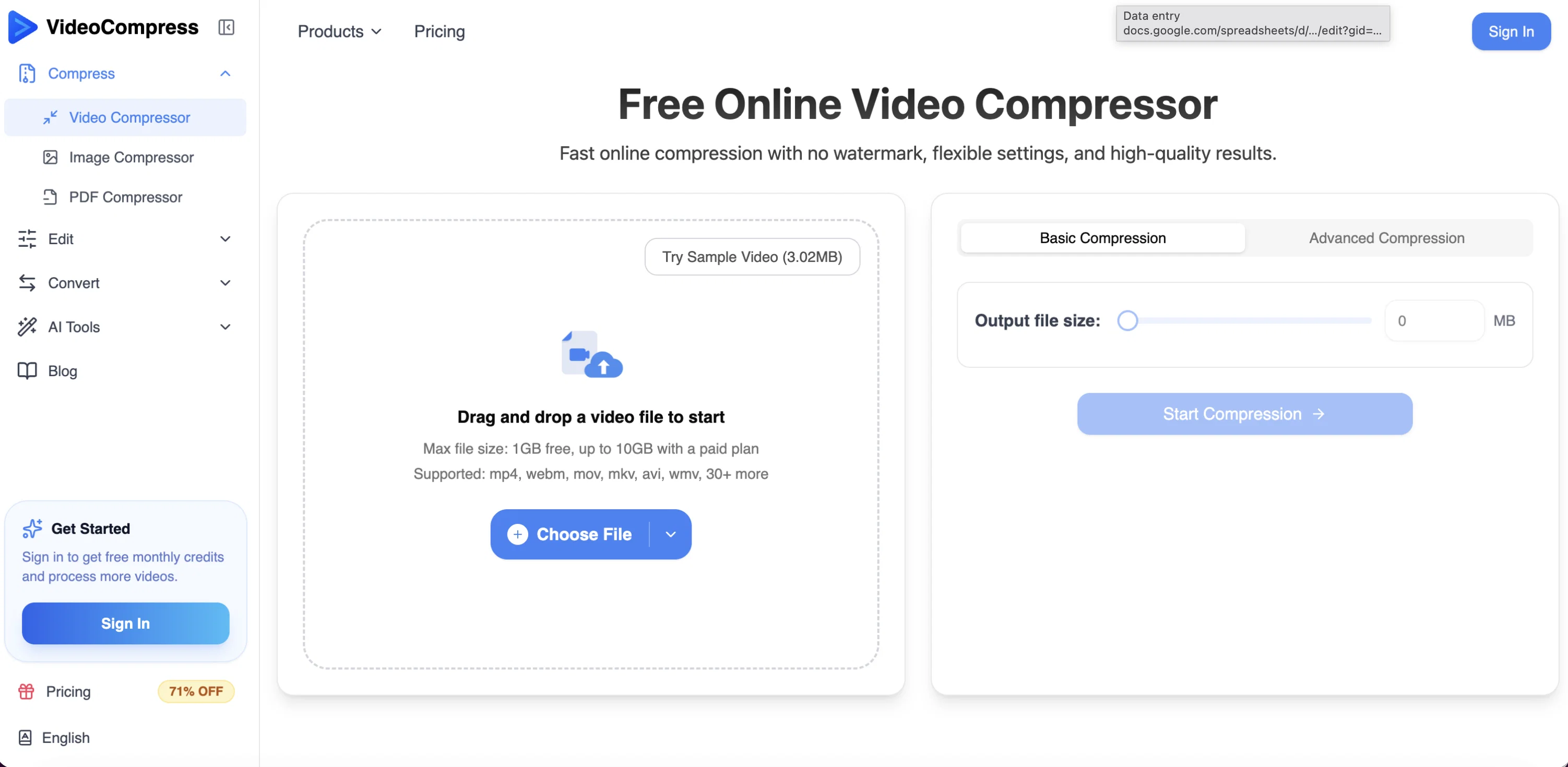
VideoCompress is an online video compression tool. Its key feature is to compress video files instantly and without restrictions, while maintaining the original quality.
This makes the tool useful for reducing file sizes for easier sharing, storage, and faster uploads. VideoCompress supports various video formats including MP4, AVI, MOV, and WMV, enabling mutual conversion between them.
It utilizes the latest H.265/HEVC encoding technology, which allows significant file size reduction without losing visual quality. The tool also provides multiple compression quality presets, which users can choose based on their needs.Apart from compressing video files, VideoCompress offers a real-time preview of the compression effects for quality assurance.
All video files are protected through end-to-end encryption during the upload, processing, and storage phases to ensure the privacy and security of the content.The tool operates using powerful cloud server processing capabilities, providing fast compression even for 4K ultra-high-definition videos, without occupying local resources.
VideoCompress provides a three step-process for video compression: users upload the video, select the compression mode, and download the optimized video.
Moreover, VideoCompress is lauded by users from different industries for its efficiency in video processing and its significant contribution in reducing storage costs and bandwidth usage.
Help other people by letting them know if this AI was useful.
Add your own prompts and outputs to help others understand how to use this AI.
Screenshot gallery
Pros & Cons
Pros
+Supports multiple formats
+Preserves original quality
+Advanced H.265/HEVC technology
+Unique compression algorithm
+Up to 80% reduction
+Secure end-to-end encryption
+Format conversion support
+Multiple quality presets
+User-friendly interface
+Real-time compression results preview
+Efficient cloud-based processing
+Compresses 4K UHD videos
+Improves upload speed
+Aids in sharing videos
+Saves storage space
+No restrictions
+Fast compression
+Supports MP4, AVI, MOV, WMV
+Real-time preview for quality assurance
+Three step compression process
+Reduces storage costs
+Reduces bandwidth usage
+Instance compression
+No usage limits
+No watermark
+Trusted by top companies
+Direct drag and drop feature
+Output in mp4 format
+Free to use
Cons
−Limited to online use
−Restricted to 2GB uploads
−Potential latency issues
−Reliance on stable internet
−No offline version
−Limited compression customization
−Dependent on cloud processing
−No mentioned batch processing
−File size limit
−No desktop application
A Professional Framework to Evaluate Video Compress AI
When considering Video Compress AI for integration into your organizational workflow, we recommend deploying a structured score card across three critical operational pillars: Security & Compliance, Integration Friction, and long-term Price Scalability. Rather than looking only at basic feature lists, modern procurement teams must assess how a software platform behaves under high load and how well it fits into the team's data security guidelines.
1. Security and Database Compliance
Depending on your operating region and field, ensure that Video Compress AI supports standard security layers such as SOC 2 Type II certifications, GDPR compliance, or HIPAA-compliant database encryption. If the tool connects directly to client database tables or handles user passwords, verify that they implement multi-factor authentication (MFA), single sign-on (SSO) integrations, and end-to-end data encryption in transit and at rest.
2. API Coverage and Custom Integrations
Siloed data is the primary cause of operational friction. Evaluate if Video Compress AI has native connectors for your current project trackers, messaging hubs, and customer communication channels. For custom developer requirements, check if they provide a fully documented REST API with reasonable rate limits, comprehensive Webhooks support, and robust SDK packages in your language. A flexible API layer saves hundreds of hours of manual copy-paste overhead.
3. Total Cost of Ownership (TCO)
SaaS pricing packages are often deceptively simple. When reviewing Video Compress AI's billing structure, map out your team's projected expansion over the next 12 to 24 months. Determine how costs scale as your customer database increases or as you add team members. Factor in setup costs, mandatory support plan upgrades, API access fees, and storage overage rates to understand the true cost before committing to a contract.
By combining verified user reviews from our directory with internal workflow pilot tests, your procurement team can make an informed decision that drives productivity without creating capital waste.
Features of Video Compress AI
Video Compression
File Size Reduction
Video Quality Preservation
Storage Efficiency
H265 HEVC Encoding
Video Format Conversion
Free
SaaS1to10 verified reviews for Video Compress AI
Overall rating
★★★★★5.0
Based on 16 reviews
★★★★★5.02 months ago
“Review”
The most humanly AI i have used so far but the problem is as soon as you start piling up messages in single chat session , it starts getting slow and at some point it starts freezing and also uses a lot of resources. For time being its okay to do 3 4 messages but as soon as we continue it has messages limitation and also starts getting very very slow . For the price of £18 per month this is unacceptable and with the newly introduced feature called project, if we start new chat within the project we cannot continue with the context we provided in other chats within same project. There are lot of improvements for them to work on. And to start with the its speed and its price
Bibash Katel
★★★★★5.02 months ago
“Review”
too expensive for me, I just want to make memes, not pay that much
Grzegorz Rolnik
★★★★★5.02 months ago
“Review”
I got some top quality results after learning how to prompt songs 🤩
Claes Lanng
★★★★★5.02 months ago
“Review”
There were no aristocratic Asians and Africans in ancient Rome.
Sándor Gajdos
★★★★★5.02 months ago
“Review”
still background removing accuracy is required. it only 80% not 100%
Krutika Creations
★★★★★5.02 months ago
“Review”
I’ve been using @Collate to go through technical PDFs, and it’s been surprisingly handy. Summarizing docs and being able to ask questions directly saves me time, especially when I’m skimming through research or API references. No sign-ups, works offline, and everything stays on my device — which I appreciate.
Harman
★★★★★5.02 months ago
“Review”
tried @Veo 3 today and it honestly feels like a sneak peek into the future. one short prompt and it gave me a crisp 4K video with perfect audio and cinematic camera moves. not flawless yet, but wow.
Lark Cube
★★★★★5.02 months ago
“Review”
Really like how it finds connection in the content that I save. I don't think any other tool can do that.
amix ffx
★★★★★5.02 months ago
“Review”
superb, e gratis, merge blana, in EN se aude ideal
jon doe
★★★★★5.02 months ago
“Review”
bro you're such a hater, your comments all sound the same, I doubt you even tried this tool.
Claudiu Florin
★★★★★5.02 months ago
“Review”
Works well, thanks!
Isaac Hathhorn
★★★★★5.02 months ago
“Review”
I think it's the best @Image Generator I ever found on the net. It gives more accurate image according to the prompt. And thank you for keeping it for free.
My Sawsiri
★★★★★5.02 months ago
“Review”
This tool not only transcribes videos and audio, but also automatically generates summaries, which greatly helps me organize my study notes.
Sarah
★★★★★5.02 months ago
“Review”
Best PDF to Explainer Videos AI Tool
Alex Cao
★★★★★5.02 months ago
“Review”
this is completely free, and it is amazing that you can change pictures into art and animations without paying anything.
Ellio
★★★★★5.02 months ago
“Review”
Not at all accurate…. The only thing similar between original and generated images were the clothes and accessories… face was absolutely new and unconnected.