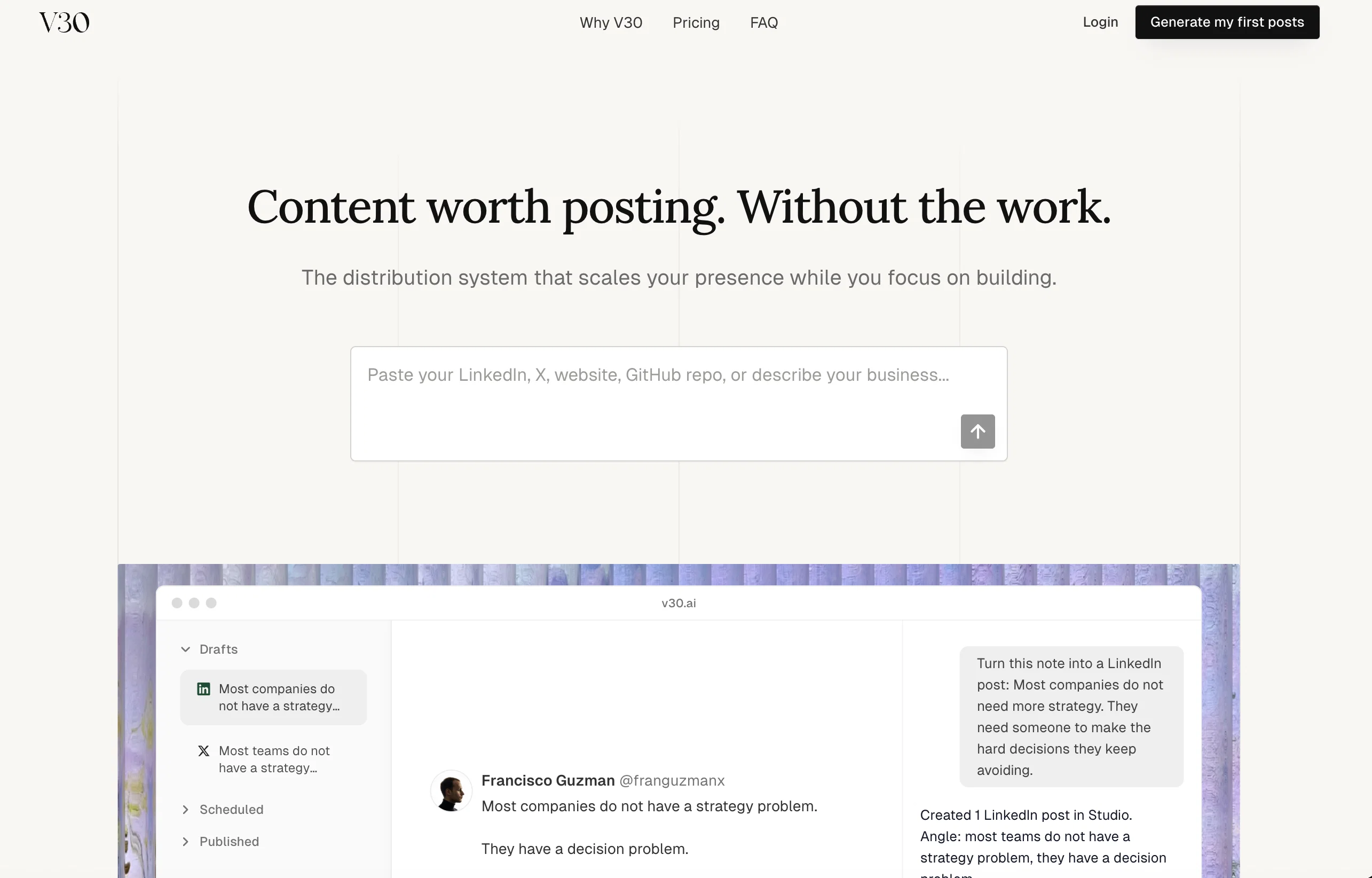
V30 is an AI-powered content strategy platform that is capable of analyzing businesses and creating tailored content with the aim of converting followers into revenue.
The system produces a 30-day content plan, giving users specific daily posting advice to maximize customer conversion. V30 can be fine-tuned to a specific target audience providing hyper-personalized content.
The tool begins with in-depth audience research based on the information provided about the business. The user then inputs their data and goals, and V30 will generate a complete content strategy.
Notably, the platform is designed to serve creators at any stage and adapts the strategy based on current conditions. It's also capable of studying the user's niche and adjusting its strategies that have a track record of proven results in similar markets.
Continually learning from its users, V30 provides subscribers with an updated 30-day content plan each month, ensuring strategies remain fresh and effective.
Help other people by letting them know if this AI was useful.
Add your own prompts and outputs to help others understand how to use this AI.
Screenshot gallery
Pros & Cons
Pros
+Generates 30-day content plan
+Daily posting advice
+Maximizes customer conversion
+Adaptable to target audience
+Hyper-personalized content creation
+In-depth audience research
+Serves creators at any stage
+Adapts strategy to conditions
+Niche market analysis
+Learning and strategy adjustment
+Monthly updated content plan
+Converts followers into revenue
+Complete content strategy
+Facilitates business growth
+Offers a 7-day trial
+Clear social media strategy
+Data-driven posts creation
+Instant audience insights
+Easy to start
+Supports personal brand growth
+Supports multiple marketing strategies
+Turns Instagram into sales tool
+Supports creators at any stage
+Strategies proven in markets
+Subscriptions for continuous planning
Cons
−No historical data analysis
−Niche adjustment not instant
−Audience research requires input
−Lacks real-time adaptive strategies
−Subscription needed for continuance
−Dependent on user inputs
−No multi-platform integration
A Professional Framework to Evaluate V30
When considering V30 for integration into your organizational workflow, we recommend deploying a structured score card across three critical operational pillars: Security & Compliance, Integration Friction, and long-term Price Scalability. Rather than looking only at basic feature lists, modern procurement teams must assess how a software platform behaves under high load and how well it fits into the team's data security guidelines.
1. Security and Database Compliance
Depending on your operating region and field, ensure that V30 supports standard security layers such as SOC 2 Type II certifications, GDPR compliance, or HIPAA-compliant database encryption. If the tool connects directly to client database tables or handles user passwords, verify that they implement multi-factor authentication (MFA), single sign-on (SSO) integrations, and end-to-end data encryption in transit and at rest.
2. API Coverage and Custom Integrations
Siloed data is the primary cause of operational friction. Evaluate if V30 has native connectors for your current project trackers, messaging hubs, and customer communication channels. For custom developer requirements, check if they provide a fully documented REST API with reasonable rate limits, comprehensive Webhooks support, and robust SDK packages in your language. A flexible API layer saves hundreds of hours of manual copy-paste overhead.
3. Total Cost of Ownership (TCO)
SaaS pricing packages are often deceptively simple. When reviewing V30's billing structure, map out your team's projected expansion over the next 12 to 24 months. Determine how costs scale as your customer database increases or as you add team members. Factor in setup costs, mandatory support plan upgrades, API access fees, and storage overage rates to understand the true cost before committing to a contract.
By combining verified user reviews from our directory with internal workflow pilot tests, your procurement team can make an informed decision that drives productivity without creating capital waste.
Features of V30
AI Content Generator
AI Content Tool
AI For Content
AI For Lead Generation
AI Growth Hacking
AI Marketing Platform
Free + From $49/Mo
SaaS1to10 verified reviews for V30
Overall rating
★★★★★5.0
Based on 17 reviews
★★★★★5.01 months ago
“Review”
Fantastic tool for anyone who is looking to promote their personal brand and gain followers on Linkedin with no experience. The tool has a lot of potential to grow and as someone who has recently purchased the tool I'm hoping for more topics in settings.
Ed Soltani
★★★★★5.01 months ago
“Review”
This tool i found is super cool, I created 5 books from this tool to sell them online, which gives me great profit. I am creating more valuable books to spread knowledge, and earn some bucks as well 🤑.
Bilal Ashraf
★★★★★5.01 months ago
“Review”
I already have another transcription tool, but this one is much better. I love the different features such as the summary, quiz, and chapters. It does a great job of them. I've only done one transcript so far to try it out, but I'm truly impressed and am going to grab another code. A couple things that would make it even better are: - the ability to rename the files and organize them through folders. - the ability to download a copy of the other features as well as the transcript. Copying and pasting it works, but doesn't keep the format.
dunn
★★★★★5.01 months ago
“Review”
Undetectable.wtf is better bypasses everything maintaining thee integrity of the text.
LiteEagle
★★★★★5.01 months ago
“Review”
After my first use, I think it's surprisingly good. The only drawback so far is the PDF export option for the report which is formatless.
Alejandro Correa
★★★★★5.01 months ago
“Review”
This tool is amazing. It saved me so much time, I used to spend 2-3 hours a day looking for opportunities in social, but now it’s few minutes because of this tool.
TextCraft AI
★★★★★5.01 months ago
“Review”
Hi Rod, you did not click the "include" for each section you wanted to include. I did that for you so you can now see your page. Looks good so far.
Bo Bennett
★★★★★5.01 months ago
“Review”
It's completely free, I created lots of posts with it
Antonia Mitrea
★★★★★5.01 months ago
“Review”
I love this extension, mobile app and desktop software! I use it everyday and everywhere. Generated text are amazing. Well done to the team and continue your incredible work! For me, Voilà is the best AI assistant, copilot and AI writer on the market. I stopped my ChatGPT plus subscription since I discoverer it.
Lane Wood
★★★★★5.01 months ago
“Review”
It simplifies my video creation. It's a must-have tool.
fei shi
★★★★★5.01 months ago
“Review”
I’ve been using UX sniff for a little while now and I absolutely love it! It’s brilliant! It’s very easy to use, very easy to set up and the support has been spot on. It’s really been helping me with my Business - Pawfection Pet Products. I highly recommend this product.
Anneka Avery
★★★★★5.01 months ago
“Review”
Edisa, thanks for the reply. Didn't know about the confidentiality guarantee.
Kevin Corrigan
★★★★★5.01 months ago
“Review”
I rarely leave reviews, but Elsa amazed me. After a few weeks of using it, I'm still excited. Props, guys.
Anton
★★★★★5.01 months ago
“Review”
Very interesting
Béatrice Duval
★★★★★5.01 months ago
“Review”
Went from a C to an A in Cognitive Psychology using @Thea!!
Sarah White
★★★★★5.01 months ago
“Review”
I think it's the best @Image Generator I ever found on the net. It gives more accurate image according to the prompt. And thank you for keeping it for free.
My Sawsiri
★★★★★5.01 months ago
“Review”
Makes it easy to get started with a presentation if you have an outline, but as soon as you want more control, you're better off using Google Slides. @Gamma's feature that I used the most was image generation - you can select among a variety of models (Ideogram, Flux, DALL-E, but not Midjourney), and it shows 3 variations to choose from. Performance is slow and a little janky, even in Chrome. Prompts and settings are often not respected - e.g. you set it to "preserve text" and just generate slides, and it goes onto dumping an entire 3 paragraphs of text in one slide. You can't overlay text over images (e.g. for image attribution), and there's no precise positioning control, or grouping elements. No way to control table layout, e.g. to have two images slide-by-side in full bleed mode. I tried @Gamma for a new presentation, but next time I need to make a presentation, I'll go back to Google Slides and generate images independently.