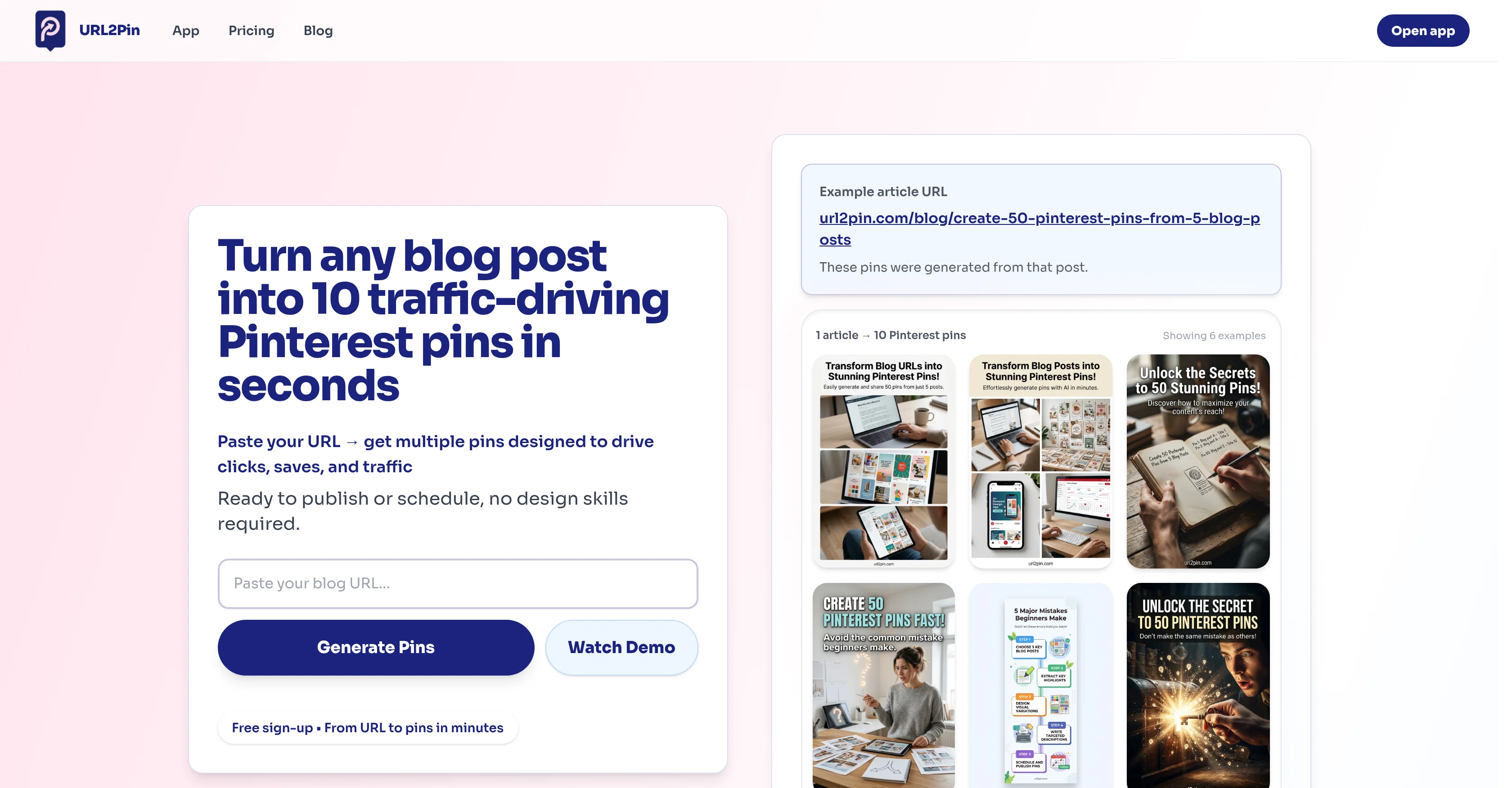
URL2Pin is an AI-powered tool designed to transform blog or article URLs into ready-to-publish Pinterest pins. The tool takes a URL and generates multiple pins designed to drive clicks, attract saves and enhance traffic.
It is developed as a solution against the time-consuming task of manually creating Pinterest pins and the costs associated with hiring designers.URL2Pin not only facilitates the process of generating Pinterest pins but also uses different approaches to create a variety of pins, providing users with a diverse pin strategy.
It generates click-focused pins that are designed to earn clicks from viewers in Pinterest's feed, save-friendly pins that encourage users to save for later, engagement pins with visuals attracting comments and interaction, and clean pins designed to build trust through clear designs.The process of creating Pinterest pins using URL2Pin is streamlined into four steps: Paste the URL, generate multiple pins using different proven strategies, get ready-to-publish pins with included titles, descriptions, hashtags, and visuals, and finally, publish directly on Pinterest or export with a single click.Designed to be user-friendly, URL2Pin doesn't require design skills to operate and users can sign-up free to start generating pins from their URLs.
Additionally, users have the option to connect their Pinterest account for more convenient scheduling or exporting.
Help other people by letting them know if this AI was useful.
Add your own prompts and outputs to help others understand how to use this AI.
Screenshot gallery
Pros & Cons
Pros
+Converts URLs to Pinterest pins
+Generates titles, descriptions, hashtags
+Automatically creates visuals
+Directly posts to Pinterest
+Allows one-click download
+Generates multiple pins per URL
+Time and cost efficient
+Connects to Pinterest for scheduling
+Generates click-focused pins
+Generates save-friendly pins
+Generates engagement pins
+Generates clean design pins
+Extracts key ideas from URLs
+Provides diverse pin strategy
+Free sign-up
+User-friendly
+Creates pins for different niches
+Automatic content transformation
+Blog marketing simplified
+Effective Pinterest automation
+Promotes higher social engagement
+Enhances SEO
Cons
−No platform diversity
−No multi-language support
−No offline functionality
−Limited pin aesthetics
−No collaboration features
−Difficult to customize pins
−No documentation provided
−No integration with other SM platforms
−Limited functionality for non-blog URLs
−Reliance on internet connection
A Professional Framework to Evaluate URL2Pin
When considering URL2Pin for integration into your organizational workflow, we recommend deploying a structured score card across three critical operational pillars: Security & Compliance, Integration Friction, and long-term Price Scalability. Rather than looking only at basic feature lists, modern procurement teams must assess how a software platform behaves under high load and how well it fits into the team's data security guidelines.
1. Security and Database Compliance
Depending on your operating region and field, ensure that URL2Pin supports standard security layers such as SOC 2 Type II certifications, GDPR compliance, or HIPAA-compliant database encryption. If the tool connects directly to client database tables or handles user passwords, verify that they implement multi-factor authentication (MFA), single sign-on (SSO) integrations, and end-to-end data encryption in transit and at rest.
2. API Coverage and Custom Integrations
Siloed data is the primary cause of operational friction. Evaluate if URL2Pin has native connectors for your current project trackers, messaging hubs, and customer communication channels. For custom developer requirements, check if they provide a fully documented REST API with reasonable rate limits, comprehensive Webhooks support, and robust SDK packages in your language. A flexible API layer saves hundreds of hours of manual copy-paste overhead.
3. Total Cost of Ownership (TCO)
SaaS pricing packages are often deceptively simple. When reviewing URL2Pin's billing structure, map out your team's projected expansion over the next 12 to 24 months. Determine how costs scale as your customer database increases or as you add team members. Factor in setup costs, mandatory support plan upgrades, API access fees, and storage overage rates to understand the true cost before committing to a contract.
By combining verified user reviews from our directory with internal workflow pilot tests, your procurement team can make an informed decision that drives productivity without creating capital waste.
Features of URL2Pin
Pinterest Pins
Automated Content Creation
Pinterest Automation
URL Conversion
Visual Generation
Content Marketing
Free + From $19/Mo
SaaS1to10 verified reviews for URL2Pin
Overall rating
★★★★★5.0
Based on 10 reviews
★★★★★5.02 months ago
“Review”
TDGesk's multi-account messaging feature is highly efficient and user-friendly. It simplifies communication across multiple accounts, saving time and effort. Highly recommended for businesses seeking streamlined messaging solutions.
Zhang Xiaotong
★★★★★5.02 months ago
“Review”
this ai module is not able to generate marketing content
red card
★★★★★5.02 months ago
“Review”
Não conseguir testar pois a plataforma fica toda hora caindo, então não conseguir gerar a imagem. Mas gostaria de conseguir testar pois a proposta é muito boa.
Evelyn Bezerra
★★★★★5.02 months ago
“Review”
Really impressed by the multi-model planning and code review. Having different models collaborate instead of relying on just one actually leads to better decisions. You can feel the difference on more complex tasks.
Cara
★★★★★5.02 months ago
“Review”
I tried their Form Builder template to see how it converts descriptions into a user interface. And it produced a functional form almost exactly as I expected. Good for me 👍
Ingvar
★★★★★5.02 months ago
“Review”
NOT Working!! support@AdsCreator.com I acidently forgot my trial, and you billed me for 1 year subscription. Its been a month since im trying to contact someone for refund but you EMaiL does NOT work, every time google respond to email saying that your server is.notnworking. checked your mail on websites and it does not exist. support@AdsCreator.com @ThumbnailCreator.com @KeywordSearch @VideoIdeas.ai
Kiza TheMan
★★★★★5.02 months ago
“Review”
I handle a large number of tasks simultaneously through @VoooAI to complete my creative work, thereby accomplishing the workload equivalent to one month in one day
Terry
★★★★★5.02 months ago
“Review”
Cool tool and easy to use.
Nirit Altony
★★★★★5.02 months ago
“Review”
Love how it offers stuff for both free and premium users. huge thanks to the devs and keep it up!
Burner Cruz
★★★★★5.02 months ago
“Review”
I recently started using @Pin Generator, and I can confidently say it’s a game-changer for Pinterest creators. This tool is the best combination of all current Pinterest creation tools, including Canva, but it takes things to a whole new level. Compared to Tailwind, @Pin Generator is far superior, allowing me to create everything I need quickly and effortlessly. One of the standout features of @Pin Generator is its bulk creation capability, which feels like Canva Bulk Creation on steroids. I no longer have to manually add backgrounds, making the process of creating quotes and other bulk content incredibly fast and easy. The options for using it across multiple accounts are exceptional, providing flexibility and efficiency. @Pin Generator has revolutionized my Pinterest workflow, saving me not just hours, but days of work. The efficiency it brings is unparalleled, allowing me to focus on other important tasks while maintaining a robust Pinterest presence. A special shoutout to Ollie, the creator of @Pin Generator. His responsiveness to emails and openness to suggestions for future additions have been impressive. He’s even helped me figure out how to use some features I was initially unsure about. His support and dedication to improving the tool make a significant difference. Overall, I couldn’t be happier with @Pin Generator. If you’re looking for a powerful, efficient, and user-friendly Pinterest creation tool, @Pin Generator is the way to go.