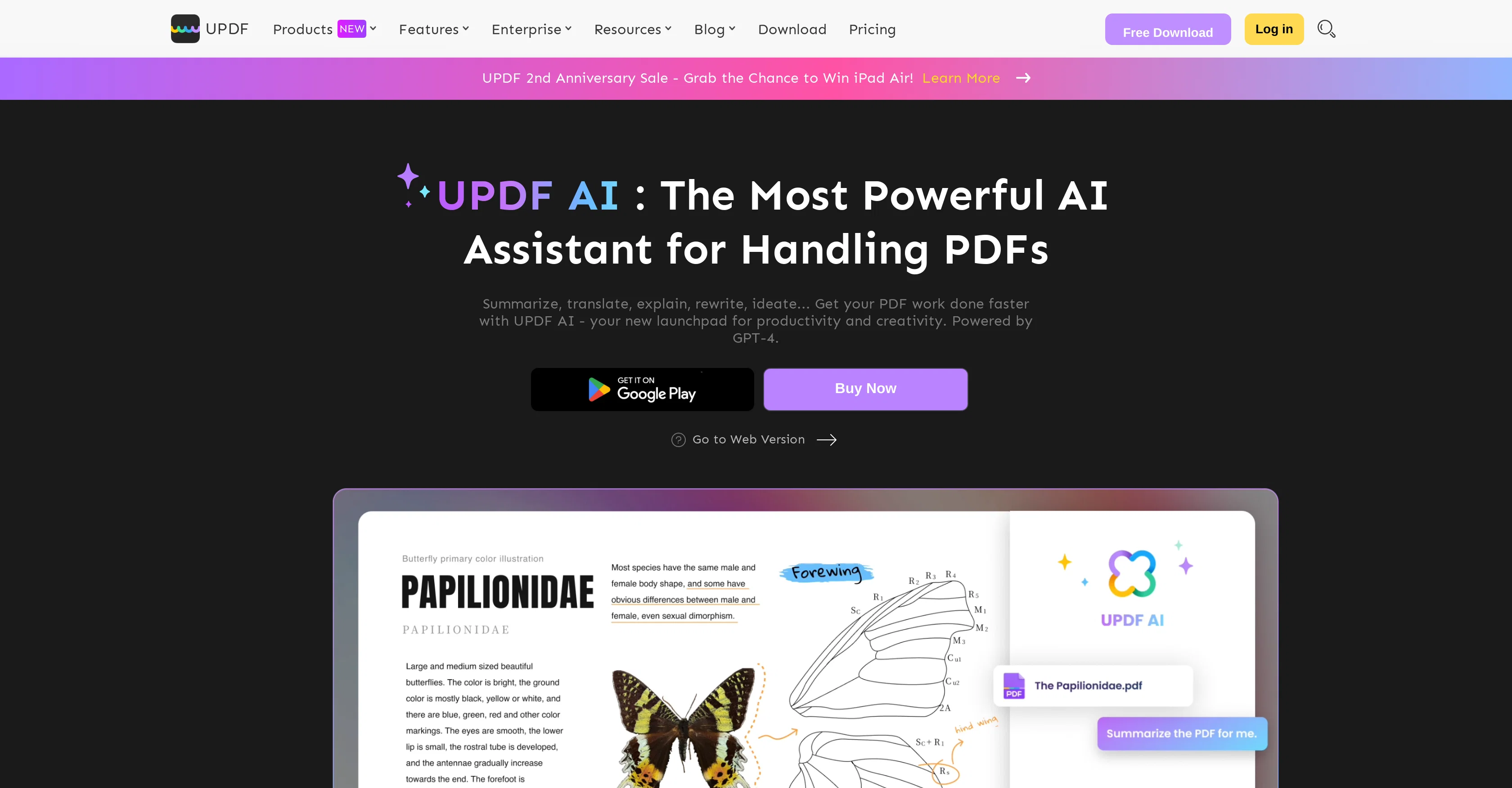
UPDF AI Assistant is a tool designed to automate various tasks associated with handling PDF documents. It integrates AI functionality to deliver transformative operations such as summarization, translation, explanation, and content rewriting.
This powerful assistant condenses lengthy PDFs into concise summaries, even simplifying complex data charts. It translates content across various languages directly within the PDF interface, maintaining consistent language and formatting.
This AI-driven service enhances comprehension of technical information, educational materials, and medical terms by providing accurate definitions for unreadable words or passages, detailed information on puzzling subjects, and instant answers to queries related to the PDF.
Additionally, it aids content generation by brainstorming ideas, checking grammar, eliminating spelling errors, polishing content, and composing new articles directly within the PDF environment.
While both the app and web versions offer AI functionalities, the app version additionally provides traditional PDF editing tools. It aids users in industries such as banking, legal, manufacturing, education, healthcare, and insurance, and it operates across Windows, MacOS, Android, and iOS platforms.
UPDF AI Assistant is designed for productivity and creativity, helping you accomplish your PDF work faster and more efficiently.
Help other people by letting them know if this AI was useful.
Add your own prompts and outputs to help others understand how to use this AI.
Screenshot gallery
Pros & Cons
Pros
+Automates PDF handling tasks
+Summarizes lengthy PDFs
+Simplifies complex data charts
+Translates PDF content across languages
+Maintains formatting during translation
+Explains complex information
+Enhances comprehension of technical terms
+Automatically checks grammar
+Eliminates spelling errors
+Generates content ideas
+Composes new articles within PDF
+Web and app versions available
+App version includes PDF editing tools
+Supports several industry applications
+Operational on multiple platforms
+Rapid reading of long papers
+Translates on PDFs directly
+Fast translation of large PDFs
+Improves existing content quality
+Frees up time for creativity
+Offers traditional PDF editing
+Compact format for industry briefing
+Multilingual support
+Cross-platform sync of functionalities
+Offers free and paid plans
+Supports heavy PDFs for translation
Cons
−Paid plans for full access
−Limited queries in free version
−Web version lacks editing tools
−Limited PDF size per upload
−Limited PDF pages per upload
−Limited PDF uploads per month
−No on-premises version
−Requires Internet connection
−Card needed for free trial
−One account per all platforms
A Professional Framework to Evaluate UPDF AI Assistant
When considering UPDF AI Assistant for integration into your organizational workflow, we recommend deploying a structured score card across three critical operational pillars: Security & Compliance, Integration Friction, and long-term Price Scalability. Rather than looking only at basic feature lists, modern procurement teams must assess how a software platform behaves under high load and how well it fits into the team's data security guidelines.
1. Security and Database Compliance
Depending on your operating region and field, ensure that UPDF AI Assistant supports standard security layers such as SOC 2 Type II certifications, GDPR compliance, or HIPAA-compliant database encryption. If the tool connects directly to client database tables or handles user passwords, verify that they implement multi-factor authentication (MFA), single sign-on (SSO) integrations, and end-to-end data encryption in transit and at rest.
2. API Coverage and Custom Integrations
Siloed data is the primary cause of operational friction. Evaluate if UPDF AI Assistant has native connectors for your current project trackers, messaging hubs, and customer communication channels. For custom developer requirements, check if they provide a fully documented REST API with reasonable rate limits, comprehensive Webhooks support, and robust SDK packages in your language. A flexible API layer saves hundreds of hours of manual copy-paste overhead.
3. Total Cost of Ownership (TCO)
SaaS pricing packages are often deceptively simple. When reviewing UPDF AI Assistant's billing structure, map out your team's projected expansion over the next 12 to 24 months. Determine how costs scale as your customer database increases or as you add team members. Factor in setup costs, mandatory support plan upgrades, API access fees, and storage overage rates to understand the true cost before committing to a contract.
By combining verified user reviews from our directory with internal workflow pilot tests, your procurement team can make an informed decision that drives productivity without creating capital waste.
Features of UPDF AI Assistant
PDF Automation
AI Text Summarization
Language Translation
Content Rewriting
Data Simplification
Educational Material Enhancement
Free + From $32.99/Yr
SaaS1to10 verified reviews for UPDF AI Assistant
Overall rating
★★★★★5.0
Based on 19 reviews
★★★★★5.01 months ago
“Review”
I already have another transcription tool, but this one is much better. I love the different features such as the summary, quiz, and chapters. It does a great job of them. I've only done one transcript so far to try it out, but I'm truly impressed and am going to grab another code. A couple things that would make it even better are: - the ability to rename the files and organize them through folders. - the ability to download a copy of the other features as well as the transcript. Copying and pasting it works, but doesn't keep the format.
dunn
★★★★★5.01 months ago
“Review”
Suppppeeeeerrr! Wowwww! @Mindsmith is absolutely fantastic! It is incredibly useful, easy to use, and very professional.
Claudia Scilletta
★★★★★5.01 months ago
“Review”
The website is pretty good but there are only a limited number of responses
Probal Roy
★★★★★5.01 months ago
“Review”
An amazing app, I love the share feature and the comment section summaries
Silvia Cho
★★★★★5.01 months ago
“Review”
Highly recommend it for anyone dealing with high-volume document processing. Simplifies the process of extracting data from multiple PDFs into clean, accurate spreadsheets.
Tarang
★★★★★5.01 months ago
“Review”
Awsome tool recomendasion !
Julian Wasser
★★★★★5.01 months ago
“Review”
Works for me
Aramis
★★★★★5.01 months ago
“Review”
It's not even usable anymore, their website is literally a sponsor and that's it
LazyBones The Third
★★★★★5.01 months ago
“Review”
Everything is working normally. Best,
Stefan Mitrovic
★★★★★5.01 months ago
“Review”
I would highly recommend for researches and students. useful to manage your articles and use AI to get the key points.
Hamed Mousavi
★★★★★5.01 months ago
“Review”
Very cool app! Build was fast as, and with a few tweaks I fully launched my website in 1 hour!
Joe Smythe
★★★★★5.01 months ago
“Review”
It's genius. Amazing tool. PDF generation might be improved, but apart from that is amazing.
Aleksander Lukashou
★★★★★5.01 months ago
“Review”
I tried using it but the website has too many bugs.
João Neiva
★★★★★5.01 months ago
“Review”
It's sad to see people want to try your tool out but you have no free sample for them. This may be the best tool out there, but, as mentioned, going through with the AI for minutes to explain what you want, then being prompted to pay, without even knowing if it CAN create something, is discouraging. I hope we can get a free sample or preview at one point, im interested in this one.
Ron Jayson
★★★★★5.01 months ago
“Review”
B12 exceeded my expectations especially after I tried a few similar tools. Signing up took under a minute and because I offer a very specific set of services as a consultant, I didn't expect the AI to be able to capture my work, but it did a great job with creating content for me. I only had to make a few edits, add my bio, and was able to publish that same day. Now I get lots of compliments on my site and I've even tried their other tools like email marketing, which is great because the emails match my site's appearance. Overall I would recommend B12 as an effective, affordable, and easy to use website solution.
Katie G
★★★★★5.01 months ago
“Review”
I tried NovelGPT a template in @Agentgpt and it did an excellent job writing the first two episodes of my novel complete with character descriptions, setting,plot points and well I think you get the point. Great tool can't wait to see it out of beta.
Kelli Crose
★★★★★5.01 months ago
“Review”
O GPT faz uma análise melhor e mais personalizada.
Vinicius Vilela
★★★★★5.02 months ago
“Review”
A very simple-to-use, yet very powerful app. It made my work so much easier, my scanned and downloaded files are no longer a mess.
Filip Pendovski
★★★★★5.02 months ago
“Review”
I was part of the beta trials and @TidyDocs has made it so much easier to manage my receipts and invoices.