Typecast

5.0(21 reviews)

Power videos with realistic AI voices and avatars.

Freemium

Typecast Overview

What is Typecast?

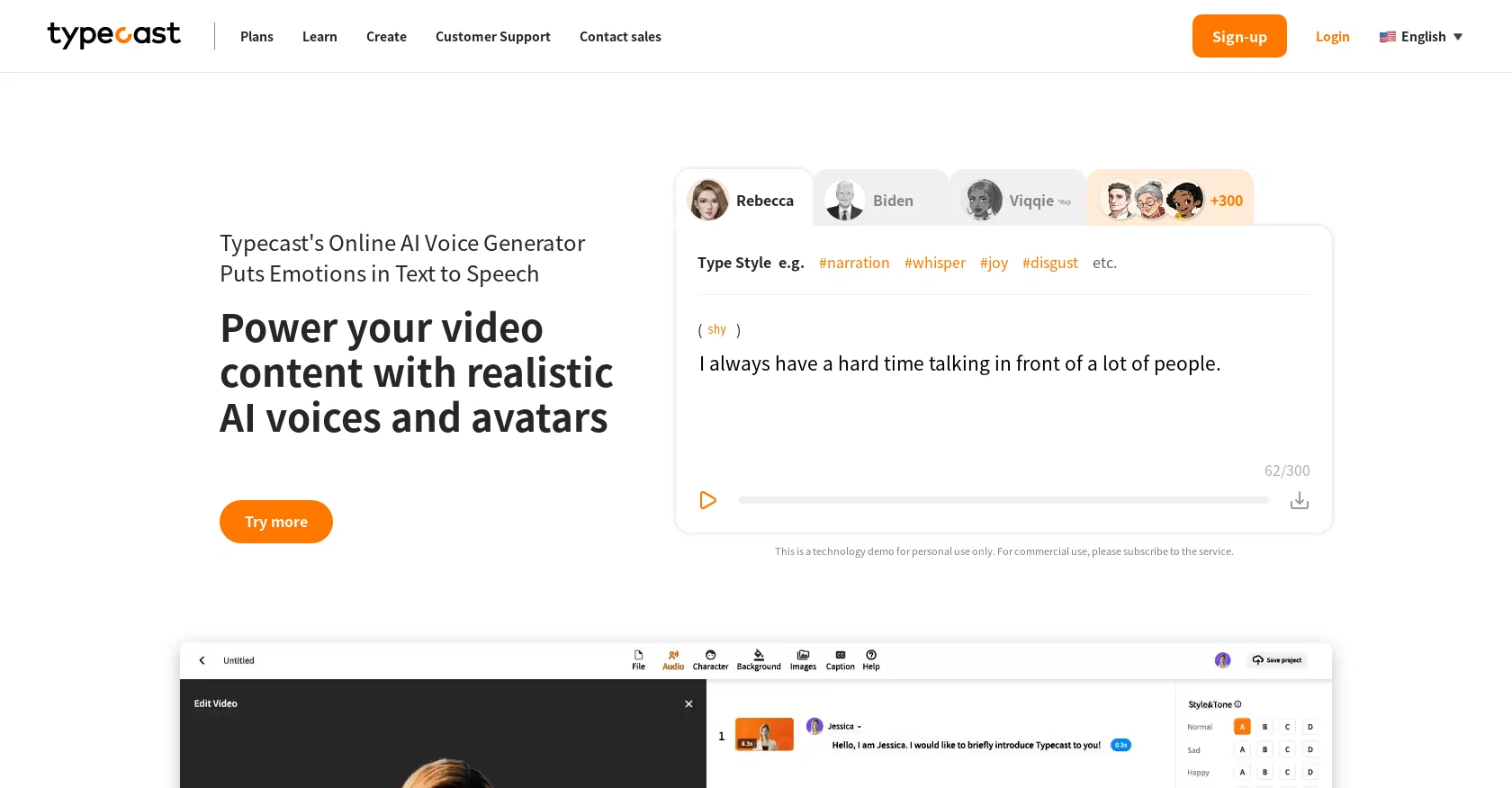
The AI Voice Generator with Emotional Text to Speech by Typecast is an online tool that allows users to convert text into lifelike speech. With a library of over 400+ hyper-realistic voices, this tool enables users to create content just the way they want it. It offers various features and functionalities for different purposes, including storytelling, presentation, product marketing, training videos, YouTube videos, and education.Typecast's AI Voice Generator is designed to provide realistic AI voices and avatars, allowing users to power their video content with captivating and engaging audio. Users can easily cast a character, type in their desired text, choose the voice style, and download the generated audio. The tool also offers text-to-voice templates for different categories like audiobooks, education, sales, documentaries, training, and gaming, making it easier for users to get started.One of the key advantages of using Typecast's AI Voice Generator is its ability to save time and eliminate the hassle of production costs. Users do not need to hire actors, manage film crews, or rent a studio, as the tool eliminates the need for screen recording and post-production editing. It offers a simple and user-friendly interface, allowing users to type, paste, or import their written content directly into the platform.Overall, Typecast's AI Voice Generator is a web-based platform that provides users with a wide range of options for creating high-quality video content with human-like virtual avatars. It offers emotional text-to-voice settings, a vast library of voice-over actors, and a seamless editing experience. With its user-friendly interface and powerful features, Typecast's AI Voice Generator is a valuable tool for content creators looking to enhance their videos with realistic and engaging audio. Help other people by letting them know if this AI was useful. Add your own prompts and outputs to help others understand how to use this AI.

Screenshot gallery

Typecast screenshot

Pros & Cons

Pros

  • 400+ hyper-realistic voices
  • Emotional text-to-speech feature
  • Exporter of generated audio
  • Text-to-voice templates availability
  • Reduces production costs
  • No screen recording
  • No post-production editing
  • Extensive voice-over library
  • Multi-purpose tool (presentations, marketing)
  • Voice style customization
  • User-friendly interface
  • Ease of text input
  • Direct content import option
  • Web-based platform
  • Suitable for video content
  • Virtual avatar generation
  • Services various categories like audiobooks, education, gaming
  • Weekly actor updates
  • Saves time for creators
  • Creates engaging audio
  • Eliminates actor hiring need
  • Supports multiple languages
  • Commercial use available
  • Customer support available
  • Education through blog
  • Weekly actor updates
  • Cast a character feature
  • Offers tailored emotions and tones
  • Useful in content monetization
  • Tool tips and suggestions
  • Frequently updated with new features
  • Professional sounding voice overs
  • Availability of training videos
  • High-quality Sound output
  • Great for YouTubers
  • Helpful in sales presentations
  • Great for gaming content
  • Benefit to educators
  • Compliments video documentaries
  • Easy-to-use tool
  • Effortless mnemonic control
  • Professional quality dialogues
  • Regular system upgrades
  • Technical support availability
  • In-built text editor
  • High degree of customization
  • Online story narration
  • Customer testimonials

Cons

  • No mobile app
  • No offline availability
  • Limited language support
  • Limited emotional settings
  • Limited voice styles
  • Subscription required for commercial use
  • Cannot modify existing voices
  • No API for integration
  • Only web-based platform
  • Limited video editing features

A Professional Framework to Evaluate Typecast

When considering Typecast for integration into your organizational workflow, we recommend deploying a structured score card across three critical operational pillars: Security & Compliance, Integration Friction, and long-term Price Scalability. Rather than looking only at basic feature lists, modern procurement teams must assess how a software platform behaves under high load and how well it fits into the team's data security guidelines.

1. Security and Database Compliance

Depending on your operating region and field, ensure that Typecast supports standard security layers such as SOC 2 Type II certifications, GDPR compliance, or HIPAA-compliant database encryption. If the tool connects directly to client database tables or handles user passwords, verify that they implement multi-factor authentication (MFA), single sign-on (SSO) integrations, and end-to-end data encryption in transit and at rest.

2. API Coverage and Custom Integrations

Siloed data is the primary cause of operational friction. Evaluate if Typecast has native connectors for your current project trackers, messaging hubs, and customer communication channels. For custom developer requirements, check if they provide a fully documented REST API with reasonable rate limits, comprehensive Webhooks support, and robust SDK packages in your language. A flexible API layer saves hundreds of hours of manual copy-paste overhead.

3. Total Cost of Ownership (TCO)

SaaS pricing packages are often deceptively simple. When reviewing Typecast's billing structure, map out your team's projected expansion over the next 12 to 24 months. Determine how costs scale as your customer database increases or as you add team members. Factor in setup costs, mandatory support plan upgrades, API access fees, and storage overage rates to understand the true cost before committing to a contract.

By combining verified user reviews from our directory with internal workflow pilot tests, your procurement team can make an informed decision that drives productivity without creating capital waste.

Features of Typecast

  • Realistic Audio
  • Video Content
  • AI Voiceover
  • Audio Generation
  • Content Production
  • Text To Speech
  • Free + From $8.99/Mo

SaaS1to10 verified reviews for Typecast

Overall rating

5.0

Based on 21 reviews

5.01 days ago

Review

I built @VoxSprint because creating the same voiceover in multiple languages usually means switching between translation, text-to-speech, and caption tools. With @VoxSprint, you can paste one script, translate it into up to five languages, review every version, fix difficult pronunciations, preserve natural delivery cues such as laughs and breaths, and export finished MP3 voiceovers and timed SRT captions for each language. I’d especially appreciate feedback on translation quality, pronunciation control, voice naturalness, and anything that would make the workflow faster or easier. You can start with 2,000 free credits, buy 10,000 credits for $1 with no subscription, or get 100,000 monthly credits for $6.99.

VoxSprint

5.02 weeks ago

Review

OMG! One of the worst "terms of use" i have ever seen. Basicly They we own your a**. They have every right for your creations on their platform. They can use your creations as however, whenever, whereever they want. Plus if you make money from a creation from their platform, you will end up giving them. Because they are saying you cannot do anything commercially that you have created on their platform unless you made a special agreement on paper.

çağrı cem erel

5.02 weeks ago

Review

Nice voices, but why should we PAY for what was created for the whole of humanity to use for FREE and released as an Open Source? Computers should be allowed to TALK to us GRATIS, like in the Star Trek TV series. Our future grandchildren will laugh at us for "paying" to use this everyday option, biting the hook to "monthly subscriptions" like gullible fish, and then getting "up to 1,000 words per month" under the so-called Pro version. This is crazy! Are we nuts or online slaves? ;-)

Timeship

5.02 weeks ago

Review

Very expensive for most common pages, no way you pay that

Leandro Conti

5.02 weeks ago

Review

Allows me to create high-quality banners to promote my products.

Marc Heldo

5.02 weeks ago

Review

This is exactly what we have been looking for. Can't wait to run it

Simon

5.02 weeks ago

Review

After not even ONE try, it asks for Pro. No success, just imo developer hyper-greed. Avoid!

Katrina Silas

5.02 weeks ago

Review

Amar sonar Bangla Ami tomay bhalobashi chiro din tumhara customer

Rasel 2.0

5.02 weeks ago

Review

It's a really great tool. I've used it for many different stories and brainstorms.

Justin Patterson

5.02 weeks ago

Review

This sucky website is wow!

Puspa Dotcom

5.02 weeks ago

Review

I completely agree with the previous comment. I first purchased the $5 package and then upgraded to the Pro package, hoping to create videos longer than 3.5 minutes. However, I was disappointed to find out that I needed to purchase the $99 package to create longer videos. It was not clear that the 5000 characters of script only equated to 3.5 minutes of video. To make things worse, the company has a strict no-refund policy, which feels unfair. They seem more focused on taking your money than providing quality service. I would highly recommend avoiding this service at all costs.

Yannis P.

5.02 weeks ago

Review

Really like how it finds connection in the content that I save. I don't think any other tool can do that.

amix ffx

5.02 weeks ago

Review

No other tool quite like this, it's pretty straightforward. Needed to extract a long interview from YouTube and it extracted everything, providing it in different meaningful formats in less than two minutes. Awesome

Juan Sierra

5.02 weeks ago

Review

WE USE @D-ID AT THE COLORADO VIRTUAL CREATIVE FACTORY...AND LOVE IT.

Franco Arteseros

5.02 weeks ago

Review

B12 exceeded my expectations especially after I tried a few similar tools. Signing up took under a minute and because I offer a very specific set of services as a consultant, I didn't expect the AI to be able to capture my work, but it did a great job with creating content for me. I only had to make a few edits, add my bio, and was able to publish that same day. Now I get lots of compliments on my site and I've even tried their other tools like email marketing, which is great because the emails match my site's appearance. Overall I would recommend B12 as an effective, affordable, and easy to use website solution.

Katie G

5.02 weeks ago

Review

It's not free, it forces you to input an email before shoving a price tag in your face.

Arvoly XSL

5.02 weeks ago

Review

Not at all accurate…. The only thing similar between original and generated images were the clothes and accessories… face was absolutely new and unconnected.

Shvetank Sharma

5.02 weeks ago

Review

Only available on the iphone... doesn't seem super intuitive to use.

Mental Forge Media

5.02 weeks ago

Review

They offer free tts as well and it is affordable, love it

Harinderpreet Singh

5.02 weeks ago

Review

Freepik is an all in one editing and content creation suite. It features ai and stock images and videos. I honestly love them so much. I use them daily and customer service support is quick and efficient. Highly recommend.

AbandonedMuse

5.02 weeks ago

Review

@FineVoice Video to Audio feature is now live. Generate high-quality sound effects and music that perfectly matches the visuals, actions, and environment in your videos.

Fineshare

Pricing

Starting Price

Free plan available

Free tier available with optional paid upgrades.

Where can Typecast be deployed?

  • Cloud, SaaS, Web-Based

Recommended for you