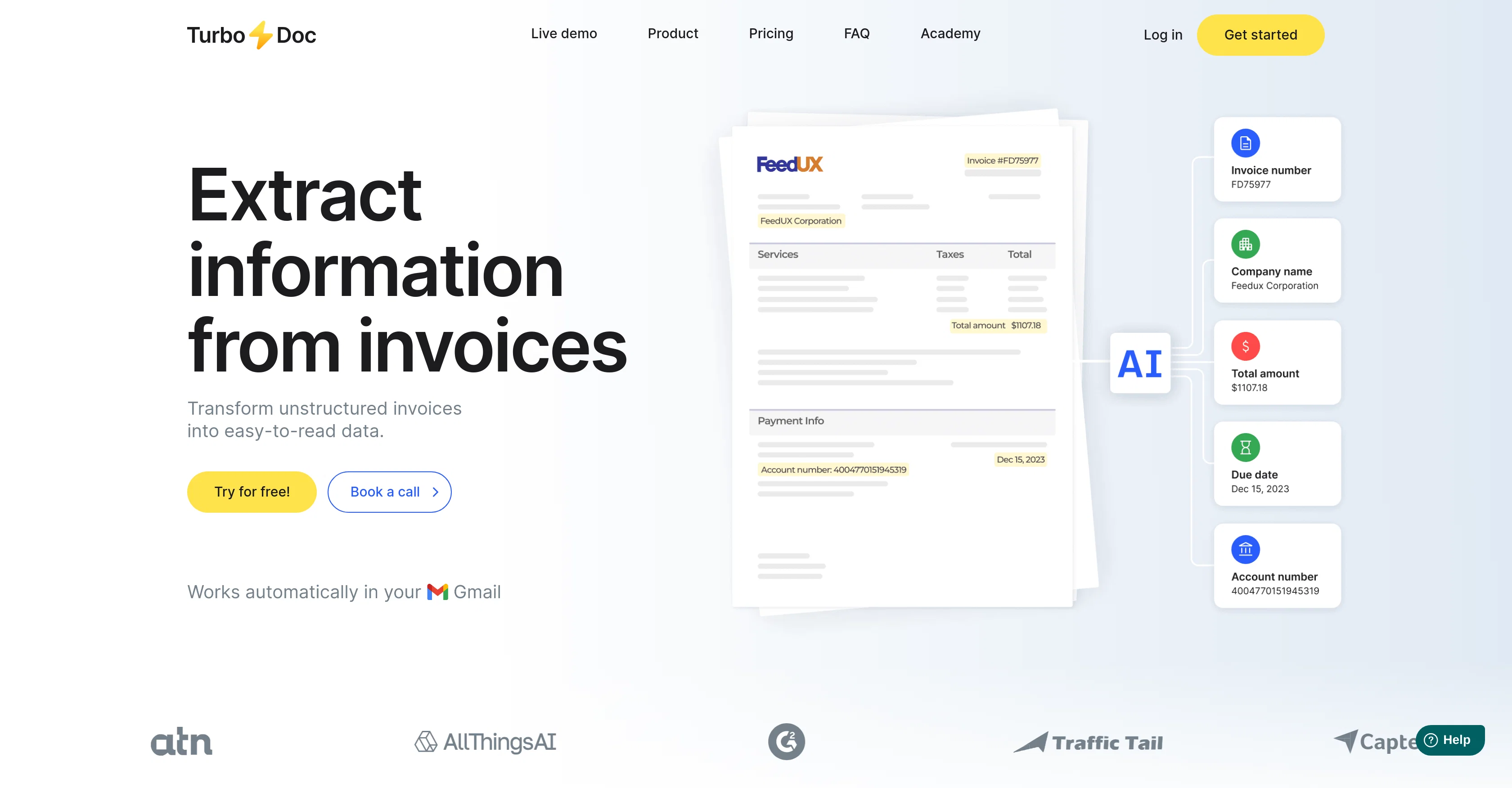
TurboDoc eases the burden of paperwork through intelligent document processing. The tool is designed to transform unstructured data from invoices and receipts into structured, easily digifiable data.
TurboDoc is powered by an advanced AI model extensively trained on a broad scope of documents, which enhances the tool's precision and accuracy. It has a user-friendly interface that allows users to work effectively with invoices.
In addition to its basic functions, TurboDoc also lets users upload data in various formats (xls, csv, pdf, word) for subsequent accounting purposes. With TurboDoc, all recognized data extracted from invoices are systematically arranged in one place.
The AES256 enterprise-level encryption used by the tool ensures optimum security for your data. TurboDoc can automate invoice processing as it can connect with Gmail, capture invoices from your mailbox, extract all unstructured information, and send the extracted data as a structured table in an email.
Notably, TurboDoc can process invoices of varied image quality thanks to its advanced image processing algorithms. Technical support is available for users with priority given to premium subscribers.
While it primarily caters to invoice processing, plans for seamless integration into other accounting software are underway. The tool aims to streamline the accounts payable workflow, thus reducing costs and saving time.
Help other people by letting them know if this AI was useful.
Add your own prompts and outputs to help others understand how to use this AI.
Screenshot gallery
Pros & Cons
Pros
+Intelligent document processing
+Transforms unstructured data
+User-friendly interface
+Supports various data formats
+Data systematically arranged
+Uses AES256 encryption
+Automated invoice processing
+Connects with Gmail
+Advanced image processing
+Technical support available
+Priority to premium subscribers
+Integration with accounting software planned
+Streamlines accounts payable workflow
+Cost reduction feature
+Time-saving capability
+Processes invoices of varied image quality
+Can handle poor image quality
+Supports multiple languages
+Enterprise-level security
+Automated email extraction
+Transparency in data for accounting
+Invoices are saved on dashboard
+Promises seamless integrations
+Automatically captures invoices from mailbox
+Safe data storage on USA servers
+Invoices processed on user's servers in advanced plan
+Affordable plans available
+Free trial offered
+Personalised plans available
+Efficient data organization
+Automatic Gmail invoice processing
+Split-second processing
+Premium technical support for Pro users
+High accuracy data extraction on OCR
+Trained on large corpus of documents
+Data extraction in table format
+Invoices processing limit choice in self-hosting plan
+Multi-format document support
+Processes data in few seconds
+Caters to invoice processing
+Can extract data from receipts
+Offers invoice number, date, total amount extraction
+Flexible plans suiting various user demands
+Transparent invoice processing system
+Can work with varied invoice formats
+Personalized account for organizing data
+Can handle invoices in different languages
+Embedded data analysis feature
Cons
−Limited to invoice processing
−Limited format support
−No integration with other email services
−Tech support prioritization
−Limited language support
−High quality images needed for optimal operation
−Integration with accounting software still in progress
−No receipt processing function
−Data only stored on US servers
−Unclear whether mobile compatible
A Professional Framework to Evaluate TurboDoc
When considering TurboDoc for integration into your organizational workflow, we recommend deploying a structured score card across three critical operational pillars: Security & Compliance, Integration Friction, and long-term Price Scalability. Rather than looking only at basic feature lists, modern procurement teams must assess how a software platform behaves under high load and how well it fits into the team's data security guidelines.
1. Security and Database Compliance
Depending on your operating region and field, ensure that TurboDoc supports standard security layers such as SOC 2 Type II certifications, GDPR compliance, or HIPAA-compliant database encryption. If the tool connects directly to client database tables or handles user passwords, verify that they implement multi-factor authentication (MFA), single sign-on (SSO) integrations, and end-to-end data encryption in transit and at rest.
2. API Coverage and Custom Integrations
Siloed data is the primary cause of operational friction. Evaluate if TurboDoc has native connectors for your current project trackers, messaging hubs, and customer communication channels. For custom developer requirements, check if they provide a fully documented REST API with reasonable rate limits, comprehensive Webhooks support, and robust SDK packages in your language. A flexible API layer saves hundreds of hours of manual copy-paste overhead.
3. Total Cost of Ownership (TCO)
SaaS pricing packages are often deceptively simple. When reviewing TurboDoc's billing structure, map out your team's projected expansion over the next 12 to 24 months. Determine how costs scale as your customer database increases or as you add team members. Factor in setup costs, mandatory support plan upgrades, API access fees, and storage overage rates to understand the true cost before committing to a contract.
By combining verified user reviews from our directory with internal workflow pilot tests, your procurement team can make an informed decision that drives productivity without creating capital waste.
Features of TurboDoc
Automated Invoice Processing
Invoice Processing
Data Digitization
Data Extraction
Document Conversion
Accounts Payable Workflow
Free + From $6/Mo
SaaS1to10 verified reviews for TurboDoc
Overall rating
★★★★★5.0
Based on 18 reviews
★★★★★5.01 months ago
“Review”
I've been playing around with this for a few hours. It's made me say "WOW" too many times than i wish to admit. I'm going to follow this and see how it evolves. For now, i managed to create quite a nice Expenses app for personal use. | It did have some problems when it came to moving some components on other pages, but for how short the prompts it uses can be, it is really impressive. With some proper prompts it can generate some strong stuff.
Bernard
★★★★★5.01 months ago
“Review”
never use it
Supriyo Nandan
★★★★★5.01 months ago
“Review”
I rarely leave reviews, but Elsa amazed me. After a few weeks of using it, I'm still excited. Props, guys.
Anton
★★★★★5.01 months ago
“Review”
Hi there! The tool works just fine, all you need to do is copy the text you want to rewrite and paste it in the little prompt box, where it says "Enter your prompt here". Click "Generate" and you're done!
Antonia Mitrea
★★★★★5.01 months ago
“Review”
A groundbreaking tech project in the AI sector
Shreeram Bharadwaj
★★★★★5.01 months ago
“Review”
Really like how it finds connection in the content that I save. I don't think any other tool can do that.
amix ffx
★★★★★5.01 months ago
“Review”
Such a great place to start out!
Helli Lang
★★★★★5.01 months ago
“Review”
Pretty solid tool for quick logo ideas. It's not perfect, but it gave me a few decent concepts to build on. It's a good starting point.
Samuel Barlet
★★★★★5.01 months ago
“Review”
Good application
Badi Ben
★★★★★5.01 months ago
“Review”
superb, e gratis, merge blana, in EN se aude ideal
jon doe
★★★★★5.01 months ago
“Review”
I'm still testing the tool yet it looks very promising. I tested it with a 5.5k words Academic text that I had previously red. I tested the Key points feature, it does work!
Ivana González
★★★★★5.01 months ago
“Review”
🌟🌟🌟🌟🌟 This AI prompt generation tool is exceptional! It vividly brought to life the jungle scene I envisioned, capturing every detail with remarkable accuracy. The natural expressions, vibrant colors, and serene atmosphere were perfectly rendered. Highly recommended for creative projects!
Sukul Das PANIKA
★★★★★5.01 months ago
“Review”
It doesn’t include the specified text. It doesn’t allow you to describe the logo
David April
★★★★★5.01 months ago
“Review”
Does not know how to spell
Emily Hamilton
★★★★★5.01 months ago
“Review”
provide trading bot
V Adhana
★★★★★5.01 months ago
“Review”
your answer is much too general, so useless. You could have just tell me to ask Perplexity.
Ta
★★★★★5.01 months ago
“Review”
I think it's the best @Image Generator I ever found on the net. It gives more accurate image according to the prompt. And thank you for keeping it for free.
My Sawsiri
★★★★★5.02 months ago
“Review”
We use it at Ucademy with 10 gmail accounts and works like a charm