Trimbox AI Assistant

5.0(21 reviews)

Automatically draft email replies, straight from Gmail.

Freemium

Trimbox AI Assistant Overview

What is Trimbox AI Assistant?

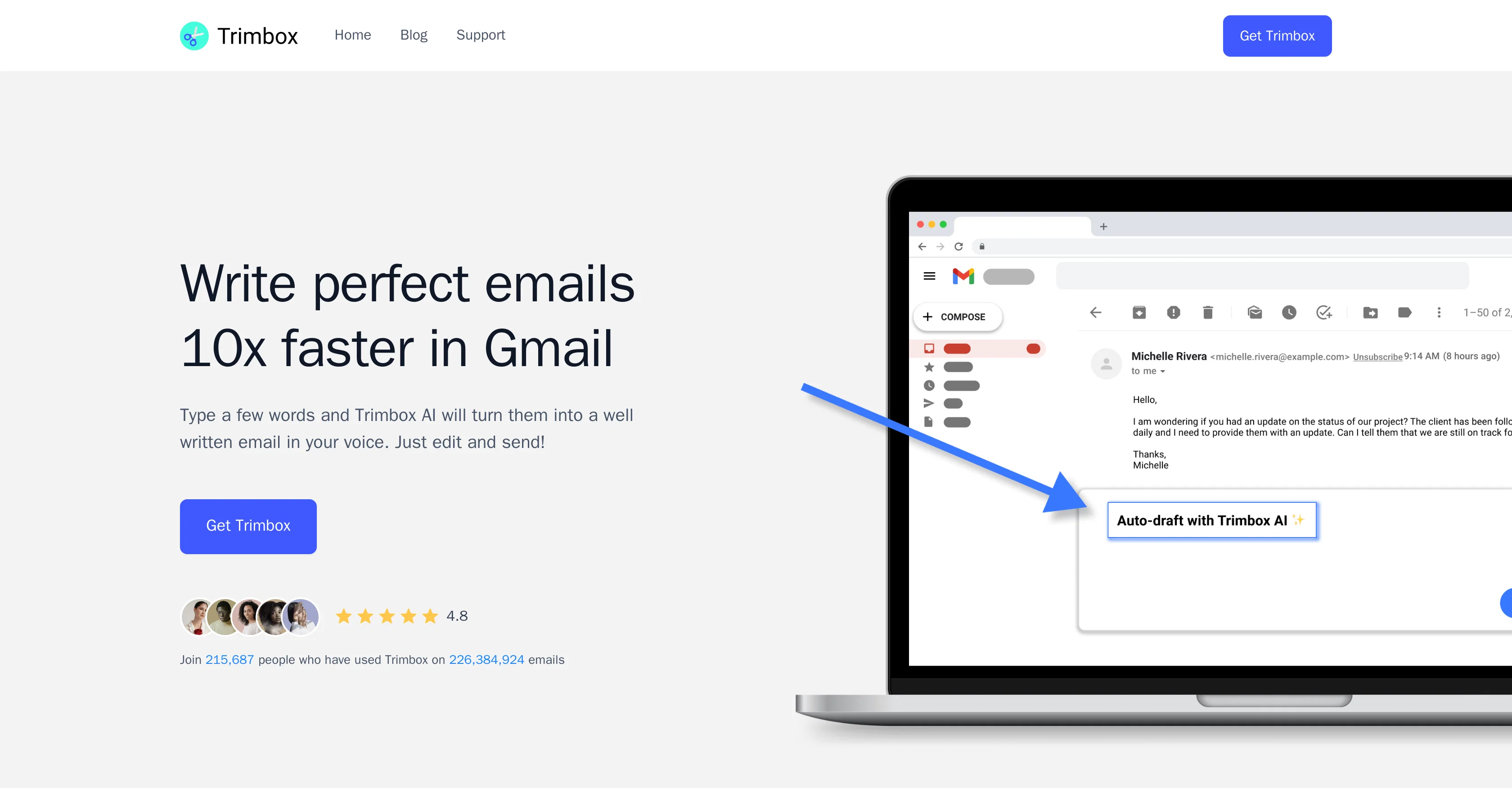
Trimbox AI Assistant is a tool designed to automate email drafting directly from Gmail. It assists users in regaining control of their inbox by minimizing time spent on constructing email replies. Rather than having to compose emails from scratch, users type a few words and the tool transforms these initial ideas into more comprehensive, professional text, while maintaining the user's voice. This functionality resides directly within the Gmail interface for seamless integration into users' existing workflows. The drafted emails can further be edited by the users before sending. The tool also includes features for convenience and efficiency in managing the inbox. Users can unsubscribe from email lists with a single click without having to open the email, reducing unwanted clutter in their inbox. Trimbox AI Assistant furthermore offers a feature to delete all past emails from a particular sender which can be beneficial when running low on storage space. The overall utility of Trimbox AI Assistant composes in saving time, increasing email productivity, and maintaining a cleaner and more manageable inbox for its users. Help other people by letting them know if this AI was useful. Add your own prompts and outputs to help others understand how to use this AI.

Screenshot gallery

Trimbox AI Assistant screenshot

Pros & Cons

Pros

  • Automates email drafting
  • Seamless Gmail integration
  • Maintains user's voice
  • Allow edits before sending
  • Single-click unsubscribe feature
  • Bulk email deletion function
  • Storage space management
  • Helps control inbox clutter
  • Saves considerable time
  • Improves email productivity
  • Efficient text generation
  • Increases email professionalism
  • Helps achieve cleaner inbox
  • Intuitive to use
  • Internally resides in Gmail
  • Supports productivity improvement
  • Enhances effective communication
  • Reduces unwanted inbox mails
  • Live within Gmail window
  • Extremely time-saving in usage
  • Private and secure connection
  • Help in mass unsubscribing
  • Mass delete old emails
  • Trusted by top organizations
  • High user-rating
  • Loved by 215,687 people
  • Used on 226,384,924 emails
  • Improves email focusing
  • Incredibly cathartic for users
  • Excellent for inbox OCD
  • Very useful Gmail extension
  • Cleaning inbox made easy
  • Assist in stopping junk emails

Cons

  • Only works with Gmail
  • Not suitable for short emails
  • Dependent on user's typing
  • May not maintain voice accurately
  • One-click unsubscribe may misfire
  • Mass delete can delete important emails
  • Potential privacy concerns
  • Limited to email drafting
  • Cannot handle complex emails
  • No support for multiple languages

A Professional Framework to Evaluate Trimbox AI Assistant

When considering Trimbox AI Assistant for integration into your organizational workflow, we recommend deploying a structured score card across three critical operational pillars: Security & Compliance, Integration Friction, and long-term Price Scalability. Rather than looking only at basic feature lists, modern procurement teams must assess how a software platform behaves under high load and how well it fits into the team's data security guidelines.

1. Security and Database Compliance

Depending on your operating region and field, ensure that Trimbox AI Assistant supports standard security layers such as SOC 2 Type II certifications, GDPR compliance, or HIPAA-compliant database encryption. If the tool connects directly to client database tables or handles user passwords, verify that they implement multi-factor authentication (MFA), single sign-on (SSO) integrations, and end-to-end data encryption in transit and at rest.

2. API Coverage and Custom Integrations

Siloed data is the primary cause of operational friction. Evaluate if Trimbox AI Assistant has native connectors for your current project trackers, messaging hubs, and customer communication channels. For custom developer requirements, check if they provide a fully documented REST API with reasonable rate limits, comprehensive Webhooks support, and robust SDK packages in your language. A flexible API layer saves hundreds of hours of manual copy-paste overhead.

3. Total Cost of Ownership (TCO)

SaaS pricing packages are often deceptively simple. When reviewing Trimbox AI Assistant's billing structure, map out your team's projected expansion over the next 12 to 24 months. Determine how costs scale as your customer database increases or as you add team members. Factor in setup costs, mandatory support plan upgrades, API access fees, and storage overage rates to understand the true cost before committing to a contract.

By combining verified user reviews from our directory with internal workflow pilot tests, your procurement team can make an informed decision that drives productivity without creating capital waste.

Features of Trimbox AI Assistant

  • AI Email Automation
  • Email Drafting
  • Gmail Plug In
  • Professional Writing Assistant
  • Clutter Reduction
  • Effective Communication
  • Free + From $5.99/Mo

SaaS1to10 verified reviews for Trimbox AI Assistant

Overall rating

5.0

Based on 21 reviews

5.01 weeks ago

Review

I joined Kin's beta program on my iPhone XR. After upgrading to an iPhone 13, I found that I couldn't log into my existing account on the new phone, forcing me to create a new account. Now, I have two separate Kin accounts on different phones. Today, when I accessed the beta version of Kin, I got a notification stating that the test version ended on Monday, September 23rd. It instructed me to back up my data and move to the official Kin app. I did as advised—backed up my data, confirmed, uninstalled the beta app via TestFlight, and installed the official Kin app. However, when I attempted to “log in”, I was still unable to access my existing account. This issue hasn't been resolved yet. I have been trying desperately to get in contact with the support team. I left feedback through the test flight app and sent emails. No response. Now trying to find a forums, Reddit posts, TAAFT comments☻

Desiree Miller

5.01 weeks ago

Review

It's sad to see people want to try your tool out but you have no free sample for them. This may be the best tool out there, but, as mentioned, going through with the AI for minutes to explain what you want, then being prompted to pay, without even knowing if it CAN create something, is discouraging. I hope we can get a free sample or preview at one point, im interested in this one.

Ron Jayson

5.01 weeks ago

Review

I tried NovelGPT a template in @Agentgpt and it did an excellent job writing the first two episodes of my novel complete with character descriptions, setting,plot points and well I think you get the point. Great tool can't wait to see it out of beta.

Kelli Crose

5.01 weeks ago

Review

Really amazing! Makes learning content and engaging with things so much easier!

Jamie McDonald

5.01 weeks ago

Review

after playing around with it for a bit, i am now aware of how much i need this. i can already feel the hours of sleep coming back to me <3

Bru no no no

5.01 weeks ago

Review

As the service was in beta-testing stage, I created there a dozen of AI-generated courses for free. I wanted to use them. Those courses remained in my account as they started subscription tiers. But recently I have found out that they were deleted. The support didn't answer to my e-mail at all.

Oldfag TV

5.01 weeks ago

Review

It doesn't work, at least for me in Mexico. I asked for a list of Insurance Independent Agents in Mexico (country) and it delivered just 5 executives of companies. Then I asked for independent dental professionals in Mexico City. It delivered 0 leads.

Jorge Pinkus

5.01 weeks ago

Review

clean structure, solid content. only downside is the 3 credit limit on the free plan, since each page costs 1. would be nice to get a bit more flexibility for free users, but overall it’s a really good essay helper.

William Ben

5.01 weeks ago

Review

It is not free. So i couldnt test anything

Isa Venancio

5.01 weeks ago

Review

Finally, a prompt optimizer that makes sense, adding power to my own words. Easy to expand details, easy to go deeper and to get exactly what I need to squeeze out incredible results with ChatGPT. The Prompt_Enhancer setting is something serious. Thanks guys, keep on providing excellent AI tools!

Hollie Arsement

5.01 weeks ago

Review

Zero GPT which is supposed to be covered detects it with 100% certainty. So... No.

Stephan Tual

5.01 weeks ago

Review

@KeywordSearch creates AI Ad Targeting audiences for YouTube

Aleric Heck

5.01 weeks ago

Review

I tried using it but the website has too many bugs.

João Neiva

5.01 weeks ago

Review

A little biased, but I think it's great.

Dawson Whitfield

5.01 weeks ago

Review

create stock control, delivery and product management

Francisco Jalane

5.01 weeks ago

Review

I already have another transcription tool, but this one is much better. I love the different features such as the summary, quiz, and chapters. It does a great job of them. I've only done one transcript so far to try it out, but I'm truly impressed and am going to grab another code. A couple things that would make it even better are: - the ability to rename the files and organize them through folders. - the ability to download a copy of the other features as well as the transcript. Copying and pasting it works, but doesn't keep the format.

dunn

5.03 weeks ago

Review

I had the opportunity to use Trimbox for 4 months now, and I must say, I am thoroughly impressed by its simplicity and efficiency. The tool has significantly aided me in composing emails, consistently leaving a positive impression (if I provided a well-thought-out prompt that is). Additionally, the one-click unsubscribe feature, which allows for unsubscribing without the need to open the emails, and the option to delete all emails from a sender with also just one click, have been invaluable in managing my inbox quickly and effectively. And as for me, the price is 27,99 € a year with both features in an unlimited version.

Micha

5.03 weeks ago

Review

@Ready to Send is the best thing I’ve seen in a while. I wake up every morning to drafts written to my important emails 🤯

Brad Miller

5.03 weeks ago

Review

very free to use the app for everyone letting them know if this AI was very useful

Raj Kumar

5.03 weeks ago

Review

Amazing! This is exactly what I‘ve been looking for for years

David Weitlaner

5.03 weeks ago

Review

Hey! We'd love to have you test our tool again after a year! It should work much better now :)

Nathan Ganser

Pricing

Starting Price

Free plan available

Free tier available with optional paid upgrades.

Where can Trimbox AI Assistant be deployed?

  • Cloud, SaaS, Web-Based

Recommended for you