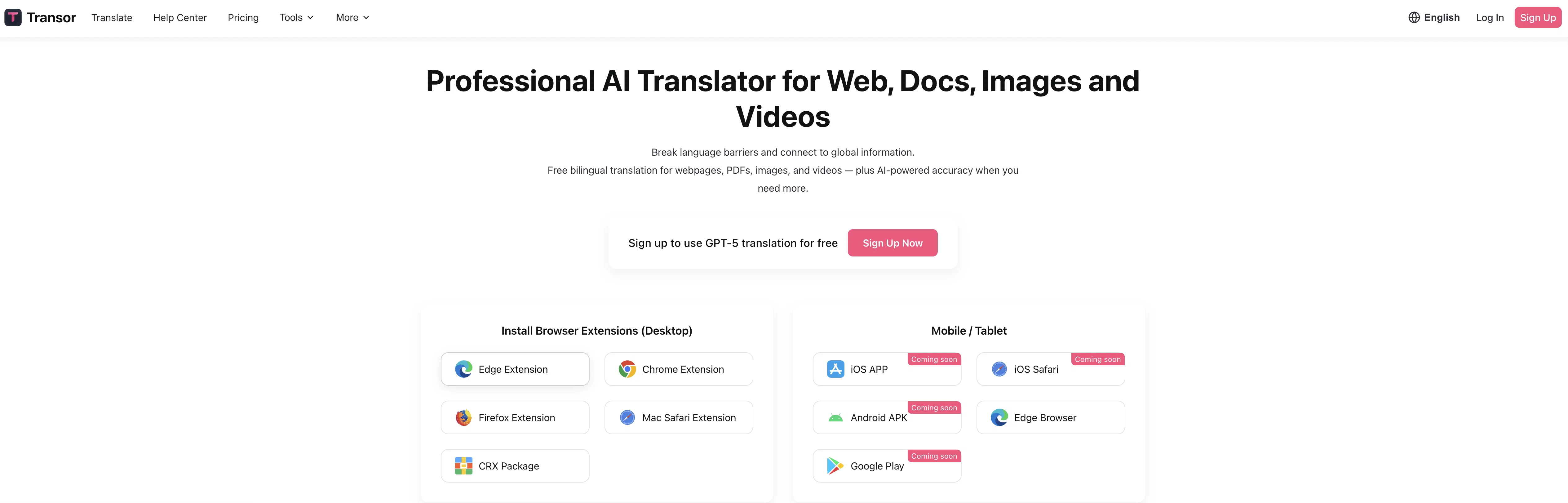
Transor is an AI-powered translation tool designed to facilitate real-time language translation across various platforms and formats. The tool is equipped to translate websites, subtitles from video streaming platforms such as YouTube and Netflix, PDF documents, and images.
This makes it particularly suitable for users who need to comprehend content in foreign languages for personal, academic, or professional purposes. Transor's real-time translation feature permits immediate understanding of the content, thereby saving time and enhancing productivity.
The tool is available on multiple platforms such as the Web, via a Chrome extension, and on mobile and desktop operating systems including Android, iOS, Windows, and Mac.
This universal availability allows users to access its functionalities on the platform of their choice. As a point of note, Transor requires JavaScript to be enabled to function properly, as is suggested on their official website page.
With a single click, it strives to break language barriers, making content accessible across various international regions and for users of diverse linguistic backgrounds.
Help other people by letting them know if this AI was useful.
Add your own prompts and outputs to help others understand how to use this AI.
Screenshot gallery
Pros & Cons
Pros
+Multi-platform availability
+One-click translation
+Translates websites
+Translates media subtitles
+PDF document translation
+Image translation
+Available as Chrome extension
+Real-time translation feature
+Enhances productivity
+Supports professional use
+Supports personal use
+Supports academic use
+Promotes content accessibility
+Facilitates cross-cultural communication
+Universal accessibility
+JavaScript enablement for functionality
+User-friendly UI
+Supports multilingual users
+Translates Netflix subtitles
+Translates YouTube subtitles
+Comprehensive language tool
+Breaks language barriers
Cons
−Requires JavaScript enabled
−Limited for restricted environments
−Only one-click translations
−Inflexibility in translation options
−May struggle with images
−Limited subtitle platforms
−No offline mode
−No multiple translation profiles
−No translation revision history
−No version for Linux
A Professional Framework to Evaluate Transor
When considering Transor for integration into your organizational workflow, we recommend deploying a structured score card across three critical operational pillars: Security & Compliance, Integration Friction, and long-term Price Scalability. Rather than looking only at basic feature lists, modern procurement teams must assess how a software platform behaves under high load and how well it fits into the team's data security guidelines.
1. Security and Database Compliance
Depending on your operating region and field, ensure that Transor supports standard security layers such as SOC 2 Type II certifications, GDPR compliance, or HIPAA-compliant database encryption. If the tool connects directly to client database tables or handles user passwords, verify that they implement multi-factor authentication (MFA), single sign-on (SSO) integrations, and end-to-end data encryption in transit and at rest.
2. API Coverage and Custom Integrations
Siloed data is the primary cause of operational friction. Evaluate if Transor has native connectors for your current project trackers, messaging hubs, and customer communication channels. For custom developer requirements, check if they provide a fully documented REST API with reasonable rate limits, comprehensive Webhooks support, and robust SDK packages in your language. A flexible API layer saves hundreds of hours of manual copy-paste overhead.
3. Total Cost of Ownership (TCO)
SaaS pricing packages are often deceptively simple. When reviewing Transor's billing structure, map out your team's projected expansion over the next 12 to 24 months. Determine how costs scale as your customer database increases or as you add team members. Factor in setup costs, mandatory support plan upgrades, API access fees, and storage overage rates to understand the true cost before committing to a contract.
By combining verified user reviews from our directory with internal workflow pilot tests, your procurement team can make an informed decision that drives productivity without creating capital waste.
Features of Transor
Agent
Language Tool
Local
Open Source
Translation
Real Time Translation
Free + From $5/Mo
SaaS1to10 verified reviews for Transor
Overall rating
★★★★★5.0
Based on 14 reviews
★★★★★5.01 months ago
“Review”
I use Sourcetable for quick data analysis and visualizations with natural-language queries. I'm working with Excel files and our Postgres database. It feels like an AI analyst built into a spreadsheet for turning raw data into clear reports. (Like ChatGPT + Excel, but better.)
Eoin McMillan
★★★★★5.01 months ago
“Review”
Thanks! So happy to hear you're liking @FlowPost.
CodeConda
★★★★★5.01 months ago
“Review”
Just tried it and it’s working fine for me. The results are actually nice, worth trying again!
Alexandru Bostina
★★★★★5.01 months ago
“Review”
Sorry about that, just launched, fixed the bug.
Vadim
★★★★★5.01 months ago
“Review”
Can’t use it without an invite code.
Steven
★★★★★5.01 months ago
“Review”
Great accuracy and easy to crosscheck with the provided hyperlinks to the sources.
Marius Schmitt
★★★★★5.01 months ago
“Review”
Generating captions was super fast like seconds. Wish they had Anton font though
bob miller
★★★★★5.01 months ago
“Review”
I've been playing around with this for a few hours. It's made me say "WOW" too many times than i wish to admit. I'm going to follow this and see how it evolves. For now, i managed to create quite a nice Expenses app for personal use. | It did have some problems when it came to moving some components on other pages, but for how short the prompts it uses can be, it is really impressive. With some proper prompts it can generate some strong stuff.
Bernard
★★★★★5.01 months ago
“Review”
Very interesting
Béatrice Duval
★★★★★5.01 months ago
“Review”
I joined Kin's beta program on my iPhone XR. After upgrading to an iPhone 13, I found that I couldn't log into my existing account on the new phone, forcing me to create a new account. Now, I have two separate Kin accounts on different phones. Today, when I accessed the beta version of Kin, I got a notification stating that the test version ended on Monday, September 23rd. It instructed me to back up my data and move to the official Kin app. I did as advised—backed up my data, confirmed, uninstalled the beta app via TestFlight, and installed the official Kin app. However, when I attempted to “log in”, I was still unable to access my existing account. This issue hasn't been resolved yet. I have been trying desperately to get in contact with the support team. I left feedback through the test flight app and sent emails. No response. Now trying to find a forums, Reddit posts, TAAFT comments☻
Desiree Miller
★★★★★5.01 months ago
“Review”
Really like how it finds connection in the content that I save. I don't think any other tool can do that.
amix ffx
★★★★★5.01 months ago
“Review”
This is my best bro! I communicate with him like my best friend, he always helps to direct my thoughts and ideas in the right direction, always tells me how to improve something and always gives detailed instructions during the conversation. Thanks to him, I’m launching a new project, in which he helps me take my ideas to a new level, just communication, during which you reassemble your concept and rethink your original idea, because you didn’t know how it would be better and more correct. @DeepSeek is my best assistant today, my creative inspiration, who gives me support and confidence in my business, guiding me to realize my dreams)
Gamer TOTORO
★★★★★5.01 months ago
“Review”
Great tool! Was very helpful in content production
Duck Typer
★★★★★5.02 months ago
“Review”
smooth and simple, i tried it on whatsapp for mac and it really translates chats in real time so i dont have to struggle with other apps. kudos to the team :D