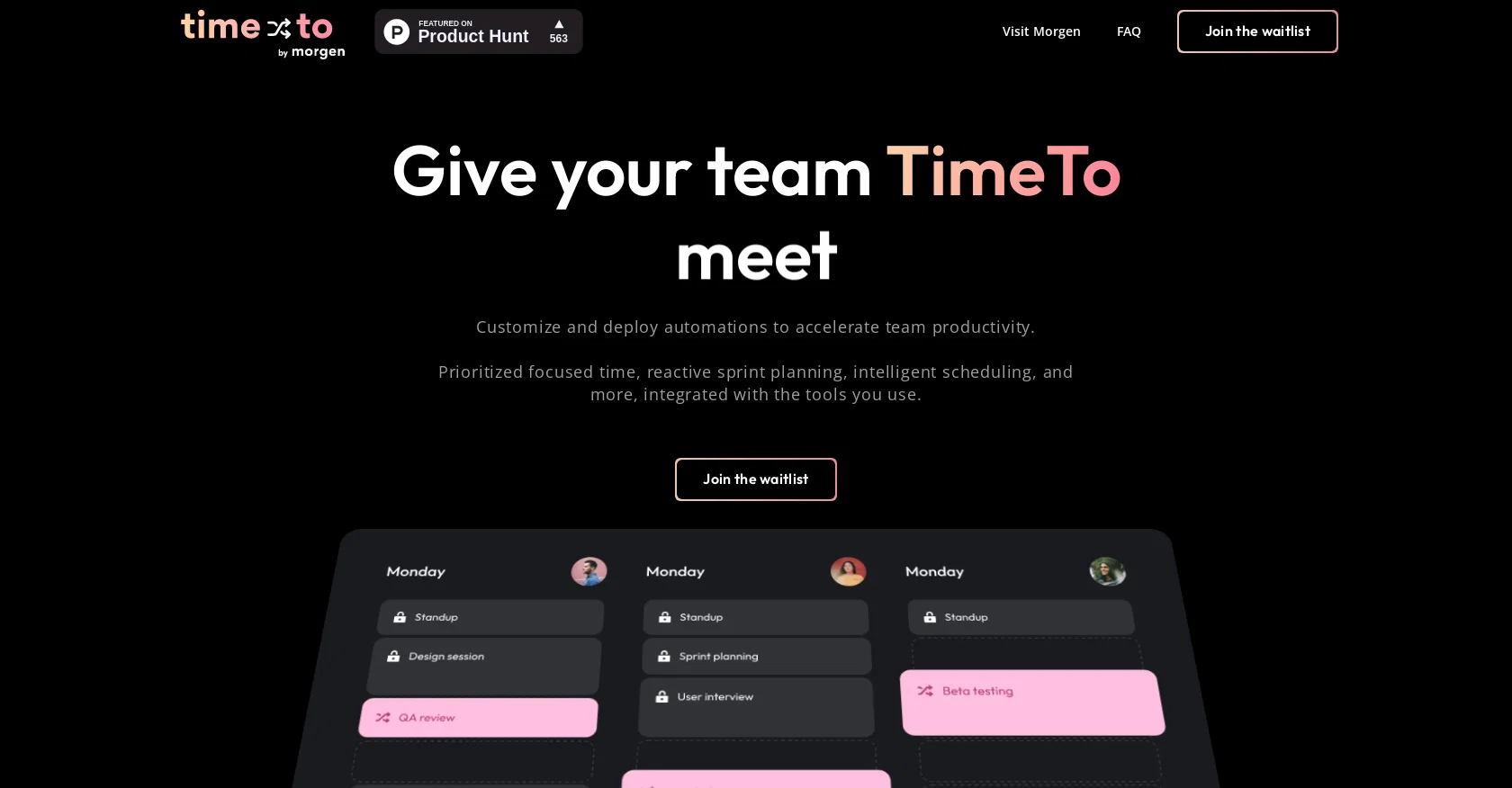
TimeTo is a cloud-based platform that focuses on team time management. The tool provides tailored AI-powered automation that connects with the team's calendars and task managers, helping to optimize productivity.
TimeTo uses a hackable platform and expressive API to allow users to choose from off-the-shelf automation and extensible custom code. The tool prioritizes focus and deep work, enabling reactive scheduling, so the calendar reacts in real-time to new priorities, last-minute meetings, and scope changes.
The tool uses smart scheduling to enable flexible meetings and dynamic optimizations that increase focus and amplify productivity. TimeTo provides actionable data that allows users to see how time is spent and identify areas for optimization.
The platform also fights burnout by measuring the intensity of team members' schedules and alerting managers about team members who haven't had a recent day off or holiday.
This tool integrates with team communications tools, allowing users to go into DND and focused modes. TimeTo is built with data security and privacy in mind, and the tool integrates with the team's tools, allowing users to prioritize high-quality work alongside the meetings that matter.
Help other people by letting them know if this AI was useful.
Add your own prompts and outputs to help others understand how to use this AI.
Screenshot gallery
Pros & Cons
Pros
+Cloud-based platform
+Calendar and task manager integration
+Optimizes productivity
+Hackable platform
+Expressive API
+Allows custom code
+Reactive scheduling
+Real-time calendar reactions
+Smart scheduling
+Flexible meetings
+Dynamic optimization
+Provides actionable data
+Identifies optimization areas
+Supports burnout prevention
+Measures schedule intensity
+Alerts for no recent rest
+Team communication tool integration
+DND and focused modes
+Data security and privacy
+Integrates with team's tools
+Prioritizes high-quality work
+Time blocking support
+Automatic task scheduling
+Priorities and deadlines consideration
+Automated reminders
+Personalized rules setting
Cons
−Limited integrations with calendars
−Overreliance on user rules
−Too extensible, confusing for beginners
−High-intensity management might overwhelm
−Potential privacy issues with calendar syncing
−Lacks offline usability
−Reactive scheduling may disrupt workflow
−Difficult to understand analytics
−No designated mobile app
−Excessive notifications could distract
A Professional Framework to Evaluate TimeTo
When considering TimeTo for integration into your organizational workflow, we recommend deploying a structured score card across three critical operational pillars: Security & Compliance, Integration Friction, and long-term Price Scalability. Rather than looking only at basic feature lists, modern procurement teams must assess how a software platform behaves under high load and how well it fits into the team's data security guidelines.
1. Security and Database Compliance
Depending on your operating region and field, ensure that TimeTo supports standard security layers such as SOC 2 Type II certifications, GDPR compliance, or HIPAA-compliant database encryption. If the tool connects directly to client database tables or handles user passwords, verify that they implement multi-factor authentication (MFA), single sign-on (SSO) integrations, and end-to-end data encryption in transit and at rest.
2. API Coverage and Custom Integrations
Siloed data is the primary cause of operational friction. Evaluate if TimeTo has native connectors for your current project trackers, messaging hubs, and customer communication channels. For custom developer requirements, check if they provide a fully documented REST API with reasonable rate limits, comprehensive Webhooks support, and robust SDK packages in your language. A flexible API layer saves hundreds of hours of manual copy-paste overhead.
3. Total Cost of Ownership (TCO)
SaaS pricing packages are often deceptively simple. When reviewing TimeTo's billing structure, map out your team's projected expansion over the next 12 to 24 months. Determine how costs scale as your customer database increases or as you add team members. Factor in setup costs, mandatory support plan upgrades, API access fees, and storage overage rates to understand the true cost before committing to a contract.
By combining verified user reviews from our directory with internal workflow pilot tests, your procurement team can make an informed decision that drives productivity without creating capital waste.
Features of TimeTo
Time Tracking
Team Management
Automation
Scheduling
Productivity
Workforce Management
SaaS1to10 verified reviews for TimeTo
Overall rating
★★★★★5.0
Based on 18 reviews
★★★★★5.01 months ago
“Review”
Good idea on democratization of AHP based Multiple Criteria Decision Making / Analysis (MCDM / MCDA). Helping common people to get AI powered MCDA at own mobile phone, otherwise only available expencive software with enterprises.
Shashi Bhattarai
★★★★★5.02 months ago
“Review”
If users feel “organized” but don’t get outcomes,
you’re a churn machine -> ~20–30% lost retention revenue.
Do users actually improve output, or just manage tasks?
Paul
★★★★★5.02 months ago
“Review”
We are live now!
Peter Pan
★★★★★5.02 months ago
“Review”
It is useful in the free version too..you get credits inviting people!
cristina recenti
★★★★★5.02 months ago
“Review”
After not even ONE try, it asks for Pro. No success, just imo developer hyper-greed. Avoid!
Katrina Silas
★★★★★5.02 months ago
“Review”
Amazing, fast
Leonel Curra
★★★★★5.02 months ago
“Review”
The most humanly AI i have used so far but the problem is as soon as you start piling up messages in single chat session , it starts getting slow and at some point it starts freezing and also uses a lot of resources. For time being its okay to do 3 4 messages but as soon as we continue it has messages limitation and also starts getting very very slow . For the price of £18 per month this is unacceptable and with the newly introduced feature called project, if we start new chat within the project we cannot continue with the context we provided in other chats within same project. There are lot of improvements for them to work on. And to start with the its speed and its price
Bibash Katel
★★★★★5.02 months ago
“Review”
Great idea, but does not find what you are looking for-about the same as Google Scholar
Andy
★★★★★5.02 months ago
“Review”
Nice interface, but no good at PDF answers, especially tables data.
hifive szu
★★★★★5.02 months ago
“Review”
As the service was in beta-testing stage, I created there a dozen of AI-generated courses for free. I wanted to use them. Those courses remained in my account as they started subscription tiers. But recently I have found out that they were deleted. The support didn't answer to my e-mail at all.
Oldfag TV
★★★★★5.02 months ago
“Review”
Such an impressive platform for all of us who are looking for more efficient ways to do the investigation. @OpenRead has the potential to solve our problems.
Zhuohang Tong
★★★★★5.02 months ago
“Review”
O GPT faz uma análise melhor e mais personalizada.
Vinicius Vilela
★★★★★5.02 months ago
“Review”
I tried using it but the website has too many bugs.
João Neiva
★★★★★5.02 months ago
“Review”
Fast, Easy to use and makes repetitive tasks easy
Ioannis Gikas
★★★★★5.02 months ago
“Review”
We're live folks! Do check us out and drop your feedback or requests.
Shubh Saras
★★★★★5.02 months ago
“Review”
Can’t use it without an invite code.
Steven
★★★★★5.02 months ago
“Review”
I work on the @Tendem team, so take this with that context — but I also use the product constantly for my own work. I've used @Tendem to research AI directories — finding relevant ones, pulling submission requirements, organizing everything into a spreadsheet I could act on. I've also used it for copy edits — sending over drafts and getting back tightened, polished versions without going back and forth with a prompt ten times. The thing that keeps me coming back is how little I have to think about the handoff. I describe what I need, send it, and move on to something else. It's slower than getting a ChatGPT response, sure. But I get something finished — not a starting point I still need to rework. When you use AI tools for this kind of work, you trade waiting time for cleanup time. @Tendem flips that. I'd rather wait and get a result I can use than get a fast draft I have to fix myself.
Vladimir Gromozdin
★★★★★5.02 months ago
“Review”
I've put about 30-40 hours into SureThing, and it's seriously been a game-changer, basically acting like a virtual COO for my business!