5.01 months ago
“Review”
Would recommend! Takes ~30 seconds and saves a significant amount of time.
Erik Ross

See and understand your data with powerful visualizations.
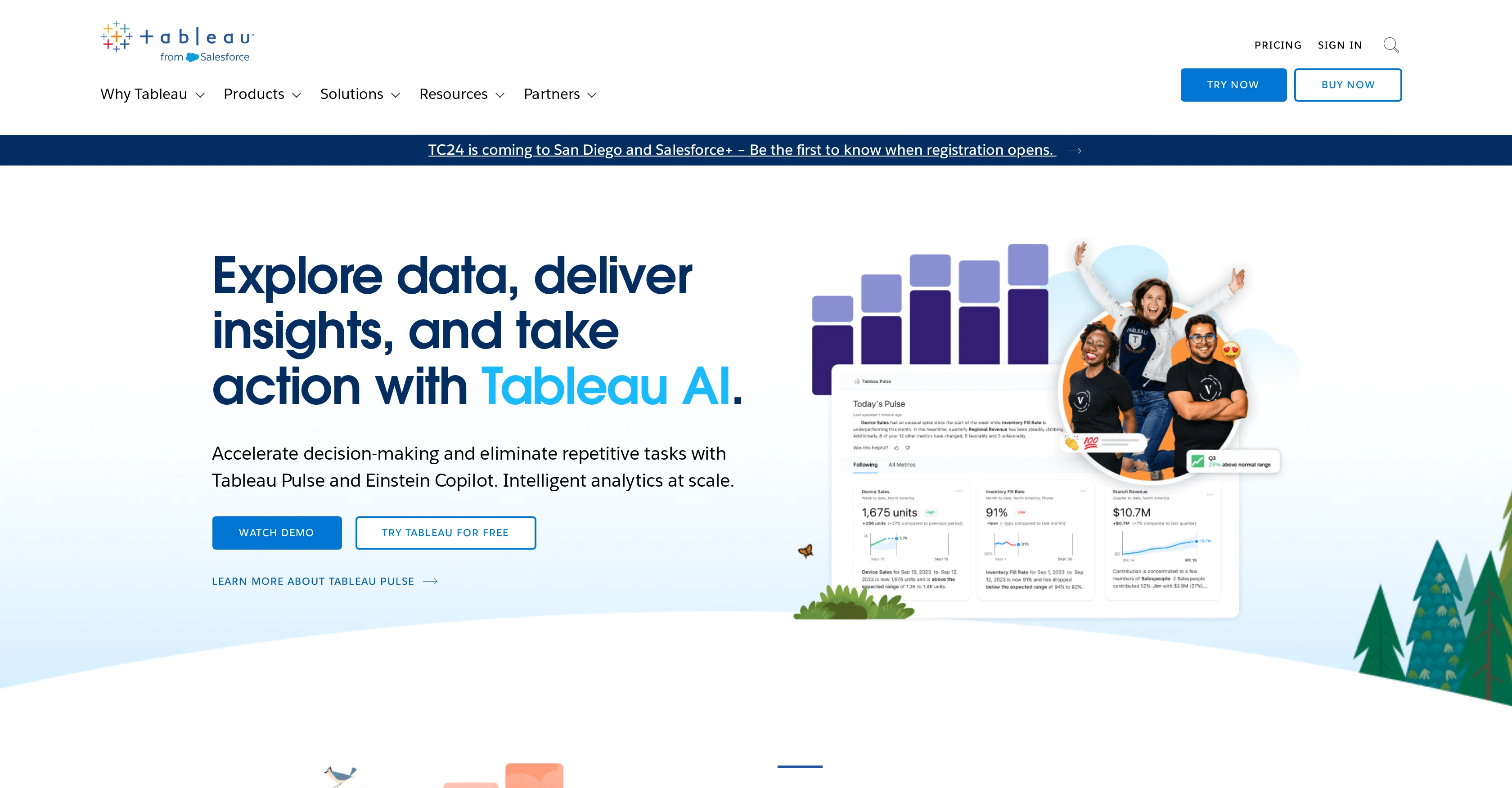
Tableau, a product from Salesforce, is a versatile business intelligence and analytics software designed to enable users to visualize, understand, and act on data. It offers the ability to connect to almost any database, allowing users to create visualizations through an intuitive, drag-and-drop interface. As a comprehensive analytics platform, Tableau supports deployment on cloud, on-premises, or natively, satisfying a range of organizational deployment preferences.Tableau is also characterized by its strong community aspect, with over a million members worldwide. This provides a platform for users to connect, learn, and be inspired by like-minded individuals. The software is trusted by organizations of various sizes and types to help them become more data-driven, demonstrating its wide applicability and value in diverse contexts.Further, Tableau incorporates advanced AI capabilities, accentuating intelligent analytics at scale. It notably features Tableau Pulse and Einstein Copilot, designed to expedite decision-making processes and automate repetitive tasks.Lastly, the software embraces continuous development and innovation, as evidenced by the introduction of new features and the offer of various resources, such as training, support, and updated research materials. This ensures that users are always at the forefront of data management and analytics trends, techniques, and best practices. Help other people by letting them know if this AI was useful. Add your own prompts and outputs to help others understand how to use this AI.
When considering Tableau for integration into your organizational workflow, we recommend deploying a structured score card across three critical operational pillars: Security & Compliance, Integration Friction, and long-term Price Scalability. Rather than looking only at basic feature lists, modern procurement teams must assess how a software platform behaves under high load and how well it fits into the team's data security guidelines.
Depending on your operating region and field, ensure that Tableau supports standard security layers such as SOC 2 Type II certifications, GDPR compliance, or HIPAA-compliant database encryption. If the tool connects directly to client database tables or handles user passwords, verify that they implement multi-factor authentication (MFA), single sign-on (SSO) integrations, and end-to-end data encryption in transit and at rest.
Siloed data is the primary cause of operational friction. Evaluate if Tableau has native connectors for your current project trackers, messaging hubs, and customer communication channels. For custom developer requirements, check if they provide a fully documented REST API with reasonable rate limits, comprehensive Webhooks support, and robust SDK packages in your language. A flexible API layer saves hundreds of hours of manual copy-paste overhead.
SaaS pricing packages are often deceptively simple. When reviewing Tableau's billing structure, map out your team's projected expansion over the next 12 to 24 months. Determine how costs scale as your customer database increases or as you add team members. Factor in setup costs, mandatory support plan upgrades, API access fees, and storage overage rates to understand the true cost before committing to a contract.
By combining verified user reviews from our directory with internal workflow pilot tests, your procurement team can make an informed decision that drives productivity without creating capital waste.
Overall rating
Based on 17 reviews
Would recommend! Takes ~30 seconds and saves a significant amount of time.
Erik Ross
Signed up for a pro account for Google Drive integration. Works great! Saves me a lot of manual excel work.
Thu Ha Vu
Super useful tool that’s reduced my job by 80%
Harishma Reghu
Works for me
Aramis
How has this not received a single review. It’s a brilliant analytical writer of up to 5,000 words
L Jenkins
Great Product!!
Driton Selimaj
clean structure, solid content. only downside is the 3 credit limit on the free plan, since each page costs 1. would be nice to get a bit more flexibility for free users, but overall it’s a really good essay helper.
William Ben
It is not free. So i couldnt test anything
Isa Venancio
Think its a fab tool but why wont it allow you to save your workflows?
Azmat Yusaf
I've tried to find the exact articles via WoS, Google, or Scopus. Despite using a very advised and complicated search query, it was just a waste of time. Perplexity didn't help either. The Jenni AI, which may add useful links when generating text, finds nothing but trash. SciScape gave exactly what I needed from the first query! A couple of fresh relative articles with very exact topics!
Elijah
I already have another transcription tool, but this one is much better. I love the different features such as the summary, quiz, and chapters. It does a great job of them. I've only done one transcript so far to try it out, but I'm truly impressed and am going to grab another code. A couple things that would make it even better are: - the ability to rename the files and organize them through folders. - the ability to download a copy of the other features as well as the transcript. Copying and pasting it works, but doesn't keep the format.
dunn
create stock control, delivery and product management
Francisco Jalane
It is the ease of use for me. @DataSquirrel is fast, the UI is super intuitive, and the guided analysis feature is highly convenient. I have officially moved from uploading CSV files from Google sheet to @DataSquirrel. Within minutes, I can visualize my data and interpreting it becomes super simple.
Aakriti Mahajan
I tried using it but the website has too many bugs.
João Neiva
I was just trying to get a quick graph showing population evolution over the last 30 years, didn’t have the dataset ready, so I was hoping the tool could auto-fill something reasonable. But it literally gave me three values. Three?? For 30 years?? What kind of trend can I possibly see with that? If the tool offers to research the data, it should at least offer a full timeline. And when I pasted the data I found, it created a literally bar chart???
Curtis Walls
it is an excellent innovation
UNNAM SAI CHARAN
I felt there is need of more ready made templates. But, it does what it claims. I chose one question suggested by the AI agent, and it created the infographics in few seconds. It's cool. Saving it for future reference.
Harrison Oliver
Starting Price
From $12.00/user/month
Pricing may vary based on team size and features selected.


