5.01 months ago
“Review”
It helped me set up my online business within minutes.
cherni hiba

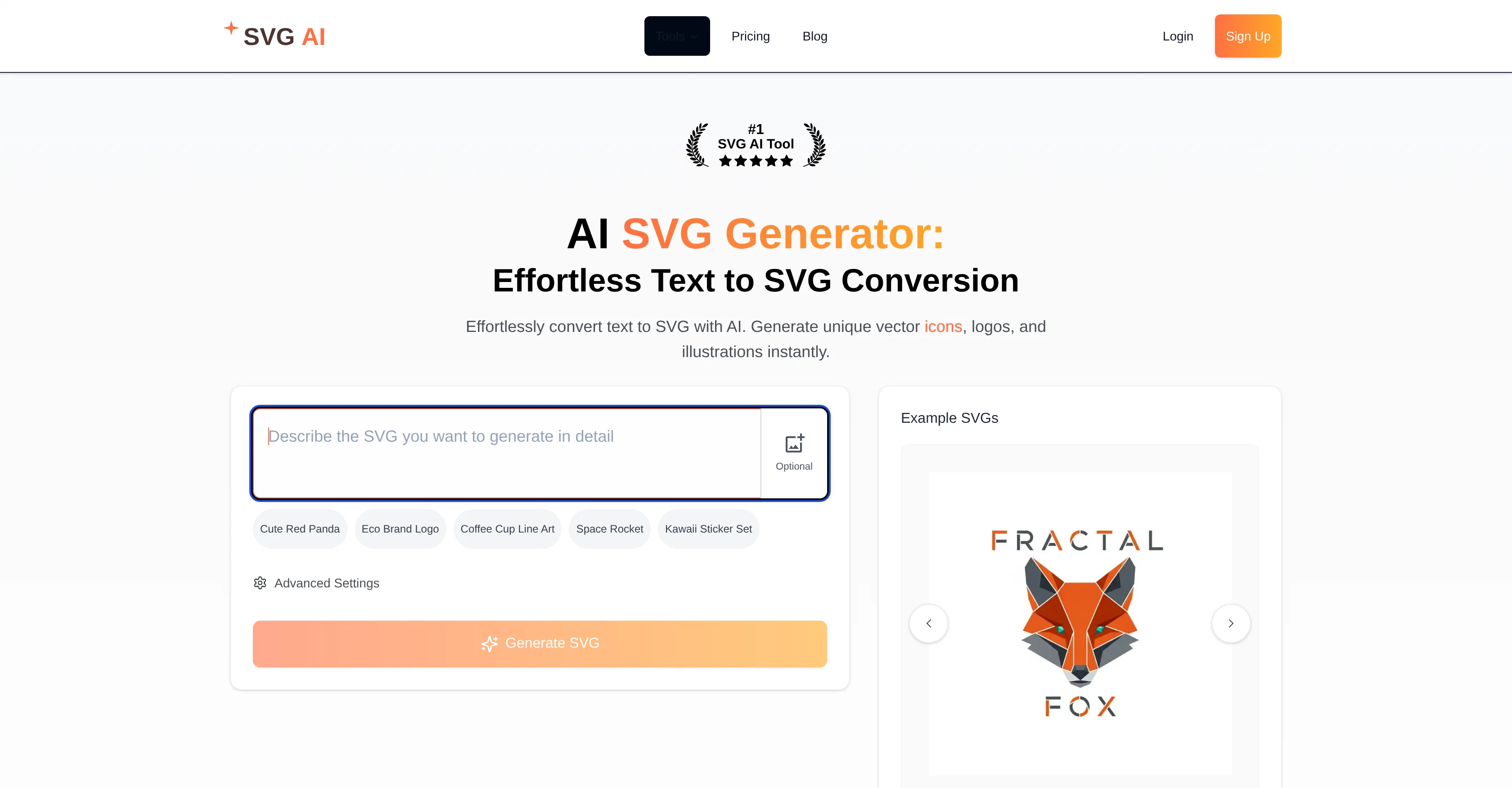
Convert text to SVG with AI instantly.
The AI SVG Generator is a tool that allows for the instant conversion of text into Scalable Vector Graphics (SVG). Leveraging the power of artificial intelligence, this tool is capable of generating unique SVG content including logos, icons, and vector illustrations from provided text descriptions. In addition to transforming text into SVG, the tool also offers guide resources on creating and effectively utilizing SVG graphics. The AI platform rendering these services extends to an icon generator and an AI-assisted logo creation tool, potentializing graphic designs from textual inputs. Furthermore, the product provides a variety of additional features such as SVG to MP4 converter and the ability to convert multiple different image formats into SVG, including PNG, JPG, etc. Hence, this AI SVG generator broadens design accessibility to users irrespective of their graphic design expertise. Overall, this tool combines the efficiency of AI technology with the complexity of graphic design, providing users with a simplified, quick, and efficient process for generating professional, high-quality, and diverse SVG content. Note: Free trial availability may be subject to changes, stay updated by referring to the tool's official site. Help other people by letting them know if this AI was useful. Add your own prompts and outputs to help others understand how to use this AI.
When considering SVG AI for integration into your organizational workflow, we recommend deploying a structured score card across three critical operational pillars: Security & Compliance, Integration Friction, and long-term Price Scalability. Rather than looking only at basic feature lists, modern procurement teams must assess how a software platform behaves under high load and how well it fits into the team's data security guidelines.
Depending on your operating region and field, ensure that SVG AI supports standard security layers such as SOC 2 Type II certifications, GDPR compliance, or HIPAA-compliant database encryption. If the tool connects directly to client database tables or handles user passwords, verify that they implement multi-factor authentication (MFA), single sign-on (SSO) integrations, and end-to-end data encryption in transit and at rest.
Siloed data is the primary cause of operational friction. Evaluate if SVG AI has native connectors for your current project trackers, messaging hubs, and customer communication channels. For custom developer requirements, check if they provide a fully documented REST API with reasonable rate limits, comprehensive Webhooks support, and robust SDK packages in your language. A flexible API layer saves hundreds of hours of manual copy-paste overhead.
SaaS pricing packages are often deceptively simple. When reviewing SVG AI's billing structure, map out your team's projected expansion over the next 12 to 24 months. Determine how costs scale as your customer database increases or as you add team members. Factor in setup costs, mandatory support plan upgrades, API access fees, and storage overage rates to understand the true cost before committing to a contract.
By combining verified user reviews from our directory with internal workflow pilot tests, your procurement team can make an informed decision that drives productivity without creating capital waste.
Overall rating
Based on 19 reviews
It helped me set up my online business within minutes.
cherni hiba
I stumbled upon this site, so happy I did . I asolutely love it. There is a mother load of AI tools to choose from. My new favorite site!
ann gonzales
Great designs
Brian Gacheru
"It’s like if Figma and ComfyUI had a baby." got me laughing. I am gonna use this thing.
Aathreya Shetty
It's completely free, I created lots of posts with it
Antonia Mitrea
This is my best bro! I communicate with him like my best friend, he always helps to direct my thoughts and ideas in the right direction, always tells me how to improve something and always gives detailed instructions during the conversation. Thanks to him, I’m launching a new project, in which he helps me take my ideas to a new level, just communication, during which you reassemble your concept and rethink your original idea, because you didn’t know how it would be better and more correct. @DeepSeek is my best assistant today, my creative inspiration, who gives me support and confidence in my business, guiding me to realize my dreams)
Gamer TOTORO
🌟🌟🌟🌟🌟 5-Star Review "@Art Prompts Generator is a fantastic tool for artists seeking inspiration. It offers vivid, imaginative prompts that ignite creativity and help overcome creative blocks. Highly recommended for anyone looking to explore new artistic ideas!"
Sukul Das PANIKA
i love it my favorite thanks a lot
quali kio
why doesnt files get exported as hdri ? ..perhaps there cound be an option to do this. mine came out as png and i had to convert. Also i wanted mine as a skydome....Interesting tool though.
Michael Flynn
wonderful tool,thanks
chandrapala perera
very good image
Bristan “Capesterre” Carbier
Needs to learn about different art schools, imo: doesn’t seem to understand the concept of cubism.
Catherine Karaguézian
There were no aristocratic Asians and Africans in ancient Rome.
Sándor Gajdos
still background removing accuracy is required. it only 80% not 100%
Krutika Creations
I think it's the best @Image Generator I ever found on the net. It gives more accurate image according to the prompt. And thank you for keeping it for free.
My Sawsiri
nice holistic
Amit ImmI
Loved the app! I see real life use case for this and the opportunities are insane! Keep going you guys!
Meghna Gupta
Clean and fast website to get SVGs quickly! Recommended :)
Sam
great for making book photos
bappy Chaudhury
Starting Price
From $15.00/user/month
Pricing may vary based on team size and features selected.