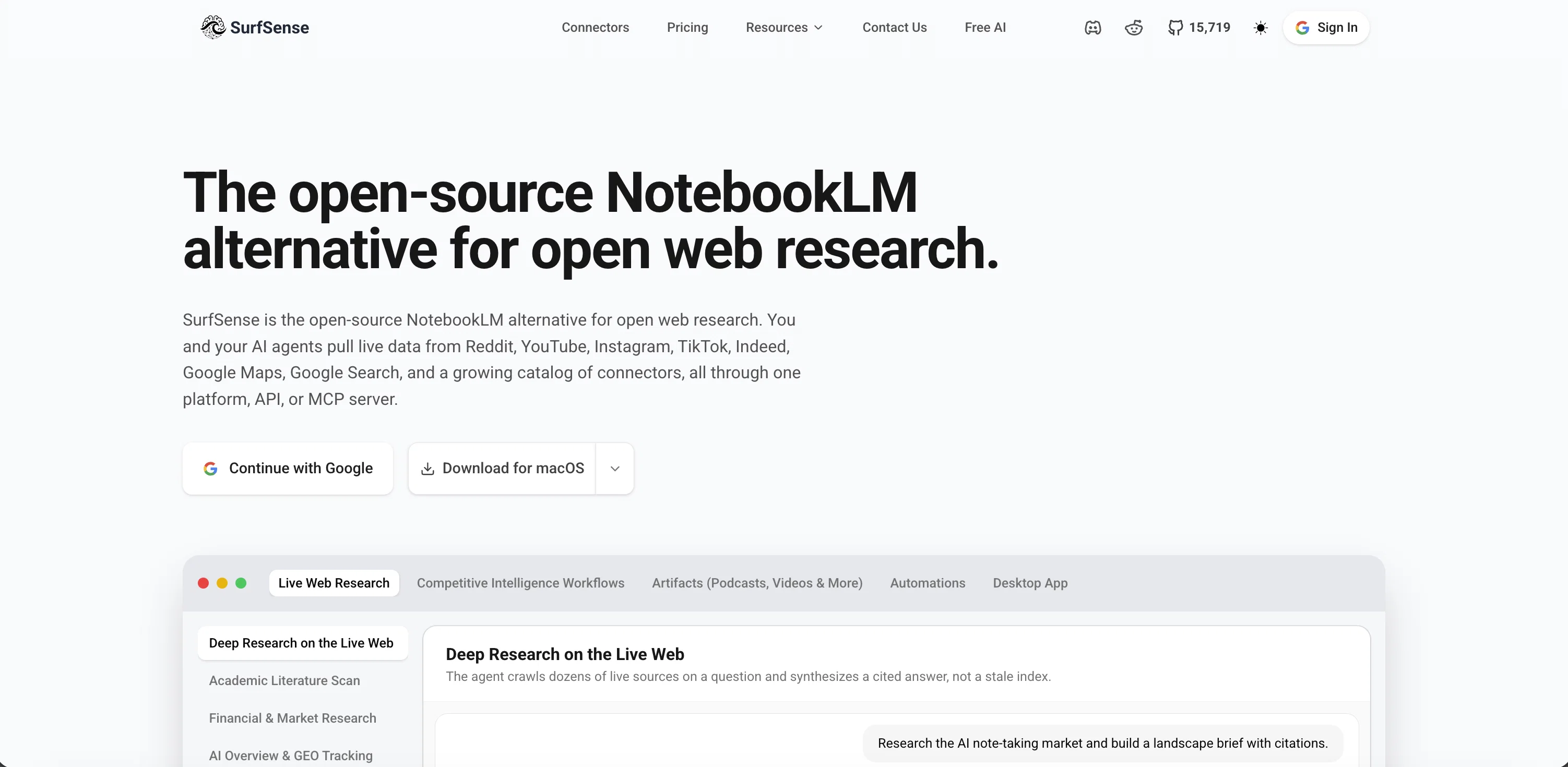
SurfSense is an AI-powered research and knowledge management assistant designed with versatility and productivity in mind. The tool integrates into a variety of other platforms like Notion, GitHub, Slack, and more, allowing users to easily manage, search, and engage with their documents.
It has the capability to generate podcasts, execute hybrid searches, and derive insights from a users knowledge base.Beyond the conventional document interaction, SurfSense transforms company documents into live workspaces, allowing for real-time collaboration and live content edits.
Added features go beyond just text-based interaction, allowing teams to create multimedia content that can be shared and improved upon within the workspace.
The software also supports numerous other AI models, running Inference via vLLM, Ollama, llama.cpp, LM Studio, among others, offering flexibility and adaptability suitable for a variety of operations.The assistant is fully customizable with the option to directly integrate user feedback onto chats and documents for better interaction and clarity.
It allows for instant retrieval of information, detailed updates, and cited answers across company and personal knowledge.SurfSense is equipped to transform the way teams collaborate and discover with its intelligent search feature, essentially unifying all a team's knowledge in one collaborative space.
The tool is designed to enhance collaboration, boost productivity, and streamline workflows for teams.
Help other people by letting them know if this AI was useful.
Add your own prompts and outputs to help others understand how to use this AI.
Screenshot gallery
Pros & Cons
Pros
+Integrates with Notion
+Integrates with GitHub
+Integrates with Slack
+Real-time collaboration tool
+Centralized intelligent workspace
+Instant information retrieval
+Customizable with 100+ LLMs
+On-premise local LLM inference
+Integration with Baidu Search
+Integration with Discord
+Integration with ClickUp
+Customizable language models
+Transform documents to live workspaces
+Streamline workflows
+Live editing feature
+Enhance team collaboration
+Generate podcasts capability
+Hybrid search option
+User feedback integration
+Fosters team productivity
+Integration with Team Productivity
+Transform static knowledgebases
+Enhancement for productivity
+Multimedia content creation
+Integration with Microsoft Teams
+Integration with Gmail
+Integration with MCP
+Integration with Slack
+Integration with Google Drive
+Integration with Confluence
+Integration with Linear
+Integration with Obsidian
+Integration with Google Calendar
+Contextual comments addition
+Integration with Jira
+Integration with BookStack
+Integration with Circleback
+Integration with Luma
+Integration with YouTube
+Instant detailed updates
+Cited answers feature
+Integration with Elasticsearch
+Integration with Airtable
+Integration with Tavily
+Integration with Linkup
+Integration with SearXNG
+Seamless cooperation across teams
+User-tailored tool
+Supports multiple platforms
Cons
−Limited Integration options
−Complex customization process
−Lack live customer support
−Potential security concerns on-premise
−Slows down with large files
−Limited data import formats
−No mobile app
A Professional Framework to Evaluate SurfSense
When considering SurfSense for integration into your organizational workflow, we recommend deploying a structured score card across three critical operational pillars: Security & Compliance, Integration Friction, and long-term Price Scalability. Rather than looking only at basic feature lists, modern procurement teams must assess how a software platform behaves under high load and how well it fits into the team's data security guidelines.
1. Security and Database Compliance
Depending on your operating region and field, ensure that SurfSense supports standard security layers such as SOC 2 Type II certifications, GDPR compliance, or HIPAA-compliant database encryption. If the tool connects directly to client database tables or handles user passwords, verify that they implement multi-factor authentication (MFA), single sign-on (SSO) integrations, and end-to-end data encryption in transit and at rest.
2. API Coverage and Custom Integrations
Siloed data is the primary cause of operational friction. Evaluate if SurfSense has native connectors for your current project trackers, messaging hubs, and customer communication channels. For custom developer requirements, check if they provide a fully documented REST API with reasonable rate limits, comprehensive Webhooks support, and robust SDK packages in your language. A flexible API layer saves hundreds of hours of manual copy-paste overhead.
3. Total Cost of Ownership (TCO)
SaaS pricing packages are often deceptively simple. When reviewing SurfSense's billing structure, map out your team's projected expansion over the next 12 to 24 months. Determine how costs scale as your customer database increases or as you add team members. Factor in setup costs, mandatory support plan upgrades, API access fees, and storage overage rates to understand the true cost before committing to a contract.
By combining verified user reviews from our directory with internal workflow pilot tests, your procurement team can make an informed decision that drives productivity without creating capital waste.
Features of SurfSense
Agent
Local
Open Source
AI Research Tool
Knowledge Management
Collaboration Tools
SaaS1to10 verified reviews for SurfSense
Overall rating
★★★★★5.0
Based on 23 reviews
★★★★★5.02 months ago
“Review”
B12 exceeded my expectations especially after I tried a few similar tools. Signing up took under a minute and because I offer a very specific set of services as a consultant, I didn't expect the AI to be able to capture my work, but it did a great job with creating content for me. I only had to make a few edits, add my bio, and was able to publish that same day. Now I get lots of compliments on my site and I've even tried their other tools like email marketing, which is great because the emails match my site's appearance. Overall I would recommend B12 as an effective, affordable, and easy to use website solution.
Katie G
★★★★★5.02 months ago
“Review”
very good image
Bristan “Capesterre” Carbier
★★★★★5.02 months ago
“Review”
still background removing accuracy is required. it only 80% not 100%
Krutika Creations
★★★★★5.02 months ago
“Review”
This is surprisingly powerful. I can go from a vague idea to a polished track just by talking to Tunesona. The level of genre control and the instant adjustments make the whole process incredibly efficient.
leenuh
★★★★★5.02 months ago
“Review”
@Rocket is fast as heeeelll for spinning up prototypes when an idea hits. I've shipped small tools and MVPs with this as the foundation, saves days of boilerplate setup. Great one :)
Maarten Beast
★★★★★5.02 months ago
“Review”
i love it i use it to teach me Italian and ukranian and programing ! and it awesome , because it allows you in the free version send many prints of your screen , not having to explain all the errors by typing diferent from gpt that you can only send 3 photos in the free version. i also use @Grok to study i frist make the exercise in my book then i take a photo of my exercise then i ask it to see if there is any mistake and dissipate my terryble handwriting it understands
fernand Lopes
★★★★★5.02 months ago
“Review”
Sorry about that, just launched, fixed the bug.
Vadim
★★★★★5.02 months ago
“Review”
I rarely leave reviews, but Elsa amazed me. After a few weeks of using it, I'm still excited. Props, guys.
Anton
★★★★★5.02 months ago
“Review”
I joined Kin's beta program on my iPhone XR. After upgrading to an iPhone 13, I found that I couldn't log into my existing account on the new phone, forcing me to create a new account. Now, I have two separate Kin accounts on different phones. Today, when I accessed the beta version of Kin, I got a notification stating that the test version ended on Monday, September 23rd. It instructed me to back up my data and move to the official Kin app. I did as advised—backed up my data, confirmed, uninstalled the beta app via TestFlight, and installed the official Kin app. However, when I attempted to “log in”, I was still unable to access my existing account. This issue hasn't been resolved yet. I have been trying desperately to get in contact with the support team. I left feedback through the test flight app and sent emails. No response. Now trying to find a forums, Reddit posts, TAAFT comments☻
Desiree Miller
★★★★★5.02 months ago
“Review”
This tool i found is super cool, I created 5 books from this tool to sell them online, which gives me great profit. I am creating more valuable books to spread knowledge, and earn some bucks as well 🤑.
Bilal Ashraf
★★★★★5.02 months ago
“Review”
State of the Art
Dmitry G.
★★★★★5.02 months ago
“Review”
I think it's the best @Image Generator I ever found on the net. It gives more accurate image according to the prompt. And thank you for keeping it for free.
My Sawsiri
★★★★★5.02 months ago
“Review”
Not at all accurate…. The only thing similar between original and generated images were the clothes and accessories… face was absolutely new and unconnected.
Shvetank Sharma
★★★★★5.02 months ago
“Review”
The most humanly AI i have used so far but the problem is as soon as you start piling up messages in single chat session , it starts getting slow and at some point it starts freezing and also uses a lot of resources. For time being its okay to do 3 4 messages but as soon as we continue it has messages limitation and also starts getting very very slow . For the price of £18 per month this is unacceptable and with the newly introduced feature called project, if we start new chat within the project we cannot continue with the context we provided in other chats within same project. There are lot of improvements for them to work on. And to start with the its speed and its price
Bibash Katel
★★★★★5.02 months ago
“Review”
Very interesting
Béatrice Duval
★★★★★5.02 months ago
“Review”
Went from a C to an A in Cognitive Psychology using @Thea!!
Sarah White
★★★★★5.02 months ago
“Review”
Thanks for your feedback! We are also shipping some exciting new features this month!
Saverio Pulizzi
★★★★★5.02 months ago
“Review”
Honestly @SurfSense is amazing, I use it almost every morning to get an mp3/podcast of my Gmail, Gcal and urgent Linear tickets so I know exactly what's going on that day. It's also insane for board games because I just throw the rulebooks in and share it with my friends so we can chat with the AI together to figure out how to play. And it is scarily good at untangling and explaining really complex rules when we encounter some weird situation!
Eric Lammertsma
★★★★★5.02 months ago
“Review”
I like the way I can read, search, write, take note and organize in one seamless place.
ali. market
★★★★★5.02 months ago
“Review”
Interesting and futuristic concept :)
nhta
★★★★★5.02 months ago
“Review”
Works for me
Aramis
★★★★★5.02 months ago
“Review”
A groundbreaking tech project in the AI sector
Shreeram Bharadwaj
★★★★★5.02 months ago
“Review”
Really like how it finds connection in the content that I save. I don't think any other tool can do that.
amix ffx
Pricing
Starting Price
Contact vendor for pricing
Pricing may vary based on team size and features selected.