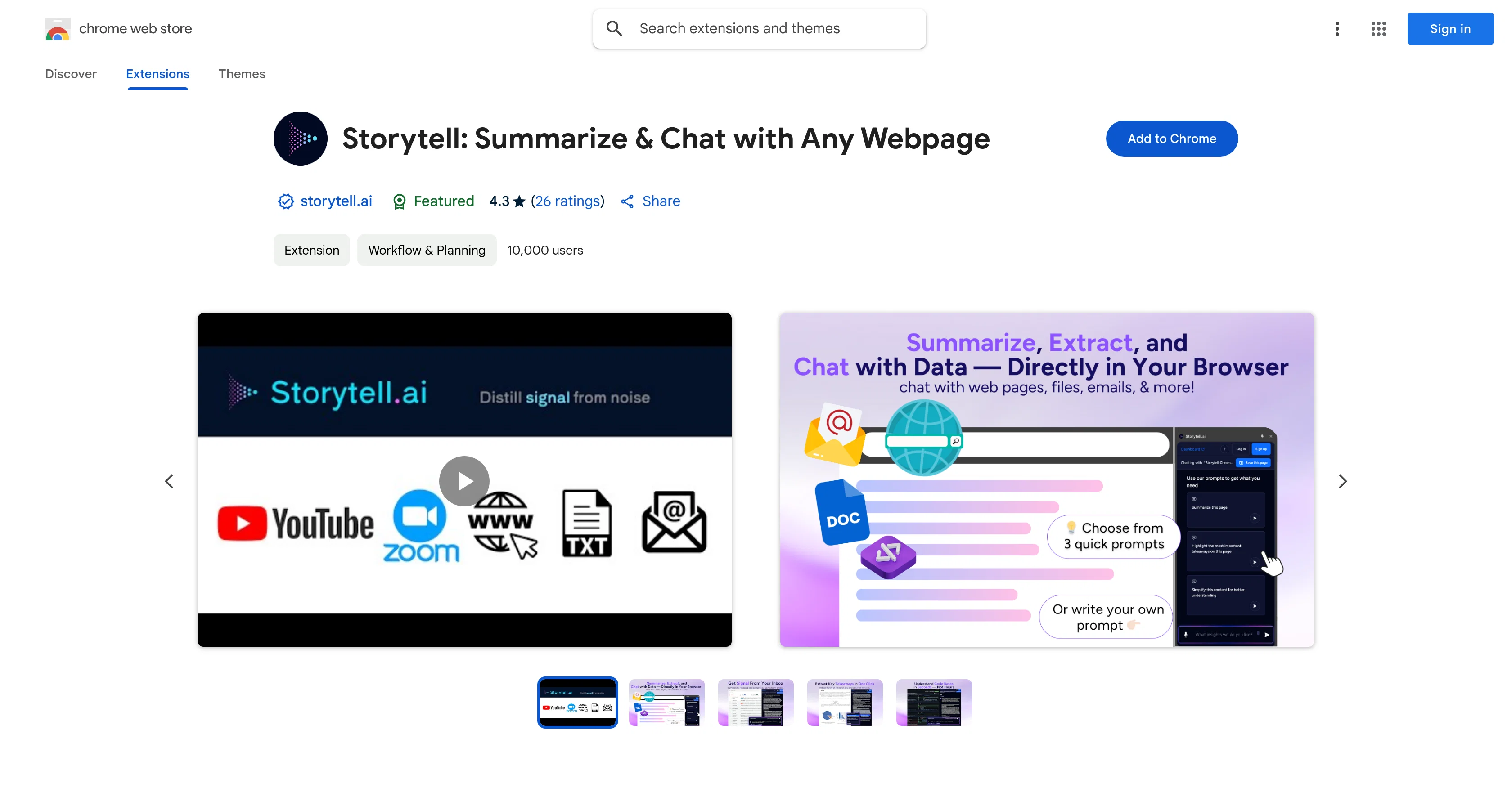
Storytell: Summarize & Chat with Any Webpage Overview
What is Storytell: Summarize & Chat with Any Webpage?
Storytell is an AI-powered Chrome extension that aids in summarizing, extracting key points, understanding complex content, and interacting with any website on the internet.
It is designed to streamline the process of analyzing and interpreting information efficiently. The extension can summarize web pages, research papers, email threads and more, transforming dense and complex information into clear, concise summaries.
It highlights key points from an array of documents, aiding in swift extraction of important details. A unique feature is its ability to convert complex content, like codebases and legal documents, into simple language.
The extension also serves interactive functionality; users can ask questions directly to the page and receive AI-generated insights. Users can also refine responses, follow-up prompts, save and organize insights using Storytell collections for future reference.
Aimed at reducing hours of research and analysis, Storytell seeks to deliver accurate information, bridging knowledge gaps, and fostering an efficient work environment.
From a security perspective, the tool is developed with a privacy-first approach and ensures user data remains secure and private.
Help other people by letting them know if this AI was useful.
Add your own prompts and outputs to help others understand how to use this AI.
Screenshot gallery
Pros & Cons
Pros
+Summarizes complex content
+Interacts with any webpage
+Summarizes web pages and emails
+Extracts important details
+Converts complex language to simple
+Interactive chat function
+Refines responses and prompts
+Organizes and saves insights
+Reduces research time
+Privacy-first approach
+User data remains private
+Certified GDPR, HIPAA, SOC2 compliant
+Workflow & Planning categorization
+Streamlined information interpretation
+Operates as a Chrome extension
+Refine responses
+Research papers summarization
+Simplifies codebases and legal documents
+Asks questions directly to page
+Follow-up prompts
+Clear, concise summaries
+Swift extraction of details
+Aids in comprehension
+Accurate information
+Key points highlighter
+Email threads summarization
+Work efficiency booster
+Knowledge gaps bridging
+Developer good record
+Follows Chrome extension recommended practices
+Help/support available
+Additional context provision for responses
+Counterpoints for responses
+Enterprise-grade security
+Does not train on user content
+Researched data validation
+Complex learning simplification
+Data privacy prioritized
+Organizational tools
Cons
−Limited to Chrome
−Extension size 6.16MiB
−Doesn't work offline
−No Multilingual support
−No mobile version
−Potential privacy concerns
−Requires sign up
−Handles identifiable information
A Professional Framework to Evaluate Storytell: Summarize & Chat with Any Webpage
When considering Storytell: Summarize & Chat with Any Webpage for integration into your organizational workflow, we recommend deploying a structured score card across three critical operational pillars: Security & Compliance, Integration Friction, and long-term Price Scalability. Rather than looking only at basic feature lists, modern procurement teams must assess how a software platform behaves under high load and how well it fits into the team's data security guidelines.
1. Security and Database Compliance
Depending on your operating region and field, ensure that Storytell: Summarize & Chat with Any Webpage supports standard security layers such as SOC 2 Type II certifications, GDPR compliance, or HIPAA-compliant database encryption. If the tool connects directly to client database tables or handles user passwords, verify that they implement multi-factor authentication (MFA), single sign-on (SSO) integrations, and end-to-end data encryption in transit and at rest.
2. API Coverage and Custom Integrations
Siloed data is the primary cause of operational friction. Evaluate if Storytell: Summarize & Chat with Any Webpage has native connectors for your current project trackers, messaging hubs, and customer communication channels. For custom developer requirements, check if they provide a fully documented REST API with reasonable rate limits, comprehensive Webhooks support, and robust SDK packages in your language. A flexible API layer saves hundreds of hours of manual copy-paste overhead.
3. Total Cost of Ownership (TCO)
SaaS pricing packages are often deceptively simple. When reviewing Storytell: Summarize & Chat with Any Webpage's billing structure, map out your team's projected expansion over the next 12 to 24 months. Determine how costs scale as your customer database increases or as you add team members. Factor in setup costs, mandatory support plan upgrades, API access fees, and storage overage rates to understand the true cost before committing to a contract.
By combining verified user reviews from our directory with internal workflow pilot tests, your procurement team can make an informed decision that drives productivity without creating capital waste.
Features of Storytell: Summarize & Chat with Any Webpage
Text Summarization
Information Extraction
Research Tool
Chrome Extension
Web Page Analysis
Comprehension Aid
SaaS1to10 verified reviews for Storytell: Summarize & Chat with Any Webpage
Overall rating
★★★★★5.0
Based on 22 reviews
★★★★★5.01 months ago
“Review”
No other tool quite like this, it's pretty straightforward. Needed to extract a long interview from YouTube and it extracted everything, providing it in different meaningful formats in less than two minutes. Awesome
Juan Sierra
★★★★★5.01 months ago
“Review”
Went from a C to an A in Cognitive Psychology using @Thea!!
Sarah White
★★★★★5.01 months ago
“Review”
After my first use, I think it's surprisingly good. The only drawback so far is the PDF export option for the report which is formatless.
Alejandro Correa
★★★★★5.01 months ago
“Review”
O GPT faz uma análise melhor e mais personalizada.
Vinicius Vilela
★★★★★5.01 months ago
“Review”
Does not know how to spell
Emily Hamilton
★★★★★5.01 months ago
“Review”
Not at all accurate…. The only thing similar between original and generated images were the clothes and accessories… face was absolutely new and unconnected.
Shvetank Sharma
★★★★★5.01 months ago
“Review”
This AI PDF Summarizer worked really well
Maksym Zolotyi
★★★★★5.01 months ago
“Review”
Glad that it helps! We are making it better. I would love your feedback!
Gaslighting Check
★★★★★5.01 months ago
“Review”
I may be wrong, but it seemed like any RAG Agent
kanawati
★★★★★5.01 months ago
“Review”
This is actually amazing. It has all the main features I need to be very efficient at my work.
Abroad in China
★★★★★5.01 months ago
“Review”
It's cool!!!!
Alethea
★★★★★5.01 months ago
“Review”
A very useful thing :)
A. G.
★★★★★5.01 months ago
“Review”
@Relay.app fills the gap between AI and actually using it. It allows you to build your own custom flows and agents, unlocking a level of customisation that was previously only achievable through custom code. It's a game changer, and the free plan is so generous - go try it!
Abe Blackburn
★★★★★5.01 months ago
“Review”
Immo currently best solution if you want to convert / enchant your how-to tutorials to more professional!
asusi zuppa
★★★★★5.01 months ago
“Review”
Great tool! Was very helpful in content production
Duck Typer
★★★★★5.01 months ago
“Review”
I think it's the best @Image Generator I ever found on the net. It gives more accurate image according to the prompt. And thank you for keeping it for free.
My Sawsiri
★★★★★5.01 months ago
“Review”
Who doesn’t have a never-ending list of saved items they never go back to? This app alleviates that by automatically tagging and grouping what you save. A chore becomes a joy!
Saeed
★★★★★5.01 months ago
“Review”
I’ve been using @Collate to go through technical PDFs, and it’s been surprisingly handy. Summarizing docs and being able to ask questions directly saves me time, especially when I’m skimming through research or API references. No sign-ups, works offline, and everything stays on my device — which I appreciate.
Harman
★★★★★5.02 months ago
“Review”
This started from a small frustration that wouldn't go away: I'd open 12 tabs for "research," skim none of them properly, and close my laptop feeling more behind than when I started. The web rewards reading speed, not reading depth — and I wanted a tool that flipped that. So I built @GetTheGists: a Chrome extension that gives you the gist of any page in 3 seconds, then lets you ask follow-up questions like you would a smart friend who already read it. A few things we went out of our way to get right: - Cognitive hierarchy, not walls of text. Every summary is structured as Gist → Why It Matters → Key Takeaways → Implications. Compression before precision. - Ask, don't just read. Hit the page with follow-ups, get answers grounded in the content. - 20 languages, full dark mode, and a resizable side panel that actually respects your screen. What surprised me building this: the hardest part wasn't the AI — it was deciding what not to show. Every iteration was about removing a section, not adding one. It's free to try (Premium and Pro tiers if you want higher limits). I'd love your honest feedback — especially on the summary format and where it falls short on your favorite kind of page. I'll be in the comments all day. Thank you for taking a look 🙏
GetTheGists
★★★★★5.02 months ago
“Review”
Avoid this sucks
Mike Dalton
★★★★★5.02 months ago
“Review”
This extension can be now found from Chrome Web Store: https://chromewebstore.google.com/detail/@Talk2Page/pdjbnohihikolhhdecagoajacbhflacl
Jukka Alapiha
★★★★★5.02 months ago
“Review”
Awesome feature with the chrome extension. Low brainer 🔥🔥🔥
Carl Beauregard
Pricing
Starting Price
Contact vendor for pricing
Pricing may vary based on team size and features selected.
Where can Storytell: Summarize & Chat with Any Webpage be deployed?