5.02 months ago
“Review”
Reducing manual efforts in first-pass during code-review process helps speed up the "final check" before merging PRs
Sahil Mohan Bansal

From idea to automation in one conversation.
Stepper is an AI-native workflow automation platform that simplifies the process of building automated workflows for your business. The software employs a conversational AI editor which allows users to construct workflows using natural language. It also offers a visual editor for manual construction and tweaking of workflows. Stepper stands out for its innovative use of modular, reusable components. This feature allows user to design a logic once and reuse it across multiple workflows, hence saving time and ensuring efficiency. The platform promises to offer a cost-effective solution for running complex workflows. Stepper supports a wide range of applications, providing a comprehensive solution for varying user needs. The software allows users to bring their own API keys, thereby offering flexibility and potential cost reduction. Stepper also differentiates itself with its artificial intelligence focused approach, positioning AI not as an add-on but at the core of how users build, edit, and understand their workflows. This AI-first approach allows for a more intuitive and efficient user experience. The platform is structured to support countless use cases which vary from AI powered lead qualification to contract management to content distribution, among many others. Lastly, unlike other automation tools, Stepper offers the possibility of unlimited steps on its professional plan, potentially offering significantly reduced costs for businesses when automating tasks. Help other people by letting them know if this AI was useful. Add your own prompts and outputs to help others understand how to use this AI.
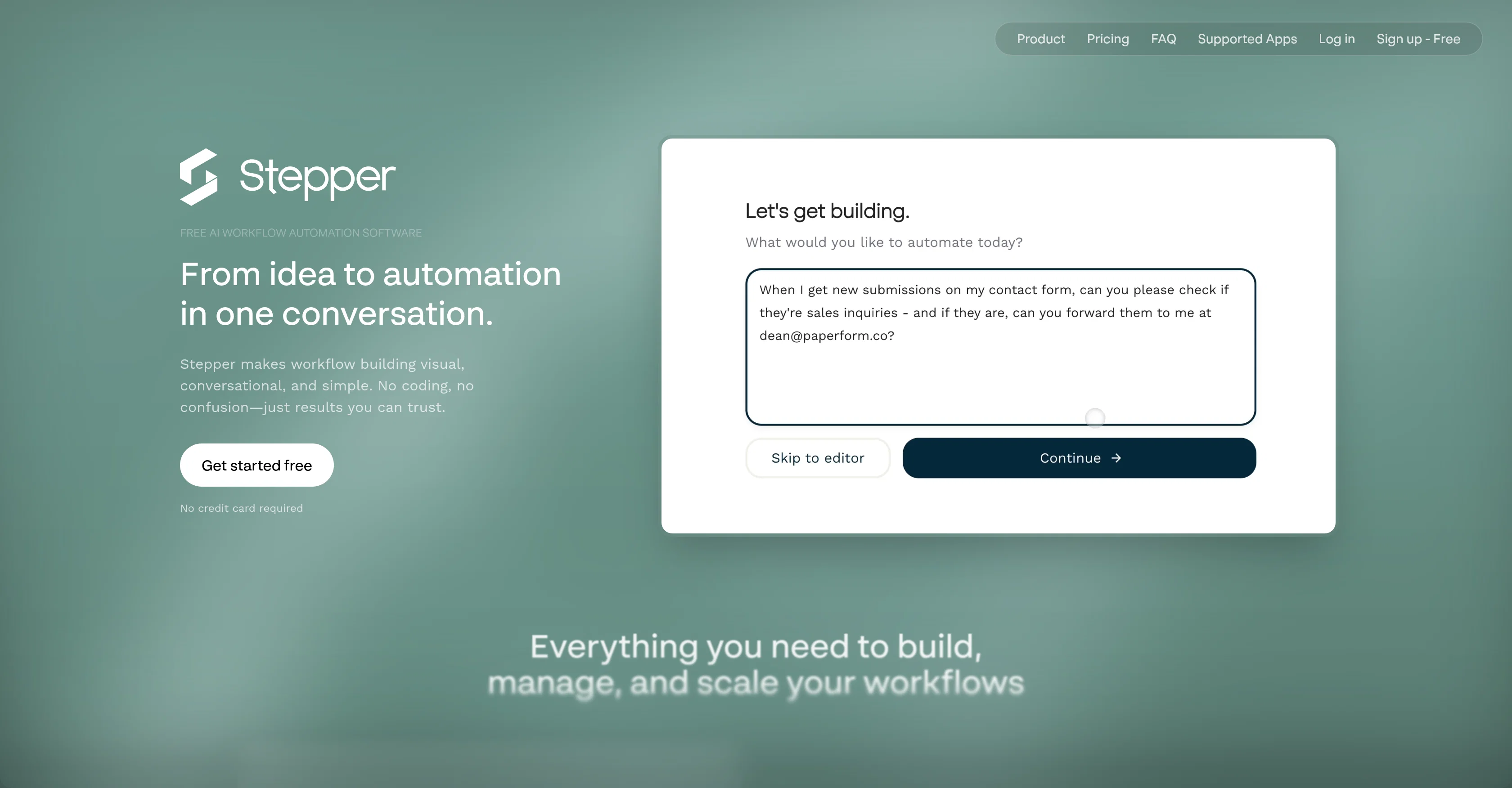
When considering Stepper for integration into your organizational workflow, we recommend deploying a structured score card across three critical operational pillars: Security & Compliance, Integration Friction, and long-term Price Scalability. Rather than looking only at basic feature lists, modern procurement teams must assess how a software platform behaves under high load and how well it fits into the team's data security guidelines.
Depending on your operating region and field, ensure that Stepper supports standard security layers such as SOC 2 Type II certifications, GDPR compliance, or HIPAA-compliant database encryption. If the tool connects directly to client database tables or handles user passwords, verify that they implement multi-factor authentication (MFA), single sign-on (SSO) integrations, and end-to-end data encryption in transit and at rest.
Siloed data is the primary cause of operational friction. Evaluate if Stepper has native connectors for your current project trackers, messaging hubs, and customer communication channels. For custom developer requirements, check if they provide a fully documented REST API with reasonable rate limits, comprehensive Webhooks support, and robust SDK packages in your language. A flexible API layer saves hundreds of hours of manual copy-paste overhead.
SaaS pricing packages are often deceptively simple. When reviewing Stepper's billing structure, map out your team's projected expansion over the next 12 to 24 months. Determine how costs scale as your customer database increases or as you add team members. Factor in setup costs, mandatory support plan upgrades, API access fees, and storage overage rates to understand the true cost before committing to a contract.
By combining verified user reviews from our directory with internal workflow pilot tests, your procurement team can make an informed decision that drives productivity without creating capital waste.
Overall rating
Based on 21 reviews
Reducing manual efforts in first-pass during code-review process helps speed up the "final check" before merging PRs
Sahil Mohan Bansal
Very interesting
Béatrice Duval
I got some top quality results after learning how to prompt songs 🤩
Claes Lanng
Really like how it finds connection in the content that I save. I don't think any other tool can do that.
amix ffx
This tool i found is super cool, I created 5 books from this tool to sell them online, which gives me great profit. I am creating more valuable books to spread knowledge, and earn some bucks as well 🤑.
Bilal Ashraf
Great tool! Was very helpful in content production
Duck Typer
I already have another transcription tool, but this one is much better. I love the different features such as the summary, quiz, and chapters. It does a great job of them. I've only done one transcript so far to try it out, but I'm truly impressed and am going to grab another code. A couple things that would make it even better are: - the ability to rename the files and organize them through folders. - the ability to download a copy of the other features as well as the transcript. Copying and pasting it works, but doesn't keep the format.
dunn
State of the Art
Dmitry G.
superb, e gratis, merge blana, in EN se aude ideal
jon doe
I think it's the best @Image Generator I ever found on the net. It gives more accurate image according to the prompt. And thank you for keeping it for free.
My Sawsiri
Created a dashboard using my Excel file and it gave insights I didn’t even expect. It can read any kind of Excel file no matter the template. I can even check the accuracy by tracing back which column the data came from Great tool. highly recommended!!
Anubhav Pandey
I'm using it to significantly reduce time to make high-quality post. it works much better that regular chatgpt/claude
Islam Midov
Would rate 4.9 if possible, but rounding up to 5 stars because this app truly excels compared to other AI coding tools. Why 5 Stars: Best-in-class AI coding assistance Huge improvements over competitors Actually works for real development Real Impact: I successfully built and published an actual app using this tool - that's game-changing for non-developers like me. Bottom Line: Yes, there's room for improvement, but this is already the top AI coding app available. The fact that ordinary people can create real apps with it says everything. Perfect for anyone wanting to turn ideas into actual apps!
Johnson
This is the first AI marketing tool I’ve used that actually helps me get things done, not just suggest generic ideas. The mix of AI-powered strategy and real experts executing the work makes it feel like having a high-performance marketing team without the overhead
Zach Chmael
Sorry about that, just launched, fixed the bug.
Vadim
@Clever AI Humanizer is a smart solution for making AI text more 'human' at no cost. I've tried it myself, and the results are truly natural, not robotic. Highly recommended for those who frequently use AI for content! 👍🏼
JEFRIE DYLAN
that's such a great AI
piw
I've known @WebFill for a while, I use it almost every day, the interface is pretty good, what I like the most is that it solves any MCQ. Congratulations on the launch!
Takata 54
I’ve added the newest OpenAI models to @n8nChat! - gpt-4.1-nano - gpt-4.1-mini - o4-mini - gpt-4.1 - o3 This update is currently live in the Firefox version, however the Chrome version is still pending Google approval for the update.
Cameron Wills
@BotDojo is one of the most powerful AI Agent builders I've found out there. As a non-technical marketer, it took me a minute to get familiar with the designer, but using the preexisting templates is super helpful! I am now running outreach 100% on autopilot. @BotDojo personalizes the copy for each contact we reach out to by email and LI. It also takes care of the drip campaign that I run through Lemilist. LOVE IT! I really hope to see more templates coming up soon!
Antoine Vial
Looks like an interesting project with complete focus on ease of use and no-code environment! 🤩 #NoCode #Project #Software #Development #EaseOfUse
Ameya Joshi
Starting Price
Free plan available
Free tier available with optional paid upgrades.


