5.02 months ago
“Review”
Great tool, it works as advertised and more!
Eran Medan

Real-time bilingual subtitles on any tab.
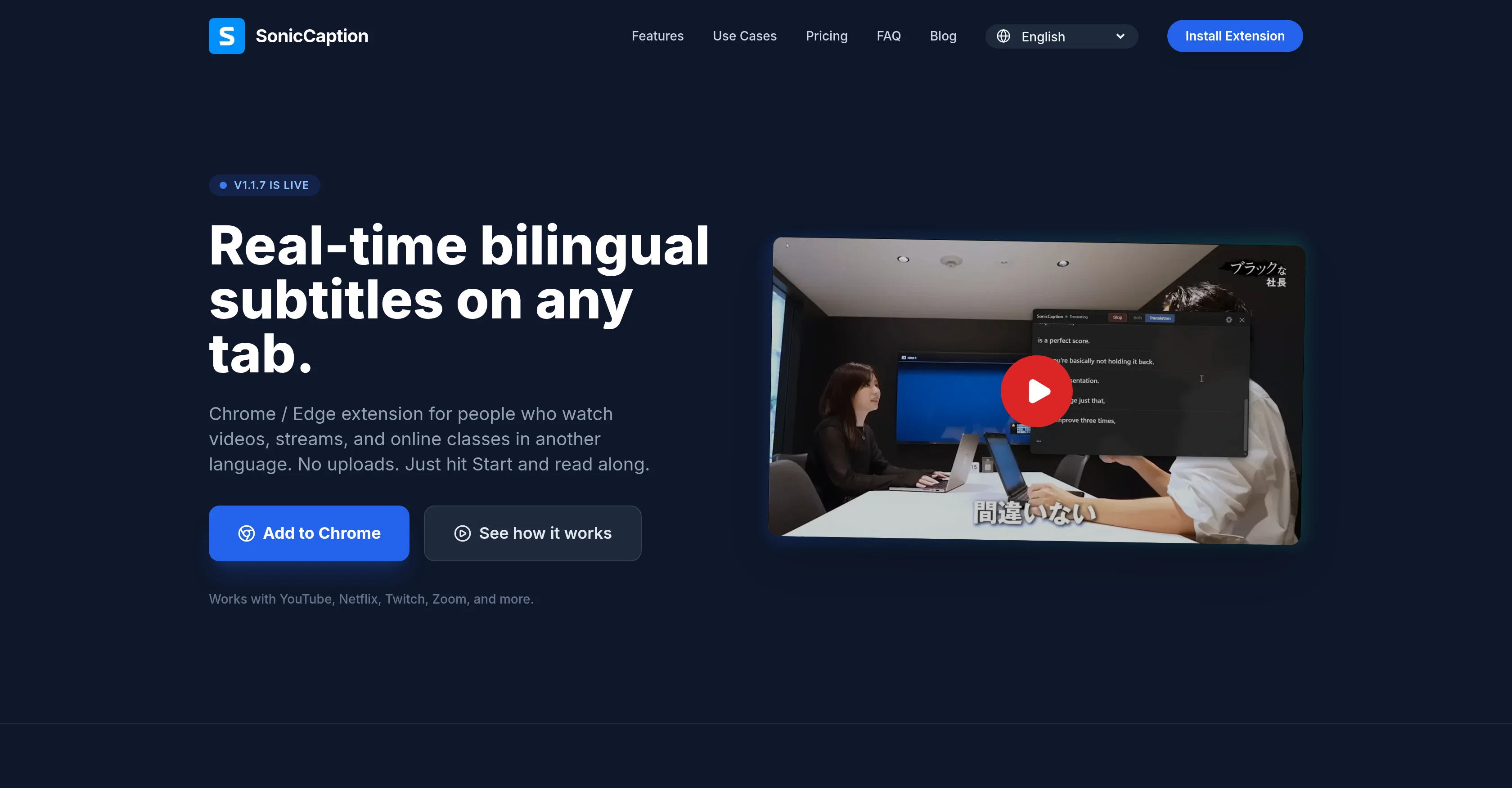
SonicCaption is a browser extension that provides real-time, dual-language subtitles for any online video or audio content. It serves as a highly effective tool for language learners, non-native professionals, or anyone seeking to engage with content in another language. SonicCaption operates across a wide range of platforms, including but not limited to YouTube, Netflix, Twitch, Zoom, and Google Meet. The tool listens to the audio in any opened tab and instantaneously produces subtitles in both the original language and the user's chosen translation. It is designed to function seamlessly without requiring any manual uploads or additional processes. SonicCaption can translate live streams with minimal latency, contributing significantly to scenarios such as international meetings, online classes, or viewing foreign shows. Users also have the luxury of seeing the original content and translations simultaneously, facilitating efficient language learning. In addition, SonicCaption is designed with privacy considerations; it doesnt move audio out of your browser, and only processes text segments. The tool offers various subscription plans based on user needs, from free to ultra versions, ensuring scalability for all types of users, from casual learners to power users. Help other people by letting them know if this AI was useful. Add your own prompts and outputs to help others understand how to use this AI.
When considering SonicCaption for integration into your organizational workflow, we recommend deploying a structured score card across three critical operational pillars: Security & Compliance, Integration Friction, and long-term Price Scalability. Rather than looking only at basic feature lists, modern procurement teams must assess how a software platform behaves under high load and how well it fits into the team's data security guidelines.
Depending on your operating region and field, ensure that SonicCaption supports standard security layers such as SOC 2 Type II certifications, GDPR compliance, or HIPAA-compliant database encryption. If the tool connects directly to client database tables or handles user passwords, verify that they implement multi-factor authentication (MFA), single sign-on (SSO) integrations, and end-to-end data encryption in transit and at rest.
Siloed data is the primary cause of operational friction. Evaluate if SonicCaption has native connectors for your current project trackers, messaging hubs, and customer communication channels. For custom developer requirements, check if they provide a fully documented REST API with reasonable rate limits, comprehensive Webhooks support, and robust SDK packages in your language. A flexible API layer saves hundreds of hours of manual copy-paste overhead.
SaaS pricing packages are often deceptively simple. When reviewing SonicCaption's billing structure, map out your team's projected expansion over the next 12 to 24 months. Determine how costs scale as your customer database increases or as you add team members. Factor in setup costs, mandatory support plan upgrades, API access fees, and storage overage rates to understand the true cost before committing to a contract.
By combining verified user reviews from our directory with internal workflow pilot tests, your procurement team can make an informed decision that drives productivity without creating capital waste.
Overall rating
Based on 17 reviews
Great tool, it works as advertised and more!
Eran Medan
We're live folks! Do check us out and drop your feedback or requests.
Shubh Saras
Phenonmal assistant!
Cav
Useful tool. Highly recommended.
Junaid Muhammed
Thanks very much for the feedback. And yes, this is definitely aimed at beginners and also more of a starting point. As the plan evolves you will need more sophisticated tools to build up a robust marketing plan. I am in the process of building more supporting tools to complement this one.
Vikram Jayanand
Its a promising project and works well so far. Wishing them all the best and godspeed.
Dipak Rautela
Never thought I needed this but it’s really good
Paul
They nailed it. It’s better than 3.7 at coding.
Tealgreen
I've been playing around with this for a few hours. It's made me say "WOW" too many times than i wish to admit. I'm going to follow this and see how it evolves. For now, i managed to create quite a nice Expenses app for personal use. | It did have some problems when it came to moving some components on other pages, but for how short the prompts it uses can be, it is really impressive. With some proper prompts it can generate some strong stuff.
Bernard
State of the Art
Dmitry G.
your answer is much too general, so useless. You could have just tell me to ask Perplexity.
Ta
Cool, can't say much about how better is than others. Nevertheless, another one that i will maybe forget about. I gotta say that i really like the UI design.
Lyna M
Hi! Thor here, the creator. Think of @Axey as your collaborative partner: you give commands, watch @Axey work, refine & perfect. Feel free to ask any questions!
Thor
The most humanly AI i have used so far but the problem is as soon as you start piling up messages in single chat session , it starts getting slow and at some point it starts freezing and also uses a lot of resources. For time being its okay to do 3 4 messages but as soon as we continue it has messages limitation and also starts getting very very slow . For the price of £18 per month this is unacceptable and with the newly introduced feature called project, if we start new chat within the project we cannot continue with the context we provided in other chats within same project. There are lot of improvements for them to work on. And to start with the its speed and its price
Bibash Katel
its a great initiative . i appreciate your each piece of effort. make it more versatile for meeting as note taking also . auto summarise and notes down mom of meeting. if should have transcipt interface as two people are chatting instead of just line by line text. not easy understandable who is spaeking. which line.
Gaurav Mishra
This is the only chat app, comparable to whatsapp, that has live, automatic translations as you chat. You can also send voice messages that get transcribed and translated automatically. Amazing stuff.
Chetan Ahuja
There is nothing like that out there, especially with a high voice-based translation quality (including with specific terminology). As the Product Manager, I am a bit biased, but I still think it is great for live interpretation :)
Maxence Lemercier
Starting Price
Free plan available
Free tier available with optional paid upgrades.


