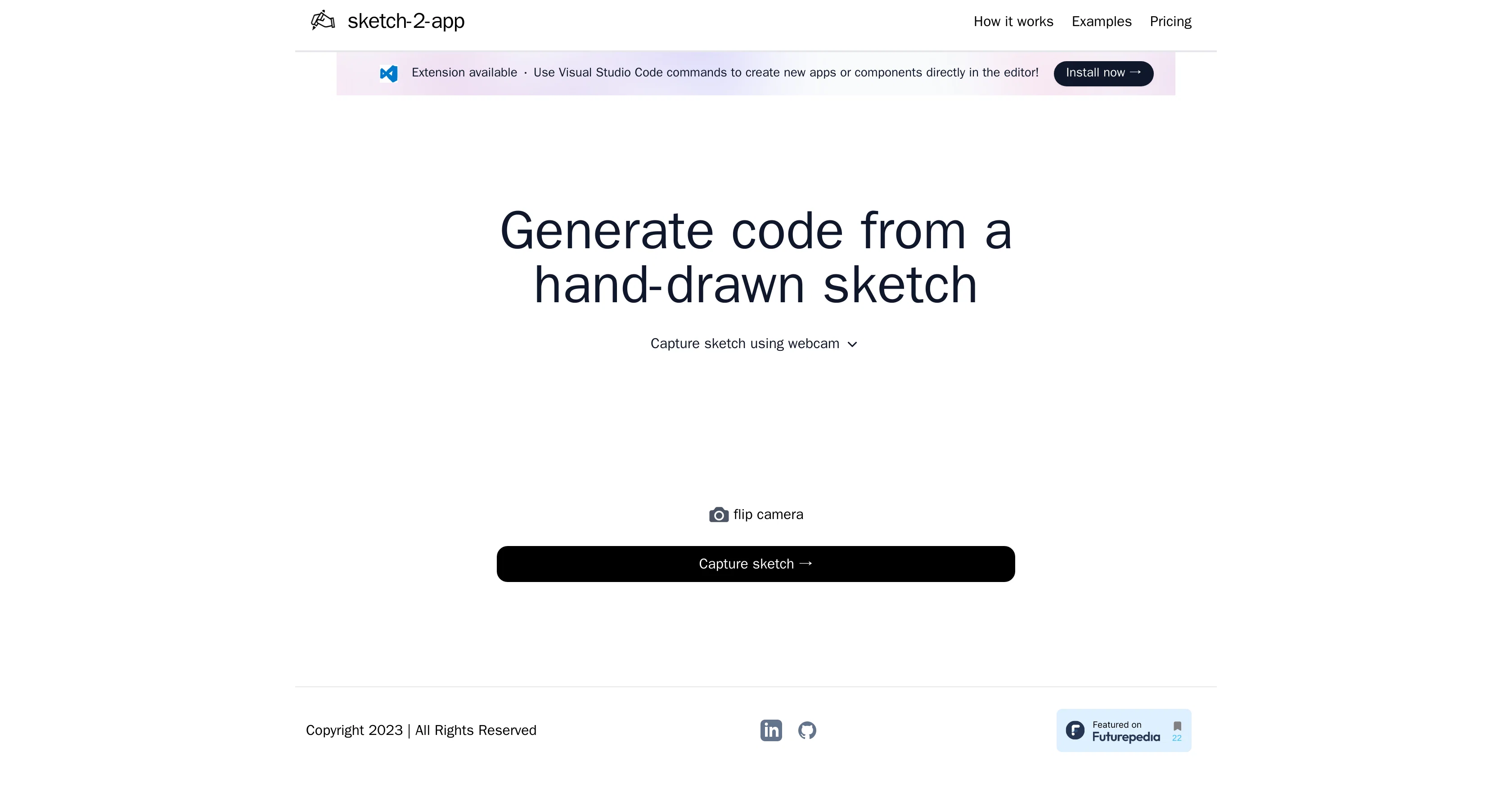
Sketch2App is a tool designed to generate boilerplate UI code from user-created sketches. It is an innovative solution that automates a significant part of mobile application development, hastening the process and improving productivity.
The tool's primary functionality is to transform a hand-drawn sketch into functional code. The user can capture their sketch using a webcam or other camera device, after which Sketch2App transforms this visual input into ready-to-use code.
This tool is primarily synced with Visual Studio Code, a popular coding platform. After installation, users can apply the tool's capabilities directly within the Visual Studio Code editor, providing a seamless workflow.
By way of Visual Studio Code commands, you can create new apps or components without leaving the editor. Additionally, Sketch2App has its extension available on Visual Studio Code's marketplace.
The tool doesn't just cater to the creation of new apps but also allows the generation of code for individual components, proving to be beneficial for developers seeking a quicker method of prototyping and designing applications.
Help other people by letting them know if this AI was useful.
Add your own prompts and outputs to help others understand how to use this AI.
Screenshot gallery
Pros & Cons
Pros
+Generates boilerplate UI code
+Sketch to code conversion
+Works within Visual Studio Code
+Seamless integration with code editor
+Creates new apps/components directly
+Available as Visual Studio extension
+Beneficial for quick prototyping
+Transforms hand-drawn sketches
+Uses webcam/camera for input
+Aids in mobile app development
+Improves productivity in design
+Accelerates development process
+Facilitates individual component coding
+Useful for software development automation
Cons
−Only for Visual Studio Code
−Requires manual sketch capture
−No software integration variety
−Dependency on camera quality
−Limited to mobile applications
−Not applicable for complex apps
−Doesn't support multiple coding languages
−No direct sketch importing
−No physical sketch recognition
−Prototyping capability restrictions
A Professional Framework to Evaluate Sketch2App
When considering Sketch2App for integration into your organizational workflow, we recommend deploying a structured score card across three critical operational pillars: Security & Compliance, Integration Friction, and long-term Price Scalability. Rather than looking only at basic feature lists, modern procurement teams must assess how a software platform behaves under high load and how well it fits into the team's data security guidelines.
1. Security and Database Compliance
Depending on your operating region and field, ensure that Sketch2App supports standard security layers such as SOC 2 Type II certifications, GDPR compliance, or HIPAA-compliant database encryption. If the tool connects directly to client database tables or handles user passwords, verify that they implement multi-factor authentication (MFA), single sign-on (SSO) integrations, and end-to-end data encryption in transit and at rest.
2. API Coverage and Custom Integrations
Siloed data is the primary cause of operational friction. Evaluate if Sketch2App has native connectors for your current project trackers, messaging hubs, and customer communication channels. For custom developer requirements, check if they provide a fully documented REST API with reasonable rate limits, comprehensive Webhooks support, and robust SDK packages in your language. A flexible API layer saves hundreds of hours of manual copy-paste overhead.
3. Total Cost of Ownership (TCO)
SaaS pricing packages are often deceptively simple. When reviewing Sketch2App's billing structure, map out your team's projected expansion over the next 12 to 24 months. Determine how costs scale as your customer database increases or as you add team members. Factor in setup costs, mandatory support plan upgrades, API access fees, and storage overage rates to understand the true cost before committing to a contract.
By combining verified user reviews from our directory with internal workflow pilot tests, your procurement team can make an informed decision that drives productivity without creating capital waste.
Features of Sketch2App
Visual Studio Code
Sketch To Code Conversion
Code Generation
UI Development
Mobile Application Development
Software Development Automation
From $24.99
SaaS1to10 verified reviews for Sketch2App
Overall rating
★★★★★5.0
Based on 17 reviews
★★★★★5.01 months ago
“Review”
Fantastic tool for anyone who is looking to promote their personal brand and gain followers on Linkedin with no experience. The tool has a lot of potential to grow and as someone who has recently purchased the tool I'm hoping for more topics in settings.
Ed Soltani
★★★★★5.01 months ago
“Review”
@Bdg game bot
Ajidul Islam
★★★★★5.01 months ago
“Review”
I already have another transcription tool, but this one is much better. I love the different features such as the summary, quiz, and chapters. It does a great job of them. I've only done one transcript so far to try it out, but I'm truly impressed and am going to grab another code. A couple things that would make it even better are: - the ability to rename the files and organize them through folders. - the ability to download a copy of the other features as well as the transcript. Copying and pasting it works, but doesn't keep the format.
dunn
★★★★★5.01 months ago
“Review”
State of the Art
Dmitry G.
★★★★★5.01 months ago
“Review”
superb, e gratis, merge blana, in EN se aude ideal
jon doe
★★★★★5.01 months ago
“Review”
I tried using it but the website has too many bugs.
João Neiva
★★★★★5.01 months ago
“Review”
It's sad to see people want to try your tool out but you have no free sample for them. This may be the best tool out there, but, as mentioned, going through with the AI for minutes to explain what you want, then being prompted to pay, without even knowing if it CAN create something, is discouraging. I hope we can get a free sample or preview at one point, im interested in this one.
Ron Jayson
★★★★★5.01 months ago
“Review”
I tried NovelGPT a template in @Agentgpt and it did an excellent job writing the first two episodes of my novel complete with character descriptions, setting,plot points and well I think you get the point. Great tool can't wait to see it out of beta.
Kelli Crose
★★★★★5.01 months ago
“Review”
🌟🌟🌟🌟🌟 This AI prompt generation tool is exceptional! It vividly brought to life the jungle scene I envisioned, capturing every detail with remarkable accuracy. The natural expressions, vibrant colors, and serene atmosphere were perfectly rendered. Highly recommended for creative projects!
Sukul Das PANIKA
★★★★★5.01 months ago
“Review”
It doesn't make much sense...
Lincoln Kern
★★★★★5.01 months ago
“Review”
The art is whimsical and fun. The style is absolutely a joy to work with and I love how the characters look. The only struggle I have is for the prompt to understand what I want. I understand you have to be absolutely explicit with your instructions, but when I ask for a mother hugging two of her children, I get the children hugging each other instead or the mother is hugging only one child. I am unsure how to get the three to hug at once. But the style is on point. Keep up the good work!
MD
★★★★★5.01 months ago
“Review”
nice holistic
Amit ImmI
★★★★★5.01 months ago
“Review”
I think it's the best @Image Generator I ever found on the net. It gives more accurate image according to the prompt. And thank you for keeping it for free.
My Sawsiri
★★★★★5.01 months ago
“Review”
Thank you for your feedback! :) I previously offered free credits, but an overwhelming number of users chose the complimentary service, leading to substantial GPU-related expenses. However, in appreciation of your kind words, we are offering a 20% discount on the first 5 purchases using this coupon code: TAAFT Simply visit our website and apply it at checkout in Stripe. Enjoy your conversions!
Manuel Gracia
★★★★★5.01 months ago
“Review”
Stunning. I love so much
Ji Aiden
★★★★★5.01 months ago
“Review”
Instead of paying for chat-gpt, I use this for free. It's the same, and it has more abilities.
Kevin S
★★★★★5.02 months ago
“Review”
No free option all models are behind a pay wall.
Geoffrey Tipy (Maverik)
Pricing
Starting Price
From $15.00/user/month
Pricing may vary based on team size and features selected.